Complete content from the Synervoz website.
# Untitled
> Explore real-world use cases for the Switchboard SDK: consumer, business, metaverse, hardware audio applications.
Add engineering and feature flexibility to AI agent solutions.
Experiment with and build new consumer experiences.
Develop new communications products for your business.
Problem solving for a universe of competing activities and sounds.
Hardware applications, and more.
No need to build an SDK for your audio AI model or DSP algorithms.
Got some great audio tech? Let's team up.
---
# Voice agents
> Build voice-enabled AI agents with a modular audio graph. Real-time speech processing, noise suppression, and voice activity detection for conversational AI apps.
Use case
Switchboard adds engineering and feature flexibility to AI agent solutions.
[Get started free](https://console.switchboard.audio/register)
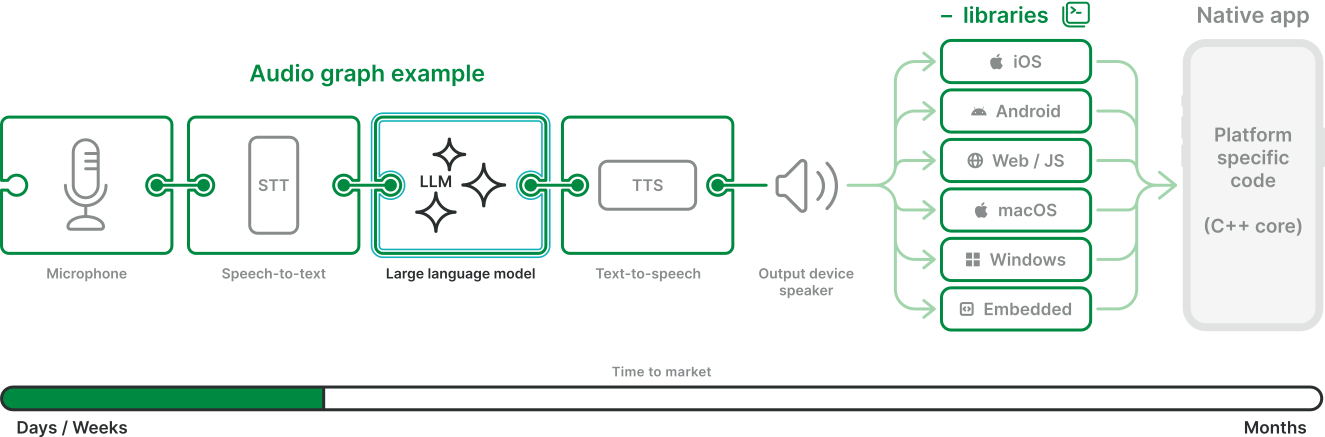
### Mix and match
Switchboard uses nodes—modular containers within the SDK—to make building audio graphs and experimenting with features like speech-to-text, LLMs, and text-to-speech easy.
You can try any of the nodes we've already built into Switchboard or request new ones! Switchboard allows you to test and compare results without having to rebuild a graph that connects the features together each time.
[See all nodes](/nodes)
[](/nodes)
### Deploy anywhere
Gain added flexibility, making it easier to decide where each feature in your graph should live:
* in the cloud
* on-premise
* on-device
Run models on your own terms more easily. From prototype through production, Switchboard makes it easier to design, test, and deploy LLM graphs in any configuration.

### Add features easily
Switchboard makes it easy to add these into your audio graph and have them run on all of your supported platforms, instantly.
* Connect your AI agent into a live call with people
* Add music to the background
* Experiment with voice changers, languages and accents and effects
* Tools to improve audio quality
[Play](https://youtube.com/watch?v=Dl4SHFgn4ak)
[Play](https://youtube.com/watch?v=TeUxbal67po)
[Play](https://youtube.com/watch?v=SvfG45KIlfM)
### Language translation
Whether you need a continuous language translation agent for presentations from one to many, or agents that can join phone calls and translate back and forth in both directions, Switchboard can help you build these solutions faster.
[Get started](https://console.switchboard.audio/register)
[](https://console.switchboard.audio/register)
### Customer service
Businesses are rushing to have AI Agents solve the problem of poor customer service and waiting on hold. Whether you’re looking for a solution in which AI Agents are able to join human agents on calls, or where the AI can stand alone and replace your Interactive Voice Response system, Switchboard gives you added flexibility and speed to market.
[Get started](https://console.switchboard.audio/register)
[](https://console.switchboard.audio/register)
### Social and entertainment
Building an app to addresses loneliness? Perhaps a watch party, game, or entertainment based app that needs an AI companion to help improve the user experience?
Switchboard makes it easy to bring AI Agents into these use cases and to mix the audio alongside other media, as well as other fun features and effects.
[Get started](https://console.switchboard.audio/register)
[](https://console.switchboard.audio/register)
We have multiple options and partners to help you customize solutions.
Our partner LiveKit also provides great tools for building AI Agent solutions.
Our parent company offers custom engineering services and can build your solution end to end.
---
# Team communication
> Audio Solutions for Remote Work, Deskless Workers, Creative Industry, and more! Build with Switchboard today
Use case
Switchboard makes it easy to develop new communications products for business.
[Get started free](https://console.switchboard.audio/register)

### Remote work
Go a level beyond Slack Huddles and Teams calls.\
Build casual rooms to stay connected while listening to music. Use voice commands, keyboard shortcuts, and gestures to instantly connect team members together. Embed casual activities like watch parties and games. Switchboard provides a variety of features to support these use cases, and we’ve built numerous apps in this space.

### Deskless workers
Hands-free walkie talkies for construction, retail, field operations, and more. Use voice commands even in noisy environments. Use trigger words to turn transparency features on and off in noise canceling headphones. Use voice commands to send messages into Slack or Teams.

### Creative industry
Collaborate while producing music or a film. Share control over a Digital Audio Workstation and listen to the output together while on a voice or video call. Make it sound like you were in the same studio, rather than connected over a Zoom call.

### Get started for free
Sign up to get free access to Switchboard’s basic prototyping license.
[Sign up free →](https://console.switchboard.audio/register)
[](https://console.switchboard.audio/register)
---
# Consumer apps
> Audio is the hardest part. Switchboard provides the best user experience and the least pain to build! Get started today at no cost!
Use case
Switchboard is great for experimenting with and building new consumer experiences.
[Get started free](https://console.switchboard.audio/register)

### Karaoke apps
Karaoke apps are full of audio features. You'll need a music player, microphone handling, effects like pitch-correction (autotune), voice changers, perhaps some mechanisms to measure and score your users. And what if you want to do all of this in a live broadcast to an audience, or with a group of friends. Switchboard has you covered.

### Listen with friends
Listening to music together is nothing new. But doing it online with integrated voice and video chat is.\
\
Switchboard was the first Listen Party experience involving voice and video chat with smart, voice-activity-based ducking, and our tech remains the most advanced. Control parameters like attack, release, and VAD parameters. Synchronize playback between users.\
\
Whether you’re integrating streaming music services, live shows, radio stations, or podcasts, you can leave the heavy lifting to Switchboard.

### Watch parties
Do you have a video streaming app? Looking for a way to allow your users to watch together? Across all devices, with voice, video, and text chat?
Let Switchboard deal with synchronizing, audio issues, mixing media and voice streams, and all the other real time issues you're likely to deal with.

[Get started free](https://console.switchboard.audio/register)
### Multiplayer gaming
Good sound brings gaming to life. Adding voice chat often ruins that experience, especially when players are connected through multiple platforms (consoles, PC, phones) and aren’t wearing headphones. It doesn’t have to be that way, and you don't have to struggle to provide a better audio solution.

[Play](https://youtube.com/watch?v=sPnYIq47LzI)
### Get started for free
Sign up to get free access to Switchboard’s basic prototyping license.
[Sign up free →](https://console.switchboard.audio/register)
[](https://console.switchboard.audio/register)
---
# Consumer electronics
> Real-time audio solutions for Smart Speaker, Companion Apps, Augmented Reality, hearable hardware, and much more!
Use case
[Get started free](https://console.switchboard.audio/register)
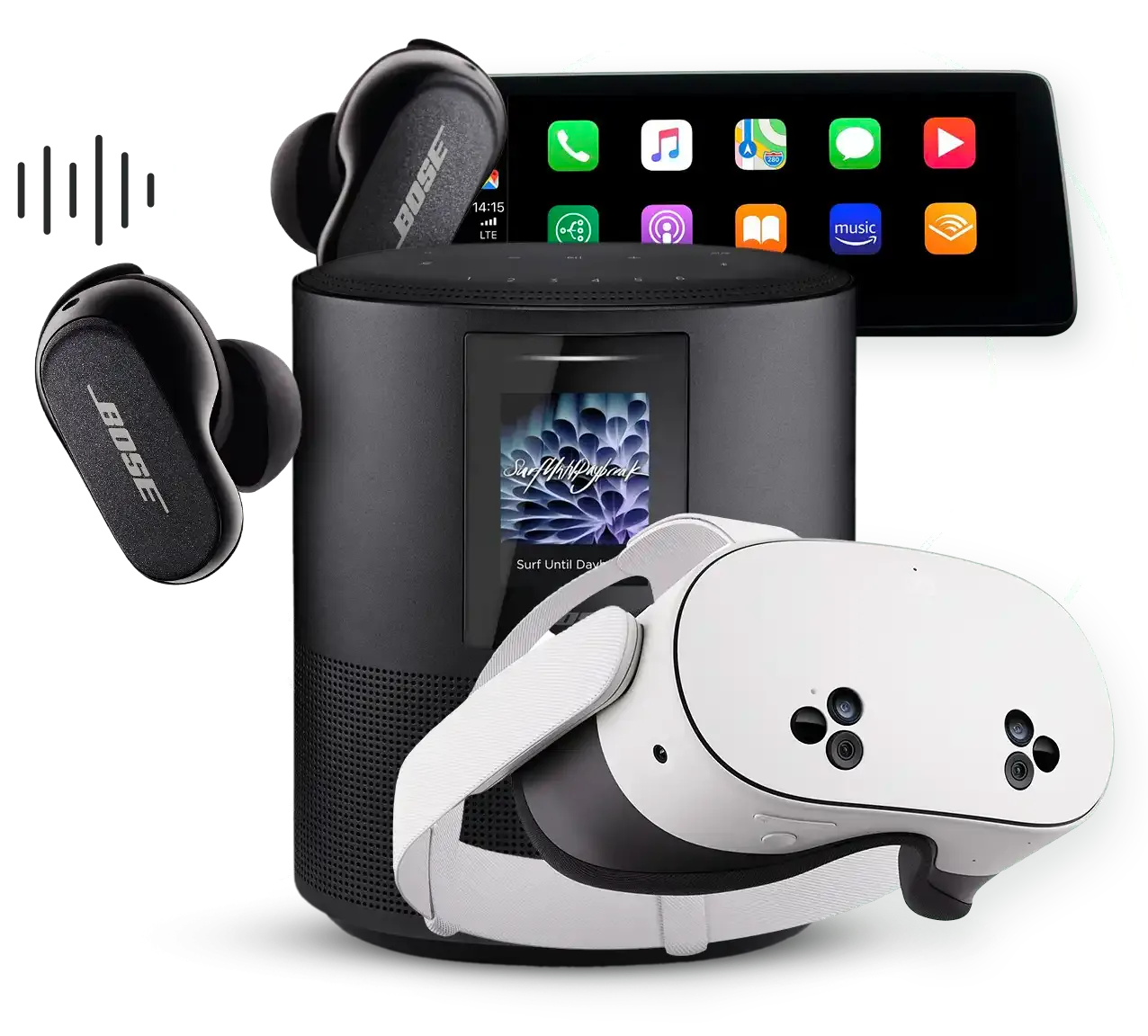
### Smart speakers
We pioneered the “drop-in” audio experience, listen parties, and other related behaviors. As social listening normalizes, smart speakers are full of untapped potential. We can provide a competitive advantage at the hardware and software level.

### Companion apps
The Switchboard platform includes apps and SDKs that are a perfect starting point for companion apps for headphones and speakers. Leverage all of Switchboard’s features, or select only the pieces you need. We can customize it and build it into your product for you.

### Augmented reality and hearables
Headphones are getting smaller and new form factors have emerged. Audio is the common denominator across all connected devices.
* We can embed audio features in resource-constrained hardware
* Develop companion apps with one-of-a-kind experiences
* Design, develop, and prototype with you

### Automotive and infotainment
Leverage our existing tech stack and expertise to get to market faster.

### Motorcycles and intercom hardware
Our technologies enable clear communication, enhancing safety for riders on the road.

### Get started for free
Sign up to get free access to Switchboard’s basic prototyping license.
[Sign up free →](https://console.switchboard.audio/register)
[](https://console.switchboard.audio/register)
---
# Switchboard for Interactive Apps
> Open source examples for building interactive audio apps — voice communication, vocal FX, voice changers, and live streaming on iOS and Android.

Open source examples for building real-time audio experiences — voice communication, vocal FX, voice changers, and live streaming on iOS and Android.
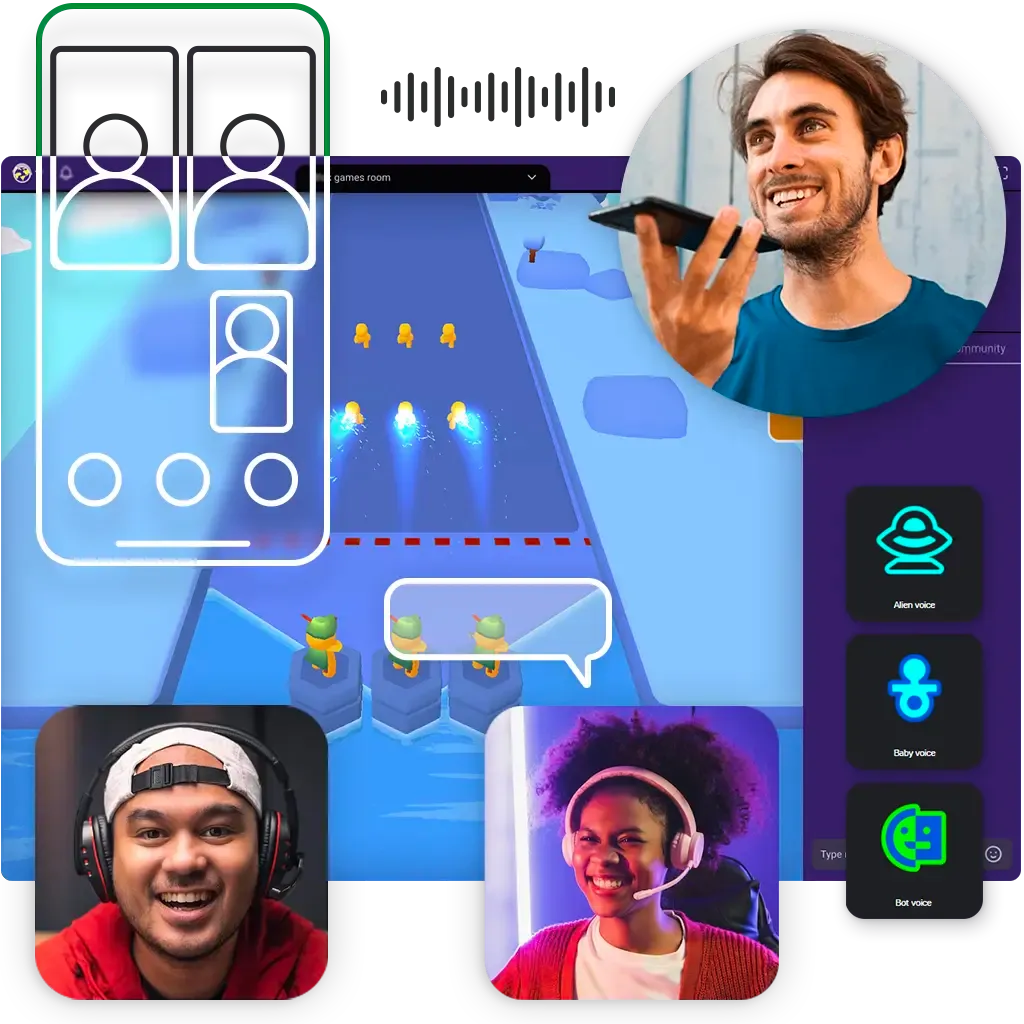
## Everything you need to build engaging interactive audio
Switchboard handles the real-time audio engine — low-latency processing, live FX chains, multi-party communication — so you can focus on creating experiences that keep users engaged.
### Real-time voice communication
Build multi-party voice apps with low-latency audio processing, echo cancellation, and noise suppression baked in.
### Live vocal FX chains
Apply real-time effects to voice — pitch shifting, reverb, voice changing — with ultra-low latency on device.
### Third-party effect integrations
Plug in professional-grade effects from partners like Voicemod to bring studio-quality tools directly into your app.
### Live streaming ready
Integrate with Amazon IVS and other streaming platforms to broadcast interactive audio experiences to a live audience.
[Explore the docs](https://docs.switchboard.audio)
## Open source repositories
Ready-to-run sample apps to start from — clone, build, and make them your own.
## [vocal-fx-chains-sample-ios](https://github.com/switchboard-sdk/vocal-fx-chains-sample-ios)
iOS · Swift
Experience dynamic audio enhancement with our iOS Vocal FX Chains sample app, utilizing the Switchboard SDK. Elevate vocal performances by crafting intricate FX chains.
Vocal FX•Effects•iOS
[View on GitHub](https://github.com/switchboard-sdk/vocal-fx-chains-sample-ios)
## [voice-communication-samples-android](https://github.com/switchboard-sdk/voice-communication-samples-android)
Android · Kotlin
Voice Communication Sample Apps showcasing communication capabilities of the Switchboard SDK.
Voice Comms•RTC•Android
[View on GitHub](https://github.com/switchboard-sdk/voice-communication-samples-android)
## [voice-communication-samples-ios](https://github.com/switchboard-sdk/voice-communication-samples-ios)
iOS · Swift
Voice Communication Sample Apps showcasing communication capabilities of the Switchboard SDK.
Voice Comms•RTC•iOS
[View on GitHub](https://github.com/switchboard-sdk/voice-communication-samples-ios)
## [vocal-fx-chains-sample-android](https://github.com/switchboard-sdk/vocal-fx-chains-sample-android)
Android · Kotlin
Vocal FX Chains example app for showcasing Switchboard SDK functionality on Android.
Vocal FX•Effects•Android
[View on GitHub](https://github.com/switchboard-sdk/vocal-fx-chains-sample-android)
## [karaoke-ivs-sample-ios](https://github.com/switchboard-sdk/karaoke-ivs-sample-ios)
iOS · Swift
Karaoke App with Interactive Audio Effects using the Switchboard SDK and Amazon IVS.
Karaoke•Live Streaming•Amazon IVS•iOS
[View on GitHub](https://github.com/switchboard-sdk/karaoke-ivs-sample-ios)
## [karaoke-ivs-sample-android](https://github.com/switchboard-sdk/karaoke-ivs-sample-android)
Android · Kotlin
Karaoke App with Interactive Audio Effects using the Switchboard SDK and Amazon IVS.
Karaoke•Live Streaming•Amazon IVS•Android
[View on GitHub](https://github.com/switchboard-sdk/karaoke-ivs-sample-android)
## [voice-changer-sample](https://github.com/switchboard-sdk/voice-changer-sample)
Cross-platform · C++
A vibe coded voice changer made with Switchboard.
Voice Changer•C++•Cross-platform
[View on GitHub](https://github.com/switchboard-sdk/voice-changer-sample)
The repos on this page were built with Switchboard. They stand alone, but you can also explore the lower level Switchboard repositories [here](https://publicrepos.labs.switchboard.audio/).
### Need to launch faster or build something custom?
Our team offers expert consulting and forward-deployed engineers to help you design, build, and ship exactly what you need on your timeline.
All of the above can be made available on any platform.
## Get in touch
Have a question or want to work together? We'd love to hear from you.
[Contact us](https://switchboard.audio/contact/)
## Additional resources
## SDK documentation
Full API reference, guides, and tutorials for integrating Switchboard into your app.
[Explore](https://docs.switchboard.audio)
## All open source repos
Browse every public Switchboard SDK repository — filter by use case or platform.
[Browse](https://publicrepos.labs.switchboard.audio/)
## Talk to an engineer
Get hands-on help from the Synervoz team to design or accelerate your interactive audio project.
[Get in touch](https://switchboard.audio/contact)
---
# Metaverse
> Your instant voice network.
Use case
Problem solving for a universe of competing activities and sounds.
[Get started free](https://console.switchboard.audio/register)

Audio plays a major role in the metaverse. People talking, shared video screens, games, music, and sound effects can come together to create intriguing new worlds, if done correctly.
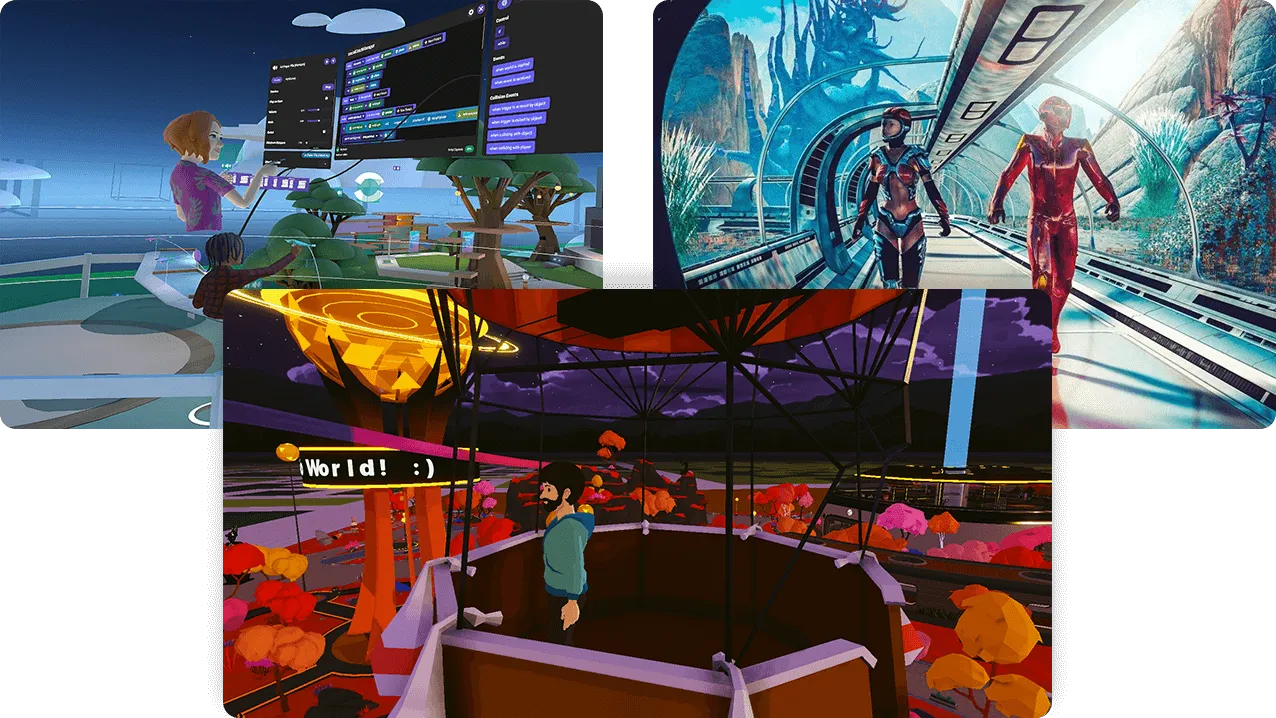
Spatial audio is only part of the solution. You still have to connect it all together.
### We can help
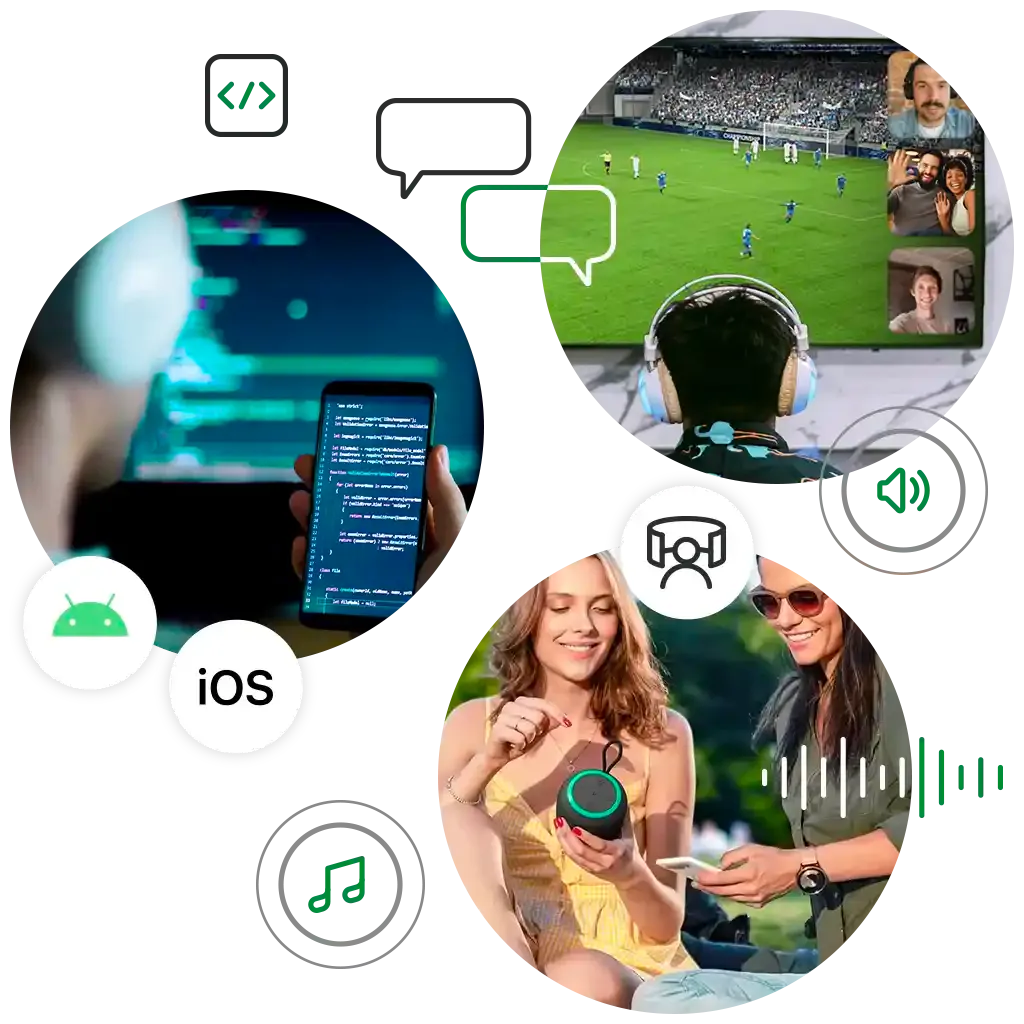
Whether you’re building a web app, VR app, or a device that needs to run embedded audio code, chances are the Switchboard platform contains features that will save you time. And we can help tailor it to your use case.

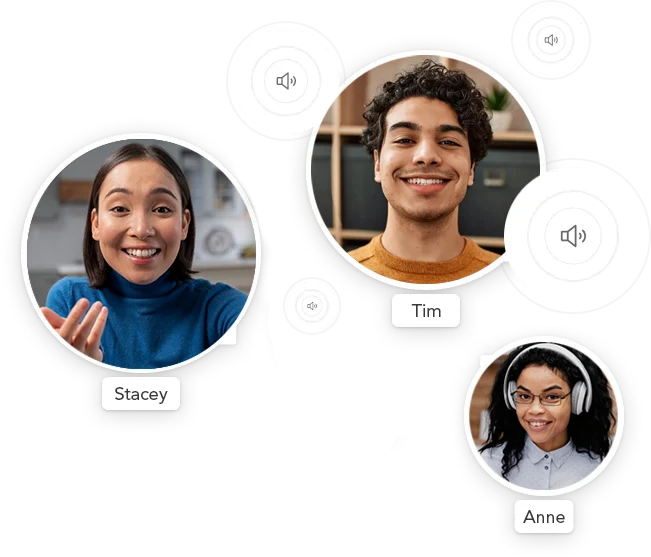
### Spatial audio
Switchboard has extensions that connect to popular spatial audio tools, and we can make custom extensions upon request.
### Get started for free
Sign up to get free access to Switchboard’s basic prototyping license.
[Sign up free →](https://console.switchboard.audio/register)
[](https://console.switchboard.audio/register)
---
# Switchboard for Music Apps
> Open source music app examples built with the Switchboard SDK — karaoke, DJ, guitar effects, and more for iOS and Android.

Open source examples for building music experiences — karaoke, DJ tools, guitar effects, and more — on iOS and Android.
## Everything you need to build great music apps
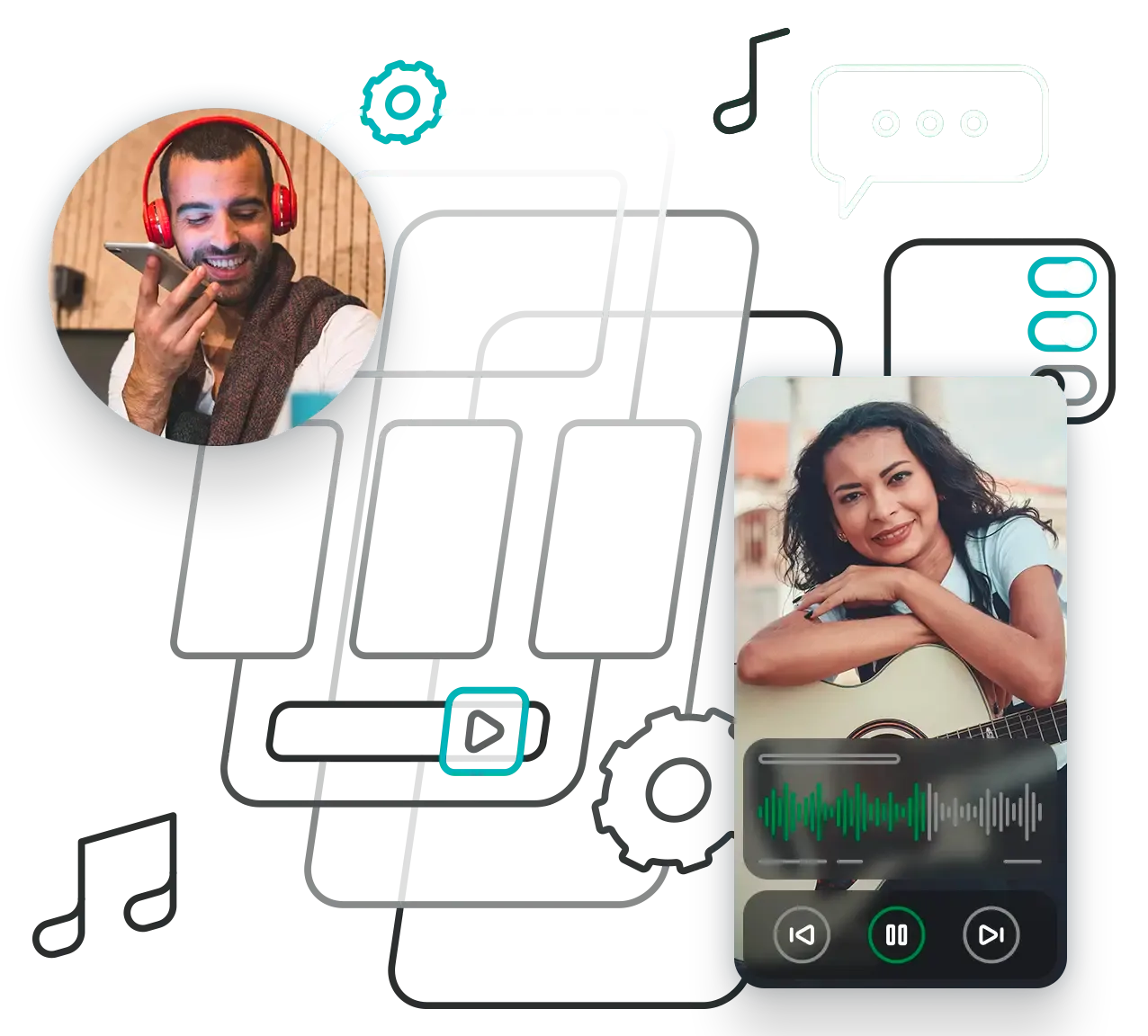
Switchboard handles the hard audio engineering — real-time FX chains, low-latency mixing, multi-track playback — so you can focus on building experiences your users love.
### Real-time audio effects
Apply vocal FX chains, guitar effects, and audio filters with ultra-low latency directly on device.
### Cross-platform support
Ship on iOS and Android from a shared audio graph definition — one pipeline, every platform.
### Live streaming ready
Integrate with Amazon IVS and other streaming platforms to take your music app to a live audience.
### Third-party integrations
Plug in professional effects from partners like Voicemod to add studio-quality tools to your app.
[Explore the docs](https://docs.switchboard.audio)
## Open source repositories
Ready-to-run sample apps to start from — clone, build, and make them your own.
## [karaoke-sample-ios](https://github.com/switchboard-sdk/karaoke-sample-ios)
iOS · Swift
Explore the seamless integration of audio elements through our iOS karaoke sample app using the Switchboard SDK. Effortlessly record your singing voice over a backing track.
Karaoke•Recording•iOS
[View on GitHub](https://github.com/switchboard-sdk/karaoke-sample-ios)
## [karaoke-sample-android](https://github.com/switchboard-sdk/karaoke-sample-android)
Android · Kotlin
Explore the seamless integration of audio elements through our Android karaoke sample app using the Switchboard SDK. Effortlessly record your singing voice over a backing track.
Karaoke•Recording•Android
[View on GitHub](https://github.com/switchboard-sdk/karaoke-sample-android)
## [guitar-effect-sample-android](https://github.com/switchboard-sdk/guitar-effect-sample-android)
Android · Kotlin
Guitar effect app for Android showcasing Switchboard SDK functionality.
Guitar•Audio Effects•Android
[View on GitHub](https://github.com/switchboard-sdk/guitar-effect-sample-android)
## [karaoke-ivs-sample-ios](https://github.com/switchboard-sdk/karaoke-ivs-sample-ios)
iOS · Swift
Karaoke App with Interactive Audio Effects using the Switchboard SDK and Amazon IVS.
Karaoke•Live Streaming•Amazon IVS•iOS
[View on GitHub](https://github.com/switchboard-sdk/karaoke-ivs-sample-ios)
## [karaoke-ivs-sample-android](https://github.com/switchboard-sdk/karaoke-ivs-sample-android)
Android · Kotlin
Karaoke App with Interactive Audio Effects using the Switchboard SDK and Amazon IVS.
Karaoke•Live Streaming•Amazon IVS•Android
[View on GitHub](https://github.com/switchboard-sdk/karaoke-ivs-sample-android)
## [dj-sample-ios](https://github.com/switchboard-sdk/dj-sample-ios)
iOS · Swift
DJ App for iOS showcasing Switchboard SDK functionality.
DJ•Mixing•iOS
[View on GitHub](https://github.com/switchboard-sdk/dj-sample-ios)
## [dj-sample-android](https://github.com/switchboard-sdk/dj-sample-android)
Android · Kotlin
DJ App for Android showcasing Switchboard SDK functionality.
DJ•Mixing•Android
[View on GitHub](https://github.com/switchboard-sdk/dj-sample-android)
The repos on this page were built with Switchboard. They stand alone, but you can also explore the lower level Switchboard repositories [here](https://publicrepos.labs.switchboard.audio/).
### Need to launch faster or build something custom?
Our team offers expert consulting and forward-deployed engineers to help you design, build, and ship exactly what you need on your timeline.
All of the above can be made available on any platform.
## Get in touch
Have a question or want to work together? We'd love to hear from you.
[Contact us](https://switchboard.audio/contact/)
## Additional resources
## [SDK documentation](https://docs.switchboard.audio)
Full API reference, guides, and tutorials for integrating Switchboard into your app.
[Explore](https://docs.switchboard.audio)
## [All open source repos](https://publicrepos.labs.switchboard.audio/)
Browse every public Switchboard SDK repository — filter by use case or platform.
[Browse](https://publicrepos.labs.switchboard.audio/)
## [Talk to an engineer](https://switchboard.audio/contact)
Get hands-on help from the Synervoz team to design or accelerate your music app project.
[Get in touch](https://switchboard.audio/contact)
---
# On-device speech to text and voice AI
> On-device speech recognition SDK for iOS and Android. Process speech locally with no cloud dependency. Supports offline STT, voice commands, and hybrid cloud fallback.
Simplify development and unleash creativity
* Run high-performance audio graphs entirely on-device
* Free models for speech-to-text, text-to-speech, and LLMs
* Modular audio processing nodes to build custom workflows
* Reduced latency, enhanced privacy, and easy integration
###### TRUSTED BY COMPANIES LIKE
* 
* 
* 
* 
Stop paying per minute.
* One-time device licensing — perpetual
* Zero bandwidth or egress fees
* Per device, install, or according to your use case
No latency, no network dependency.
* Shave off hundreds of milliseconds of latency
* Works offline and in poor connectivity
* Scales infinitely in any geography
Keep audio local and stay in control.
* No third-party servers
* Simplify compliance and security
* Full model and UX ownership
### Are you a developer?
This is an iOS example app that uses the Switchboard SDK. It shows you how to combine Whisper STT and Silero VAD into an on-device audio graph for the purpose of building a voice controlled user interface.
[iOS Example App](https://docs.switchboard.audio/examples/voice-control-app-ios/)
[Play](https://youtube.com/watch?v=2nWcfIaAhx8)
***
[Cross-platform STT example](https://docs.switchboard.audio/examples/stt/)
### Reduce costs and improve reliability
Cloud STT costs scale with every request. Switchboard doesn’t. With perpetual and per-device licenses you eliminate per-minute billing and network dependencies.
[Switchboard SDK Pricing](https://switchboard.audio/pricing/)
### Key benefits
* Predictable margins with no surprise usage bills
* Perpetual licensing built for OEMs and integrators
* Edge-aligned performance in bandwidth-limited environments
* Zero downtime during connectivity loss or peak cloud load
### More than just speech-to-text
Switchboard isn’t a single-purpose SDK — it’s a full on-device audio runtime designed for the next generation of intelligent products.
Build, combine, and scale advanced voice features. Use the same runtime to power:
• Voice changers and filters\
• Text-to-speech and LLM integrations\
• Real-time transcription and translation\
• 50+ modular audio features
[Explore examples](https://docs.switchboard.audio/examples/)
[](https://docs.switchboard.audio/examples/)
| | Cloud STT | On-Device STT |
| --------------- | ----------------------------------------------------------------------- | --------------------------- |
| **Cost** | Scales with usage | One-time per-device license |
| **Latency** | Iterates on speech pipelines for accuracy, latency, and robustness | Instant local inference |
| **Privacy** | Builds and tests custom DSP/ML models, audio effects, and signal chains | Fully private and offline |
| **Reliability** | Maintains internal SDKs, tooling, or reusable audio frameworks | Works anywhere, anytime |
| **Control** | Works in innovation labs to craft new audio-driven experiences | Full model and UX control |
*Switchboard gives you enterprise-grade speech performance without dependency, downtime, or data exposure.*
### Why local speech processing matters
As AI moves on-device, control is everything.
Switchboard lets you deploy voice recognition that’s as private, fast, and scalable as the devices it runs on.
**With Switchboard, you get**
• A strategic edge in latency-sensitive applications\
• Predictable cost and compliance control\
• Instant scalability from one device to millions.\
• A foundation for local-first voice AI experiences

* Speech-to-text, text-to-speech, language models, voice changers, and more
- Deploy to any platform with simple OS-specific bindings
* Hybrid options including cloud-first models with on-device fallback
- Customization and support are available
### Scale without limits
Deploy speech features anywhere — from prototype to mass production — with no cloud dependencies or performance bottlenecks.
* Unlimited concurrent users — every device runs its own model
* Zero centralized compute — no shared API or latency spikes
* Consistent performance in offline and high-latency environments
* Hybrid / cloud-connected options are available as needed for larger models.
* Auto-failover solutions are available.

---
# On-device text-to-speech and voice AI
> On-device speech generation SDK for iOS and Android. Generate speech locally with no cloud dependency. Supports offline TTS, voice commands, and hybrid cloud fallback.
Simplify development and unleash creativity
* Run high-performance audio graphs entirely on-device
* Free models for speech-to-text, text-to-speech, and LLMs
* Modular audio processing nodes to build custom workflows
* Reduced latency, enhanced privacy, and easy integration
###### TRUSTED BY COMPANIES LIKE
* 
* 
* 
* 

Stop paying per minute.
* One-time device licensing — perpetual
* Zero bandwidth or egress fees
* Per device, install, or according to your use case
No latency, no network dependency.
* Shave off hundreds of milliseconds of latency
* Works offline and in poor connectivity
* Scales infinitely in any geography
Keep audio local and stay in control.
* No third-party servers
* Simplify compliance and security
* Full model and UX ownership
### Are you a developer?
This is an iOS example app that uses the Switchboard SDK. It shows you how to combine Whisper STT and Silero VAD into an on-device audio graph for the purpose of building a voice controlled user interface.
[iOS Example App](https://docs.switchboard.audio/examples/voice-control-app-ios/)
[Play](https://youtube.com/watch?v=2nWcfIaAhx8)
***
[Cross-platform STT example](https://docs.switchboard.audio/examples/stt/)
### Reduce costs and improve reliability
Cloud STT costs scale with every request. Switchboard doesn’t. With perpetual and per-device licenses you eliminate per-minute billing and network dependencies.
[Switchboard SDK Pricing](https://switchboard.audio/pricing/)
### Key benefits
* Predictable margins with no surprise usage bills
* Perpetual licensing built for OEMs and integrators
* Edge-aligned performance in bandwidth-limited environments
* Zero downtime during connectivity loss or peak cloud load
### More than just speech-to-text
Switchboard isn’t a single-purpose SDK — it’s a full on-device audio runtime designed for the next generation of intelligent products.
Build, combine, and scale advanced voice features. Use the same runtime to power:
• Voice changers and filters\
• Text-to-speech and LLM integrations\
• Real-time transcription and translation\
• 50+ modular audio features
[Explore examples](https://docs.switchboard.audio/examples/)
[](https://docs.switchboard.audio/examples/)
| | Cloud STT | On-Device STT |
| --------------- | ----------------------------------------------------------------------- | --------------------------- |
| **Cost** | Scales with usage | One-time per-device license |
| **Latency** | Iterates on speech pipelines for accuracy, latency, and robustness | Instant local inference |
| **Privacy** | Builds and tests custom DSP/ML models, audio effects, and signal chains | Fully private and offline |
| **Reliability** | Maintains internal SDKs, tooling, or reusable audio frameworks | Works anywhere, anytime |
| **Control** | Works in innovation labs to craft new audio-driven experiences | Full model and UX control |
*Switchboard gives you enterprise-grade speech performance without dependency, downtime, or data exposure.*
### Why local speech processing matters
As AI moves on-device, control is everything.
Switchboard lets you deploy voice recognition that’s as private, fast, and scalable as the devices it runs on.
**With Switchboard, you get**
• A strategic edge in latency-sensitive applications\
• Predictable cost and compliance control\
• Instant scalability from one device to millions.\
• A foundation for local-first voice AI experiences

* Speech-to-text, text-to-speech, language models, voice changers, and more
- Deploy to any platform with simple OS-specific bindings
* Hybrid options including cloud-first models with on-device fallback
- Customization and support are available
### Scale without limits
Deploy speech features anywhere — from prototype to mass production — with no cloud dependencies or performance bottlenecks.
* Unlimited concurrent users — every device runs its own model
* Zero centralized compute — no shared API or latency spikes
* Consistent performance in offline and high-latency environments
* Hybrid / cloud-connected options are available as needed for larger models.
* Auto-failover solutions are available.

---
# Switchboard for Voice AI
> Open source tools and examples to help voice AI developers reduce costs, improve latency, enhance privacy, and enable offline functionality.

Open source tools and examples for voice AI developers.
Speech Recognition Text to Speech LLM Integration Echo Cancellation Voice Activity Detection Noise Suppression Turn Detection Speaker Isolation Speech Recognition Text to Speech LLM Integration Echo Cancellation Voice Activity Detection Noise Suppression Turn Detection Speaker Isolation
## Built to address real-world constraints
Switchboard for Voice AI uses a hybrid on-device + cloud architecture to help you get the best of both worlds. On-device processing with hand-off to cloud only when necessary.
### Reduce costs
Process audio on-device to minimize expensive API calls and bandwidth usage.
### Improve latency
Local processing eliminates network round-trips for near-instant voice interactions.
### Enhance privacy
Keep sensitive audio data on-device and send only processed text to the cloud.
### Enable offline
Build voice AI features that work without an internet connection.
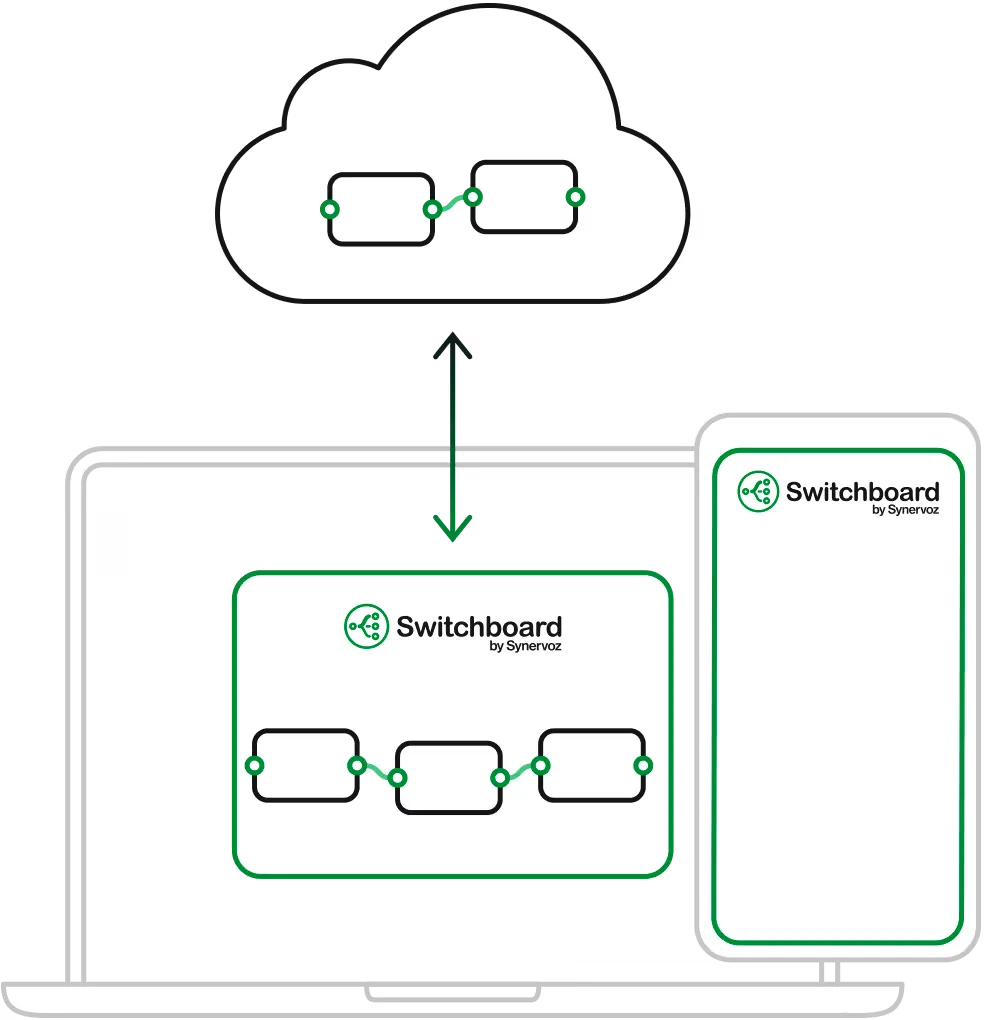
[Learn more](https://switchboard.audio/hub/your-voice-ai-bill-is-telling-you-to-go-hybrid-on-device/)
## Open source repositories
Production-ready examples and reusable components to accelerate your voice AI development
## [OpenAI Realtime Toolkit](https://github.com/switchboard-sdk/openai-realtime-toolkit)
React Native
Build voice-first AI agents with OpenAI Realtime and native audio primitives. On-device voice activity detection, turn detection, and barge-in handling make real-time conversations responsive while simplifying the audio pipeline.
OpenAI Realtime•VAD•Turn Detection•Tool Calling
[View on GitHub](https://github.com/switchboard-sdk/openai-realtime-toolkit)
## [EdgeSpeech](https://github.com/switchboard-sdk/edgespeech)
React Native
On device speech recognition (ASR / STT) and text-to-speech (TTS) so that you can cut costs and latency while simplifying cloud infra. You only send text to the LLM so don't have to worry about webRTC, sockets, or scaling audio in the cloud.
STT (local)•LLM (cloud)•TTS (local)
[View on GitHub](https://github.com/switchboard-sdk/edgespeech)
## [Hybrid Voice Agent](https://github.com/switchboard-sdk/hybrid-voice-agent-sample)
iOS
Build a full voice agent on iOS, running on-device with seamless cloud handoff when you need more intelligence. Switch between local and cloud models without losing conversation context, while keeping audio processing on the iPhone.
STT (local)•LLM (local)•LLM (cloud)•TTS (local)
[View on GitHub](https://github.com/switchboard-sdk/hybrid-voice-agent-sample)
## EdgeAudio
Coming soon
Swift, Kotlin
On-device preprocessing for speech to speech models (aka S2S or audio models). On device voice activity detection (VAD), echo cancellation, and other audio preprocessing runs locally before connecting to cloud-based speech model (such as OpenAI Realtime API) to optimize performance.
VAD•Echo Cancellation•Specific Speaker Recognition•OpenAI Realtime API
## EdgeWhisper
Coming soon
iOS, Android, macOS, Windows, Linux
Run OpenAI's Whisper speech recognition (ASR) model entirely on-device for maximum privacy and offline functionality across mobile and desktop platforms (iOS, Android, mac, Windows, Linux).
Whisper (local ASR)
## EdgeAgent
Coming soon
React Native
Run a full STT-LLM-TTS pipeline locally. The STT and LLM components each have optional hand-off (or fallback) to cloud alternatives.
STT (local)•LLM (local)•TTS (local)
## EmbeddedVoice
Coming soon
Linux (& custom upon request)
Optimized voice AI components for resource-constrained IoT and embedded systems, including smart speakers, wearables, and edge devices.
Embedded•IoT•Edge Computing
### Need to launch faster or build something custom?
Our team offers expert consulting and forward-deployed engineers to help you design, build, and ship exactly what you need on your timeline.
All of the above can be made available on any platform.
## Get in touch
Have a question or want to work together? We'd love to hear from you.
[Contact us](https://switchboard.audio/contact/)
## Additional resources
## [Voice AI resource hub](https://switchboard.audio/hub/)
Guides, tutorials, and best practices for building production voice AI applications.
[Explore](https://switchboard.audio/hub/)
## [On-device speech recognition](https://switchboard.audio/cases/on-device-stt)
Learn how companies are implementing local speech-to-text to reduce costs and improve privacy.
[Explore](https://switchboard.audio/cases/on-device-stt)
## [Building voice AI agents](https://switchboard.audio/cases/ai-agent)
Explore real-world implementations of conversational AI agents with voice interfaces.
[Explore](https://switchboard.audio/cases/ai-agent)
---
# Let's talk
> Contact sales. Get in touch.
---
# Demos
> Try live demos of the SDK in action: voice-chat, music parties, embedded audio workflows.
A collection of demos built using our Switchboard SDK.
These examples showcase some of the capabilities and potential applications of Switchboard, but these are a drop in the bucket.
Simplify the process of creating a karaoke app.
Mix tracks, apply effects and sync beats in real-time.
Guitar effect app showcasing Switchboard SDK functionality.
Implement the audio pipeline of a simple online radio app, with easy integration.
This example plays an audio file and ducks the playback volume based on the user's microphone input.
This example adds a reverb effect that simulates the natural reverberation of sound in a physical space.
[View more examples ->](https://docs.switchboard.audio/docs/examples)
### Get started for free
Sign up to get free access to Switchboard’s basic prototyping license.
[Sign up free →](https://console.switchboard.audio/register)
[](https://console.switchboard.audio/register)
---
# Switchboard Editor
> Build real-time audio solutions for business, consumer, or hardware with a modular SDK! Save time and money. Easy to use - get started for free!
Build and test right in your browser.
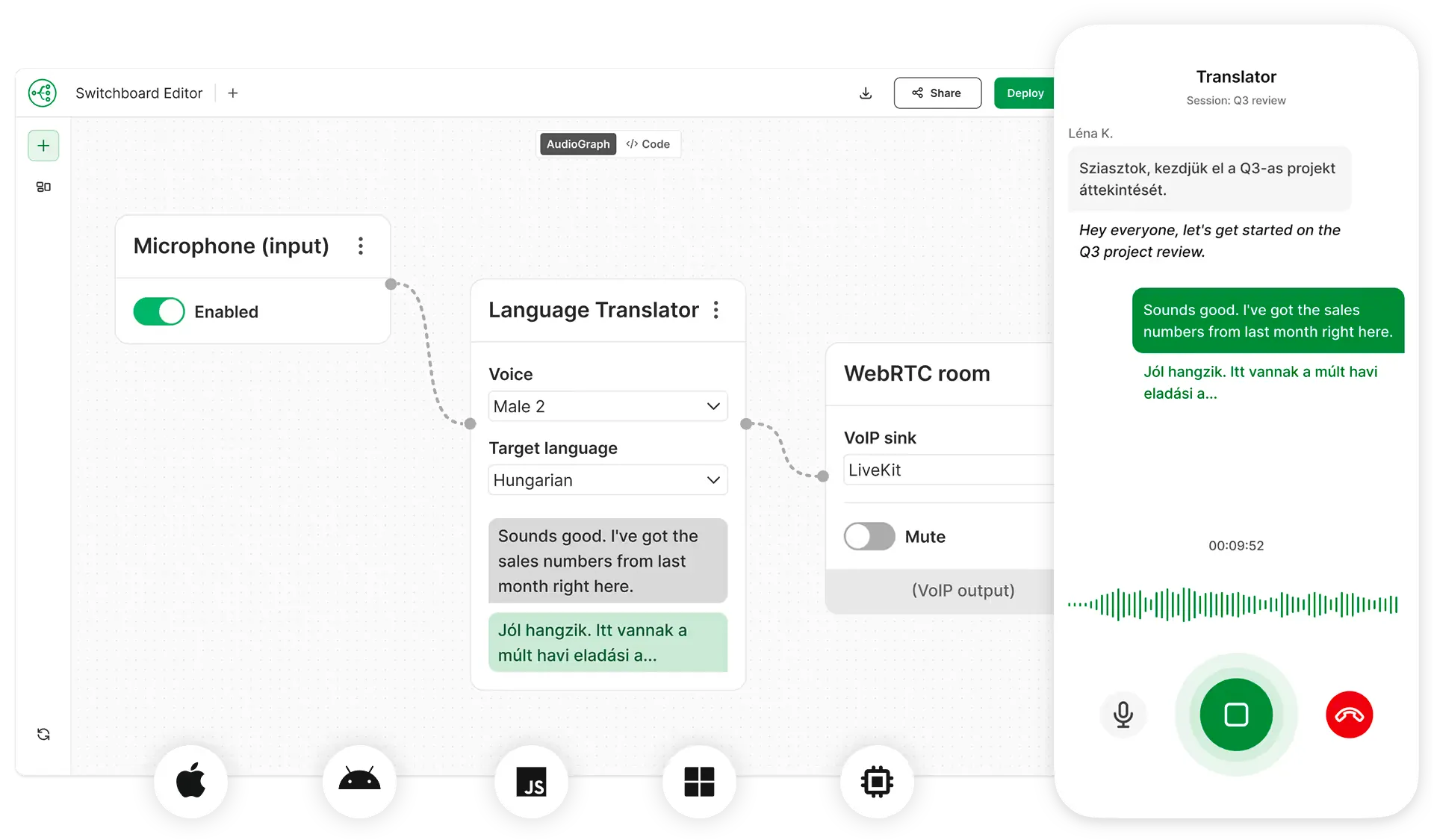
The Switchboard Editor helps you rapidly experiment, prototype, and design new audio and voice features.
Easily connect the latest open-source and proprietary voice and audio tools in unique combinations, and instantly test the results right from your browser.
The audio graphs are built on top of the Switchboard SDK (with a C/C++ core) so they can subsequently be deployed across many platforms. The audio engine runs on-device, though individual nodes in the graph can be run on-device or in the cloud, depending on the node.
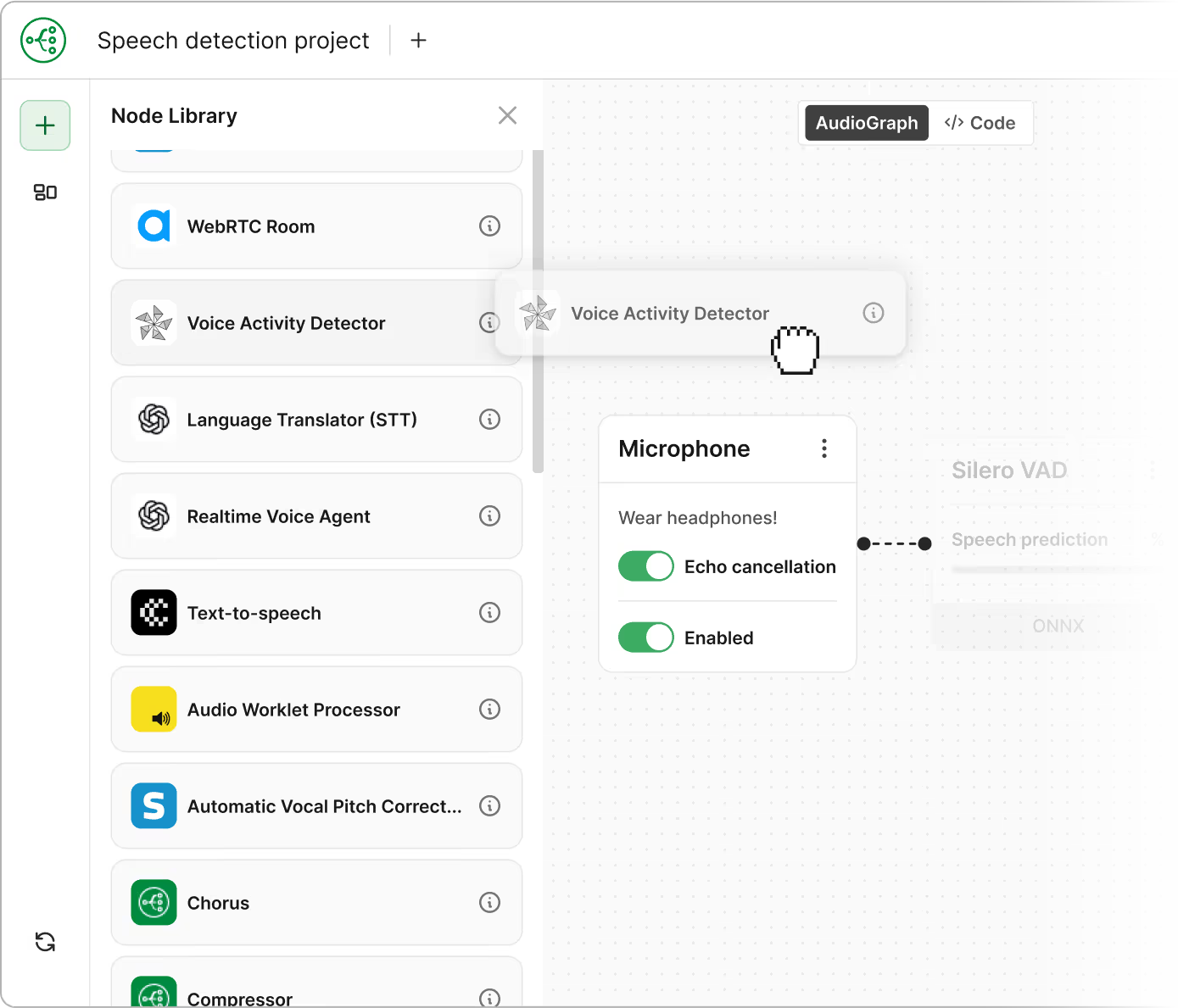
[Play](https://youtube.com/watch?v=n0JVCxd1h6Q)
## Voice AI
See how to build a local LLM audio engine in the Switchboard Editor. This demo connects Whisper, Silero VAD, Llama, and TTS nodes in the Switchboard Editor, all running locally (**on-device**) in this case. Switchboard makes it easy to use a combination of local and cloud nodes to construct hybrid graphs, depending on the use case. We can do this with any of the latest models (STT, LLM, TTS, S2S, and many other node types).
[Play](https://youtube.com/watch?v=r-N-vUbZ_CY)
## Driving Buddy
This demo shows a graph we made for our example app called Driving Buddy. There is a live microphone input routed to Open AI for conversation. There is also a music input. The audio streams are mixed, and the music ducks when voice is detected, allowing for casual conversation with driving buddy to help keep you awake on long drives. Similar graphs are also useful for listen parties, watch parties, and other interactive apps.
[Play](https://youtube.com/watch?v=pW50tqMboxc)
## Real time source separation
This demo brings Audioshake's industry-leading real time source separation into a Switchboard graph. Each stem can have independent effects / processing chains (example uses gain nodes to illustrate). Graphs of this sort can power many creative music, media, and real-time broadcasting workflows (on any platform). Switchboard contains many complementary music, media, DSP, AI, and other nodes.
### Your creative amplifier
Think of it as Unity or Unreal, but for voice & audio apps. Ideal for:
* Innovation and R\&D teams
* Product managers
* Engineers
* Ideas-people
* Rapid prototypers
* Anyone eager to explore and compare the latest in voice and audio AI
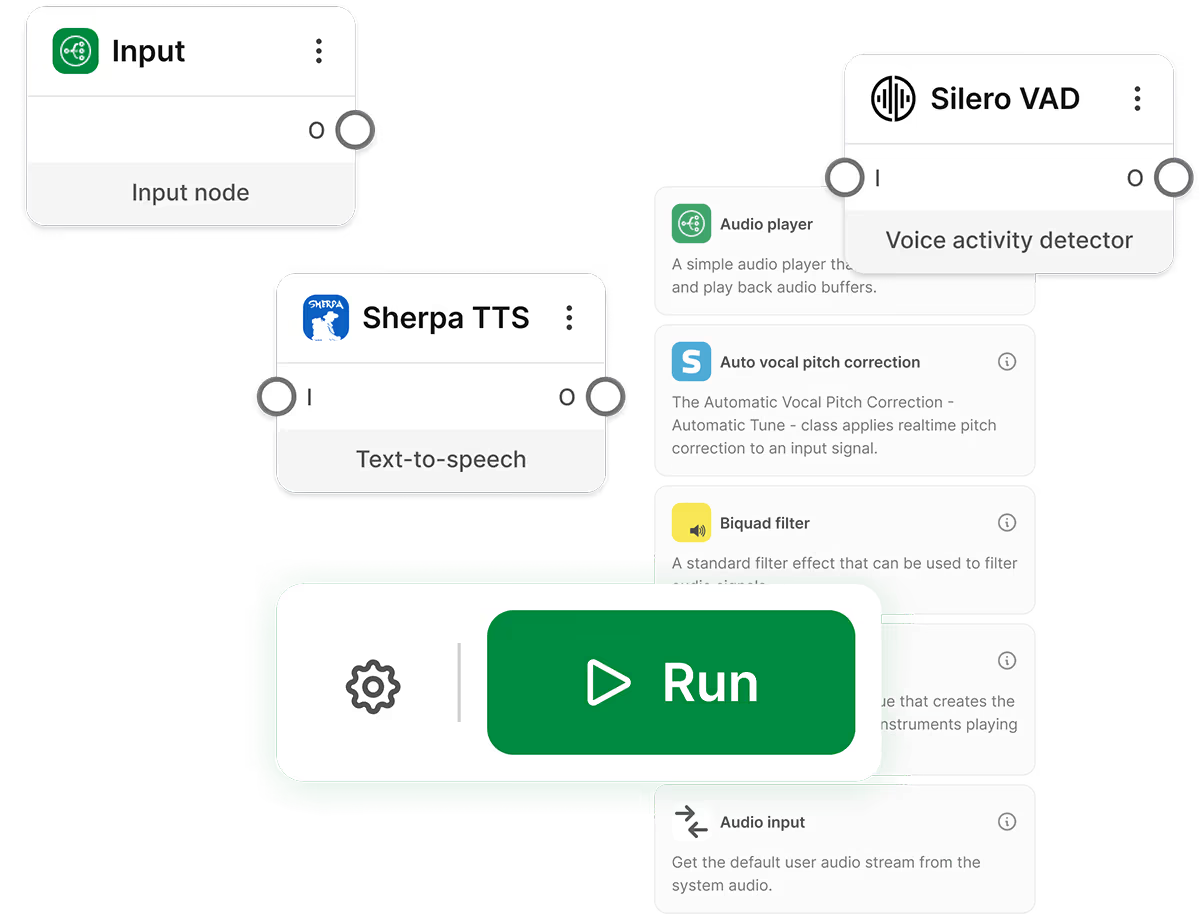
Currently the Editor is in closed beta
Learn more about [our plans](/hub/introducing-switchboard-editor).

If you’re a developer, you can start on your own
The [SDK](/sdk) includes a free tier you can use immediately.
Fill out the form to join the waitlist and secure early access, request a demo, or if you’d like to discuss consulting and co-development opportunities (see [Switchboard Labs](/labs)).
---
# Frequently Asked Questions
> Frequently Asked Questions about Switchboard Audio SDK
What is Switchboard?
Switchboard is a modular audio SDK and real-time runtime that makes it easy to build audio- and voice-powered applications. It helps developers create low-latency, AI-enabled audio experiences that can run on-device, in the cloud, or both.
How does it work?
Switchboard uses an audio graph model. Each graph is a JSON-defined pipeline of modular audio building blocks like STT, TTS, noise suppression, voice changers, etc. These blocks can be chained together and run in real time.
What does it do?
Switchboard is a modular audio framework incorporating a large library of audio **nodes** `AudioNode`. These nodes can easily be put together into **audio graphs** `AudioGraph`. Switchboard passes these graphs into natively compiled C++ code that runs *fast,* across multiple platforms including iOS, Android, Mac, Windows, web, and embedded platforms.
Audio graphs can be defined in JSON or native languages, making them easy to build while providing complete flexibility at runtime.
Switchboard also has a visual (no-code) node-based editor, the Switchboard Editor, which generates JSON automatically for rapid configuration of audio graphs that can easily be designed and tested in the browser and deployed to many target platforms.
It also allows you to tune parameters for each node or change the audio graph at runtime, rapidly speeding up development cycles.
What are audio nodes?
Audio nodes are essentially modular containers that process audio and include a wide range of functions such as: *speech to text, text to speech, large language models, voice changers, media players, streaming, voice* and *video calling*, the ability to *mix* and *split audio streams, DSP effects*, and much more.
Switchboard also includes [Extensions](https://docs.switchboard.audio/extensions/) to many other popular audio tools and SDKs, both open and closed source.
What platforms does Switchboard support?
Switchboard runs on iOS, Android, macOS, Windows, Linux, and the web. It supports edge compute, embedded systems, and hybrid architectures.
Why should I use Switchboard?
Whether you’re using it for a single node such as *speech-to-text* or a *voice changer*, or stringing multiple nodes together, Switchboard will:
* make it faster and easier to build, test, experiment, and get to market
* make it easier to maintain and make changes later
* save time and money
* drive new revenue and growth by simplifying the addition of new features
Who is Switchboard designed for?
* AI Agent and Voice AI solutions developers
* Real Time Communications (RTC) applications
* Music and social app developers
* R\&D / ML / AI teams looking to commercialize
* Hardware projects like headphones, speakers, wearables, etc.
* Pro audio industry - hardware and software
* Apps & SDKs with voice, VoIP, media players, and other audio features
* Product managers looking for a no code prototyping tool (Switchboard Editor)
See *Use Cases* in main menu for more details.
Can I use Switchboard for building AI voice agents?
Yes. Switchboard is ideal for running LLM-powered voice agents on-device or hybrid. It supports real-time STT → LLM → TTS pipelines, and gives you full control over audio routing, DSP, and model selection.
How does Switchboard help with voice interfaces in mobile apps?
Switchboard lets you embed voice control, transcription, and audio effects into mobile apps without relying on cloud APIs. It supports real-time pipelines optimized for low latency and power usage.
Is Switchboard good for noise suppression or voice enhancement?
Yes. You can bring your own noise suppression model (or use built-ins), and chain it with compressors, equalizers, or echo cancellation using Switchboard’s modular graph.
Can I use Switchboard for building multiplayer audio experiences?
Yes. Switchboard is compatible with WebRTC, LiveKit, Agora, and other voice and video chat frameworks. You can use it to build social audio rooms, watch parties, or spatial audio multiplayer environments.
How is Switchboard different from Agora or Twilio?
Agora and Twilio focus on cloud-hosted communications. Switchboard gives you control over audio processing, routing, and ML—locally or hybrid—making it ideal for more advanced or privacy-sensitive applications. Agora and other VoIP services are available as nodes in Switchboard. They normally function as an audio source (e.g. you can take the audio from a voice / video chat room) or a sink (you can put audio into the room). In short, you wouldn’t use Switchboard instead of either of these services, you’d use it in addition.
How is Switchboard different from Vapi?
Vapi and Switchboard serve different purposes. Vapi focuses on helping developers build agents, while Switchboard helps developers build audio graphs.
You could potentially use both Vapi and Switchboard in your project. For example, you might prototype an agent in Vapi. You might then use Switchboard to optimize an on-device audio graph to save on API costs or introduce more flexibility or to process audio in other ways that are not provided for as part of the Vapi platform.
Switchboard is a modular audio SDK and runtime that gives developers full control over the audio pipeline, letting them build custom real-time graphs with components like STT, TTS, voice changers, and noise suppression that run on-device, in the cloud, or in hybrid mode.
In contrast, Vapi is a hosted voice agent platform focused on telephony use cases, offering a pre-built stack that integrates APIs like ElevenLabs and Deepgram but limits customization and runs entirely in the cloud.
How is Switchboard different from Deepgram or AssemblyAI?
Switchboard is an SDK and runtime for building entire audio pipelines, while Deepgram and Assembly AI focus on individual components such as speech recognition. So, whereas companies like Deepgram and AssemblyAI provide their own speech to text (STT), text to speech (TTS), and related nodes, Switchboard lets developers combine these nodes, as well as many others (voice, music, and other audio related nodes) in a real-time audio graphs that can run on-device, in the cloud, or hybrid. Deepgram and AssemblyAI are typically cloud-only APIs that specialize in speech-to-text (and some related features) with little control over the underlying pipeline. With Switchboard, you can bring your own models, run them offline, chain multiple models or effects, and integrate with WebRTC or embedded devices—offering far greater flexibility, privacy, and lower latency than relying solely on hosted APIs. That said, you can run Switchboard graphs with nodes from Deepgram or AssemblyAI.
How is Switchboard different from Cartesia, or Eleven Labs?
Switchboard is an SDK and runtime for building entire audio pipelines, while Cartesia and Eleven Labs focus on individual components such as speech recognition or text to speech. You can run Switchboard graphs that use Cartesia or Eleven Labs nodes. For example, you can use the [Cartesia extension](https://switchboard.audio/partners/cartesia/) for Switchboard.
How does Switchboard compare to LiveKit or Daily.co?
Switchboard and LiveKit solve different layers of the real-time media stack. LiveKit is a powerful open-source infrastructure for media transport—handling audio/video routing, SFU/relay, and room-based sessions over WebRTC. Switchboard, on the other hand, is focused on audio processing and orchestration at the endpoint: voice activity detection, STT, TTS, noise suppression, LLM integration, and more. You can use them together—Switchboard for local audio graph processing (on-device or with cloud-connected nodes), and LiveKit to handle routing audio between multiple users. Switchboard doesn't replace LiveKit—it extends it by giving developers real-time, programmable control over what happens to the audio before or after it's streamed (see our [Partners/LiveKit](https://www.notion.so/partners/livekit) ). It’s similar with Daily.co and other webRTC providers. We offer some [Extensions](https://docs.switchboard.audio/extensions/) already and will continue adding more.
How does Switchboard compare to JUCE?
JUCE is a low-level C++ framework primarily used for building cross-platform audio applications, especially VST plugins and desktop DAWs. It provides powerful building blocks for UI, audio I/O, and DSP, but it requires deep expertise in C++ and lacks out-of-the-box support for real-time voice AI, on-device STT/TTS, or modular graph-based orchestration. Switchboard, by contrast, is a higher-level SDK and runtime focused on real-time audio and AI pipelines—with language bindings in Swift, Kotlin, and JS, plus support for live graph editing, bring-your-own-models, and hybrid cloud/on-device execution. Switchboard accelerates development for teams building voice-controlled apps, agents, or DSP tools—without the boilerplate and low-level threading work required in JUCE.
How does Switchboard compare to PortAudio?
PortAudio is a low-level cross-platform audio I/O library used to route audio to and from hardware devices. It’s ideal for simple stream management, but it offers no built-in DSP, audio graph management, or support for real-time speech and AI tasks. Switchboard, on the other hand, offers higher level abstractions—providing a modular audio runtime with real-time graph orchestration, support for AI models (STT, TTS, voice changers), and tight integration with mobile, desktop, web, and embedded platforms. While PortAudio is like wiring raw audio cables, Switchboard is like building a fully programmable audio processing studio—letting developers prototype and deploy advanced pipelines without writing audio I/O code from scratch.
How do I start using Switchboard?
You can start using Switchboard in two complementary ways:
### 1. SDK Libraries
Visit our Docs [Downloads](https://docs.switchboard.audio/downloads/) page, and select the individual libraries needed for your platform.
### 2. Switchboard Editor
Use the [Switchboard Editor](https://editor.switchboard.audio/), a browser-based tool to visually construct and test audio pipelines without writing code.
These methods work well together. You can visually prototype your audio pipeline using the Editor, which generates JSON configurations. Then, implement these configurations with the SDK libraries on your target platforms. This approach ensures your audio experiences sound consistent everywhere.
Note that while the Editor covers most functionalities, you may still need to use SDK libraries directly for advanced capabilities.
How do I define an audio graph in Switchboard?
Graphs are defined using a simple JSON schema. Each node specifies a module (e.g. TTS, media player, effect), its config, and its connections. You can create graphs by hand or with the Switchboard Graph Editor (GUI).
What languages does Switchboard support?
* Swift / Kotlin / JavaScript (bindings)
* C++ core engine
* Python
* WebAssembly (limited)
* Switchboard also supports frameworks such as React Native, Flutter, Unity etc.
See our [SDK API reference](https://docs.switchboard.audio/api/) and [integration](https://docs.switchboard.audio/category/integration/).
Where can I find docs and examples?
All documentation, SDKs, and example graphs are on the [Switchboard Docs Portal](https://docs.switchboard.audio/). You’ll find copy-pasteable starter graphs, pre-built modules, and real-time testing tools.
How do I get help from the Switchboard team?
For general inquiries and help, submit a request on our [Contact](https://www.notion.so/contact) page.
For existing customers, you can contact us directly via email.
For enterprise customers we’ll be happy to set up a private Slack channel for live support.
How do I install Switchboard?
Use npm (for JS), CocoaPods (iOS), or Gradle (Android). Prebuilt binaries are also available for C++, with support for native integration. If you can’t find the answer in our [Docs](https://docs.switchboard.audio/) portal, please [Contact us](https://www.notion.so/contact).
How do you mitigate dependency risk?
* Some parts of the SDK are Open Source. See [Introduction](https://docs.switchboard.audio/docs/introduction/) page.
* We offer world class support and broader [consulting services](https://synervoz-website-astro.pages.dev/services/product-consulting) through our parent company, Synervoz. Having this support interface (e.g. via a shared Slack channel) is a huge help for urgent requests and should help mitigate risk overall.
* Escrow is another option we are open to, but only for sizable enterprise deals.
Does Switchboard support BYO models?
Yes. You can plug in your own models, compiled to ONNX or other formats. Many open-source models already work out of the box (e.g. Whisper, Silero, RNNoise, etc.), and Switchboard provides extension templates for C++ and WebAssembly.
How do I use Switchboard with LiveKit or WebRTC?
Switchboard can ingest or output audio to WebRTC-compatible frameworks like LiveKit using media streams. Example integrations and a full LiveKit demo are available in the[ Switchboard GitHub repo](https://github.com/switchboard-sdk) and in the [Examples](https://docs.switchboard.audio/examples/) page of our docs portal.
Can I use Switchboard offline?
Yes. Switchboard supports fully offline audio processing pipelines for mobile, desktop, and embedded. This is perfect for apps that need privacy, low latency, or function in poor network conditions. Many nodes in Switchboard are on-device capable.
How much does it cost?
Switchboard has a free tier up to 20K activations and Commercial Licenses available thereafter.
Consult our [Pricing](https://www.notion.so/pricing) page.
How does pricing work for third party extensions?
Typically you would contract directly with the third party extension provider.
Nevertheless we have partnerships with certain providers so we encourage you to [get in touch](https://synervoz.com/contact) to discuss your use case and the extensions you’d like to use, as we may be able to help.
Can I get access to source code?
* Some aspects of Switchboard are already Open Source. You can learn more about this on our [Introduction](https://docs.switchboard.audio/docs/introduction/) page.
* We also provide [Example apps](https://docs.switchboard.audio/docs/examples) that are Open Source.
* We plan to continue our FOSS contributions and welcome partners to [get in touch](https://synervoz.com/contact).
* For the closed-source aspects of Switchboard, we may offer partial source code licenses based on your needs. This option is generally cheaper, faster, and more robust than developing it yourself. Pricing typically ranges from $XX,000 to $XXX,000, depending on the modules required.
Is there a free tier or trial?
Yes. Switchboard offers a free tier with full access to the SDK and limited usage caps. Switchboard supports many independent developers and zero cost prototyping through to launch. Generally limits are only hit as deployed apps start to scale, or if support is required.
Can I use Switchboard in a commercial product?
Yes, Switchboard’s licensing is designed for commercial deployment. It scales from indie apps to enterprise use cases. See our [pricing](https://www.notion.so/pricing) page.
Is Switchboard open source?
We open source a lot of example apps, starter templates, and other tools including the bring your own extension framework. The platform specific SDKs are generally closed source, though parts of it may be open sourced in the near future. The full commercial SDK is available under a flexible developer-friendly license. Partial source code licenses are also an option for larger customers. Contact the Switchboard team for custom pricing.
Is Switchboard proprietary?
Yes, Switchboard is a proprietary technology. However, we offer a free tier — please see our [Pricing](https://www.notion.so/pricing) page and [Master License Agreement](https://www.notion.so/licensing) for more details.
We also provide open source example applications. You are responsible for reading the license files contained with any distribution package.
We do our best to keep things simple and reasonable, while also supporting the open source community where possible.
Depending on what you build, it might also require a patent license. See [Patents](https://synervoz.com/patents) page.
Do you offer a warranty or Service Level Agreement?
We can provide this option if needed, but it is available only at the enterprise tier and will incur additional costs.
Otherwise, we offer support on a best-effort basis, and typically recommend a monthly support package to address this concern.
Do you also offer design and development services?
Yes we provide a variety of [consulting services](https://synervoz-website-astro.pages.dev/services/product-consulting) through our parent company, Synervoz.
Will Switchboard support embedded systems?
Yes. Embedded is a key target for Switchboard. Current builds already support ARM platforms and edge deployments. Optimizations for low-power devices are actively being developed.
Is Switchboard planning support for RAG pipelines or streaming LLM inference?
Yes. Switchboard already supports RAG and hybrid inference using local + cloud LLMs. Switchboard is not focusing on providing tools for prompt orchestration or conversational memory but these features can be obtained from other platforms, and your agents can be connected into your Switchboard audio graph. We are also able to help with custom development as needed. [Contact us](https://www.notion.so/contact) to learn more.
Can I run multiple LLMs in parallel in Switchboard?
Yes. The modular graph system allows orchestration across multiple models. So, for example, you might run a real time speech to speech pipeline in parallel with a speech to text / LLM pipeline that records and summarizes the conversation.
---
# Audio Glossary
> Why we built Switchboard: the audio SDK that eliminates the pain of cross-platform audio development. From echo cancellation to voice effects, one SDK handles it all.
A practical guide to the terminology behind audio and voice AI.

## Acoustic Echo Cancellation (AEC)
When a device both plays sound and listens at the same time, it risks hearing itself. Acoustic Echo Cancellation (AEC) solves this by removing speaker output from microphone input in real time. Without it, voice systems can spiral into feedback loops, repeating their own speech.
In practice, AEC is essential for devices like phones, earbuds, and smart speakers. Modern systems use adaptive filtering to continuously model how sound travels from speaker to mic. However, distortion—especially from small, overdriven speakers—can confuse these models, leaving traces of echo behind.
## Audio Graph
Think of an audio graph as a flowchart for sound. It’s a network of small, specialized components (nodes), each handling one task—like capturing audio, reducing noise, transcribing speech, or generating responses.
This modular design makes voice systems flexible. Want to swap a speech model or add a new feature? Just replace or insert a node instead of rebuilding everything. Audio graphs are what make experimentation and rapid iteration possible in modern voice AI systems.
## Automatic Speech Recognition (ASR)
ASR is what turns spoken words into text. It’s the entry point for most voice systems—everything downstream depends on how well it performs.
There are two primary architectural approaches: **batch** (waits until speech ends) and **streaming** (transcribes as you speak). Streaming feels faster but can introduce mistakes mid-sentence. Accuracy is measured using Word Error Rate (WER), and even small errors can cascade into poor responses. In short: better input audio and better models lead to better conversations.
## Barge-In
Barge-in is what happens when a user interrupts a system mid-response—and how the system handles it matters more than you’d expect.
A good system stops speaking almost instantly and shifts attention to the user. A bad one keeps talking, creating frustration.
Technically, this requires constant listening, fast speech detection, and immediate audio shutdown. The key metric here is barge-in latency—the delay between user speech and system silence. Even small delays can make an otherwise fast system feel broken.
## Bit Rate
Bit rate measures how much audio data is transmitted per second, usually in kilobits per second (kbps). It directly affects both sound quality and bandwidth usage.
Higher bit rates preserve more detail, improving transcription accuracy and speech naturalness. Lower bit rates reduce data usage and latency but sacrifice clarity.
Choosing the right bit rate is a balancing act—too high wastes resources, too low degrades performance. In voice AI, this decision often depends on network conditions and application requirements.
## Buffer
A buffer is temporary storage for audio data as it moves through a system. It helps smooth out timing mismatches between recording, processing, and playback.
Buffer size directly affects performance:
* Larger buffers = more stability but more delay
* Smaller buffers = faster response but risk of glitches
In real-time voice systems, tuning buffers is critical. Too much delay breaks conversation flow; too little causes audio dropouts. It’s one of the most important—and often overlooked—latency controls.
## Call Center Automation
Call center automation replaces or augments human agents with voice AI systems that can handle real conversations. Unlike traditional phone menus, these systems understand natural language and can complete tasks end-to-end.
They must integrate with telephony systems, backend APIs, and escalation workflows. The real advantage comes from flexibility—teams can update behavior or swap models without rebuilding the system. As AI improves, these systems are rapidly becoming the default for high-volume customer interactions.
## Component Pipeline
A component pipeline splits voice AI into three stages: speech-to-text (ASR), reasoning (LLM), and text-to-speech (TTS). Each runs independently.
This modularity makes systems easy to update and customize. But there’s a cost: latency adds up across each step, and important vocal cues—tone, hesitation—are lost once audio becomes text.
It’s a practical, widely used architecture, but increasingly being challenged by newer approaches that keep audio intact throughout processing.
## Context Window
The context window defines how much information a model can consider at once—everything from conversation history to system instructions.
As conversations grow, this space fills up, increasing processing time and forcing tradeoffs. Systems often deal with this by summarizing older content or trimming less relevant parts.
A larger context can improve understanding but also increases cost and latency. Designing around this limitation is one of the key challenges in building scalable conversational systems.
## Convolutional Neural Network (CNN)
CNNs are neural networks designed to detect patterns in structured data. In voice AI, they’re often applied to spectrograms—visual representations of sound.
They excel at identifying features like phonemes, keywords, or noise patterns without manual feature engineering.
While newer architectures dominate large-scale models, CNNs remain important for tasks like keyword spotting and audio classification, where efficiency and speed matter.
## Cross-Platform Deployment
Cross-platform deployment means building a voice system once and running it across devices—phones, desktops, embedded hardware—without rewriting everything.
This is harder than it sounds. Each platform handles audio differently, from buffering to hardware access.
A good abstraction layer hides these differences, letting developers focus on features instead of platform quirks. Without it, maintaining separate implementations quickly becomes unmanageable.
## Deep Neural Network (DNN)
A deep neural network is simply a neural network with many layers, allowing it to learn complex patterns.
In voice AI, DNNs power everything from speech recognition to speech synthesis. Their depth enables them to capture subtle acoustic and linguistic relationships that simpler models miss.
They’re the foundation of modern AI systems, but their performance depends heavily on training data, architecture, and compute resources.
## Digital Signal Processing (DSP)
DSP is the math that cleans up audio before AI models ever see it. It includes noise reduction, echo cancellation, and signal enhancement.
Good DSP dramatically improves transcription accuracy—bad audio leads to bad results downstream.
In real-world environments (cars, factories, homes), DSP isn’t optional. The challenge is doing all this processing in real time without adding noticeable delay.
## Edge / On-Device Inference
Edge inference means running AI models directly on a device instead of the cloud.
This reduces latency, improves privacy, and enables offline use. But it comes with constraints—models must be smaller and more efficient.
The tradeoff is clear: cloud models are more powerful, but on-device models are faster and more secure. Many systems now combine both approaches.
## Endpointing
Endpointing decides when a user has finished speaking. It builds on basic voice detection by adding timing and context awareness.
Get it wrong, and the system either interrupts users or leaves awkward silence.
Modern approaches combine acoustic signals with language understanding to improve accuracy. It’s a subtle feature, but it has a huge impact on how natural a conversation feels.
## Formant Preservation
When you change the pitch of a voice, you risk making it sound unnatural. Formant preservation fixes this by maintaining the voice’s tonal characteristics.
Without it, voices can sound cartoonish or distorted. With it, pitch changes feel realistic and human-like.
It’s a key technique in voice transformation systems, especially for real-time applications.
## Frame
Every audio pipeline chops a continuous sound stream into small chunks—called frames—for processing. Frame size is simply how long each chunk is, measured in milliseconds.
Smaller frames mean faster, more responsive processing but demand more compute per second. Larger frames are more efficient but add delay. Most voice AI systems land somewhere between 10 and 30 milliseconds—a sweet spot that balances responsiveness with practical hardware demands.
## Frequency
Frequency is the rate at which a sound wave completes one full cycle per second, measured in hertz (Hz). It's essentially what we perceive as pitch—low frequencies sound deep, high frequencies sound bright. Human speech sits roughly between 80 Hz and 8 kHz, though most telephone systems narrow that to 300–3,400 Hz. In voice AI, understanding frequency content informs everything from microphone selection to filter design to why certain ASR models perform better on some audio sources than others.
## Hertz
Hertz (Hz) is the unit of frequency—one cycle per second. In audio, you encounter it in two distinct contexts: as a measure of pitch (440 Hz is the musical note A4) and as a measure of sample rate (16,000 Hz means 16,000 audio snapshots captured every second). Voice AI developers run into hertz constantly—when specifying audio formats, configuring DSP filters, or checking that a microphone's output matches what an ASR model expects as input.
## Hybrid Cloud / On-Device Architecture
A hybrid architecture splits processing between the device and the cloud, routing each task to wherever it runs best. Latency-sensitive or privacy-critical stages run locally on the device; heavier computation runs in the cloud.
This flexibility makes hybrid deployments attractive for consumer hardware and regulated industries alike—but it comes with real design complexity. The boundary between environments needs to be explicit, handoffs need to be fast, and the system needs to degrade gracefully if one side becomes unavailable.
## Inference Latency
Inference latency is how long a model takes to go from receiving input to producing its first output. In voice AI, the LLM typically dominates this figure—the gap between receiving a transcript and returning the first token is usually the largest single delay in the system.
This number isn't fixed: server load, context length, and model size all affect it. Mean figures can be misleading; p95 and p99 measurements better reflect what users actually experience. Techniques like quantization and speculative decoding are primarily tools for bringing this number down.
## Interactive Voice Response (IVR)
IVR is the older generation of phone-based automation—the "press 1 for billing" systems most of us have navigated with varying degrees of patience. Callers follow a fixed decision tree; anything outside the expected inputs hits a dead end.
IVR is the direct predecessor to modern voice AI in telephony, and the contrast is stark. Where IVR forces callers to adapt to the system, voice AI agents understand natural language and adapt to the caller. Replacing IVR with conversational voice AI is now one of the primary drivers of enterprise investment in the space.
## Interruption Handling
What happens when a user talks over the AI mid-sentence? That's interruption handling—and it's one of the clearest signals of how polished a voice system really is.
A well-designed system stops speaking immediately, resets, and listens. A clumsy one keeps talking or stumbles awkwardly. Getting this right requires tight coordination between audio playback, speech detection, and the AI's reasoning loop. It's less about raw speed and more about making the interaction feel respectful and human.
## Jitter
Audio arrives in packets—and in real networks, those packets don't always show up on time. Jitter is the variability in that timing: the difference between when audio is expected and when it actually arrives.
A little jitter is invisible. Too much causes choppy playback or gaps in transcription. Jitter buffers help by holding incoming audio briefly before playback, smoothing out the bumps—but they add a small delay in exchange. It's another classic latency-versus-stability tradeoff.
## Keyword Spotting
Keyword spotting is how always-on devices wake up without burning through battery or compute. Instead of running full speech recognition continuously, the device runs a lightweight model listening for a single trigger phrase—"Hey Siri," "OK Google," and so on.
When the keyword is detected, the full pipeline activates. This two-stage approach keeps resource usage minimal during idle periods. The main challenge: reducing false positives (waking up when you shouldn't) without increasing false negatives (missing the actual trigger).
## Language Translation Agent
A language translation agent is a voice AI system that performs real-time spoken translation between languages during live conversation—listening in one language and speaking in another without requiring either party to pause.
Building a production-quality translation agent requires integrating ASR, neural machine translation, and TTS in a pipeline optimized for speed, while preserving the speaker's intent across languages. Use cases range from multilingual customer service and healthcare intake to live event interpretation.
## Large Language Model (LLM)
The LLM is the brain of a voice AI system. Once speech is transcribed into text, the LLM reads it, reasons about it, and decides what to say back.
Modern LLMs can handle nuanced questions, multi-turn conversations, and complex tasks—but they're not instant. Inference takes time, and in a voice pipeline, that time adds directly to the delay the user feels. Faster, smaller models reduce latency; larger models tend to reason better but respond slower. Choosing the right model is always a tradeoff.
## LLM Node
In an audio graph architecture, an LLM node is a discrete processing unit that receives text input — typically from an ASR node — sends it to a language model, and passes the response downstream for synthesis. It encapsulates the LLM integration within the graph, exposing the same interface as any other node so it can be swapped or tested independently.
This abstraction decouples model selection from the rest of the pipeline. Teams can experiment with hosted APIs, open-source models run via frameworks like llama.cpp, or fine-tuned variants without modifying the surrounding graph. LLM nodes using local inference engines enable fully offline voice AI operation.
## Mel-Frequency Cepstral Coefficients (MFCCs)
MFCCs are a compact set of numbers that describe the tonal character of a short audio slice in a way that mirrors how humans perceive sound. They were the dominant feature representation in speech processing for decades, and remain foundational context for understanding how audio AI evolved.
The process converts a frame of audio into a frequency spectrum, applies mel scaling to match human pitch perception, and produces a small set of coefficients capturing the spectral shape that distinguishes one phoneme from another. In modern voice AI, mel spectrograms fed directly into neural networks have largely replaced them—but understanding MFCCs helps explain why.
## Multi-Turn Conversation
A single voice exchange is easy. A multi-turn conversation—where each message builds on what came before—is where things get genuinely interesting and genuinely hard.
The system needs to remember context, track what was said, and understand references like "the second option" or "that one." This is managed through the context window, which holds the running conversation history. As conversations grow longer, so does the cost of processing them—making efficient context management one of the quieter engineering challenges in voice AI.
## Natural Language Understanding (NLU)
ASR turns speech into text. NLU figures out what that text actually means. It extracts the user's intent (what they want to do) and any relevant details—dates, names, locations, preferences—needed to act on it.
In modern LLM-based systems, NLU is often implicit: the model simply understands. But in more structured pipelines, NLU is a discrete step that classifies intent and extracts data before passing it downstream. Either way, it's what separates a system that hears words from one that actually understands them.
## Neural Network
Neural networks are the underlying engine behind almost everything in modern voice AI. Loosely inspired by biological neurons, they're computational systems made of layers of interconnected nodes that learn patterns from data.
Feed them enough examples of speech, and they learn to recognize it. Feed them enough text, and they learn to generate it. The "deep" in deep learning just means many layers—and more layers generally means the ability to capture more complex patterns, at the cost of more compute and more training data.
## Noise Cancellation
Real conversations rarely happen in quiet rooms. Noise cancellation is what lets voice AI function in cars, kitchens, offices, and everywhere else life actually happens.
It works by identifying and separating background sounds—fans, traffic, keyboard clicks—from the speaker's voice. Modern approaches use neural networks trained on thousands of audio environments, making them far more effective than older rule-based filters. The goal is to deliver clean speech to the ASR model, because even the best transcription system performs poorly on noisy input.
## Noise Reduction
Noise reduction removes unwanted background sounds from an audio signal before it reaches the speech recognition model. In voice AI, it typically runs as a preprocessing step that improves transcription accuracy.
The quality of noise reduction has an outsized effect on real-world robustness. A voice AI that performs well in a quiet testing environment may degrade significantly in a vehicle or on a noisy call. Neural noise suppression models significantly outperform traditional DSP-based approaches, particularly for non-stationary noise sources that change dynamically over time.
## Offline Audio Processing
Offline audio processing operates on a complete audio file provided before processing begins. Because the full signal is available from the start, algorithms can use future context—making decisions informed by what comes later in the recording.
This enables higher-accuracy results for tasks like transcription, speaker diarization, and audio enhancement. The tradeoff is that it can't be used for live or interactive applications. If you're transcribing a recorded meeting, offline processing is the right call; if you're building a live voice assistant, you'll need a different approach.
## Online Audio Processing
Online audio processing handles audio as it arrives, working on a continuous stream in chunks without access to future signal content. Each chunk is processed as it comes in, meaning decisions must be made with only past and present context.
This approach is necessary for real-time applications but introduces constraints: algorithms must be causal, and accuracy on any given chunk may be lower than what offline processing could achieve. It's the foundation of all live voice AI—the price of real-time is working with incomplete information.
## On-Premise Deployment
On-premise deployment means running voice AI infrastructure on servers within an organization's own facilities. Audio and data stay inside the organization's network and never travel to external providers.
This is required in environments where regulations, data sovereignty requirements, or contractual obligations prohibit sending audio externally—classified communications, healthcare, financial services, or enterprises with strict data residency rules. Building a fully on-premise pipeline means self-hosting ASR, LLM, and TTS models, which often involves accepting some capability or latency tradeoffs compared to large cloud-hosted alternatives.
## Packet
When audio travels over a network, it doesn't flow as a continuous stream—it's broken into small, labeled chunks called packets, each carrying a slice of audio data along with headers that identify its order and destination.
In voice AI systems that rely on network transmission—cloud ASR, VoIP calls, streamed TTS—packets are the fundamental unit of transport. Packet loss, reordering, and jitter are constant concerns: even a small percentage of dropped packets can degrade transcription accuracy or introduce audible gaps in synthesized speech.
## Paralinguistics
Paralinguistics involves the nonverbal aspects of spoken language. It includes vocal features like tone, pitch, speed, rhythm, emphasis, and pauses that add meaning beyond the actual words. These cues can reveal a speaker’s emotions, level of confidence, uncertainty, or intentions—details that are often lost in a written transcript.
In pipeline architectures, this information is discarded at the ASR stage—the LLM receives text only. Speech-native models, which reason over audio directly, preserve these cues, enabling responses that account not just for what was said, but how it was said. That distinction matters most in emotionally sensitive or ambiguous interactions.
## Pitch Shifting
Pitch shifting modifies the fundamental frequency of an audio signal—raising or lowering a voice's perceived pitch—without changing its duration. Applied in real time, it transforms how a speaker sounds to others during a live call or recording.
Pitch shifting is a core capability in voice modification features across gaming, social, and entertainment applications. Real-time implementations must balance transformation quality against processing delay, since even small amounts of added latency are perceptible in live conversation. When combined with formant preservation, the result sounds natural; without it, the output tends to sound artificially processed.
## Prosody
Prosody is everything beyond the words themselves—rhythm, stress, intonation, and pacing. It's what turns "fine." and "fine?" into completely different messages.
For voice AI, prosody matters in two directions. On input, detecting it can reveal emotion, urgency, or uncertainty. On output, generating natural prosody is what separates robotic-sounding TTS from speech that actually feels human. It's one of the hardest aspects of speech synthesis to get right, and one of the most noticeable when it goes wrong.
## Real-Time Audio Processing
Real-time audio processing is the manipulation of audio signals with low enough latency that the output can be used in live, interactive contexts — a conversation, a call — without perceptible delay. In practice, this means processing audio in small chunks, on the order of milliseconds.
Real-time constraints shape every architectural decision in voice AI. They determine the maximum model size usable on given hardware, the buffering strategies available, and the acceptable complexity of DSP preprocessing. Systems that cannot meet real-time constraints introduce latency that disrupts conversational flow — making interactions feel broken even when the underlying responses are accurate.
## Real-Time Factor (RTF)
Real-Time Factor is a simple but important benchmark: it measures how long a model takes to process audio relative to the duration of that audio. An RTF of 1.0 means processing takes exactly as long as the audio itself. An RTF below 1.0 means the model runs faster than real time—which is the requirement for live voice applications.
If RTF creeps above 1.0, the system can't keep up and delay accumulates. It's a useful early-warning metric for catching performance issues before they become user-facing problems.
## Sample
A sample is a single numerical measurement of an audio signal's amplitude at one instant in time. Digital audio is built from a sequence of samples captured at regular intervals; played back at the correct rate, these discrete values reconstruct a continuous sound wave.
In voice AI, a sample is the atomic unit of audio data—every downstream operation, from DSP filtering to neural inference, ultimately operates on sequences of samples. It's the smallest building block of everything a voice system hears or produces.
## Sample Rate
Sample rate is how many times per second an audio signal is measured and recorded, expressed in hertz (Hz). Higher sample rates capture more acoustic detail—CD audio runs at 44,100 Hz, while many voice AI systems work at 16,000 Hz, which is sufficient for speech and far more efficient.
Mismatched sample rates between components can cause subtle audio quality issues or outright failures. Making sure every part of the pipeline agrees on sample rate is one of those foundational details that's easy to overlook and surprisingly painful to debug.
## Speaker Diarization
When multiple people are talking, speaker diarization is what labels who said what. Rather than producing one undifferentiated transcript, it segments the audio and tags each segment by speaker—"Speaker 1," "Speaker 2," and so on.
This is crucial for meeting transcription, call center analytics, and any scenario where tracking individual voices matters. It's a technically demanding task, especially when voices overlap, speakers have similar tones, or audio quality is poor.
## Speaker Verification
Speaker verification answers a specific question: is this person who they claim to be? It compares an incoming voice sample against a stored voiceprint and returns a confidence score.
Unlike speaker identification—which picks a voice out of a group—verification is a one-to-one comparison. It's used in banking, healthcare, and secure voice interfaces where identity matters. Performance degrades in noisy environments or when the voice sample is very short, which is why real-world deployments usually require a minimum phrase length.
## Spectrogram
A spectrogram is a visual representation of audio—a map that shows how frequency content changes over time. The horizontal axis is time, the vertical axis is frequency, and brightness or color represents intensity.
Voice AI models often treat audio as images, feeding spectrograms into visual-style neural networks. This approach has proven remarkably effective: patterns that are hard to describe mathematically are easy for CNNs to learn visually. When you see an AI "reading" audio, it's often quite literally looking at a picture of sound.
## Speech-Native Model
A speech-native model processes and generates audio directly, without an ASR transcription step in between. The model receives audio as input and reasons over the full acoustic signal—including tone, pacing, and prosody—rather than a text approximation of it.
Eliminating the ASR stage removes both a source of latency and a point of error propagation. The practical tradeoffs: these models are large, infrastructure for them is less mature, and real-world latency gains depend heavily on deployment quality. But the architectural advantage is structural—they preserve information that text-based pipelines permanently discard.
## Streaming
Streaming is what makes voice AI feel fast. Instead of waiting for each stage to finish before passing results forward, a streaming pipeline sends partial outputs as they become available—ASR emits a partial transcript while the user is still speaking, the LLM starts reasoning before transcription completes, and TTS begins synthesizing before the full response exists.
Each overlap shaves time off the total delay. In a fully streaming pipeline, the time to first audio approaches the LLM inference time alone, rather than the sum of every stage. The tradeoff: partial inputs are inherently less certain, and acting on them too early can mean revising or discarding work already done.
## Text-to-Speech (TTS)
Text-to-speech converts written text into spoken audio. In a voice AI component pipeline, it is the final stage: the language model's text response is passed to a TTS model, which synthesizes the audio the user hears.
Modern neural TTS produces speech increasingly difficult to distinguish from human recording, though unusual words, strong emotion, and long sentences can still expose artifacts. TTS models vary significantly in naturalness, latency, speaker options, and language support. Streaming TTS—which starts synthesizing before the full response is written—is especially important for keeping perceived response time low.
## Time to First Audio (TTFA)
TTFA measures the gap between when the user finishes speaking and when they hear the system's first word. It's the single most important latency metric in voice AI, because it's what users actually feel.
TTFA accumulates delay across every stage — VAD, ASR, LLM inference, TTS synthesis, and audio output buffering. The table below reflects generally accepted perceptual thresholds:
| TTFA | User Perception | Conversational Impact |
| --------------- | ------------------ | --------------------------------------------------- |
| < 200ms | Instantaneous | Human-like; users may overlap speech naturally |
| 200ms – 600ms | Snappy and natural | Responsive; most users perceive no meaningful delay |
| 600ms – 1,000ms | Noticeable delay | Acceptable for task-oriented use; feels AI-like |
| > 1,000ms | Disjointed | Users often start repeating themselves or barge in |
## Tool Calling
Tool calling is what turns a voice AI from a conversationalist into an agent that can actually get things done. It lets the language model reach out to external systems—databases, calendars, APIs—mid-conversation, retrieve or act on real data, and incorporate the results before responding.
Asking the AI to book an appointment or pull up an account balance only works because of tool calling. The catch: each external call adds latency. Well-designed systems manage this with non-blocking calls and natural-sounding filler responses that buy a second or two while waiting for results.
## Turn-Taking
Human conversation has a subtle rhythm, we use falling pitch, slowing pace, and brief pauses to signal that we're done speaking. Turn-taking in voice AI is the attempt to replicate that rhythm computationally.
Done well, the system feels like a natural conversation partner: it waits the right amount of time, doesn't cut you off, and responds promptly when you've genuinely finished. Done poorly, it either interrupts constantly or leaves uncomfortable silences. Even when the underlying AI is excellent, poor turn-taking makes the whole system feel broken.
## Voice Activity Detection (VAD)
VAD is the first thing that runs when you speak—and it keeps running the entire time you're not. It monitors incoming audio continuously, signaling to the rest of the pipeline when speech is present and when it's stopped.
Tuning VAD is a balancing act: too aggressive and it triggers on background noise or truncates mid-sentence pauses; too conservative and it adds dead air at the end of every exchange. Natural pause patterns also vary across languages and individuals, which means a VAD tuned on one dataset may not generalize well to others.
## Voice AI / Voice Agent
Voice AI is the broad category—any system capable of spoken, natural-language dialogue. A voice agent is the deployed version: a specific system built to handle a real job, whether that's answering customer service calls, supporting healthcare intake, or managing logistics workflows.
What separates modern voice agents from older phone menu systems is genuine language understanding. Where IVR forced callers into fixed paths, voice agents can handle open-ended questions, follow conversational threads, and respond dynamically. They can run on virtually any device with a microphone—phones, wearables, embedded hardware, vehicles—and the list of viable use cases keeps growing.
## Voice Changer
A voice changer modifies a speaker's voice in real time, transforming pitch, timbre, or character as audio is captured. The applications range from gaming and entertainment to privacy-sensitive communications.
In software, voice changers are typically built as audio graphs: microphone input flows through transformation nodes—pitch shifting, formant adjustment, and so on—before reaching the output. Real-time performance is non-negotiable; even a few milliseconds of added latency is perceptible in live conversation. Getting transformation to sound natural while also running fast is the core engineering challenge.
## Voice-Controlled Device
A voice-controlled device is any piece of hardware where speech is a primary way to interact—smart speakers, earbuds, headsets, watches, cars, and dedicated embedded systems.
Building voice AI for hardware introduces constraints that browser or app development doesn't face: direct audio device access, acoustic tuning for specific form factors, and real-time processing within tight power and memory budgets. The on-device versus cloud question also becomes more pressing here—network connectivity may be unreliable, users may have strong privacy expectations, and even a few hundred milliseconds of cloud round-trip latency can undermine the experience.
## Word Error Rate (WER)
WER is the standard way to measure transcription accuracy. It counts how many insertions, deletions, and substitutions are needed to turn the ASR output into the correct transcript, then divides by the total number of words in the reference.
A score of 0% is perfect; the metric has no upper bound—a model that hallucinates extra words can exceed 100%. More importantly, a low WER on a clean benchmark doesn't guarantee good performance on real-world audio with accents, background noise, or domain-specific vocabulary. ASR errors propagate: a misheard word becomes wrong input to the LLM, which can send the entire response off track.
***
This glossary covers terminology relevant to the design, development, and deployment of voice AI systems. For practical examples and implementation guides, see our [Engineering Hub](/hub/).
---
# How it works
> Build cross-platform audio apps fast with our modular SDK — real-time, on-device, minimal latency.
A modular audio framework that allows you to assemble new features and products in record time.
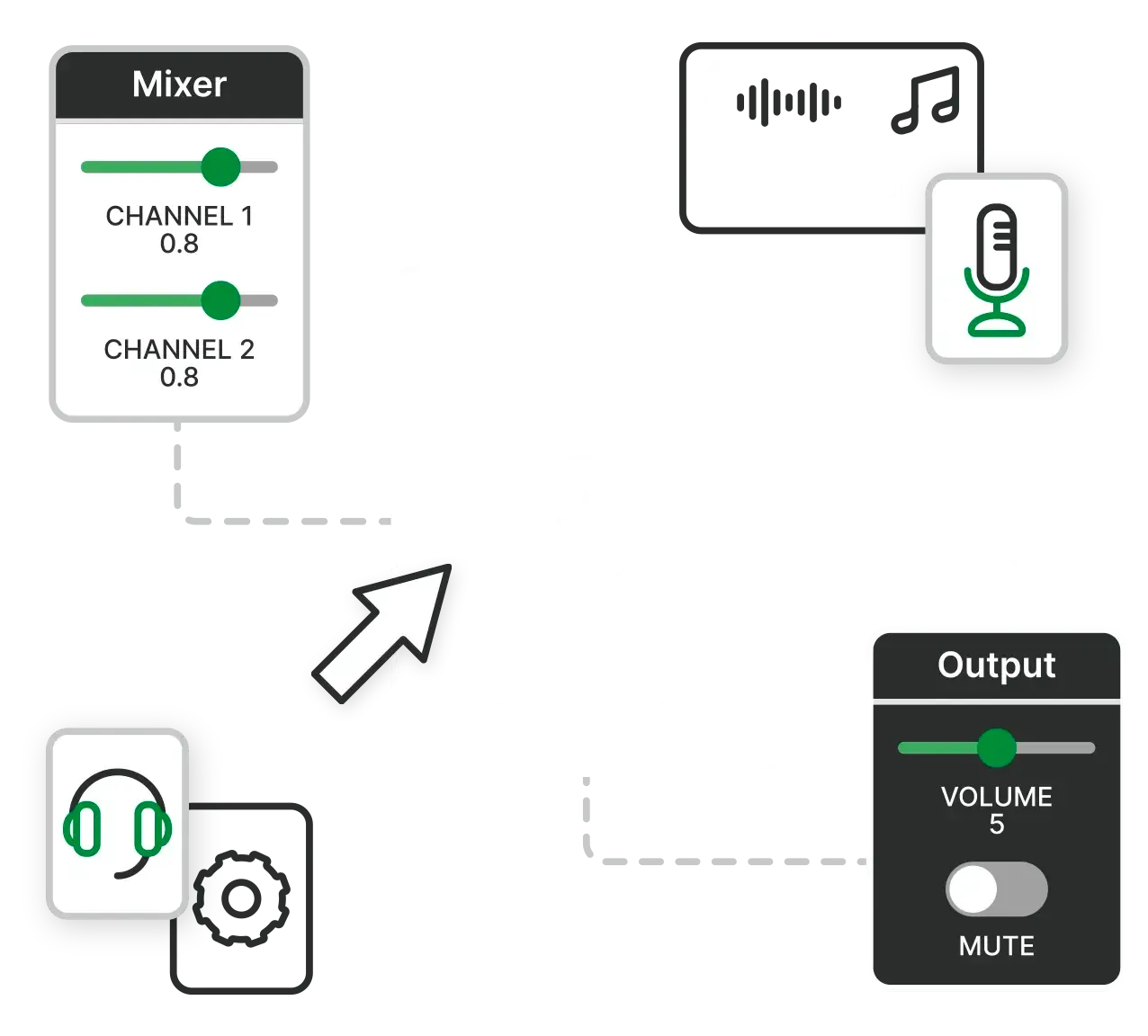
The Switchboard SDK is a modular audio framework organized into containers called 'Nodes'.
Without containers, building, customizing, and connecting audio features requires significant time and effort because they don’t fit together easily.
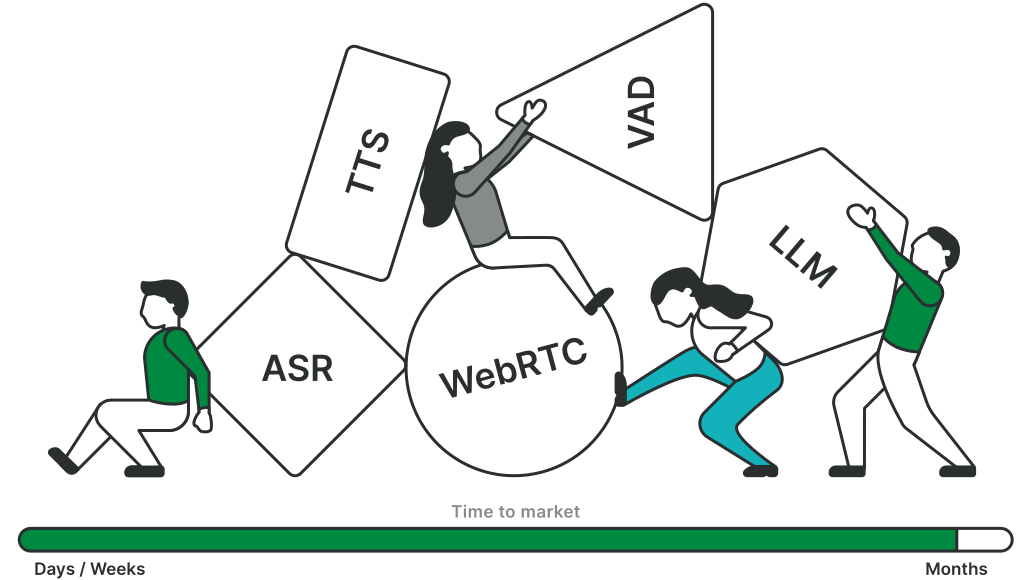
Switchboard packages audio features (e.g. noise reduction, voice changers, WebRTC) as *nodes* (**AudioNode)** making them easy to assemble into *audio graphs (***AudioGraph)**.
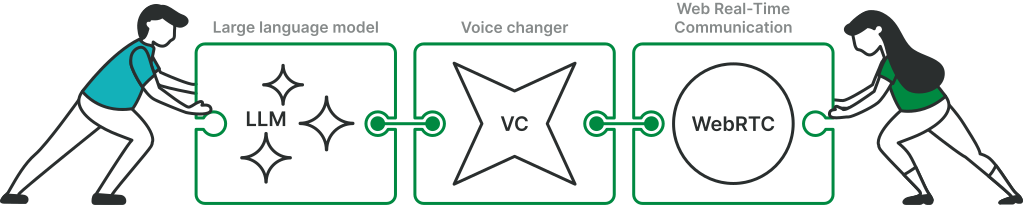
Audio graphs are then passed to natively compiled C++ code that runs them with *minimal latency*, while simultaneously generating production-ready native code for *multiple platforms*, including iOS, Android, macOS, Windows, Linux, web, and more (including some embedded support).
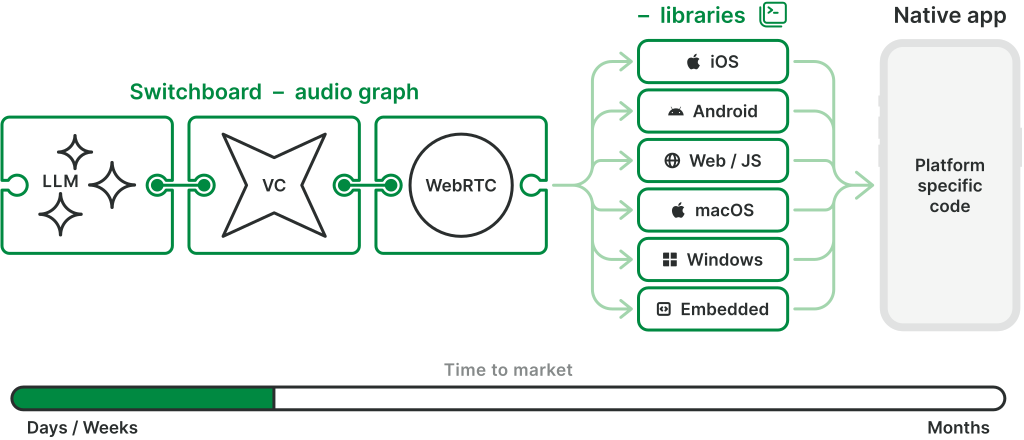
Indeed, most Switchboard nodes will run **on-device, in real time, & cross-platform, **and this is unique to Switchboard.
We've pre-integrated a huge library of nodes including popular open-source and third party extensions and are always adding more.
You can also easily integrate your own nodes.
[See all nodes](/nodes)
### Under the hood
Most of the code in Switchboard is compiled C++ code
Switchboard lets you configure nodes and define audio graphs using JSON. The Switchboard Editor even allows you to do this visually, without writing code.
[Go to Switchboard Editor ⬈](https://editor.switchboard.audio)
[](https://editor.switchboard.audio)
* **At runtime,** the JSON configuration is passed to natively compiled C++ code which runs your graph fast (unlike Python).
* This approach allows you to benefit from optimal performance, cross-platform architecture, and third-party C++ libraries without having to write C++ code yourself.
* You can alternatively write your graph in C++ or using a platform specific language, allowing for complete flexibility to change the configuration of your graph at runtime (e.g. to allow user input to dynamically update the graph).
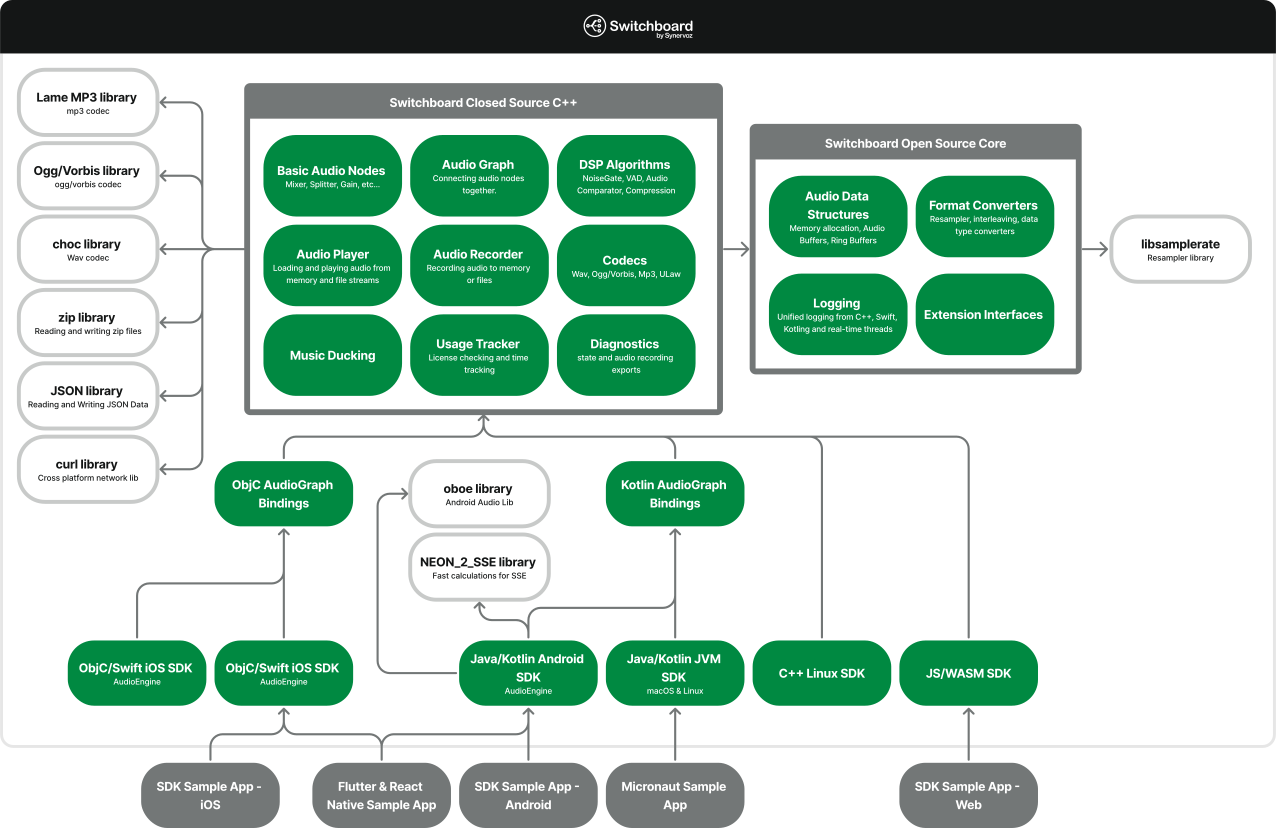
Either you’ll spend a lot of time building it in C/C++ or you’ll put things together with higher level tools and face performance issues and audio bugs that are time-consuming to resolve.
You would also need to create a different pipeline for each platform you support.
Switchboard simplifies this by automating the creation of robust, modular and high-performance audio pipelines that are easy to modify and maintain across all platforms with a much smaller team.
Karaoke AppsWatch / Listen Parties & Live EventsHardware Device / Companion App
Karaoke apps vary widely, but a common feature is music stem separation—splitting audio into vocals, guitar, drums, etc. This example illustrates how the music is split into stems—vocals, guitar, drums—so vocals can be lowered, allowing the user to sing into their mic. Autotune and effects enhance the performance, and the stems are mixed back together to create a truly unique performance. Sync tools, streaming connectivity, and format handling are also required—all supported by Switchboard, which has powered several karaoke apps like this.

This setup solves the long-standing issue of mixing VoIP audio with media player audio. Switchboard’s low-level audio engine enables clean integration of voice and video with music or video streams, without compromising quality (e.g., sample rates). Features like voice activity detection, smart ducking, gain control, noise and echo suppression, and spatial audio enhance the experience. These audio graphs are inherently complex—but with Switchboard, they only need to be built once and can run cross-platform.

This diagram shows a hands-free device—such as headphones, a watch, or a smart speaker—handling both media playback and voice features. A user might say, “Hey Device, what’s James listening to? Listen along with him or just let him know I’m here.” This natural voice interaction is made possible by Switchboard, which supports embedded platforms ranging from TVs and soundbars to in-ear buds, enabling rich, social audio experiences across hardware.

### Why is C++ so common in audio?
### What about the tools provided on iOS, Android, and other operating systems?
### What other audio tools are out there?
### Check out our [Audio Dev Hub](/hub/) for these insights and more.

### Switchboard + VoIP
LiveKit, Agora, Vonage, Chime, IVS, Dolby.io, etc.
For projects with simple audio needs, a VoIP / streaming service and its extensions marketplace may suffice. But projects requiring more audio features, more platforms, better performance, and more flexibility need a capable client-side audio graph. Therefore you should use Switchboard together with these services. Unless you want to spend a lot of time writing your own audio graph and dealing with hard-to-pin-down bugs for the next year.

### Switchboard + Media
Spotify, Netflix, all streaming audio / video.
Switchboard can open up new ways to interact with these services. Listen parties and watch parties with voice and video chat. Easily add features such as audio mixing, gain control, noise suppression, voice detection, and auto-ducking. Or voice changers, an AI friend to chat with, and other fun features.

### Switchboard + AI models
OpenAI, LLama, Audioshake, Voicemod, or any AI model that has audio as an input or output.
There’s been an explosion in audio and audio-adjacent AI models. From speech to text and text to speech to LLMs, voice changers, stem separation, and more. If it touches audio, it fits into Switchboard. By integrating it through Switchboard, you’ll save yourself a lot of effort building a wrapper, formatting audio, connecting it to necessary inputs and outputs from the OS, etc.
We might already have the extension you’re looking for. In other cases we can build it for you, or help you bring your own model to Switchboard.

### Get started for free
Sign up to get free access to Switchboard’s basic prototyping license.
[Sign up free →](https://console.switchboard.audio/register)
[](https://console.switchboard.audio/register)
---
# Engineering hub
> Stay up to date with how Switchboard is revolutionizing the audio space. Follow our journey or come be a part of it!
Learn more about Switchboard and additional audio development tools.
Avoid the financial drain and developer strain of on-device audio with EdgeSpeech React Native hook.
The OpenAI Realtime API makes building voice agents easy. But bringing that agent into a mobile app is a different challenge.
Text-to-Speech (TTS) and Automatic Speech Recognition (ASR) right on device.
Run speech synthesis directly on device, with no internet connection required at runtime.
Why the next generation of voice products won’t run entirely in the cloud.
Many teams overuse cloud mixing for interactive audio. For personalized experiences, assembling audio on the user’s device is simpler, faster, and more scalable.
Choosing the right on-device voice AI stack: comparing Switchboard and Run Anywhere.
Patching together AI voices, background music, and audience mics creates chaos. Learn how Switchboard’s shared audio timeline perfectly syncs your interactive live streams.
Reliability isn’t claimed; it’s earned in production where unpredictable users and shaky networks meet reality. At Switchboard, reliability isn’t a one-time feature—it’s built over time.
Decomposing the speech-to-speech voice AI latency stack. Covers STT/ASR inference, TTS, NLU processing, and audio I/O latency on cloud and on-device, with practical optimization techniques.
Comparing the cost of cloud speech APIs against on-device voice AI at scale. Covers per-request pricing, bandwidth, scaling economics, and when on-device STT/ASR and TTS eliminate recurring fees.
What it takes to run voice AI offline. Covers on-device speech recognition (ASR/STT), text-to-speech, model packaging, and offline-first architecture for mobile and embedded deployments.
How on-device voice AI eliminates the privacy risks of cloud speech processing. Covers data residency, GDPR and HIPAA compliance, on-premise deployment, and architectures where voice data never leaves the device.
A developer's guide to how acoustic echo cancellation works, with a deep dive into WebRTC AEC3's architecture. Covers the full pipeline, common debugging scenarios, and platform-specific integration on iOS, Android, and embedded devices.
Most mobile developers don’t decide to build a cloud-only Voice AI product.
They arrive there accidentally because those are the tools available.
I built this project to show how app builders can replace an end of life voice SDK by composing open source audio tools inside a specialty runtime instead of becoming audio developers.
A visual web tool for creating real-time audio or data engines—connect nodes from a large library or get started with one of our templates.
Switchboard is a modular, real-time audio SDK and orchestration layer built to empower developers who are pushing the boundaries of audio, AI, and real-time media experiences.
Switchboard streamlines real-time voice AI projects across all phases. From building audio graphs to tuning latency, deploying cross-platform, and monitoring live performance, it empowers teams to deliver faster, smarter voice experiences.
Building production voice AI applications requires different strengths at different stages of development. Switchboard's native C++ runtime excels at mobile production deployment, providing the on-device performance and cross-platform consistency that modern applications demand.
On-device voice AI guarantees low latency, privacy, and reliability that cloud-only assistants can’t match. Explore why modern voice interfaces must run their critical path locally, with examples across consumer, enterprise, wearables, and automotive, plus how hybrid approaches and hardware advances make it practical.
A concise guide for mobile developers on pairing Stability AI’s Stable Audio Open Small model with the Switchboard SDK to build real‑time, on‑device voice filters and smart messaging features that run privately and with minimal latency on everyday smartphones.
A walk through of the benefits of offline processing, the architecture of a voice processing pipeline, and code snippets so developers can build and extend a hands-free field service demo.
Tuning audio DSP on embedded devices requires full rebuilds for small changes and doubles effort when ported. Our fixed-memory engine runs the same graph on any chip with live next-block updates, cutting weeks to hours.
Switchboard and AudioKit have some key differences in design, scope, and cross-platform capabilities. This article outlines the strengths of both to ensure you make the right choice.
WebAudio supports basic audio flows, but fails under real-time pressure. For advanced use cases, only native layers offer the control and consistency serious audio apps require.
How a hybrid approach to processing the Switchboard SDK can help in developing high-quality Voice AI solutions.
See what makes Switchboard stand apart from other audio tools on the market.
Tools include iOS Core Audio / Audio Units, Android’s Oboe / AAudio / OpenSL ES.
Audio programming mistakes can produce very interesting sounds. In this talk we are going to look at these mistakes and even listen to them.
Amazon’s Interactive Video Service (IVS) is a managed live streaming service for live streaming video and audio at scale. But what if you want to do more with that audio on a device...
In this video tutorial, Synervoz VP of Engineering Balazs Kiss shows viewers step-by-step instructions for how to build a simple guitar-effect app for iOS using the Switchboard SDK.
In a recent presentation at ADCx, Kieran Coulter, Senior Engineer and Lead Architect at Synervoz, delves into neural audio digital signal processing (DSP)...
Exciting new features we have planned in the near future.
###### TRUSTED BY CUSTOMERS AND PARTNERS LIKE
* 
* 
* 
* 
* 
* 
* 
* 
### Get started for free
Sign up to get free access to Switchboard’s basic prototyping license.
[Sign up free →](https://console.switchboard.audio/register)
[](https://console.switchboard.audio/register)
---
# Acoustic Echo Cancellation: How WebRTC AEC3 Works
> A developer's guide to how acoustic echo cancellation works, with a deep dive into WebRTC AEC3's architecture. Covers the full pipeline, common debugging scenarios, and platform-specific integration on iOS, Android, and embedded devices.

Every voice and video call you make through a browser uses acoustic echo cancellation to keep your conversation clean. Without it, your own voice would bounce back at you from the other person's speaker, creating an unbearable feedback loop. WebRTC AEC3 is the echo canceller built into Chrome, Edge, and every WebRTC-based application, and it handles this problem in real time with remarkably low latency. Despite being one of the most widely deployed audio processing algorithms in the world, WebRTC AEC3 has almost no accessible documentation explaining how it actually works.
This guide covers how acoustic echo cancellation (AEC) works and examines how WebRTC's AEC3 implementation handles each stage of the pipeline. Whether you're integrating echo cancellation into a voice SDK, debugging echo issues in a real-time audio application, evaluating AEC solutions for a mobile platform, or simply want to understand how this technology works under the hood, this is the reference that WebRTC's own documentation doesn't provide.
## What Is Acoustic Echo Cancellation?
Acoustic echo cancellation is the process of removing the sound that loops back from a loudspeaker into a microphone during a two-way audio conversation. When a remote speaker's voice plays through your device's speaker, it travels through the room and arrives at your microphone as an echo. Without AEC, this echo gets transmitted back to the remote speaker, who then hears a delayed, distorted copy of their own voice.
The core idea behind echo cancellation technology is deceptively simple: if you know what signal was played through the speaker, and you can model how the room transforms that signal before it reaches the microphone, you can predict the echo and subtract it from the captured audio. What remains (ideally) is only the near-end speaker's voice, with the echo removed.
In practice, this is significantly harder than it sounds. The room's acoustic characteristics (its impulse response) change constantly as people move and furniture shifts. The speaker and microphone introduce non-linear distortions. Both people may talk at the same time (double-talk). And all of this must be handled in real time, with processing latency measured in milliseconds.
## How Echo Cancellation Works: The Adaptive Filter
At the heart of every acoustic echo canceller is an adaptive filter. This filter maintains an estimate of the room's impulse response, which is the acoustic path between the loudspeaker and the microphone. Using this estimate, the filter predicts what the echo will look like and subtracts that prediction from the microphone signal.
The process works in a continuous loop:
1. The far-end signal (what the remote speaker said) is played through the loudspeaker
2. That signal bounces around the room and arrives at the microphone, mixed with any near-end speech
3. The adaptive filter takes the far-end signal as input and produces an echo estimate
4. The echo estimate is subtracted from the microphone signal
5. The residual (the difference between the actual signal and the estimate) is used to update the filter, improving future predictions
The most common algorithm for this adaptive filter is the Normalized Least Mean Squares (NLMS) algorithm. NLMS adjusts the filter coefficients after each sample (or block of samples) to minimize the error between the predicted echo and the actual microphone signal. The "normalized" part scales the update step by the energy of the input signal, which prevents the filter from diverging when the input is loud and from stalling when it's quiet.
A key parameter is the filter length, measured in milliseconds. This determines the maximum echo delay the canceller can handle. A typical room might have a reverberation tail of 100 to 300 milliseconds, so the filter needs enough taps to cover that duration. Longer filters can handle more reverberant spaces but require more computation.
## The Acoustic Echo Cancellation Pipeline
A production echo canceller involves far more than just an adaptive filter. The complete acoustic echo cancellation pipeline has several stages, each addressing a specific challenge. Here's how the signal flows through a typical AEC implementation, including WebRTC AEC3:
### Delay Estimation
Before the adaptive filter can work, the system needs to know the time offset between the far-end reference signal and the echo in the microphone signal. This delay comes from several sources: the audio playback buffer, the DAC (digital-to-analogue converter), the speaker-to-microphone acoustic path, the ADC, and the capture buffer. On mobile devices, this total delay can range from 20 to 200 milliseconds and can vary during a call.
WebRTC AEC3's render delay controller continuously estimates this delay by cross-correlating the reference signal with the capture signal. Getting the delay estimate right is critical: if the adaptive filter is looking at the wrong time offset in the reference buffer, it cannot converge on a useful echo estimate.
### Linear Adaptive Filter
Once the delay is estimated, the linear adaptive filter does the heavy lifting. WebRTC AEC3 uses a partitioned block frequency-domain adaptive filter (PBFDAF). Instead of processing one sample at a time in the time domain, it works on blocks of samples in the frequency domain using the FFT.
This frequency-domain approach has two major advantages. First, convolution in the time domain becomes multiplication in the frequency domain, which is computationally much cheaper for long filter lengths. Second, partitioning the filter into blocks allows the system to update the filter incrementally, reducing latency compared to processing the entire filter length at once.
The linear filter typically removes 20 to 40 dB of echo. For many scenarios this is sufficient, but for challenging conditions (reflective rooms, non-linear speaker distortion), the residual echo can still be audible.
### Double-Talk Detection
Double-talk occurs when the near-end speaker talks at the same time as the far-end speaker. This is the hardest problem in echo cancellation because the adaptive filter's update mechanism assumes the error signal (microphone minus echo estimate) represents only the filter's estimation error. During double-talk, the near-end speech is also present in the error signal, and if the filter adapts to it, the filter diverges: it starts trying to model the near-end speaker as part of the echo, which corrupts the echo estimate.
WebRTC AEC3 handles double-talk by monitoring the coherence between the reference signal and the capture signal, along with the energy levels of both. When double-talk is detected, the filter adaptation rate is reduced or halted entirely, protecting the filter coefficients from corruption. Once the double-talk ends, normal adaptation resumes.
### Residual Echo Suppression (Non-Linear Processing)
After the linear filter has done its work, some echo usually remains. This residual echo has two main sources: the linear filter's inability to perfectly model the room (especially in changing conditions), and non-linear effects that the linear filter cannot capture by design. Non-linearity comes from the loudspeaker itself (which distorts at high volumes), the amplifier, dynamic range processing in the audio path, and clipping at the ADC.
WebRTC AEC3's residual echo suppressor estimates the power of the remaining echo in each frequency band and applies a frequency-dependent suppression gain. Bands with more estimated residual echo get suppressed more aggressively. This stage acts as a safety net that catches what the linear filter misses.
The suppression gain calculation is a balancing act. Too much suppression removes the echo but also degrades the near-end speech (creating a "hollow" or underwater sound). Too little suppression leaves audible echo. AEC3 uses the quality of the linear filter's estimate (measured by the echo return loss enhancement, or ERLE) to calibrate how aggressively the residual suppressor should act.
### Comfort Noise Generation
When the suppressor removes residual echo, it can create unnaturally silent gaps in the audio. These gaps feel jarring to listeners because background noise (room tone, ventilation hum) suddenly disappears during suppression. Comfort noise generation fills these gaps with synthetic noise that matches the spectral characteristics of the room's background noise, preserving a natural listening experience.
## WebRTC AEC3: Architecture and Implementation
WebRTC AEC3 (the "3" denotes the third iteration, replacing the older AEC and AECM modules) was introduced into the WebRTC codebase around 2017-2018. It represents a significant architectural improvement over its predecessors, and it runs in Chromium-based browsers, Android WebRTC applications, native desktop apps, and any other platform that links the WebRTC audio processing module.
### Why AEC3 Replaced the Older Modules
The original WebRTC AEC module used a time-domain adaptive filter with a fixed delay estimator. It worked adequately in controlled environments but struggled with several real-world conditions: rapidly changing echo paths, devices with variable audio latency (common on Android), non-linear speaker distortion at high volumes, and Bluetooth audio routing changes. The AECM (AEC Mobile) module was a lighter-weight alternative for constrained devices, but it sacrificed quality for efficiency.
AEC3 addressed these limitations with a redesigned architecture:
* A robust, continuously-adapting delay estimator that tracks changing latencies
* A frequency-domain partitioned block filter that converges faster and handles longer reverberation tails efficiently
* Improved echo path change detection that recovers quickly when someone moves or a door opens
* A more sophisticated suppression gain calculation that balances echo removal against speech quality
* Sub-band processing for better frequency resolution in the suppression stage
### Block Processing in AEC3
AEC3 processes audio in blocks (typically 64 samples at 16 kHz, or 4 ms per block). Each block passes through the full pipeline: the render delay buffer is updated with the latest far-end audio, the delay controller adjusts the alignment, the linear filter produces an echo estimate and adapts its coefficients, and the residual echo suppressor applies its gains.
This block-based architecture aligns well with how audio hardware delivers data (in buffers, not individual samples) and enables efficient use of SIMD (Single Instruction, Multiple Data) instructions on modern CPUs. AEC3 can process a block of audio well within the 4 ms budget on mobile ARM processors, leaving headroom for other audio processing stages.
### Source Code
For developers who want to trace the implementation, the [WebRTC AEC3 source code](https://webrtc.googlesource.com/src/+/refs/heads/main/modules/audio_processing/aec3/) lives under `modules/audio_processing/aec3/` in the WebRTC repository. The main entry point is `echo_canceller3.cc`, which orchestrates the full pipeline. The code is C++ with hand-optimized SIMD paths for x86 (SSE2) and ARM (NEON).
## Common Echo Cancellation Problems and How to Debug Them
Understanding the AEC pipeline makes it much easier to diagnose echo problems in practice. Here are the failure modes developers encounter most often, along with what causes them and how to investigate.
### Echo Breakthrough
Echo breakthrough, the most common AEC complaint, is when the remote party hears clearly audible echo despite AEC being enabled.
**Possible causes:**
* The delay estimator has locked onto the wrong offset. If the estimated delay is off by even a few milliseconds, the linear filter operates on misaligned data and cannot converge. This happens most often on Android devices with unpredictable audio latency.
* The filter length is too short for the room's reverberation time. The echo tail extends beyond what the filter can model.
* The echo path changed suddenly (someone moved the device, a Bluetooth audio route switched) and the filter hasn't re-converged yet.
**How to debug:** Log the estimated render delay and the ERLE (echo return loss enhancement). If ERLE is consistently low (under 10 dB), the linear filter isn't converging. If the delay estimate is unstable (jumping between values), the delay controller is struggling with the audio path.
### Half-Duplex Behaviour
Instead of allowing both parties to speak simultaneously, the system suppresses the near-end speaker whenever the far-end speaker is active. It feels like a walkie-talkie.
**Possible causes:**
* The residual echo suppressor is being too aggressive, treating near-end speech as echo during double-talk.
* The double-talk detector is not recognizing simultaneous speech, allowing the filter to diverge and then over-suppressing to compensate.
**How to debug:** Reduce the suppression aggressiveness if your implementation exposes that parameter. In WebRTC, the `EchoCanceller3Config` struct contains tuning parameters for the suppressor. Check whether the issue correlates with the far-end signal level (worse at higher volumes suggests non-linear distortion is fooling the suppressor).
### Filter Divergence
Echo cancellation works initially but degrades over time as ERLE drops and echo becomes audible again.
**Possible causes:**
* Double-talk is corrupting the filter. The adaptation isn't being paused correctly during simultaneous speech.
* A feedback loop exists in the audio path. If the cancelled output is accidentally being fed back as the reference signal, the filter chases its own tail.
* Numeric instability in the filter coefficients, usually from an excessively high adaptation rate.
**How to debug:** Check your audio routing. The reference signal must be the far-end audio before it's mixed with any near-end audio. Verify that the adaptation rate (step size) is within expected bounds. If you're using WebRTC's AEC3 directly, the defaults are well-tested, so divergence usually points to an audio routing problem.
## Echo Cancellation on Mobile Platforms
Mobile devices present unique challenges for acoustic echo cancellation. Variable audio latency, non-linear speaker behaviour at high volumes, diverse hardware configurations, and power constraints all complicate the task.
### iOS and AVAudioSession
On iOS, echo cancellation is tightly integrated with the AVAudioSession system. Setting the audio session mode to `.voiceChat` enables the system's built-in AEC along with other voice processing (automatic gain control, noise suppression). This is the simplest path for most iOS voice applications.
However, the built-in iOS echo cancellation has limitations. It assumes a standard phone-call-like scenario and may not perform well for applications with custom audio routing or music mixed with voice. If your application uses `.measurement` or `.default` mode for other reasons, the built-in AEC is not active, and you'll need to provide your own.
Switchboard's iOS SDK provides a WebRTC AEC3 node that you can insert into your audio graph, giving you echo cancellation without requiring `.voiceChat` mode. This is particularly useful for applications that need AEC alongside other audio processing that `.voiceChat` mode would interfere with.
### Android and AudioEffect
Android provides the `AcousticEchoCanceler` class in its `android.media.audiofx` package. This wraps the device manufacturer's AEC implementation, which varies significantly across devices and Android versions. Some devices have excellent echo cancellation; others have noticeably poor implementations.
Because of this inconsistency, many voice applications on Android bypass the platform AEC and use WebRTC AEC3 directly (or through an SDK like Switchboard that wraps it). This provides consistent behaviour across the fragmented Android device ecosystem at the cost of slightly higher CPU usage.
The biggest challenge on Android is audio latency. The round-trip latency between playing audio and capturing it varies from 10 ms on flagship devices to over 100 ms on budget hardware. AEC3's delay controller handles this variability, but extreme or rapidly changing latencies can still cause problems. Using Android's low-latency audio path (AAudio with AAUDIO\_PERFORMANCE\_MODE\_LOW\_LATENCY) helps stabilize the delay.
### Embedded and Edge Devices
For edge AI applications running on embedded Linux boards, Raspberry Pi devices, or custom hardware, there is no platform AEC to fall back on. You need to run an echo canceller as part of your audio pipeline. WebRTC AEC3 is a strong choice here because it's pure C++ with no platform dependencies and runs efficiently on ARM CPUs, having been battle-tested across billions of WebRTC calls. Switchboard's C++ API provides AEC3 as a node that you can integrate into any audio graph on embedded platforms.
## Measuring AEC Performance
When evaluating or tuning an acoustic echo canceller, several metrics matter:
* **ERLE (Echo Return Loss Enhancement):** The ratio of echo power before and after cancellation, measured in dB. Higher is better. A well-performing linear filter typically achieves 20 to 40 dB ERLE. Below 10 dB indicates the filter isn't converging.
* **Residual echo level:** The absolute level of remaining echo after both linear cancellation and non-linear suppression. This is what the remote listener actually hears.
* **Near-end speech degradation:** AEC can damage the near-end speech, especially during double-talk. Measuring with PESQ (Perceptual Evaluation of Speech Quality) or POLQA gives an objective quality score.
* **Convergence time:** How quickly the filter adapts to a new room or a changed echo path. AEC3 typically converges within one to two seconds in normal conditions.
## Integrating Echo Cancellation in Your Application
If you're building a real-time voice application, you have several options for echo cancellation:
**Use the platform's built-in AEC.** On iOS (`.voiceChat` mode) and in WebRTC-based browser applications, this is the simplest option. The trade-off is limited control over tuning and behaviour.
**Use WebRTC AEC3 directly.** If you're already using the WebRTC native library, AEC3 is available as part of the audio processing module. You feed it the render (far-end) signal and the capture (near-end) signal, and it returns the cleaned audio. You need to manage the audio routing yourself.
**Use an audio SDK with AEC built in.** Switchboard provides WebRTC AEC3 as a node in its audio graph architecture. You connect it alongside your other audio processing nodes (noise suppression, voice activity detection, speech-to-text, text-to-speech) and the SDK handles the signal routing, buffering, thread management, and sample-rate conversion. This approach gives you AEC3's quality with less integration effort, and it works cross-platform across iOS, Android, desktop, and embedded Linux.
Whichever path you choose, the critical integration requirement is the same: the echo canceller must receive the far-end reference signal and the near-end capture signal with accurate timing. If these signals are misaligned or if the reference signal doesn't match what was actually played through the speaker (e.g., because of post-processing or mixing after the reference tap point), AEC performance will suffer.
## Available Now
Acoustic echo cancellation is one of those technologies that works so well, most people never think about it. From browser-based calls to voice chat in games to telehealth consultations to enterprise conferencing, AEC runs silently in the background. WebRTC AEC3 handles this for billions of calls, and understanding how it works gives you the foundation to debug echo problems when they arise and make informed decisions about your audio pipeline.
Switchboard's audio SDK provides WebRTC AEC3 as part of its modular audio graph, alongside noise suppression (RNNoise), voice activity detection, speech-to-text, and text-to-speech nodes. If you're building a voice application that needs echo cancellation across platforms, [check out the AEC documentation](https://docs.switchboard.audio/aec/) to get started.
---
# Bridging the Gap: Developing Audio AI Applications
> How a hybrid approach to processing the Switchboard SDK can help in developing high-quality Voice AI solutions.
However, developing high-quality Voice AI solutions remains challenging due to platform limitations and the shortcomings of current frameworks and tools.
Android's fragmented ecosystem and outdated real time communication (RTC) stack create inconsistencies in performance, making it difficult for AI-driven voice applications to deliver reliable and low-latency interactions. Meanwhile, Apple's tightly controlled environment limits developer flexibility, restricting the ability to customize and optimize AI processing pipelines. Existing solutions like WebRTC, platform-specific APIs, and purely cloud-based approaches fail to resolve these issues fully, leaving developers with suboptimal performance, high latency, and limited adaptability.
Many tradeoffs depend on whether the AI model lives on-device or in the cloud. For example, latency and offline operation favor the former, whereas accuracy and breadth of capabilities favor the latter. While on-device models continue to become more capable, the most advanced models will likely require cloud compute in many use cases. Hence, the future of AI is hybrid. By intelligently balancing local and cloud-based processing, developers can create responsive, high-performance audio applications that work seamlessly online, offline, and across various devices, including those with limited compute and memory available. Therefore, tooling is needed to help build seamless, cross-platform, low-latency audio pipelines with modular, hybrid processing capabilities.
## Challenges on Android and iOS
Despite Android's dominance in the mobile market, its fragmented device ecosystem makes it difficult to ensure consistent audio AI performance. With thousands of Android devices featuring different microphones, audio processing chips, and software configurations, developers face unpredictable behavior in AI-driven voice applications. Additionally, Android's reliance on WebRTC for real time audio presents challenges. WebRTC's default acoustic echo cancellation (AECM, AEC3) and voice activity detection (VAD) were not designed for modern AI-driven applications, leading to suboptimal performance. On top of that, the platform's audio stack introduces unpredictable latencies that negatively impact user experience, making real time responsiveness difficult to achieve.
Meanwhile, Apple's ecosystem provides more consistency but introduces other constraints that affect AI-driven audio applications, particularly in adapting AI models to handle real time processing demands efficiently. The company's strict system controls mean that developers have limited access to lower-level audio processing, and while Apple's audio pipeline (VPIO) is highly optimized, it does not allow for easy replacement or modification of key audio components. Furthermore, Apple prioritizes battery efficiency, imposing strict limits on background processing and resource usage, complicating the optimization of real time AI audio applications.
## When Purely On-Device or Cloud Processing Falls Short
Given OS limitations on iOS and Android, one might wonder how to develop AI audio apps best. Android's open ecosystem and diverse hardware tend to favor cloud-based solutions, as device constraints often limit the feasibility of high-performance on-device AI. On the other hand, Apple's tightly integrated hardware and software ecosystem offers more robust on-device processing capabilities. Still, its strict system controls make it less flexible. So if you want to develop a mobile application with similar functionality on both platforms, which approach should you take?
There are cases where a purely on-device approach makes sense. When privacy is the top priority, such as in voice-controlled healthcare devices or secure voice authentication, keeping all processing local ensures data never leaves the device. On-device AI also shines in low-latency, always-available applications that must function even without an internet connection. Conversely, cloud-based AI is beneficial when models require immense processing power or access to vast, evolving datasets, such as large-scale transcription services or AI assistants that improve through aggregated learning.
However, both approaches have inherent trade-offs, and neither platform fully supports a single-method approach across all AI use cases. Hardware constraints limit on-device models, while cloud-based solutions suffer from latency, network dependency, and potential privacy concerns. This leaves a wide range of use cases where neither method alone is sufficient.
## The Hybrid AI Approach
The best solution isn't necessarily a choice between on-device processing or cloud-based AI—it's likely a combination of both. A hybrid approach ensures low-latency responsiveness by handling immediate, time-sensitive tasks on-device while leveraging the cloud for computationally intensive processing. This method allows developers to assign tasks based on performance needs, ensuring fast, natural user interactions while maintaining flexibility and scalability. With intelligent load balancing, AI applications can deliver the best possible experience while optimizing for privacy, efficiency, and real time interaction.
## Limitations of Current Solutions
Developers attempt to use existing tools to execute this strategy but often fall short. WebRTC, while widely used for traditional VoIP applications, was not built for AI-powered speech processing. It struggles with accurate voice detection, real time noise suppression, and smooth conversational turn-taking. Meanwhile, platform-specific APIs from Apple and Android provide native audio processing tools. Still, they either lack flexibility (as seen on iOS) or are inconsistent across devices (as seen on Android). Relying solely on cloud-based AI is not a viable alternative, as sending all audio processing to the cloud introduces latency, leading to unnatural delays that degrade real time interactions. Without a more adaptable solution, developers grapple with high latency, poor real time detection, and platform-specific limitations that ultimately diminish the user experience.
## New Tools Built for AI
The Switchboard SDK circumvents these limitations by allowing developers to construct flexible, high-performance audio pipelines. Unlike platform-restricted APIs, Switchboard provides a comprehensive library of modular first- and third-party audio nodes, enabling developers to create custom audio graphs without requiring deep expertise in audio programming. By abstracting platform-specific details, Switchboard ensures that the same pipeline works consistently across Android and iOS (among other platforms), eliminating the need to build and maintain separate solutions for each platform.
Switchboard also provides hybrid processing flexibility, allowing developers to determine whether tasks should run on-device or in the cloud. This capability is crucial for optimizing performance, privacy, and resource efficiency, allowing developers to fine-tune solutions based on specific use cases and hardware constraints.
## How Switchboard Solves These Challenges
Diving in more deeply, Switchboard directly addresses the key challenges that Android and iOS present by optimizing latency, improving real time voice interactions, and ensuring platform consistency. For Android, where fragmentation creates unpredictable audio behavior, Switchboard abstracts away hardware differences by providing a unified, high-performance audio pipeline that works across diverse devices. It eliminates the need for developers to manually optimize for various microphones, audio chips, and software configurations. On iOS, where strict system controls limit access to lower-level audio processing, Switchboard offers a flexible framework that works within Apple's constraints while allowing advanced customization of AI-driven audio features.
Switchboard can significantly reduce delays and enhance conversational flow by enabling real time, on-device audio processing. It allows for natural back-and-forth interactions without noticeable lag, adds more flexibility around noise suppression and echo cancellation and allows audio pipelines to be configured for AI-driven speech applications.
Switchboard also enables developers to fine-tune hybrid AI workflows by seamlessly integrating cloud-based processing while keeping time-sensitive tasks local. This allows AI models to leverage powerful cloud-based machine learning for deep speech analysis while ensuring real time responsiveness—such as interruption detection, latency-sensitive audio transformations, and local speech enhancement—remains fast and efficient. By giving developers precise control over how and where audio processing occurs, Switchboard makes it possible to build AI-powered voice applications that are both high-performing and adaptable to platform constraints.
Beyond basic audio processing, Switchboard enables advanced Voice Activity Detection (VAD) to distinguish between primary speech, background chatter, and incidental noises. Switchboard can support VAD designed for AI-driven interactions, interpreting speech intent more accurately. This ensures that AI agents, for example, can respond naturally without being falsely triggered by background noise or momentary interruptions, improving real time communication and enhancing the the user experience.
## Conclusion
Developing AI-powered audio applications across Android and iOS is challenging due to fragmentation, outdated RTC stacks, and platform limitations. A hybrid AI model that balances on-device and cloud-based processing is the best way forward. Switchboard makes this possible by providing a flexible, powerful SDK that gives developers control over their audio pipelines without the constraints of WebRTC or platform-native APIs. For developers looking to build high-performance, real time AI audio applications, Switchboard is the tool that makes it easier, faster, and more reliable.
---
# Building a Voice Changer with Claude Code and Switchboard
> Text-to-Speech (TTS) and Automatic Speech Recognition (ASR) right on device.
[Play](https://youtube.com/watch?v=xW39tEDZ6fc)
I built this project to provide that pattern. It shows how to build a real time voice changer with Switchboard and open source libraries, and it makes a practical point about agentic coding. Agentic tools work best when they target a specialty runtime. For audio, that runtime is Switchboard.
## The problem and the runtime
Most app builders ship UI and backend services. Audio requires a different set of skills. You must handle devices and real time buffers without glitches, keep latency low, and make the same logic work across platforms. Most teams just want a working audio feature in their app, not a crash course in DSP. A specialty runtime makes that possible by handling the hard parts for you.
Switchboard provides a graph runtime for audio. You build features by composing nodes, each with a single job. The runtime handles scheduling, buffering, and device I O so the developer can focus on the feature instead of the plumbing. This gives agentic coding tools a stable target where they can assemble known building blocks instead of guessing at audio code.
The audio pipeline in this demo is simple and explicit.
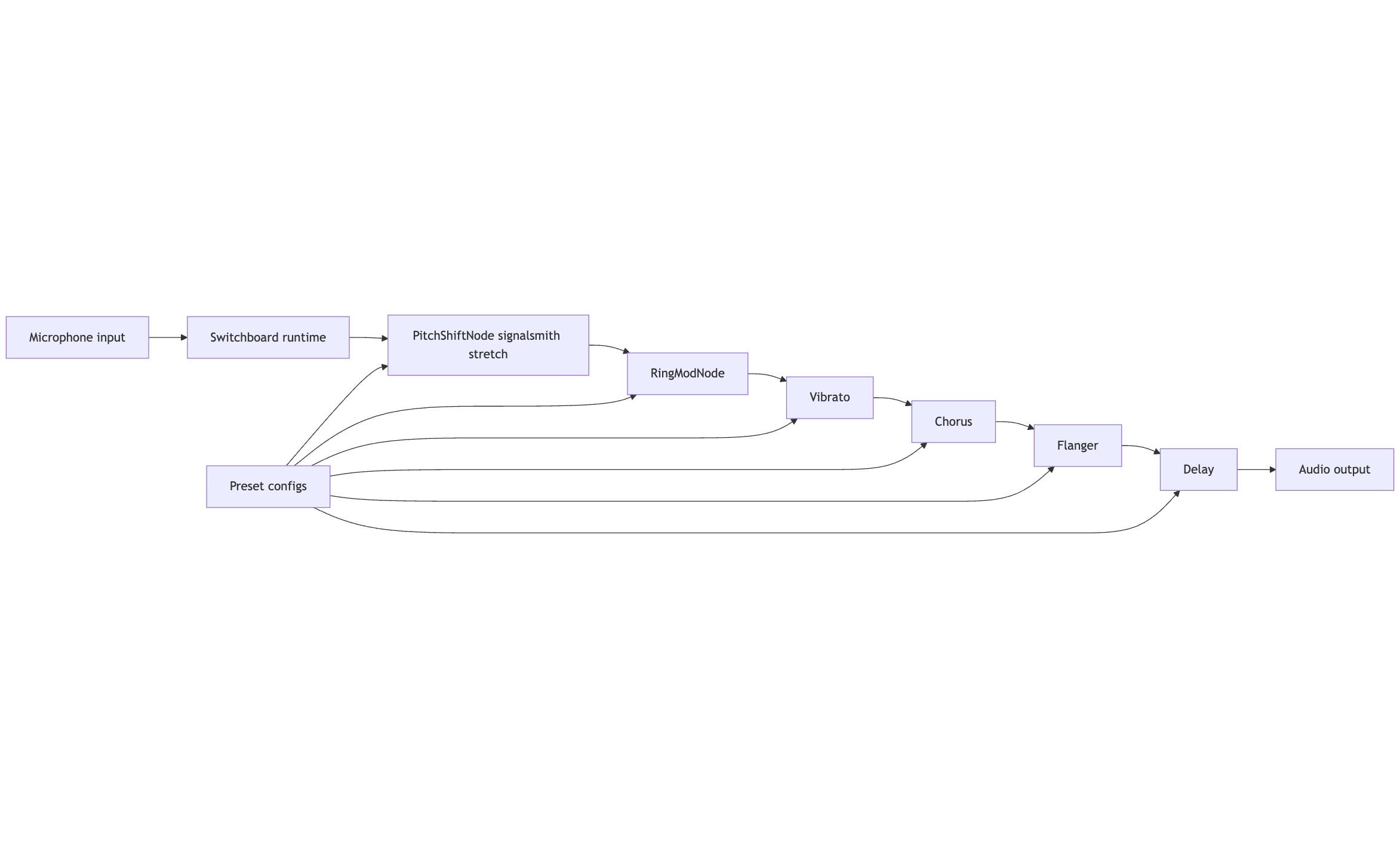
Two custom nodes handle the core transformation. Pitch shifting with formant preservation uses an open source library, and ring modulation produces robotic tones. Everything else is composition using existing Switchboard effects. The presets match common voice changer behavior and are built entirely from open components.
## Agentic coding and assembly
Claude Code did not design the audio graph. Designing the effects chain still required human judgment. Claude Code assembled the system by wiring nodes together, integrating the pitch shifting library, and structuring the demo application and preset system so the code could ship. Agentic coding accelerates the assembly of known pieces into a working system, and with a specialty runtime like Switchboard, non audio developers can build audio features.
## Portability and reuse
This demo runs on Linux, but the graph is the important part. The same audio graph runs on mobile or desktop with no changes to the audio logic. Only the shell around it changes. You build an audio feature that can live inside a real product on multiple platforms, which gives teams coming off the Voicemod SDK a pattern they can own and extend.
## Try it yourself
Clone the repo and change it. Replace the nodes, adjust the presets, and build a different audio feature. This is a pattern you can reuse for your own app.
[Here's the Repository](https://github.com/switchboard-sdk/voice-changer-sample)
---
# Building OpenAI Realtime voice agents in React Native
> The OpenAI Realtime API makes building voice agents easy. But bringing that agent into a mobile app is a different challenge.

Putting that same agent into a mobile app is a little different.
Once you get beyond the demo, you start running into problems that don't have much to do with the model itself:
* The agent hears its own voice through the phone speaker.
* Background noise gets mistaken for speech.
* A short pause gets mistaken for the end of a sentence.
* The user interrupts, but the agent keeps talking.
* Your React Native app needs to manage a native audio session across iOS and Android.
* Tool calls need to get routed back into the app and its current state.
We built [@synervoz/openai-realtime-toolkit](https://github.com/switchboard-sdk/openai-realtime-toolkit) to handle that layer.
It's an MIT-licensed React Native package for building OpenAI Realtime voice agents on iOS and Android. It manages audio capture and playback, the Realtime session, echo cancellation, tool calls, and barge-in. It can also run voice activity detection and semantic turn detection locally on the device when you want more control over when the agent should listen, respond, or stop talking.
The API is intentionally small: one provider and two hooks.
OpenAI handles the intelligence of the agent and the realtime protocol. But if you're connecting directly from a mobile app, there is still a fair amount of plumbing around it.
## Mobile audio
You need to capture the microphone, play the model's response, maintain the correct audio route, and deal with things like headphones being connected or disconnected.
Then there's echo cancellation.
If you're using WebRTC, echo cancellation is generally part of the audio stack. If you're connecting directly to Realtime over WebSocket, you need to configure the native platform audio correctly yourself.
On iOS that means using Apple's voice-processing audio path. On Android it means configuring the appropriate communication audio mode and source.
Get it wrong and the model can hear its own output coming back through the microphone.
## Turn-taking
OpenAI already provides server-side turn detection, including semantic turn detection, and for many applications it works well.
But mobile environments vary enormously.
Someone using your app in a quiet bedroom is a very different case from someone using it in a car, gym, warehouse, kitchen or café.
Sometimes you want tighter control over questions like:
How loud does something need to be before it counts as speech?
How long should we tolerate a pause?
Does what the user said actually sound like a completed thought?
How quickly should playback stop when the user starts talking?
Those decisions can also be useful to make locally.
For example, if the agent is already playing audio from a buffer on the phone and the user starts speaking, you don't need to wait for a server round trip before turning that playback down.
That immediate response makes interruption feel much more natural.
## What the toolkit handles
Without a library, a direct React Native integration typically needs some combination of:
* native microphone capture and audio playback
* audio-session and route management
* acoustic echo cancellation
* the OpenAI Realtime WebSocket session
* reconnect and lifecycle handling
* voice activity detection
* turn detection
* interruption and barge-in behavior
* tool-call dispatch
* iOS and Android native integration
None of these problems is particularly exotic. There's just a lot of them.
And they're mostly infrastructure rather than whatever makes your application unique.
That's the main reason we built the toolkit: we'd rather have developers spend their time on what the voice agent actually does than on getting Android audio routing or interruption timing right.
## A voice agent in one screen
A basic agent looks like this:
```
import {
OpenAIRealtimeToolkitProvider,
useOpenAIRealtimeToolkit,
useTool,
} from '@synervoz/openai-realtime-toolkit'
export default function App() {
return (
)
}
function Screen() {
const { isRunning, start, stop } = useOpenAIRealtimeToolkit()
useTool({
name: 'get_time',
description: 'Get the current time.',
handler: async () => ({
time: new Date().toLocaleTimeString(),
}),
})
return (
{isRunning ? 'Stop' : 'Start talking'}
)
}
```
That gives you a working OpenAI Realtime voice agent with a tool call.
Underneath, the toolkit creates the audio graph, connects the microphone to OpenAI Realtime, plays the response, enables echo cancellation, and dispatches tool calls back into your application.
Because the tools are just JavaScript handlers, they can interact directly with your app.
For example:
**"Show me the cheaper options."**
could call a tool that changes a filter in your UI.
Or:
**"Book the 3:30 appointment."**
could call the same application logic your booking screen already uses.
This is one of the reasons we like running the agent in the client. Voice becomes another interface to the application rather than a separate service sitting beside it.
## Local turn detection
Local turn handling is optional.
```
const { localTurnHandling } = useOpenAIRealtimeToolkit()
localTurnHandling.setEnabled(true)
```
When enabled, the toolkit uses two stages.
First, on-device voice activity detection decides whether someone is actually speaking.
Then a semantic model estimates whether what they said sounds complete.
Those are different questions.
Consider:
**"What's the weather in..."**
versus:
**"What's the weather in Berlin?"**
Both can be followed by exactly the same amount of silence. But only one sounds like a finished thought.
Separating speech detection from semantic completion makes it possible to tune the interaction more intelligently than simply waiting for a fixed silence timeout.
There's also a separate fast path for interruption. When the user starts speaking while the agent is talking, playback can duck immediately, then pause or cancel according to the configured timing.
For most applications you don't need to tune all of this manually. The toolkit includes three presets:
```
localTurnHandling.setConfig(QUIET_CONFIG)
localTurnHandling.setConfig(BALANCED_CONFIG)
localTurnHandling.setConfig(NOISY_CONFIG)
```
You can switch them while a session is running.
That makes it practical to use different behavior for, say, a quiet indoor assistant versus a hands-free app intended for a gym or car.
## When this architecture makes sense
This toolkit is mainly for developers who:
* are building a React Native app
* want to use OpenAI Realtime directly
* want the voice agent integrated tightly with their existing application
* care about mobile audio behavior and interruption
* don't want to build and maintain a separate agent runtime
It's particularly useful when voice is intended to control the application itself.
Your tools execute directly in the React Native application, so they can work with application state, local storage, device APIs and your existing backend calls.
There isn't another server-side tool protocol required just to get an agent action back into the UI.
## When LiveKit is probably a better choice
LiveKit solves a broader problem.
Its agent architecture runs server-side, with the mobile client connecting over WebRTC. That gives you capabilities this toolkit isn't trying to reproduce: telephony and SIP, multi-party rooms, server-side agent workers, observability, provider flexibility, and the ability to build STT → LLM → TTS pipelines using different vendors.
If you're building an agent that needs to work across phone calls, browsers and mobile apps, or you want the agent runtime centralized on your infrastructure, LiveKit is probably the better architecture.
The tradeoff is that your agent is no longer running inside the application.
For mobile applications where voice is primarily another way of controlling the app, we think the client-side architecture is considerably simpler.
A tool handler can just be:
```
useTool({
name: 'set_background_color',
handler: ({ color }) => setBackgroundColor(color),
})
```
There's no data channel or application protocol required to get that action from a server-side worker back into the component tree.
The other difference is interruption.
Because the toolkit owns playback locally, it can react to detected speech immediately rather than waiting for an interruption signal to make a round trip through the agent infrastructure.
And there is no agent runtime to deploy or scale.
You should still use a small backend endpoint to mint ephemeral OpenAI credentials before shipping. But that's very different from operating the agent itself on your servers.
## Why WebSocket instead of WebRTC?
OpenAI recommends WebRTC for client applications, while this toolkit currently connects to Realtime over WebSocket.
That's a tradeoff.
WebRTC is better suited to unreliable networks. Its media transport handles packet loss and network changes more gracefully, which matters when someone moves between Wi-Fi and cellular or has a poor connection.
WebSocket gives us a simpler direct audio path and avoids adding a WebRTC stack to the application.
For applications expected to operate frequently on unreliable mobile networks, WebRTC is worth considering and may be the better choice.
For applications primarily running on good Wi-Fi or cellular connections, we've found the direct architecture attractive enough to make that trade.
## Current limitations
The toolkit is deliberately fairly narrow today.
It's for React Native on iOS and Android, and it currently targets OpenAI Realtime.
It doesn't give you a provider-independent STT → LLM → TTS pipeline, telephony, multi-party rooms, or a server-side agent runtime.
The package also contains native code, so Expo users need a development build rather than Expo Go. React Native's New Architecture is required.
And while the wrapper is MIT licensed, the underlying audio engine uses prebuilt Switchboard SDK binaries.
Those constraints are worth understanding before choosing the architecture.
## Try it
```
npm install @synervoz/openai-realtime-toolkit
```
The [READ ME](https://github.com/switchboard-sdk/openai-realtime-toolkit) contains the quickest path to a working agent.
There's also documentation for:
[Getting started](https://github.com/switchboard-sdk/openai-realtime-toolkit/blob/main/docs/getting-started.md)
[Turn detection](https://github.com/switchboard-sdk/openai-realtime-toolkit/blob/main/docs/turn-detection.md)
[Tools](https://github.com/switchboard-sdk/openai-realtime-toolkit/blob/main/docs/tools.md)
[Example app](https://github.com/switchboard-sdk/openai-realtime-toolkit/tree/main/example)
Shared test credentials are included so you can run the example before setting up your own. They're intended for evaluation only; use your own ephemeral credentials before shipping.
The project is built on the [Switchboard SDK](https://switchboard.audio/).
If you're building something adjacent — another model provider, another platform, or a more complicated realtime audio pipeline — [open an issue](https://github.com/switchboard-sdk/openai-realtime-toolkit/issues). We're interested in seeing where people take it.
---
# Effort and Challenges in Building Embedded Audio DSP Software Across Platforms
> Tuning audio DSP on embedded devices requires full rebuilds for small changes and doubles effort when ported. Our fixed-memory engine runs the same graph on any chip with live next-block updates, cutting weeks to hours.
Embedded audio DSP development is notoriously time-consuming and complex, especially when firmware needs to be tuned for high-quality audio and reused on multiple hardware platforms or in different form-factors. Those inefficiencies are primarily the result of only a handful of challenges, which are, as yet, poorly addressed by existing tooling.
## Iteration Cycles: High Cost and Slow Turnaround
Developing and tuning audio DSP firmware often requires many iterative cycles of coding, compiling, and testing. Each adjustment to an audio parameter typically means modifying code, rebuilding the firmware, and re-flashing the device, which is time-intensive and hampers quick experimentation. As a result, audio engineers cannot easily perform instantaneous A/B comparisons of different tunings.[ One industry whitepaper ](https://dspconcepts.com/sites/default/files/embeddedaudioproductcreation_whitepaper_final.pdf)notes that "often, DSP engineers must rebuild and compile code for different sound settings", so by the time an engineer listens to a second or third tuning iteration, they've lost the fresh reference of how the first one sounded. This slow turnaround makes it costly to refine algorithms to optimal sound quality.
What makes iteration especially high-cost in audio is the subtlety of human hearing; tiny differences in filter coefficients or EQ settings can be discernible, meaning many fine-tuning passes are needed. Without real-time adjustments, each fine-tune is a full software cycle. In [**How to Shorten and Simplify Embedded Audio Product Creation**](https://dspconcepts.com/sites/default/files/embeddedaudioproductcreation_whitepaper_final.pdf), Dr. Beckman emphasizes that real-time tuning capability would greatly streamline this process, since it would eliminate the need to "change code and re-compile before it can be heard again," allowing the audio engineer to tweak parameters live and immediately hear the result. In current workflows, this capability is often lacking, stretching development over long debug/tune cycles.
## Complexity of Reuse Across Multiple Hardware Platforms
The effort required to build an audio DSP stack multiplies when that software must run on different chipsets or DSP cores. Porting and generalizing DSP code across hardware is a major challenge: audio algorithms are frequently optimized for a specific processor architecture (sometimes even in hand-written assembly for performance), and these optimizations don't directly transfer to a new platform. A modular design is not common in traditional audio DSP firmware. Historically, "an audio post-processing algorithm was developed considering a specific DSP architecture", meaning the code was heavily tied to one chip's features and instruction set. When a new product uses a different DSP or a new SoC version, engineers often must re-write or re-optimize large portions of the code, effectively rebuilding the audio stack for each platform.
Moreover, audio DSP libraries have often been delivered as monolithic blocks combining many signal processing features. This monolithic approach hurts reusability. As one engineer noted, if a customer or new product only needs a subset of the features, the entire library might need to go through a full development cycle again to be adapted and retested for that subset. In other words, lack of modularity means code reuse across products is limited, leading to duplicated effort. Maintaining separate codebases for different chips also increases engineering overhead and risk of bugs. All of this adds complexity and time: teams must debug and tune on each platform's unique toolchain and hardware quirks.
## Lack of Real-Time Configurability and Visibility
A common pain point in embedded DSP development is the lack of real-time configurability and internal visibility during development. Unlike software on a PC where developers can often tweak parameters on the fly, embedded audio firmware typically runs without a rich UI or console. Gaining insight into the DSP's behavior usually involves using hardware debuggers or adding instrumentation code. However, embedded systems have tight real-time constraints: even printing debug values can disturb timing. In fact, adding just a few printf statements can significantly affect performance (cache usage, timing, etc.), to the point that such instrumentation is often not usable for real-time audio code. Thus, developers operate with limited visibility into what the audio algorithms are doing in real time, making debugging and tuning akin to a "black box" process.
Not having real-time control is equally problematic for tuning audio performance. There is typically no live GUI to adjust filter coefficients or mixer levels on an embedded DSP in real time, so audio engineers must rely on slow compile-flash-listen cycles as described earlier. Beckman emphasizes that *real-time tuning* is highly desirable so that engineers could tweak multiple parameters live without full rebuilds. The lack of such interactive control not only slows down finding the best sound but also reduces confidence; if a change degrades audio, one might not catch it until much later. Similarly, visibility into internal states (like CPU load, memory use, or intermediate audio signals) is often limited. Traditional tools like logic analyzers can't easily be applied inside a modern audio SoC where ["many of the signals of interest are buried deep within the chip"](https://www.embedded.com/the-case-for-real-time-visibility/#:~:text=Unfortunately%2C%20monitoring%20transactions%20among%20system,developers%20interpret%20the%20data%20collected). All these factors make the development and tuning process laborious, requiring cautious trial-and-error with insufficient feedback.
## Long Development Cycles: Real-World Examples
Because of the challenges above, it's not uncommon for audio DSP firmware projects to stretch over many months or even years. In some cases, teams spend years iterating on audio algorithms to meet quality or performance targets. For example, Karlheinz Brandenburg, one of the inventors of the MP3 audio codec described their development process as highly iterative; each new idea was implemented and tested, uncovering new issues that prompted further refinement, and "[it took years before we reached a point where quality met our expectations](https://www.thehansindia.com/tech/deep-dive-audio-plunging-headphones-into-a-new-era-of-spatial-sound-962550)". This underscores how even with a focused algorithm, achieving robust, high-quality audio required a long cycle of tuning and testing.
In consumer audio products, we see similar multi-year efforts. A notable case is Apple's AirPods. Apple had been engineering AirPods since 2016, yet early models were only "good" in sound quality. It was only after several generations and continuous improvements that the flagship earbuds achieved excellent sound. The 2022 AirPods Pro 2 finally delivered a best-in-class audio experience that rivaled top competitors, earning five-star reviews, [a result of refining the acoustics and DSP over the prior years](https://www.whathifi.com/features/i-spoke-to-apple-to-find-out-the-secret-behind-the-airpods-pro-2s-audiosound-success#:~:text=Apple%20has%20been%20making%20AirPods,been%20good%2C%20but%20not%20great). This implies *multiple years of R\&D and tuning* went into perfecting the audio firmware and hardware synergy for that product. [Another industry anecdote comes from headphone manufacturer V-Moda](https://www.3ders.org/articles/20161103-v-moda-introduces-forza-in-ear-headphones-with-luxury-3d-printed-custom-caps.html), which admitted that it took years of engineering to develop a new tiny driver without sacrificing sound quality. While that example is about transducer hardware, it parallels the timeline for complex audio DSP features like adaptive noise cancellation or spatial audio, which often require several product generations to mature.
These examples illustrate that without the right tools, bringing an audio product to "flagship" level performance is a long haul. The high-end earbuds and speakers we see on the market are usually the result of multi-year development cycles, where teams painstakingly tune algorithms (and sometimes continue to fine-tune via firmware updates post-launch). This long cycle directly impacts time-to-market and costs, tying up engineering resources across iterations.
## Impact of Better Tools and Abstraction on Time-to-Market
Given the above pain points, it's clear why the industry is searching for better DSP development platforms. Improved abstraction, modular design, and real-time tooling can dramatically reduce time-to-market and tuning overhead. For instance, when development is done with a graphical audio tool that allows on-the-fly adjustments and reuse of ready-made modules, teams can cut down iteration time from days to minutes. A notable claim from DSP Concepts (the makers of Audio Weaver) is that [using their end-to-end audio DSP platform enabled development "up to 10×" faster than traditional methods](https://www.cadence.com/ko_KR/home/solutions/automotive-solution/infotainment.html). This acceleration comes from multiple efficiencies: parallel development by audio engineers and firmware engineers, drag-and-drop assembly of pre-optimized algorithm blocks, and the ability to tune parameters in real time without writing new C code for each change. In such an environment, an audio engineer can focus on sound design and instantly hear tweaks, while the system handles low-level optimization, a stark contrast to the slow compile cycles of the conventional approach.
Cross-platform abstraction is another benefit. A well-designed DSP execution framework can provide a hardware abstraction layer where the same audio processing design runs on different chipsets with minimal changes, saving the effort of re-implementing code for each new device. In other words, the platform handles the hardware differences (data format, CPU optimizations, etc.), allowing developers to reuse algorithms across products. For example, Sound Open Firmware (an open-source audio DSP framework) is built to be *modular and portable* so that it "can be ported to different DSP architectures or host platforms" easily. The promise is that by writing to a common API or using portable data-driven configurations, a team could avoid duplicating their work for each chipset, a huge time saver when a product line includes, say, a Bluetooth earbud on one SoC and a smart speaker on another.
Early adopters of these advanced tools have reported significantly shorter development cycles. In general, an effective prototyping and tuning system "can go a long way in taking the product development process out of the Stone Age". By providing real-time insight and letting engineers iterate quickly and safely, modern DSP platforms help teams get to a good sound faster and with fewer resources. This can translate to launching products in months instead of years, or freeing up engineering time to add new features rather than fighting platform-specific bugs. In summary, better tooling and higher-level abstraction directly address the pain points of traditional embedded DSP development, enabling companies to deliver high-quality audio products with a fraction of the effort that was once required.
## Our Contribution
Our early access engine boots, loads one audio graph, and allocates its memory pool once. From that moment on it pushes every block through the chain before the next interrupt fires. Parameters sent over USB or UART land in the very next block, so a change in gain or EQ is audible right away. The execution layer hides word length, byte order, and cache quirks, which means the same graph runs on ARM, Xtensa, or RISC‑V without code changes. Each node tracks its own cycle count and buffer headroom, giving honest performance numbers without risky print statements. Because the engine never allocates after start, RAM use is fixed and glitches disappear. Drop the binary on new hardware, wire up the I/O driver, press play, and your mix sounds the same day.
We're opening early access to Switchboard Embedded. If you're building something serious with embedded audio and you want faster iteration times, this is for you. It gave us back the control we needed to make our hardware reliable, and we think it'll do the same for you.
[Sign Up for Early Access](/signup/embedded)
---
# Comparing Switchboard and AudioKit
> Switchboard and AudioKit have some key differences in design, scope, and cross-platform capabilities. This article outlines the strengths of both to ensure you make the right choice.
When it comes to Switchboard and AudioKit, there are some key differences in their design, scope, and cross-platform capabilities. We lay out aspects of both in this article to make your choice easier.
### Switchboard: A Versatile Audio Toolkit
Switchboard stands out as a comprehensive, cross-platform audio SDK designed to streamline the development of audio features for a wide range of applications. Its modular architecture empowers developers to construct custom audio pipelines with ease, using a combination of JSON-based configuration and a visual editor. This flexibility makes it ideal for projects spanning from real-time communications (RTC) to AI-driven audio features and professional audio development.
### Key Advantages of Switchboard
* **Cross-Platform Compatibility:** Supports iOS, Android, macOS, Windows, and web, ensuring broad reach and reusability of code.
* **Modularity and Flexibility: **Allows developers to build complex audio pipelines using interchangeable audio nodes, tailoring solutions to specific needs.
* **Easy to Use:** The visual editor and JSON-based configuration simplify the process of creating and modifying audio graphs, even for those without extensive audio programming experience.
### AudioKit: A Swift-Focused Framework for Apple Platforms
AudioKit, while a powerful tool, is primarily focused on audio synthesis, processing, and analysis within the Apple ecosystem (iOS, macOS, tvOS). Its tight integration with AudioUnits and Swift-based API makes it a popular choice for developers building music apps, synthesizers, or audio analysis tools on Apple devices.
### Key Features of AudioKit:
* **Swift-Native:** Offers a seamless integration with Swift, making it a natural choice for Apple developers.
* **AudioUnit Integration:** Leverages AudioUnits for efficient audio processing and effects.
* **Focused on Apple Platforms: **Primarily designed for iOS, macOS, and tvOS, providing deep integration with Apple's audio technologies.
### Choosing the Right Tool
The optimal choice between Switchboard and AudioKit depends on your specific project requirements:
**Cross-Platform Development:** If your application needs to function across multiple platforms, Switchboard's broad compatibility and modularity make it the clear choice.
**Apple-Focused Projects:** For projects targeting exclusively Apple devices and leveraging AudioUnits, AudioKit's simplicity and tight integration can be advantageous.
### Conclusion
Both Switchboard and AudioKit offer robust capabilities for audio development, but their strengths lie in different areas. Switchboard excels in cross-platform flexibility and modularity, which can improve the reach to a broader range of users, while AudioKit provides a streamlined experience for building audio applications on Apple platforms. By carefully considering your project's needs, you can select the most suitable tool to achieve your audio development goals.
---
# Complementary Frameworks: How Pipecat and Switchboard Work Better Together
> Building production voice AI applications requires different strengths at different stages of development. Switchboard's native C++ runtime excels at mobile production deployment, providing the on-device performance and cross-platform consistency that modern applications demand.
Developers working on real-time voice and multimodal AI agents are discovering that [Pipecat](https://github.com/pipecat-ai/pipecat) and [Switchboard](https://switchboard.audio/) form a powerful combination rather than competing alternatives. [Pipecat makes it easy to prototype conversational pipelines](https://medium.com/@cloudiafricaa/pipecat-the-easiest-way-to-build-voice-and-multimodal-conversational-ai-7072860ed05a) by orchestrating speech recognition (STT), language models, and text-to-speech (TTS) services in Python, while Switchboard provides the native runtime architecture for deploying these concepts on mobile platforms (iOS/Android) as on-device features. Rather than viewing these as competing options, understanding how they complement each other enables teams to leverage both frameworks' strengths throughout the development lifecycle.
## Pipecat's Complementary Role: Rapid Prototyping and Server Deployment
**Server Architecture as a Prototyping Accelerator:** Pipecat's client/server architecture serves a complementary role to native mobile solutions by excelling at the stages where iteration speed matters most. The core bot logic [runs in a Python server process](https://www.daily.co/blog/build-a-voice-agent-for-android-with-gemini-multimodal-live/) (e.g. on a PC or cloud), and client SDKs connect to it over the network. In a typical setup, a mobile app uses Pipecat's iOS/Android SDK to stream microphone audio and receive responses, while [the Python Pipecat backend handles the AI processing in real time](https://www.daily.co/blog/build-a-voice-agent-for-android-with-gemini-multimodal-live/). This separation complements mobile-native solutions by enabling rapid server-side iteration before committing to on-device architectures. Communication via WebRTC or websockets ([the Pipecat **RTVI** protocol](https://www.daily.co/blog/build-a-voice-agent-for-android-with-gemini-multimodal-live/)) for low-latency streaming allows teams to prototype and test conversation flows with real mobile devices while keeping all the complexity on the server. This architecture complements rather than competes with native deployment frameworks because it addresses a different phase of development: concept validation and rapid experimentation.
**Python's Complementary Strengths:** Pipecat's Python foundation complements lower-level native solutions by providing the high-level flexibility that experimentation requires. A CPython 3 runtime and numerous Python packages and native dependencies (e.g. for audio processing, networking, ML APIs) that are normally installed on a server enable capabilities that would be cumbersome in compiled languages during the experimentation phase. In fact, [Pipecat's production deployment model expects you to containerize the Python app (e.g. as a Docker image) and host it in the cloud](https://www.zegocloud.com/blog/daily-co-vs-zegocloud-comparison), which complements mobile native solutions by providing a server-side option for scenarios where centralized deployment makes sense. The footprint (dozens of megabytes of interpreter and libraries) and Python's rich ecosystem are assets for server-based experimentation. Pipecat's architecture as a server-side Python framework complements native mobile frameworks by optimizing for flexibility and integration ease, leveraging Python's rich ecosystem (async IO loops, web frameworks, AI service SDKs, etc.) to enable developers to [quickly prototype integrations and experiment with different services](https://www.zegocloud.com/blog/daily-co-vs-zegocloud-comparison).
**Complementary Design Decisions:** Several specific architectural choices in Pipecat complement rather than compete with native mobile solutions:
1. **Language/runtime:** Pipecat is written in Python, which complements compiled native solutions by enabling rapid development with simple syntax, dynamic typing, and extensive library support. When you need to quickly validate whether a voice interaction pattern works, Python's flexibility complements the precision of compiled languages used in production frameworks.
2. **Real-time audio handling:** Pipecat's [WebRTC streaming infrastructure between client and server](https://www.daily.co/blog/build-a-voice-agent-for-android-with-gemini-multimodal-live/) complements native audio frameworks by abstracting away transport complexity during prototyping. The Pipecat client SDK handles platform-specific audio capture, complementing your eventual native implementation by allowing you to test the conversation logic separately from low-level audio concerns.
3. **Concurrency and flexibility:** Pipecat's use of async Python and multi-threaded I/O complements production mobile solutions by making it easy to test with multiple concurrent users during the validation phase. This complements single-user focused mobile testing by enabling multi-user scenario validation early.
4. **External service integration:** Pipecat pipelines seamlessly integrate external AI services (cloud APIs for STT, LLM, TTS), complementing eventual native implementations by making it trivial to compare different AI providers during experimentation. This service-agnostic approach complements the production phase where you'll commit to specific providers based on testing data.
5. **Security design:** [Pipecat's design assumes a server will hold API keys and secrets](https://docs.pipecat.ai/getting-started/web-mobile), complementing native mobile development by establishing secure patterns during prototyping that can inform production security architecture.
All these factors show that Pipecat was built to complement production deployment tools by excelling at *rapid prototyping and server-based deployment*. It's intended to work alongside rather than replace native mobile solutions. As the documentation notes, the recommended approach is to keep the bot logic on a server (or Pipecat Cloud) and have clients connect for testing. This architecture complements mobile native deployment by handling the prototyping phase and also serving scenarios where server-based deployment is preferred (IVR systems, call centers, web applications). Teams can prototype with Pipecat, test with web and mobile clients, and then either deploy the Pipecat server to production (for server-based use cases) or transition to a native solution like Switchboard for mobile deployment.
## Switchboard's Complementary Role: Native Mobile Production
**Mobile Native Architecture Complementing Server Solutions:** When Pipecat's server-based prototyping has validated the concept, Switchboard provides the complementary architecture that production mobile deployment requires. It is an SDK and runtime for real-time audio pipelines built in high-performance C++ and designed to be cross-compiled to every major platform. Instead of or in addition to a Python process running on servers, Switchboard provides a lightweight audio engine that runs inside your mobile app. Developers define an audio/voice processing graph (via a JSON config or using provided APIs), and the Switchboard engine executes it locally in real time. This architecture complements server-based prototyping by enabling the voice agent to live within the iOS or Android application process when that's what the product needs. Crucially, Switchboard's runtime is implemented in C++ for speed and compiled directly for each platform (iOS, Android, Windows, macOS, Linux, etc.), so it runs natively. From the mobile OS perspective, it's a native library that complements rather than replaces server-side logic. In fact, one of Switchboard's goals is to let developers *"build without being constrained by the limited use cases of iOS, Android, and other native platforms"*, meaning it abstracts away low-level audio handling while providing fully native execution that complements server-based AI services you may have prototyped with tools like Pipecat.
**Cross-Platform Consistency Complementing Platform-Specific Development:** A key way Switchboard complements Python-based prototyping frameworks is through its language and runtime compatibility across platforms. The core engine is C++, but Switchboard offers idiomatic bindings for multiple languages and environments, including Python for desktop prototyping. It provides a Swift API for iOS, a Kotlin/Java API for Android, a JavaScript API (for web or Node integration), Python bindings for desktop prototyping, and C++ APIs for integration into games or other engines. This means mobile developers can call Switchboard's functions from Swift or Kotlin while maintaining the same underlying engine that could be prototyped in Python, creating a complementary workflow across languages. The runtime architecture is consistent: whether on iPhone or Android or PC, the same Switchboard engine runs, invoked through appropriate language bindings. This complements cross-platform prototyping by providing production-grade consistency. On iOS, you include the Switchboard SDK (as a framework or Swift Package) and it runs within the app's sandbox. On Android, it uses JNI to expose the C++ engine to Java or Kotlin. Because it's compiled native code, it complements web-based prototypes by providing the App Store-compatible architecture that production requires. Switchboard bridges the gap between high-level app code and low-level audio processing, complementing what server-based prototyping tools validate by providing the native execution layer.
**Production Architecture Complementing Prototype Validation:** Switchboard's runtime complements the validation work done during prototyping with Pipecat or similar tools. It uses a modular audio graph architecture: you build a pipeline of nodes (microphone input node, STT (speech-to-text) node, LLM inference node, TTS node, output to speaker, etc.) and the engine executes the graph with highly optimized C++ code. This node-based architecture can mirror the pipeline structure validated during Pipecat prototyping, making the transition smoother. It supports both on-device modules and API-based modules in the same pipeline, complementing prototype work by enabling you to keep using cloud services you validated with Pipecat while adding on-device optimizations. For example, one node could run an on-device wake-word detector or VAD (voice activity detection) model, then another node calls the same cloud API for STT that you tested during Pipecat prototyping, then another runs a local filter, etc. This *hybrid* approach complements server-based prototyping by letting you incrementally move processing on-device while maintaining connectivity to validated cloud services. Switchboard is built for real-time performance with sub-10ms processing latency per module and stable execution even under load, complementing prototype validation by delivering the production performance users expect. Unlike a Python loop, the C++ engine can leverage multiple threads efficiently and is tuned for audio processing without garbage collection pauses. Switchboard also offers features like dynamic graph reconfiguration and event callbacks to adapt to network or user changes on the fly, complementing static prototype configurations by providing production flexibility. Furthermore, Switchboard has a library of pre-built nodes for common functions (STT, TTS, effects, mixers, etc.) and allows custom extensions in C++ or via its API, complementing the prototype phase where you identified which components matter most. In short, Switchboard's architecture complements prototyping work by providing a production-ready mobile runtime: compiled, optimized, and integrated with platform audio APIs, enabling voice AI logic to run on-device (even offline, if using local models) while still supporting the cloud services validated during prototyping.
The table below shows how Pipecat and Switchboard complement each other:
| **Aspect** | **Pipecat (Prototyping & Server)** | **Switchboard (Mobile Production)** | **How They Complement Each Other** |
| ---------------------------- | ------------------------------------------------------------------------------------------------------------------------------------------------------------------------------------------------- | ------------------------------------------------------------------------------------------------------------------------------------------------------------------------- | --------------------------------------------------------------------------------------------------------------------------------------------------------------------------------------------------- |
| **Core Runtime** | Python 3 engine (CPython interpreter) running bot logic. Server process (e.g. FastAPI/WebRTC pipeline in Python). | C++ audio engine running in-app. Compiled to native code for each platform (no interpreter needed). | Pipecat enables rapid server-side validation; Switchboard takes validated concepts to native mobile. Both can call the same cloud APIs for consistency. |
| **Deployment Model** | Client-server architecture: bot runs on a server (cloud or local PC), clients connect over network (WebRTC/WebSocket). | Embedded library architecture: voice pipeline runs on-device inside the mobile app process. | Pipecat prototypes and hosts server-side features; Switchboard handles on-device deployment. Hybrid architectures can use both (Pipecat for cloud components, Switchboard for device). |
| **Platform Support** | Server-side Python runtime with client SDKs for testing. Mobile SDKs stream data to Pipecat server. Also server-based production (cloud, containers). | Built for iOS, Android, Web, desktop native deployment: unified engine with language bindings for Swift, Kotlin, JavaScript, C++, and Python. | Pipecat enables testing on all platforms during prototyping; Switchboard provides native deployment on each platform. Switchboard's Python bindings even enable some prototyping, creating overlap. |
| **Integration Method** | Network-based architecture: backend service (Pipecat server) plus transport. Mobile integration via networking (API endpoints, WebRTC). | Native SDK integration. App links Switchboard library and invokes pipeline via Swift/Kotlin APIs. No network dependency for core operation. | Pipecat validates cloud service integrations; Switchboard can call those same APIs or run models locally. Complementary rather than competing approaches. |
| **Performance & Latency** | Network transport enables server-side processing; relies on server resources. Real-time over network. Connection quality affects mobile experience. | Ultra-low latency on-device processing (sub-10ms per module). Can operate even with no internet (for local nodes). Optimized C++ for stable real-time mobile performance. | Pipecat's server processing complements Switchboard's on-device work. Hybrid architectures can use Pipecat for heavy processing, Switchboard for low-latency local components. |
| **AI Modules & Flexibility** | Highly flexible in Python: easy to call many cloud AI services or swap providers (supports dozens of STT/TTS/LLM APIs). Mostly cloud-based. | Modular graph of nodes: mix on-device ML models (e.g. Whisper, local TTS) with cloud API calls. 50+ prebuilt nodes, supports custom ones. | Pipecat rapidly tests different AI providers; Switchboard implements the winners as production nodes. Services validated with Pipecat can be called from Switchboard nodes. |
| **App Store Compliance** | Server-based deployment, no app store concerns (runs in cloud/containers). Mobile clients are thin networking layers that easily pass review. | Meets app store requirements via compiled native code. No external interpreter or JIT. Runs within app sandbox like any media engine. | Pipecat's test clients pass app store review during prototyping; Switchboard provides production architecture for final app. No conflict. |
| **Offline Capability** | Requires connectivity to server. Perfect for prototyping with cloud AI services and server-based production where connectivity is available. | Can be fully offline-capable: on-device nodes (local speech recognizer, offline TTS) allow functionality without network. Developers choose cloud vs. local per feature. | Pipecat validates cloud approaches; Switchboard can implement offline alternatives or use the same cloud services. Complementary capabilities for different scenarios. |
| **Use Case Fit** | Perfect for rapid prototyping and cloud-based voice bots. Quickly assemble voice agent logic and test via web or mobile clients. Ideal for server-side production (IVR, web demos, call centers). | Built for production deployment in native apps and devices. Ideal for voice/chat AI features inside mobile apps, games, or IoT devices with native performance. | Different use cases that complement each other: Pipecat for server-based features and prototyping, Switchboard for on-device mobile features. Can be used together in the same product. |
## How Teams Use Both Frameworks Together
Many successful teams use Pipecat and Switchboard together in a complementary workflow. During the proof-of-concept stage, they leverage Pipecat to validate concepts quickly. With Pipecat, a small team can script a voice bot prototype (for example, connecting a Twilio phone call to an LLM and TTS in a few dozen lines of Python, or building a web demo where users talk to an AI agent). The Python environment enables rapid experimentation with different APIs and conversation logic. This prototyping work with Pipecat validates which AI service providers work best, what conversation flows users respond to, and whether the concept is viable at all. The server-based architecture means teams can iterate without worrying about mobile-specific constraints during this exploration phase.
When prototyping validates the concept and it's time to deliver a production mobile app, Switchboard complements the work done with Pipecat by providing the native deployment architecture. Switchboard is explicitly designed to ease this transition: its creators emphasize that the SDK "saves time from prototyping through production while providing lasting flexibility," especially for cross-platform products. In practice, this means developers take the validated logic from their Pipecat prototype and implement it as a Switchboard audio graph. The AI services tested with Pipecat can often be called from Switchboard nodes, maintaining continuity between prototyping and production. For instance, if a Pipecat prototype used Deepgram's API for transcription and ElevenLabs for TTS via cloud calls, the production app with Switchboard might use those same services via API call nodes, or it might use a Whisper model node on-device for transcription with an offline TTS node, depending on what the prototype testing revealed about requirements. This flexibility shows how the frameworks complement rather than constrain each other.
As a practical example, consider a startup building a voice-enabled customer support bot. They might first use Pipecat to prove out the conversation flow and multi-service integration (because Pipecat excels at hooking into different NLP APIs in Python). The prototype runs on a cloud server during user tests. The team rapidly refines the conversation design based on testing feedback, validating the concept with stakeholders via web interfaces and mobile test clients connecting to their Pipecat server. This validates both the conversation logic and the AI service choices. When moving to production mobile app deployment, the team uses Switchboard complementarily: they embed the voice assistant logic into the app itself for better responsiveness and reliability. Thanks to Switchboard's cross-language support, the team implements the voice pipeline in Swift for iOS and reuses the same pipeline definition for Android in Kotlin, with the C++ engine handling execution consistently. The cloud API services they validated with Pipecat can still be used via Switchboard API nodes, or they can transition to on-device models where appropriate. The product may even use both frameworks simultaneously: Switchboard handles on-device voice interactions, while a Pipecat server handles complex multi-turn conversations or integrations with backend systems. This complementary approach is increasingly common in voice AI products.
Several developers in the voice AI community have adopted this complementary pattern: using Pipecat or similar Python frameworks for prototyping and server-side features, while using Switchboard for mobile-native components. This approach leverages the strengths of each framework without forcing an either/or choice. Switchboard's documentation targets AI voice assistant developers and real-time communications apps, positioning it as complementary to prototype-focused tools rather than a replacement for all use cases.
In summary, Pipecat and Switchboard form a complementary pair that serves different stages and deployment models in voice AI development. Pipecat offers flexibility and speed for assembling conversational AI prototypes and deploying server-based applications, leveraging Python's ecosystem to enable rapid experimentation with AI services and conversation flows. Switchboard provides the native mobile deployment architecture that production apps require, with a C++ real-time engine, multi-language SDKs, and hybrid on-device/cloud processing. Projects benefit from using both frameworks where each excels: Pipecat for rapid prototyping and server-based features, Switchboard for mobile native deployment. They can even be used together in the same product architecture, with Pipecat handling server-side components and Switchboard handling on-device mobile features. This complementary approach harnesses the best of both frameworks: the rapid iteration and service integration flexibility of a high-level prototype framework, combined with the efficiency, performance, and native integration of a production-ready mobile runtime. The result is voice AI features that move efficiently from concept to production, delivering seamless experiences across server-based and mobile contexts.
---
# What makes Switchboard different
> Your instant voice network.
Switchboard is a truly unique audio SDK.
There are many other audio SDKs out there, but they generally serve a different purpose than Switchboard. There are great audio SDKs besides Switchboard, but they are designed for different use cases. Below we have listed a number of popular audio SDKs to help you understand how they are positioned relative to Switchboard.\
\
It’s worth bearing in mind that we designed Switchboard to solve problems that arose time and time again across the many audio software development projects we’ve been involved with, despite the existence of other audio SDKs. These other SDKs often require:
* Audio-specific expertise
* C++ expertise
* Lots of custom audio handling code
* Writing native code for each platform / OS
* Spending a lot of time writing glue code to get different DSP modules to work together
Switchboard gets around all of that in a unique way. Moreover, it targets different use cases than most other audio SDKs. Most other audio SDKs focus on use cases such as:
* Developing DAW plugins
* Adding specific DSP effects into an existing music production application
* And in many of these cases, using other SDKs independently of Switchboard might make sense.
But where audio pipelines are more complex and involve multiple audio processing modules, multiple platforms, or multiple SDKs coming together in a single application that’s rich with audio features, chances are Switchboard can be used together with these other SDKs, or on a standalone basis depending on the use case.
Let’s explore some examples below:
Largely for individual audio processing nodes, rather than building audio graphs. Requires C++. Optimized for low latency and performance (e.g. minimizing CPU usage on mobile and embedded devices).
Switchboard offers a Superpowered Extension to make it easier to use and to construct graphs containing Superpowered nodes.
Largely used by audio software developers building plugins for DAWs (e.g. VST plugins).
Switchboard targets a different set of use cases.
*See ****Use Cases**** in the main menu.*
A programming language.
Primarily targets music composition / music production use cases (e.g. DAWs, plugins).
Switchboard targets a different set of use cases.
*See ****Use Cases**** in the main menu.*
Web-based audio library.
Primarily targets music composition / music production use cases (e.g. DAWs, plugins).
Switchboard targets a different set of platforms and use cases.
*See ****Use Cases**** in the main menu.*
Good for certain projects in the Apple ecosystem. Not cross platform.
Switchboard offers a more comprehensive set of nodes, is cross platform, has a visual editor, and enables a broader set of use cases.
*See ****Use Cases**** in the main menu.*
Music focused modules including stem separation, lyrics transcription, chord recognition, beat detection, mastering, vocal synthesis, and more. Typically used more for offline processing of music files. Switchboard targets a different set of use cases.
*See ****Use Cases**** in the main menu.*
Creators of Audio Weaver offer a visual interface where DSP nodes can be assembled into signal processing chains, targeting embedded and automotive applications. In contrast, the Switchboard Editor is web-based, user-friendly, and free, with broader node types, use cases, and platforms. While Switchboard is expanding embedded platform support, it doesn’t match Audio Weaver's out-of-the-box capabilities. However, we can enhance support as needed through a services agreement.
Focused mainly on wireless headphones market. Different set of nodes and use cases targeted than Switchboard, though there is partial overlap.
Switchboard focuses more on novel features and use cases for headphones, speakers, and other embedded devices, with and without a companion app. Such use cases would require a support / services agreement. Get in touch to learn more.
[Get in touch](https://synervoz.com/contact/)
---
# EdgeSpeech
> Avoid the financial drain and developer strain of on-device audio with EdgeSpeech, our easy to use hook for React Native
You want to develop an app that your users can talk to; what are your options? You could rely on high level cloud AI to process your audio or you could rely on low level audio processing on the device; each has its tradeoffs.
## The Hidden Costs of Cloud AI
To keep things simple, you might consider using a cloud AI provider that can already handle audio. However, this simplicity comes with hidden costs. Chief among them are privacy, latency, and service fees that only grow when your user base increases.
### Privacy
By its very nature, cloud-based voice AI requires sending data to a third-party server for processing. This can raise privacy concerns, especially in applications that handle sensitive information.
*On-device voice AI processes data locally, ensuring that user data remains private and secure.*
### Latency
Audio data requires significant bandwidth to transmit to the cloud. This can result in latency issues, especially in real-time applications where quick responses are critical.
*On-device voice AI has a much shorter round trip meaning your app can respond sooner.*
### Service Fees
Audio data sent to voice AI cloud services requires processing at the provider which incurs high token usage.
*On-device voice AI can reduce this by processing data locally, allowing much smaller payloads to be sent to the cloud requiring fewer tokens to interpret.*
## The Hidden Complexity of On-Device Audio
If the tradeoffs of cloud AI are too severe you may consider on-device audio processing. However, those cloud AI providers are hiding a lot of complexity in their service; complexity you’ll need to implement locally all by yourself. Setting up a low level real-time audio pipeline comes with a number of challenges.
### Voice Activity Detection (VAD)
First, you need to know when someone is speaking. Processing audio consumes resources so it’s important to avoid processing silence. This involves integrating a voice activity detector (VAD) and tuning it for potentially noisy environments.
### Speech-to-Text (STT)
Next, you need to convert the speech to text (STT). This involves integrating an STT model that’s both small enough to run on-device and efficient enough to run in real-time.
### Text-to-Speech (TTS)
Finally, you need to convert text back into speech (TTS). This requires integrating a TTS model that can run efficiently on the device but also sounds natural; robotic voices aren’t going to cut it.
## The Best of Both Worlds
EdgeSpeech is the best of both worlds. It dramatically simplifies on-device audio so you can focus on building your app, while at the same time saving you money by avoiding sending large payloads to cloud providers.
## The 96% Savings of On-Device AI
On-device voice AI can save about 96% of the costs associated with cloud AI services.
Consider a voice AI assistant handling 1,000 conversations per day, each lasting 5 minutes. If you used OpenAI Realtime API to do speech-to-speech, this would cost roughly $7,200 per month. Here’s the breakdown:
| Component | Calculation | Cost |
| --------------------------- | -------------------------------- | ------------ |
| Audio input | 150 sec × 10 tokens/sec × $32/1M | $0.05 |
| Audio output | 150 sec × 20 tokens/sec × $64/1M | $0.19 |
| **Per conversation** | | **$0.24** |
| **1,000 conversations/day** | | **$240/day** |
| **Monthly (30 days)** | | **$7,200** |
Meanwhile, using EdgeSpeech to do speech-to-speech on the device means you can send lightweight text-only messages to the ChatGPT API instead. This would cost roughly $281 per month; a savings of more than 25x.
| Component | Calculation | Cost |
| --------------------------- | ----------------------- | ------------- |
| Text input | \~750 tokens × $2.50/1M | $0.002 |
| Text output | \~750 tokens × $10/1M | $0.008 |
| **Per conversation** | | **$0.01** |
| **1,000 conversations/day** | | **$9.38/day** |
| **Monthly (30 days)** | | **$281.25** |
## Integrate EdgeSpeech
EdgeSpeech uses a provider and hook pattern. All you need to do is wrap your app in the `EdgeSpeechProvider` and then call the `useEdgeSpeech` hook. The hook returns actions to listen and speak as well as reactive values of the speech-to-text (STT) transcripts.
```
import { EdgeSpeechProvider, useEdgeSpeech } from '@synervoz/edgespeech'
// use the hook to communicate with the local model
function VoiceChat() {
const { listen, speak, onTranscriptComplete } = useEdgeSpeech()
onTranscriptComplete(async (text) => {
const response = await chat(text)
await speak(response)
})
return
}
// wrap your app in the EdgeSpeechProvider
export default function App() {
return (
)
}
```
## Conclusion
EdgeSpeech provides a powerful and cost-effective solution for integrating voice AI capabilities into your React Native applications. By processing audio data locally, it addresses privacy concerns, reduces latency, and significantly lowers service fees associated with cloud-based AI services. With its simple integration and easy-to-use hooks, developers can quickly add speech-to-text and text-to-speech functionalities to their apps, enhancing user experience while keeping costs manageable.
---
# Exploring the Frontiers of Neural Audio: Insights from ADCx
> In a recent presentation at ADCx, Kieran Coulter, Senior Engineer and Lead Architect at Synervoz, delves into neural audio digital signal processing (DSP).
In a recent presentation at ADCx, Kieran Coulter, Senior Engineer and Lead Architect at Synervoz, delves into neural audio digital signal processing (DSP), providing particular insights into the challenges of optimizing neural audio processors in practical applications. **With a focus on the neural audio landscape and real-time performance, Coulter offers a comprehensive overview of the challenges and opportunities in the area.**
* Coulter discusses the tools and frameworks commonly used in designing neural audio models, including PyTorch, Tensorflow and the RTNeural inferencing toolkit.
* He also presents a workbench of familiar neural DSPs Spleeter and Basic Pitch, showcasing the quantifiable improvements achieved and discussing practical implications of neural DSP chaining.
* Finally, Coulter introduces Neural Player, an innovative application that synchronizes audio with extracted stem MIDI playback, enabling users to appreciate the results of neural audio processing in an intuitive manner. He concludes with a glimpse into future areas of improvement, including introducing biases for target frequency ranges and the integration of neural audio solutions into consumer applications like media players and show control.
You can watch the presentation below.
[Play](https://youtube.com/watch?v=P50NTedJs1A)
See more videos on our [YouTube channel](https://www.youtube.com/@switchboard2718).
---
# How Switchboard Accelerates Every Phase of Your Voice Project
> Switchboard streamlines real-time voice AI projects across all phases. From building audio graphs to tuning latency, deploying cross-platform, and monitoring live performance, it empowers teams to deliver faster, smarter voice experiences.

Switchboard is a platform designed to streamline this entire lifecycle. In fact, it has been shown to speed up voice/audio development cycles by an order of magnitude. Switchboard provides a comprehensive suite of tools for product managers, audio/AI engineers, and developers alike: to help design, build, tune, deploy, and run sophisticated audio pipelines with ease. By bridging the gap between raw AI models and production-ready systems, Switchboard enables teams to focus on innovation instead of plumbing. Let’s explore how Switchboard supports each phase of your project and who benefits at each stage.
## Build Phase: Designing the Audio Pipeline
In the early build-time phase, teams define what their audio pipeline will do. This is where you prototype features and architect the audio processing flow. Switchboard makes this design phase much faster and more accessible. It packages common audio functions (like noise reduction, voice activity detection, speech-to-text, etc.) into modular units called nodes, which can be visually connected into an audio graph. Instead of writing a lot of low-level code, you assemble ready-made components. These graphs are then executed by high-performance native code across platforms with minimal latency, so from day one, your design is rooted in something that will work in real time on iOS, Android, web, and more without re-engineering for each platform. This cross-platform, on-device execution is unique to Switchboard, allowing even early prototypes to run efficiently on target devices.
Switchboard provides multiple tools at build-time to cater to different team members’ needs:
### Switchboard Editor
A visual design tool for configuring audio graphs without writing code. Using a drag-and-drop interface, you can connect nodes and set parameters in a JSON-based graph definition. This empowers non-programmers (like product managers or designers) to prototype voice features via a no-code approach, while developers can seamlessly export or refine these graphs in code.
### Switchboard SDK
A set of developer APIs for those who prefer or need to script the graph. Developers can use high-level languages (Swift, Kotlin, JavaScript, etc.) to programmatically create and control nodes and graphs, or even to develop new custom node types in code. The SDK abstracts the heavy lifting: it generates the optimized C++ audio engine code under the hood, so you get native performance without having to write C++ yourself.
### Switchboard Templates
Ready-made starter graphs for common use cases. These templates give teams a head start by providing pre-built configurations (for example, a voice chat setup with noise suppression and echo cancellation, or a voice assistant pipeline with speech recognition and text-to-speech). Product managers can use templates to quickly demonstrate a concept, and developers can modify them to suit specific project needs.
### Bring Your Own Node
Tools and guidelines for creating custom nodes, whether as pure API-defined nodes or native code modules. If your project requires a new audio processing algorithm or integration of a proprietary AI model, Switchboard’s authoring framework lets developers build that node once and package it for cross-platform use. This means a custom effect or AI model can be written in C++ (for performance) or another supported language, and then easily dropped into any Switchboard audio graph on any device.
Importantly, all these build-phase tools leverage Switchboard’s extensive library of built-in nodes and audio/AI functions. Switchboard comes with a vast library of audio and voice processing components (from basic DSP effects to ML models) that developers can drop in, enabling new features on any platform in a fraction of the time it would take to build from scratch. And if a needed component isn’t in the library, you can easily integrate your own custom node into the graph. By using Switchboard at the design phase, product managers get faster prototyping cycles, and developers start with a proven architecture, saving months of trial-and-error and ensuring the project is built on a solid foundation.
## Tuning Phase: Testing and Optimization
Once the audio graph is built, the next phase is tuning: testing the system, debugging issues, and optimizing performance. Real-time audio, especially with AI in the loop, has stringent requirements and hidden complexities. For example, to maintain the illusion of real-time interaction, end-to-end latency typically must stay below \~150 milliseconds. Power and memory constraints on devices (mobile phones, earbuds, etc.) mean you have to be efficient with your AI models and audio processing. Different hardware and OSes introduce quirks, and multiple audio tasks (playback, recording, network streaming, inference) may need to run concurrently without hiccups. This is where Switchboard’s tuning-time tools become invaluable; they help engineers inspect, debug, and profile the audio pipeline to ensure it meets all these real-time requirements.
During this phase, Switchboard offers capabilities that make it much easier to iterate and refine your audio pipeline:
### Switchboard Inspector
Allows you to inspect a running audio graph in real time, whether it’s on your local machine or a remote device. Developers can attach the Inspector to see the state of each node (levels, events, data flow) as audio streams through the graph. This visibility helps catch misconfigurations or bottlenecks that would be hard to diagnose otherwise, akin to a debugger but for a live audio pipeline. For instance, you might visualize which node in the chain is introducing latency or see if a voice activity detector is firing at the correct times.
### Switchboard Debugger
provides deeper diagnostic information and logging for the audio graph. The Switchboard SDK includes extensive logging to track internal processes at various levels (Error, Warning, Info, Debug, Trace), which the Debugger tool surfaces in a developer-friendly way. You can step through node initialization sequences, inspect data buffers, and see rich debug info for each node’s operations. This is crucial for troubleshooting real-time issues, e.g. figuring out why an AI model isn’t getting audio input when expected, or why audio quality drops under certain conditions. By combining the Inspector’s visual overview with Debugger’s detailed logs, engineers can quickly pinpoint and fix issues in the graph.
### Switchboard Profiler
Measures performance metrics like latency, CPU usage, and memory for each node and the overall graph. In voice AI applications, profiling is essential to ensure you meet timing deadlines. The Profiler shows how long each node takes to process audio and how much load it puts on the system. This makes it easy to identify any component that might cause you to exceed that \~150 ms real-time threshold or to drain battery excessively. For example, if a speech recognition model node is taking 100 ms on its own, you might decide to use a faster model or run it on a different thread. With Switchboard Profiler, teams can empirically tune their pipeline for optimal performance on each target platform.
### Node Validation Tools
A testing framework for custom nodes. When you develop a new node (say an AI-based voice changer), these tools let you run it in sample audio graphs and verify it produces correct results and stays within performance bounds. It automates aspects of QA for nodes: checking that the node’s outputs are as expected for given inputs, that it handles edge cases (silence, high volume) properly, and that it doesn’t leak memory or crash under load. This gives confidence before integrating a new node into your main application.
### Hot Swap & Rapid Iteration
The ability to swap out or update parts of the audio graph on the fly, without restarting the entire app. Thanks to Switchboard’s dynamic graph architecture, developers can replace a node (or tweak its configuration) during a live session. For example, an AI engineer could hot-swap between two different noise suppression models in a voice call app to compare their effectiveness in real time. This dramatically speeds up experimentation: you can fine-tune parameters and immediately hear/see the effect, leading to faster refinement of your audio pipeline. It’s like having a live coding environment for audio graphs, perfect for rapid prototyping and continuous improvement.
All these tuning-phase tools mean that technical team members (audio engineers, ML engineers, QA, developers) can iterate quickly and safely. Instead of blindly guessing why a voice feature isn’t behaving, they have concrete data and debugging insight. The result is a well-optimized, robust audio system. For product managers, the benefit here is indirect but critical: these tools reduce the time spent troubleshooting complex audio issues and ensure the end product will meet user expectations for responsiveness and quality. Switchboard essentially de-risks the integration of AI models into real-time audio. It provides the scaffolding to meet tight latency and performance budgets, so the innovative features your team envisioned will actually work in practice.
## Deployment Phase: Release and Integration
After building and fine-tuning the audio pipeline, the focus shifts to deploying it as part of your product. This phase is about packaging your solution, configuring it for different environments, and rolling it out to users in a controlled way. Switchboard recognizes that deploying voice features can be tricky - you might have multiple app platforms to support, environment-specific settings (e.g. dev, staging, production API keys for cloud services), and you want the ability to update or roll back audio components without hassle. Switchboard’s deploy-time tools help manage these complexities.
Notably, because a Switchboard audio graph is defined in a high-level, platform-agnostic way, you can generate native implementations for all targets from one source. The Switchboard engine automatically produces optimized binaries or libraries for each platform (iOS, Android, Windows, Mac, Linux, web, even embedded devices) from the same graph definition. You no longer need separate audio codebases for each operating system. This uniformity simplifies release cycles and maintenance dramatically. A small team can deliver a consistent audio experience across platforms without rewriting the pipeline for each one. With Switchboard JSON Graphs your audio graph is defined in text. Use your existing CI tooling to handle environment-specific settings (like different API keys, URLs, or feature flags) without changing the core graph logic. Suppose your product uses a cloud speech API in production but a mock service for testing; the JSON graph would let you toggle that via config profiles. Product managers and DevOps engineers can define which features are enabled in a beta vs. GA release, for instance, by flipping config flags. This makes it easier to manage feature toggles and secrets for audio features across development, staging, and production environments.
By handling these deployment concerns, Switchboard ensures that getting your voice features into users’ hands is smooth and predictable. Product managers benefit by being able to coordinate launches and updates (e.g., a new AI-powered feature can be rolled out strategically), knowing that underlying tools will safeguard quality. Developers and operations teams benefit from having consistent processes to deploy audio components just like any other part of the stack. In short, Switchboard’s deploy-time capabilities help your team deliver new audio functionality faster and with greater confidence.
## Run-Time Phase: Live Operation and Monitoring
Finally, we reach the run-time phase: when your audio application is live in production, serving end-users in real time. At this stage, the priorities are reliability, scalability, and observability of the audio processing system. Switchboard’s runtime components ensure that your carefully built and tuned audio pipeline runs smoothly on each device or server, and that you have insight into its behavior in the field.
The core of this is the Switchboard Runtime Engine, a high-performance, cross-platform audio execution engine. This engine takes the audio graph (designed earlier) and runs it on the target device with minimal latency and proper resource management. It handles low-level details like threading, buffering, and timing to keep audio streams in sync. The runtime is built in optimized C++ for speed, but it’s accessible through high-level SDKs on each platform (Swift, Kotlin, etc.), which means your application code can easily start/stop graphs and interact with nodes. Critically, Switchboard’s runtime was designed for real-time Voice AI workloads: it can even support hybrid deployment models, where some nodes run on-device and others call cloud services, all within one cohesive graph. This gives architects flexibility to balance latency and accuracy (for instance, doing initial processing on-device to filter data, then using a cloud AI service for heavy lifting). The end result is an app that delivers advanced audio features to users with the responsiveness of local processing and the scalability of cloud when needed, all orchestrated by Switchboard.
Switchboard handles node lifecycle management at runtime. This refers to the dynamic loading, unloading, and updating of nodes within a running application. In practice, this means your app can modularly enable or disable certain audio features on the fly. For instance, imagine a conferencing app that wants to introduce a new “voice masking” feature: using Switchboard, the developers could ship the new node and remotely activate it for users who toggle that feature, without disrupting other parts of the audio pipeline. Similarly, if a node needs to be patched or upgraded (say a bugfix in an echo cancellation module), Switchboard can swap it out under the hood thanks to its support for runtime reconfiguration. This dynamic capability is far more powerful than traditional monolithic audio engines, it means your voice app can adapt in real time, even after deployment, which is ideal for A/B testing audio algorithms or rolling out improvements gradually (as discussed in the deployment section).
Finally, Switchboard Monitoring tools (current and upcoming) provide telemetry and analytics on your audio graphs in production. The Switchboard engine already outputs detailed logs and diagnostics which can be collected from devices. These logs, along with planned metrics collection, allow your team to monitor the health and performance of the audio pipeline in the wild. You can track statistics like how often certain nodes are active, error rates, CPU/memory usage on user devices, and more. By feeding this data into your monitoring dashboards, you gain visibility into how the audio features are performing for users over time. If something goes wrong, for example, if an update causes higher load, you’ll catch it via these metrics and can respond (perhaps by rolling back to a previous node version using the rollout controls). This closes the loop of the DevOps cycle for audio: just as you monitor servers and APIs, with Switchboard you can monitor the voice processing component of your product and keep it running optimally.
## One Solution for Many Problems
Across all these phases, Switchboard’s comprehensive approach benefits every stakeholder involved in a voice/audio project. Product managers can move faster from concept to reality, leveraging templates and visual tools to prototype new ideas and then confidently launching updates with controlled rollouts. Those working in real-time voice processing and AI gain a robust pipeline to integrate cutting-edge models, knowing that performance constraints (latency, concurrency, device limitations) are handled by design. Developers and engineers get to use modern debugging and profiling tools instead of spending months writing low-level audio code or fighting platform differences, they can focus on crafting the user experience and fine-tuning AI behavior rather than reinventing core audio infrastructure.
Switchboard is the backbone for your voice features throughout the project’s lifecycle. It ushers in a future where building a real-time voice app with multiple AI models is as easy as spinning up a web app, making latency-aware, multi-model audio pipelines a standard developer tool rather than a science project. By supporting you at every phase: build; tune; deploy; and run, Switchboard enables teams to ship better voice experiences faster, with less risk and overhead. In the rapidly evolving world of Voice AI, having this kind of end-to-end platform means you can focus on what truly matters: delivering magical, real-time audio experiences to your users.
---
# How to Build a Karaoke App with Amazon IVS and Switchboard
> Your instant voice network.

Amazon’s Interactive Video Service (IVS) is a managed live streaming service for live streaming video and audio at scale. But what if you want to do more with that audio on device, before broadcasting it, or after receiving it? Or what if the audio from your Amazon IVS live stream is only one part of a more complex audio pipeline? Enter the [Switchboard SDK.](https://docs.switchboard.audio/)
The Switchboard SDK is a cross platform audio SDK that makes it easier to develop complex audio features and applications without needing to be a specialist in audio programming or C++. Building an application with advanced audio features can take months or longer, but using the Amazon IVS extension in the Switchboard SDK, that effort can be reduced to days or hours. The Amazon IVS extension in Switchboard makes it easy to build complex audio pipelines that can allow for Amazon IVS to work alongside features such as external media players, voice changers, stem separation, advanced noise filtering and other DSP, mixing, ducking, and handling various OS related audio issues, Bluetooth, and more.
Karaoke Apps are one of many use cases in which such audio pipelines are useful. In the rest of this article, we will walk you through a step by step process of building an Android karaoke app that combines Switchboard and IVS. Switchboard is used to apply various voice changing effects (such as pitch correction and reverb), while Amazon IVS is used to broadcast the resulting voice and music streams.
Find the tutorial's code on GitHub, along with its iOS version. Check out the live demo of the web app too.
## What you will learn
* How to create a real-time streaming experience with with Amazon IVS
* How to integrate the Switchboard SDK Extensions into your application
* How to test and apply voice changing effects from Switchboard SDK
* How to live stream your new voice to an audience using Amazon IVS
### Attributes
AWS Level | Intermediate - 200
Time to complete | 60 minutes
Cost to complete | Free when using the AWS Free Tier
Prerequisites | - AWS Account
Code Sample | Code sample used in tutorial on GitHub
Feedback | Any feedback or issues?
Last Updated | See tutorial
## Solution Overview
Let's take a quick look at the high level solution overview in Figure 1. The Switchboard SDK is a versatile toolkit that streamlines audio app development across different platforms. It features a collection of AudioNodes—like players, recorders, and mixers—that interconnect within an AudioGraph. This graph operates via an AudioEngine, leveraging advanced platform-specific capabilities. The SDK also provides various [extensions](https://docs.switchboard.audio/nodes/) (nodes), which are wrappers around popular libraries, such as Amazon IVS. We will revisit each component in more detail in later steps.
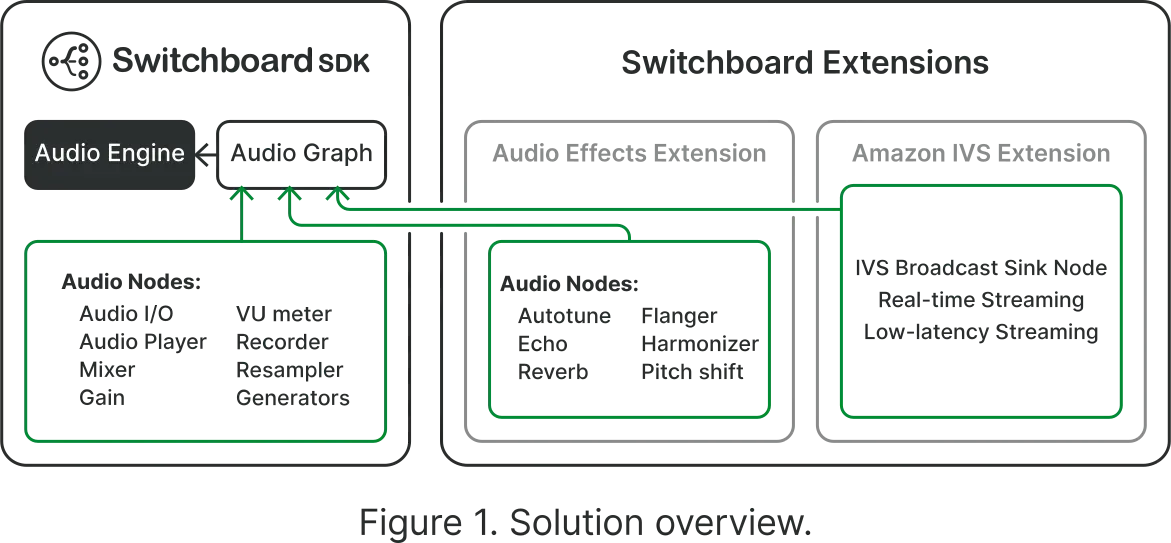
### This tutorial consists of 3 parts:
* **Part 1** - Creating a real-time streaming app with Amazon IVS and SwitchboardSDK
* **Part 2** - Importing and applying voice changing effects
* **Part 3** - Testing your new found voice
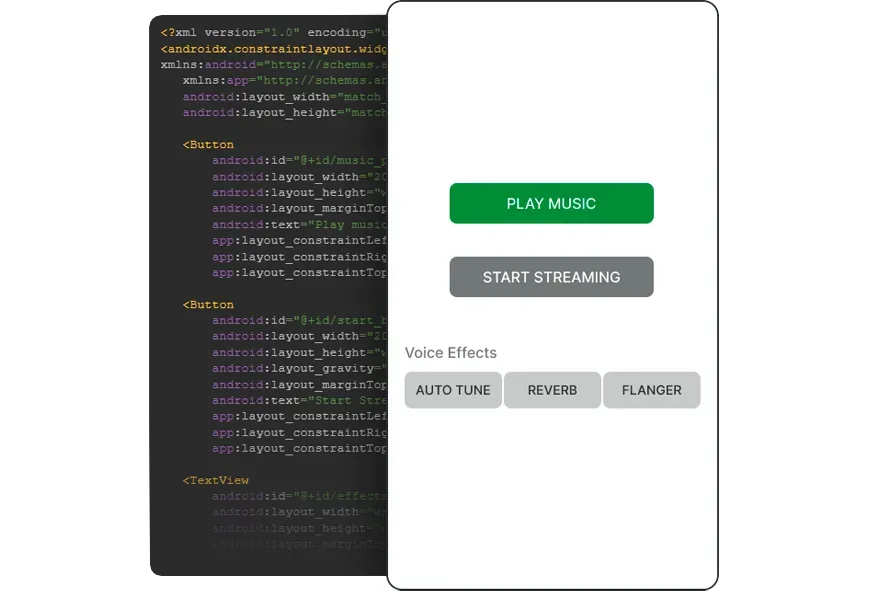
[Play](https://youtube.com/watch?v=Au8eHYF2c3w)
[Go To Free Tutorial](https://community.aws/content/2bjOZXGNZtYebdF5GQvE5Tk1SK2/add-interactive-audio-to-amazon-ivs-live-streams-with-the-switchboard-sdk-karaoke-app-example)
[Get in touch](https://synervoz.com/contact/)
---
# How to Build Voice AI That Works Without Internet
> What it takes to run voice AI offline. Covers on-device speech recognition (ASR/STT), text-to-speech, model packaging, and offline-first architecture for mobile and embedded deployments.
Some environments don't have internet. Field service crews work inside industrial plants with no cell signal. Vehicles pass through tunnels and rural dead zones. Secure facilities prohibit wireless connections entirely. Consumer devices end up in basements, aircraft, and remote areas where connectivity is unreliable or absent.
When voice AI depends on a cloud API, it stops working the moment the network drops. For applications where voice interaction is critical, that's not acceptable. This article covers what it takes to build a voice AI system that works without any network connectivity: the on-device pipeline architecture, model packaging and update strategies, platform-specific considerations, and the offline-first pattern that treats cloud as an optional enhancement rather than a requirement.
## When Voice AI Needs to Work Offline
The most common offline scenarios fall into several categories, each with distinct constraints.
**Field service and remote infrastructure.** Technicians operating in industrial plants, oil rigs, remote towers, or underground facilities frequently have no cell or Wi-Fi coverage. Hands-free voice interaction is most valuable precisely in these environments where workers can't touch a screen, and these are the same environments where cloud connectivity is least reliable.
**Vehicles and transportation.** In-car voice assistants, logistics fleet systems, and aviation applications all traverse areas with intermittent or no connectivity. A voice system that works on the highway but fails in a tunnel or rural stretch creates an inconsistent, unreliable user experience.
**Secure and regulated facilities.** Military installations, government buildings, healthcare facilities, and financial trading floors may restrict or prohibit network connections for security reasons. Voice AI in these contexts must operate entirely on local hardware with no external data transmission.
**Consumer devices in variable conditions.** Smartphones, wearables, and IoT devices are used everywhere, including places with poor reception. An offline voice assistant that degrades gracefully (or not at all) when the network disappears provides a fundamentally better experience than one that displays a "no connection" error.
## What "Offline" Means Architecturally
An offline voice AI system has a strict requirement: no network dependency at inference time. Every component in the voice pipeline must be able to run using only the resources available on the local device. That means:
* All machine learning models (for speech recognition, text-to-speech, voice activity detection, and any NLU or command processing) must be stored on-device
* All vocabulary, language models, and configuration data must be local
* The audio capture, processing, and playback pipeline must operate without any network calls
* No authentication tokens, license checks, or API calls can gate the core voice functionality
This is a higher bar than "works with a slow connection." An offline system must function identically whether the device has full connectivity, a degraded connection, or no network interface at all.
## The On-Device Pipeline for Offline Voice AI
A complete offline voice AI pipeline mirrors the cloud pipeline in structure but runs every stage locally. The core stages are:
**Voice activity detection (VAD).** Continuously monitors the microphone input to detect when a user is speaking. On-device VAD models like Silero VAD are small (under 2 MB) and fast (under 1 ms per 30 ms audio frame on mobile ARM processors). VAD must run continuously to catch the start of speech, so efficiency matters.
**Speech-to-text (STT/ASR/speech recognition).** Converts the detected speech audio into text. This is the most computationally demanding stage. On-device STT models range from Whisper Tiny (39M parameters, \~75 MB quantized) to Whisper Medium (769M parameters, \~1.5 GB quantized). The choice depends on the accuracy requirements and the target device's capabilities. Whisper runs on-device via whisper.cpp, which provides optimized inference for ARM and x86 CPUs.
**Intent processing or NLU.** Interprets the transcribed text to determine what the user wants. For command-and-control applications (fixed vocabulary like "next," "stop," "open ticket"), simple keyword matching or a lightweight classifier works. For open-ended dialogue, an on-device LLM (such as a quantized Llama model via llama.cpp) can handle more complex interpretation, though at significant memory and compute cost.
**Text-to-speech (TTS/speech synthesis/voice generation).** Converts the system's response text into audible speech. On-device TTS models like Silero TTS generate natural-sounding speech in 50 to 200 milliseconds for short responses. The models are compact (typically 10 to 50 MB) and run efficiently on mobile hardware.
Each of these stages must be self-contained. If any stage requires a network call, the system isn't truly offline.
## Model Packaging and Updates
Shipping ML models as part of an application introduces challenges that cloud-based systems avoid entirely.
### Bundling Models with the Application
The simplest approach is to include model files in the application package (the .ipa for iOS, .apk/.aab for Android, or the application bundle for desktop and embedded). This guarantees the models are available from first launch with no download step.
The trade-off is application size. A minimal offline voice pipeline (Whisper Tiny for STT, Silero VAD, Silero TTS) adds roughly 100 to 150 MB to the application. Larger STT models push that higher. App store size limits and user expectations about download size constrain what you can bundle.
An alternative is to ship the application without models and download them on first launch or on demand. This keeps the initial download small but means the offline voice feature isn't available until the models are fetched, which requires connectivity.
### Storage and Memory Budgets
On-device models compete with the application's other data for storage space and runtime memory. Budget constraints vary dramatically by platform:
* **Modern smartphones** (2022+): 4 to 12 GB RAM, 64 to 512 GB storage. Running Whisper Small or Medium alongside other app components is feasible on flagships. Budget devices are more constrained.
* **Embedded Linux boards** (Raspberry Pi 4, Jetson Nano): 2 to 8 GB RAM, storage limited by SD card. Whisper Tiny or Base is the practical ceiling.
* **Automotive and industrial**: Highly variable. Some automotive platforms have dedicated ML accelerators; others run on constrained embedded processors.
Model quantization (reducing weights from FP32 to INT8 or INT4) cuts both storage and memory requirements by 50 to 75 percent with modest accuracy trade-offs. For offline deployments, quantized models are almost always the right choice.
### OTA Model Updates
Models improve over time. New versions offer better accuracy, support additional languages, or fix edge cases. Updating on-device models requires a delivery mechanism that works within the constraints of offline-first design.
The typical pattern is opportunistic OTA (over-the-air) updates: when the device has connectivity, it checks for model updates in the background and downloads them for staged deployment. The key requirement is that the update process never blocks the voice pipeline. The currently-installed model continues to work while the update downloads. When the download completes, the application swaps to the new model at the next convenient opportunity (app restart, session boundary).
This is the same pattern mobile operating systems use for system updates: download when connected, apply when convenient, never break the current functionality.
## Offline-First with Cloud Fallback
A strict offline-only architecture works for environments where connectivity is never available. But many applications operate in environments where connectivity is intermittent or variable. For these cases, the offline-first pattern provides the best of both approaches.
The principle is straightforward: run the full voice pipeline on-device by default. When cloud connectivity is available, optionally use it to enhance the results.
**Where cloud fallback adds value:**
* **Larger vocabulary STT.** On-device models have finite vocabulary and language support. Cloud STT services can handle rare words, specialized terminology, or languages that the on-device model doesn't support well.
* **Complex NLU.** Cloud-hosted LLMs are larger and more capable than what fits on a mobile device. For open-ended dialogue or complex queries, cloud processing can deliver better results.
**How the fallback works in practice:**
The on-device pipeline runs first and produces a result. If the device has connectivity and the confidence is low (or the query is complex), the system can optionally send the audio or transcript to a cloud service for a second opinion. The on-device result serves as the immediate response (eliminating wait time), and the cloud result can refine or correct it asynchronously.
This pattern ensures that the voice system always responds, even without connectivity, while taking advantage of cloud capabilities when they're available. The user experience is consistent because the on-device pipeline handles the common cases, and cloud fallback improves accuracy for the uncommon ones.
## Platform Considerations
### iOS
iOS provides strong support for on-device ML inference through Core ML and the Neural Engine. Whisper models converted to Core ML format can run on the Neural Engine with lower latency and power consumption than CPU-only execution. AVAudioSession handles microphone access, and the audio pipeline integrates cleanly with the iOS audio stack.
The main constraint is app size. The App Store allows apps up to 4 GB, but users expect reasonable download sizes. Bundling large models may require App Thinning or on-demand resources.
For a working implementation of an offline voice assistant on iOS, see [Voice Control with On-Device AI](/hub/voice-control-on-device-ai), which demonstrates the full VAD-to-STT pipeline using Switchboard's iOS SDK.
### Android
Android's ML ecosystem is more fragmented. NNAPI provides a hardware abstraction layer for ML inference, but support and performance vary across manufacturers. TensorFlow Lite and the GPU delegate offer more consistent cross-device performance.
The bigger challenge on Android is the device diversity. The same application must run on flagship phones with dedicated NPUs and budget devices with limited RAM. Model selection may need to be adaptive: use a larger, more accurate model on capable hardware and fall back to a smaller model on constrained devices.
### Embedded Linux
Embedded Linux platforms (Raspberry Pi, NVIDIA Jetson, custom boards) offer the most flexibility but the least hand-holding. There's no platform audio session to manage, no app store size limit, no built-in ML runtime, and no pre-configured audio routing. You ship the models, the inference runtime, and the audio pipeline as a self-contained package.
Switchboard's C++ API runs on embedded Linux, providing the audio graph architecture (VAD, STT/ASR/speech recognition, TTS/speech synthesis/voice generation, noise suppression) as a library that integrates into your application. The models ship alongside the binary, and the entire system runs without any external dependencies.
### Automotive
Automotive voice systems have unique constraints: fixed hardware that doesn't get upgraded, long product lifecycles (10+ years), strict safety certification requirements, and the expectation of instant responsiveness. Offline operation is non-negotiable because vehicles regularly lose connectivity.
On-device voice AI is a natural fit for automotive. The voice pipeline runs on the vehicle's application processor, models are delivered as part of the system software, and updates come through the vehicle's OTA update mechanism. Latency requirements are strict because driver distraction is a safety concern. For more on optimizing voice AI response time, see [Voice AI Latency: Where It Comes From and How to Reduce It](/hub/voice-ai-latency).
## Privacy as a Side Effect
An interesting property of offline-first voice AI is that it inherently provides strong privacy guarantees. If audio never leaves the device, there's no transmission to intercept and no server-side storage to breach. For organizations that choose offline deployment for connectivity reasons, privacy compliance comes as a structural benefit rather than an additional engineering effort.
For a deeper exploration of the privacy implications, including regulatory compliance considerations for GDPR, HIPAA, and data residency requirements, see [Privacy-First Voice AI: Why On-Device Processing Keeps Voice Data Safe](/hub/privacy-first-voice-ai).
## Available Now
Switchboard's on-device audio SDK provides the complete pipeline for offline voice AI: voice activity detection (Silero VAD), speech-to-text (STT/ASR/speech recognition via whisper.cpp), text-to-speech (TTS/speech synthesis/voice generation via Silero TTS), noise suppression (RNNoise), and echo cancellation (WebRTC AEC3). All components run on-device with no cloud dependency, across iOS, Android, desktop, and embedded Linux.
If you're building a voice application that needs to work without internet, [explore the Switchboard documentation](https://docs.switchboard.audio/) to see how the on-device pipeline fits together. For a hands-on starting point, the [voice control iOS example](/hub/voice-control-on-device-ai) demonstrates the full offline pipeline in a working application.
---
# Voice Activity Detection: How VAD Works and How to Integrate It
> A developer's guide to acoustic echo cancellation and WebRTC AEC3. Covers the full AEC pipeline, adaptive filters, double-talk detection, residual echo suppression, and integration on iOS, Android, and embedded platforms.
A misconfigured VAD clips the beginning of every utterance or starves your speech-to-text engine with silence. This guide covers how VAD works and how to integrate it correctly in real-time voice applications on mobile and web.
Voice activity detection (VAD) is an algorithm that classifies short audio segments as speech or silence, updated continuously as audio arrives.
STT/ASR engines use VAD to gate transcription; without it, they run continuously and waste compute, or miss speech entirely because they weren't listening. Push-to-talk systems use it to close transmissions automatically, while recording applications use it to strip silence from stored audio. Voice AI assistants run it before everything else in the pipeline: before wake word detection, before speech recognition. In bandwidth-limited deployments, VAD suppresses transmission during silence entirely.
A voice activity detector answers exactly one question: is there a human voice in this audio frame?
Three generations of VAD algorithms are in active use today. Understanding the tradeoffs explains why Silero VAD has become the default choice for production voice applications.
Energy-Based VAD
The simplest VAD approach measures the short-time energy of the audio frame and compares it to a threshold. If the signal power exceeds the threshold, the frame is classified as speech.
Energy-based VAD is fast and has near-zero compute overhead. It works well in quiet, controlled environments. It fails in noisy ones: background noise can exceed the threshold consistently, or a soft-spoken user's voice can fall below it. The threshold must be manually tuned per environment.
Energy-based VAD measures signal loudness.
A refinement of energy-based VAD incorporates spectral features: the distribution of energy across frequency bands. Human speech concentrates energy in particular frequency ranges (roughly 300 Hz to 3 kHz for fundamental frequency and formants), and a spectral VAD can use these signatures to distinguish voice from broadband noise.
WebRTC's legacy VAD module uses a Gaussian mixture model over spectral features. This is more robust than pure energy detection and handles a wider range of noise environments, but it still struggles with music and any noise spectrum that overlaps with speech frequencies.
Silero VAD is a neural network trained to classify audio frames as speech or non-speech. It uses a recurrent architecture (LSTM) that models temporal context: the current frame and how the recent audio sequence has evolved together inform the classification. This temporal awareness dramatically reduces false positives from transient noise that briefly resembles speech energy.
Silero VAD achieves high accuracy across a wide range of acoustic environments and device types. The silero-vad ONNX model runs in a few megabytes and requires minimal CPU on mobile and embedded devices. It runs entirely on-device with no network dependency, which matters for offline-capable voice apps.
The tradeoff is frame-level latency: the model processes 512 samples at 16 kHz (32 ms) at a time. For most applications this is acceptable; for sub-20 ms push-to-talk systems it may require tuning.
How VAD is wired into your audio graph matters as much as which algorithm you use.
## STT/ASR Pipeline Integration
The most common use case is triggering an automatic speech recognition (ASR) or speech-to-text (STT) engine. The pattern works like this:
1. VAD continuously monitors the microphone stream.
2. On a start event, begin buffering audio to the ASR engine (or begin streaming if the STT API supports it).
3. On an end event, flush the buffer and trigger transcription.
Two timing issues consistently cause problems here. First, the start of speech is frequently clipped: VAD takes one or more frames to activate after speech begins, cutting off the first phoneme or syllable. The speechPadMs parameter adds padding before and after each detected segment; the before-padding recovers audio lost during VAD's activation delay. Set it to at least 100–200 ms for conversational speech.
Second, a `minSilenceDurationMs` that is too short triggers the end event during brief pauses mid-utterance. A value that is too long delays transcription feedback. Conversational speech typically has inter-word pauses in the 200–500 ms range; 300 ms is a reasonable starting point.
## Wake Word Pre-filter
VAD is commonly used upstream of a wake word detector to gate its activation. Wake word models run continuously and consume battery. By only passing audio to the wake word model when VAD detects speech, you can reduce unnecessary inference by 80–90% in a typical indoor environment.
## Push-to-Talk
For push-to-talk interfaces where the user cannot hold a physical button, VAD replaces the hardware signal. The implementation is identical to the STT/ASR pipeline integration above. The key tuning difference is that the system should be more aggressive about ending the segment: a shorter `minSilenceDurationMs` feels more responsive. The tradeoff is more frequent false utterance boundaries during natural speech pauses.
## Recording and Segmentation
Long-form recording applications use VAD to segment continuous audio into speech-only chunks, reducing storage and speeding up downstream processing. Each start/end event pair produces one segment. Gap handling within continuous speech is controlled by `minSilenceDurationMs`.
The Switchboard SDK provides Silero VAD as an extension node. The VAD node is a sink: it consumes audio and emits events rather than passing audio downstream. In a typical audio graph, you route microphone output through a BusSplitter, sending one branch to the VAD node and the other to your output or STT/ASR node.
The end event provides both start and end timestamps (in seconds) for the completed speech segment, which simplifies buffer management when segmenting recorded audio.
For a working example of the full graph wiring, see the [VAD example in the SDK documentation](https://docs.switchboard.audio/examples/vad/). For implementation details, see the [SileroVAD extension reference](https://docs.switchboard.audio/extensions/silero-vad/).
---
# Hybrid Audio Graph Orchestration: The Missing Layer in Voice AI
> Why the next generation of voice products won’t run entirely in the cloud.

When most people talk about “voice AI orchestration,” they’re usually describing a cloud workflow: audio comes in, gets sent to the server, runs through ASR, an LLM, and TTS, then gets streamed back to the user. That model has been good enough for a first generation of voice products, and it’s what most of the market still assumes by default.
**But that framing is already starting to break.**
Because increasingly, the best voice systems are not entirely cloud-based. Parts of them are running directly on the device: speech recognition, wake word detection, turn detection, audio preprocessing, lightweight models, even text-to-speech. And once that becomes possible, orchestration stops being just a backend workflow problem. It becomes a real-time audio routing problem that spans the device and the cloud together.
**That’s what we mean by hybrid audio graph orchestration.**
***
At a high level, hybrid orchestration means some components of your voice stack run locally, while others run remotely, and the system can intelligently route between them. A simple version might run ASR and TTS on-device, while sending only text to a cloud-hosted LLM. That alone can reduce latency, lower bandwidth, improve privacy, and cut cloud cost. But the more interesting version is when the graph becomes adaptive.
For example, you might run ASR locally by default, but if transcription confidence falls below a threshold, automatically fall back to a cloud model like Deepgram. Or you might keep a lightweight model on-device for fast interactions, but route more complex reasoning to a larger cloud model only when needed. The exact routing logic depends on the use case, but the architectural pattern is the same: local-first when possible, cloud when useful.
That’s a very different way to think about voice infrastructure than what most orchestration tools are designed for today.
Platforms like Vapi, LiveKit, or Pipecat are useful for cloud-side coordination. They help developers chain models together, manage streaming sessions, and structure real-time interactions. But they largely presume that orchestration happens in the cloud. They don’t really help you build and run on-device audio graphs, or manage the messy, real-time coordination between local execution and remote execution that hybrid systems require.
**And that gap matters more than it sounds.**
***
Voice products are unusually sensitive to bad architecture. A text product can often hide latency, recover from interruptions, or tolerate a little sloppiness in how requests move through the stack. Voice can’t. If the timing is off, the experience feels bad immediately. If the audio path is brittle, users notice immediately. If every utterance has to round-trip to the cloud before anything useful can happen, the whole product starts to feel heavy and fragile.
That’s why hybrid orchestration isn’t just an optimization. It’s increasingly the right default architecture.
Take a simple voice assistant inside a mobile app. In a cloud-only setup, every utterance gets streamed upstream for transcription, reasoning, and speech generation. In a hybrid setup, the device can detect speech locally, transcribe locally, route only text to the server, and even fall back to local-only behavior if the connection gets weak. To the user, it just feels faster and more reliable. To the engineering team, it’s a radically different system.
And once you start building these systems seriously, linear “pipelines” stop being the right abstraction. Real products are not just mic → ASR → LLM → TTS. They branch. They fork. They degrade gracefully. They make decisions. They run multiple things in parallel. One path might feed a recorder, another might run VAD, another might do speaker identification, another might choose between a local or remote model based on context, confidence, or network quality.
That’s why we think audio graphs are the right abstraction.
A graph lets you think in terms of nodes, routing, fallbacks, and conditions rather than pretending every voice experience is just a neat little chain of APIs. And once you think in graphs, hybrid architecture starts to feel obvious. Some nodes belong on the device. Some belong in the cloud. Some should be able to move between the two over time. The important thing is that developers can actually compose, test, and evolve that logic without rebuilding the whole stack every time the product changes.
**That’s the missing layer.**
At Switchboard, this is exactly how we think about voice AI. Not primarily as a sequence of model calls, but as a real-time audio graph that may span local and remote execution. The job of orchestration is not just to call APIs in order. It’s to make it easy to build systems where some nodes run on-device, others run in the cloud, routing can change dynamically, and the whole thing still behaves like one coherent real-time runtime.
That’s what hybrid audio graph orchestration actually is.
And over time, we think it’s where the market is headed.
Cloud orchestration was the first chapter of voice AI.
Hybrid audio graph orchestration is the next one.
---
# Introducing the Switchboard Editor (Beta)
> A visual web tool for creating real-time audio or data engines—connect nodes from a large library or get started with one of our templates.
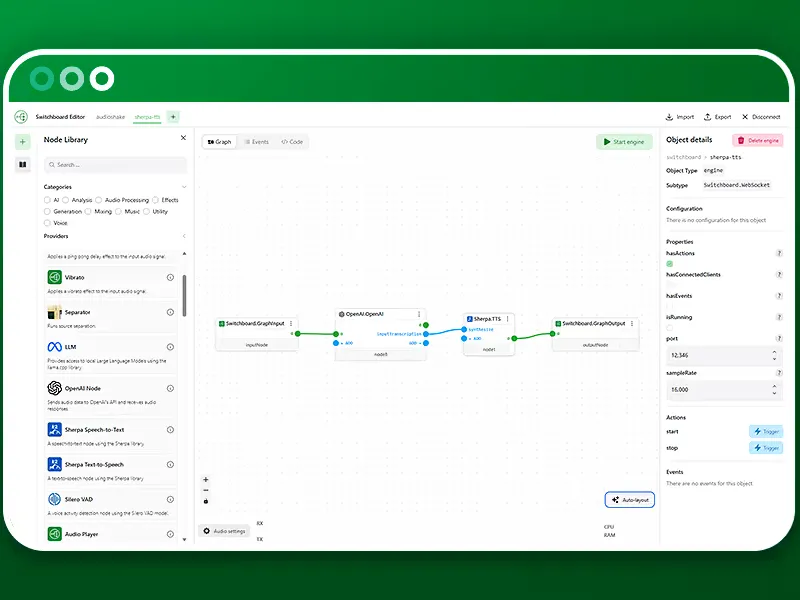
Think of it as a control surface for orchestrating audio pathways from a microphone (or another source such as a live stream or video call) through certain audio processes (e.g. speech-to-text, voice changers, LLMs, effects chains and other DSP or AI models) and eventually to outputs (e.g. your speakers/headphones or a VoIP room, among other things) — without hard‑coding every connection.
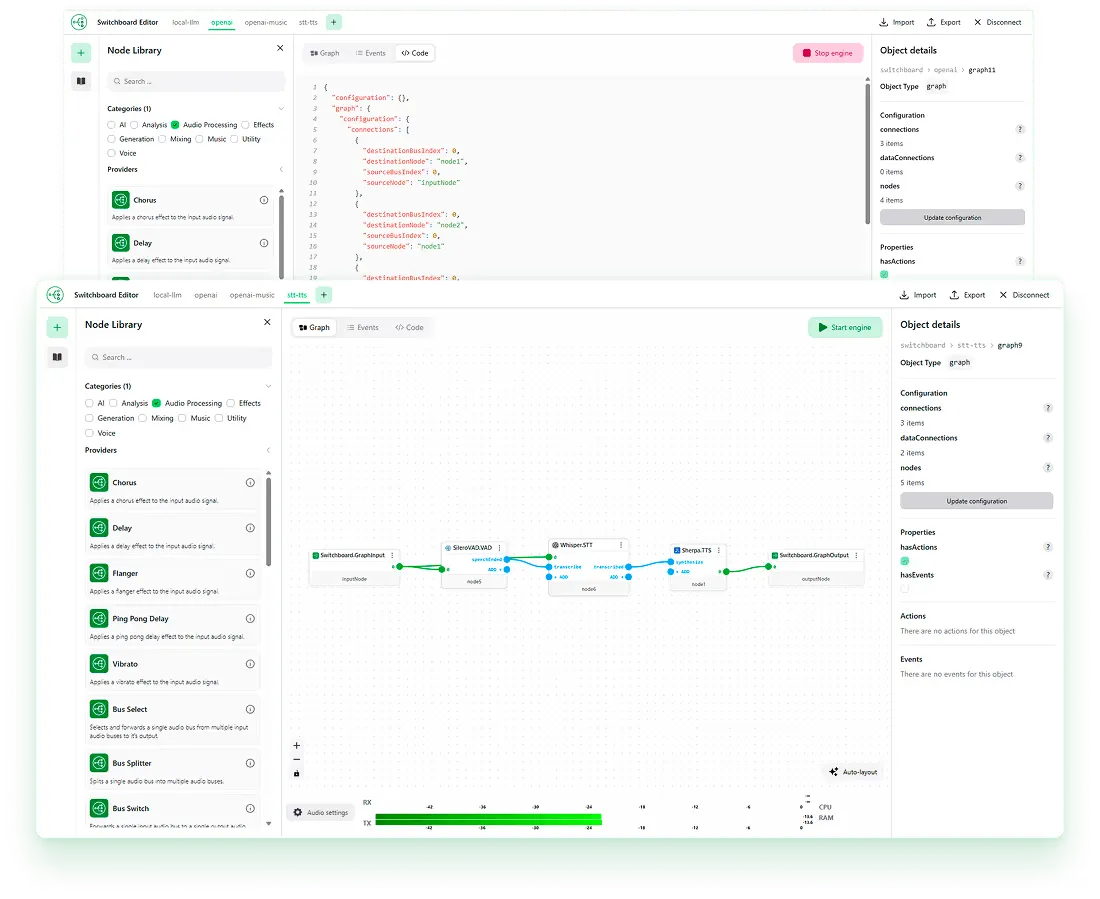
If you’ve seen the demo videos on our [Editor page](/editor), you’ve already caught a glimpse of what’s possible. The reason the Editor is launching in *limited preview* is strategic, not cautious.
We’re choosing to build this product in public, while highlighting a constraint that every ambitious platform eventually faces: synchronizing rapid innovation with production-grade reliability across platforms.
## Why the Editor is in Beta
(and why that’s a good thing)
The Switchboard Platform spans:
* The **Editor** (visual design and orchestration layer)
* The **SDK** (production deployment layer for real apps)
* A growing ecosystem of **nodes**, **templates**, and **example apps**
Trying to move these in perfect lockstep — where every new node immediately becomes production-ready across iOS, Android, macOS, Windows, Linux, web, and embedded — was dramatically slowing the pace at which we could innovate and keep up with the latest models as they come available. For a small, focused team, in the fast moving world of AI, that trade-off is unjustifiable.
Originally we’d hoped to launch the Editor as an extension to the SDK, making it easier to use by developers, and allowing for easier collaboration with non-developers on their team. However, for the reasons above, **we’re temporarily decoupling the Editor from the SDK**:
* The Editor becomes a sandbox for exploration, ideation, and demand discovery.
* The SDK remains a hardened foundation for real-world deployments.
This separation lets us iterate faster, test more ideas, and learn directly from usage — without compromising the reliability required by serious production systems.
### What this enables
* Faster creation of new nodes and experimental features
* High-velocity demo prototyping (for ourselves and upon request)
* Real-world signal on which use cases actually matter
* Focused hardening of high-demand nodes and pipelines
In short: we optimize for **learning velocity now**, not premature completeness.
## Access Model
To support this approach:
* The SDK remains open with a free tier for developers
* The Editor is gated behind a sign-up and demo request
* Early next year (2026) we’ll begin limited releases with strategic partners
This allows us to work hands-on with a focused cohort of advanced users — co-designing the future of the platform with those building at the frontier of audio-first products.
## Building in Public
Our demo videos aren’t just marketing assets — they’re market probes representative of use cases that we can help customers address now. Each illustrates a potential market segment and directional focus. By releasing these videos early, we’ll observe:
* Which nodes and use cases attract the most attention
* Which pipelines generate real integration requests
* How teams of developers and non-developers gravitate toward using Switchboard together
From there, we’ll prioritize:
* Which nodes to productionize first
* Which example apps to polish
* Which use cases deserve deep investment
This data informs our roadmap far more precisely than internal speculation ever could.
## Two Products, Distinct Value – Shared DNA
For now, think of Switchboard as two tightly related surfaces:
### Switchboard SDK
* For developers shipping production systems (in new or existing projects)
* A smaller number of hardened use cases
* Optimized for stability and performance
### Switchboard Editor
* For rapid design and iteration of new use cases
* High-velocity, visually driven
* Focused on exploration, comparisons, experimentation, and innovation
They overlap. They inform each other. And when the timing is right, they can recouple — stronger, clearer, and driven by real-world demand.
## The upside — and the trade-offs
### Pros
* Accelerated product–market fit discovery
* Reduced technical debt from premature scaling
* Stronger real-world alignment
* Faster innovation cycles
* More focused use-case validation
### Cons
* Not all nodes immediately deployable on all platforms
* Limited early access
* Requires deliberate communication and expectation setting
* Potential short-term friction for eager users
We consider this trade favorable, and can help address the cons through Switchboard Labs.
## What Happens Next
Over the coming months you’ll see:
* More Editor demo videos exploring new nodes and pipelines
* Deeper developer-focused SDK enhancements
* Early access collaborations with strategic partners
* A roadmap shaped directly by market demand
If you want early access to the Editor or would like to explore use cases with us, visit the [Editor page](/editor) and request a demo or join the limited preview list.
We’re building Switchboard as a platform for the next generation of audio-first products — and we’re choosing the path that maximizes both speed and signal.
We will continue to share our plans and look forward to chatting with likeminded partners.
Thanks!
---
# Switchboard vs Run Anywhere
> Choosing the right on-device voice AI stack: comparing Switchboard and Run Anywhere.
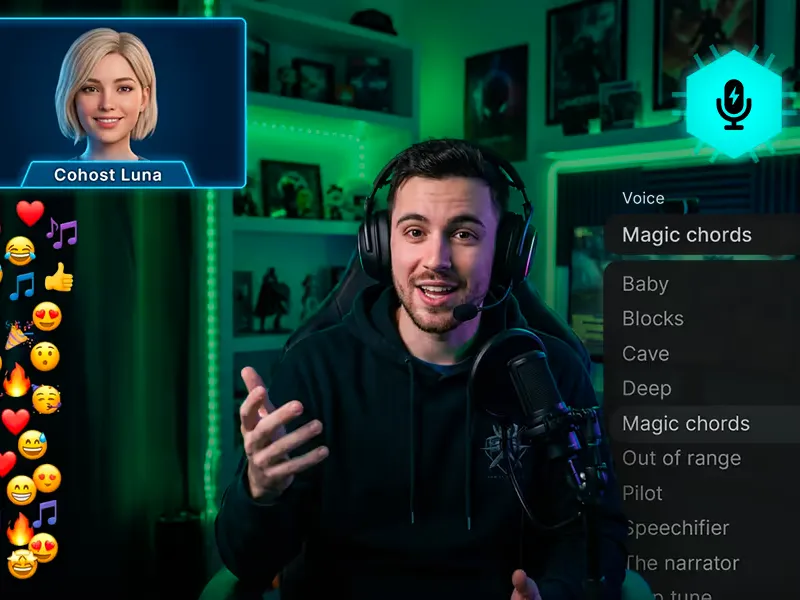
Live streams with voice AI, music, watch parties, audience participation, and other interactive features require treating audio as a shared, real-time system. Here’s why:
Imagine you’re building an interactive live streaming app. The core idea is simple: creators go live, but instead of streaming alone, they have an AI co-host alongside them. It jokes, reacts, asks questions, keeps the energy up. Viewers can jump in with their voice, not just chat. Music plays in the background, shifting with the mood of the stream. The goal isn’t just content—it’s a show, something that feels alive.
The first version comes together quickly. You wire up a streaming stack, add a text chat, and you’re off and running with a simple, Twitch-like experience in no time. Later, you start experimenting with new interactive features: you plug in a voice AI system and layer in music playback. Individually, everything works. The AI can speak. The audience can join. The creator can interact. But when you run it end-to-end, something feels off. The AI seems out of sync. You can’t hear the voices over the music. The audio glitches out when you background the app. People are talking over one another. The AI tries to interject but either cuts someone off or misses the moment entirely.
So you start patching. You add rules for who gets priority when multiple people talk. You hack in volume ducking for music. You try buffering audio to smooth things out. You track state across systems—who’s speaking, who should speak next, when the AI is allowed to jump in. It seems to get better around your test cases, but it’s also more fragile. Every new feature—another AI personality, more audience participation, sound effects—makes the system harder to control. The experience never quite locks in. It feels like a collection of features, not a cohesive environment.
Eventually, you realize the issue isn’t the quality of the models or the speed of the pipeline. It’s that you’ve built multiple independent audio systems and you’re trying to make them behave like one. The AI isn’t actually in the stream, it’s reacting to it from the outside. The music system doesn’t know about the voices. The audience voices don’t share timing with the AI. There’s no single place where all sound is coordinated, so everything is slightly out of sync, competing, and feels off. And it gets worse every minute.
When you rebuild it with Switchboard, the architecture flips. Instead of separate pipelines, there’s one shared audio system. The creator’s mic, the audience voices, the AI co-host, and the music all exist in the same environment, on the same timeline. The AI isn’t reacting to delayed inputs—it’s listening to the same stream as everyone else. When it speaks, it’s mixed intentionally with everything else. When someone interrupts, the system doesn’t scramble—it just routes and prioritizes audio in real time.
And that’s when the product finally clicks. The AI laughs on beat. The music ducks just the right amount when someone speaks. Overlapping voices feel natural and conversational instead of chaotic. Adding complexity doesn’t break things—it enhances them. What you built isn’t just a streaming app with features bolted on. It’s a live system where humans, AI, and media all coexist in the same space. That difference sounds subtle in architecture, but it’s obvious in experience. And when users experience it, there’s no going back.
The more interactive the experience, the more you need Switchboard to manage the parallel audio streams. Add multiple target operating systems and device combinations and there’s essentially no realistic alternative.
If you’re building at the intersection of live streaming, media, and voice AI, you’re the reason we built Switchboard. The crazier the idea, the better the fit, the more fun to work on. And we love working with pioneers in this space.
---
# Offline Voice Control: Building a Hands-Free Mobile App with On-Device AI
> How to add fast, reliable voice control to a mobile or embedded app entirely on-device with Switchboard. It walks through the benefits of offline processing, the architecture of a voice processing pipeline, and code snippets so developers can build and extend a hands-free field service demo.
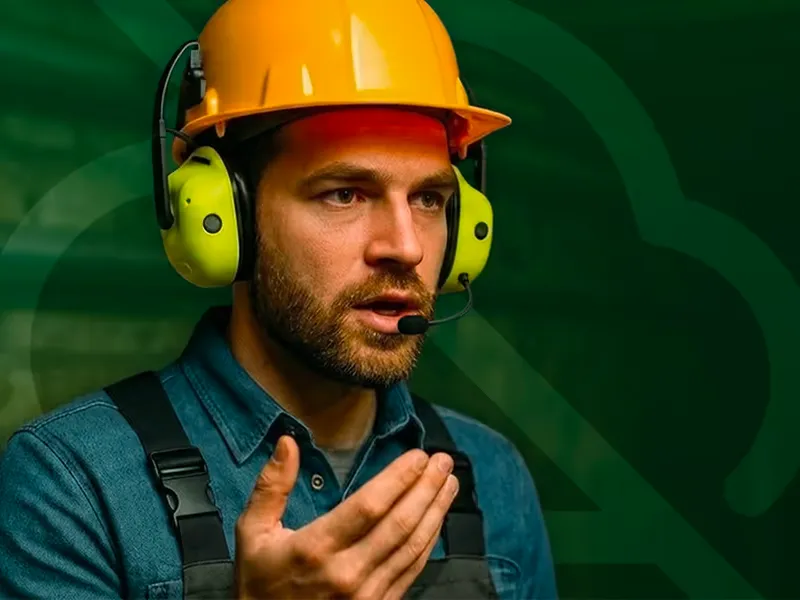
In such constrained environments, hands-free voice control can be a game-changer. Voice commands let users interact with mobile or embedded apps without touching the screen, improving safety and efficiency. However, traditional voice assistants often depend on cloud services, which isn't always practical in the field. This post explores how to build an offline voice assistant for mobile apps using on-device speech recognition and real-time voice processing. We'll use **Switchboard**, an on-device voice SDK for real-time audio and AI processing, to achieve reliable voice interaction entirely on-device.
## Why Offline Voice Control Matters
Offline voice control offers several key advantages over cloud-based solutions:
* **Low Latency:** Running automatic speech recognition (ASR) on-device eliminates network round-trips. The result is near-instant response time, which is crucial for a natural user experience. For example, OpenAI's Whisper running as on-device STT has significantly reduced latency since no cloud server is involved. Real-time voice processing feels snappier without the 200ms to 500ms overhead of sending audio to a server and waiting for a reply.
* **Reliability Anywhere:** An offline voice assistant works anytime, anywhere: even in a basement, rural area, or airplane mode. There's no dependence on an internet connection, so offline voice commands still function in low or no-connectivity environments. Whether you're building an offline voice assistant for Android, iOS, or embedded Linux, on-device deployment means your voice features never go down because a server is unreachable.
* **Cost Efficiency:** Cloud speech APIs may seem inexpensive per request, but costs add up at scale (and can spike with usage.) With on-device speech recognition, once the ASR or TTS model is on the device, each additional voice command is essentially free. There are no hourly or per-character fees for transcription or speech synthesis, making offline speech recognition far more cost-effective for high-volume or long-duration use.
* **Privacy & Compliance:** Keeping voice data on-device means sensitive audio never leaves the user's control. Cloud-based voice assistants send recordings to servers, raising concerns about data breaches or violating regulations. On-device voice processing mitigates these risks; no audio streams over the internet, which is especially important in domains like healthcare, defence, or enterprise settings with strict data policies. By design, on-device voice AI provides strong privacy guarantees.
In short, offline voice control gives you speed, dependability, cost savings, and user trust that cloud-dependent solutions can't match. On-device deployment of your voice pipeline, from voice activity detection (VAD) through speech-to-text (STT) to text-to-speech (TTS), lets your app work in real time under all conditions, without recurring service fees or privacy headaches.
## Problems with Cloud-Based Voice UIs
Conversely, cloud-reliant voice user interfaces come with several pitfalls that affect both developers and users:
* **Connectivity Issues:** A cloud voice UI simply fails when offline. If a technician is in a dead zone or a secure facility with no internet, cloud speech recognition won't function: no network, no voice UI. Even with connectivity, high latency or jitter can degrade the experience (e.g. delays or mid-command dropouts). An on-device speech recognition SDK eliminates this single point of failure.
* **Ongoing Costs:** Relying on third-party speech services means ongoing usage fees. What starts cheap in prototyping can become expensive at scale, or if you hit tier limits. For instance, transcribing audio via a popular cloud speech-to-text API might cost on the order of $0.18 per hour of audio; costs that accumulate every time a user talks to your app. This can hurt the viability of voice features in a high-usage app where on-device ASR would cost nothing per request.
* **Compliance and Privacy Risks:** Many industries have regulations that forbid sending user data (especially voice, which may contain personal or sensitive info) to external servers. Cloud voice services introduce data residency and security concerns, since audio is streamed and stored outside the device. There's an inherent risk in transmitting customer conversations to the cloud. Meeting GDPR, HIPAA, or internal compliance standards becomes much harder with a cloud pipeline.
* **Battery Drain:** Constantly streaming audio to the cloud can also impact battery life. The device's radios (Wi-Fi or cellular) must stay active, using power for data transmission. In contrast, on-device processing can be optimized to use the device's local compute resources more efficiently. While running AI models locally does consume CPU, modern on-device ASR and TTS models can be tuned to balance performance and energy use. A low-latency audio engine running locally avoids the power cost of an always-on uplink.
The bottom line: cloud voice UIs may work for casual consumer use, but they stumble in mission-critical or resource-constrained scenarios. An app meant for field work, offline voice processing, or privacy-sensitive tasks demands an on-device voice SDK to ensure it's fast, reliable, and secure under all conditions.
## Demo Use Case: Voice Commands for App Control
To make this concrete, let's consider a demo use case: a voice-controlled iOS movie browsing app. Users are frequently multitasking: eating, exercising, or simply relaxing, making hands-free voice operation highly valuable. Voice control also serves those with motor impairments. We'll build an app that lets users navigate and interact with content via offline voice commands, using on-device speech recognition to process everything locally. For example, the user could say: "Next movie" or "Like this one."
[Play](https://youtube.com/watch?v=2nWcfIaAhx8)
In this scenario, the app would interpret the speech command, navigate to the next movie or mark it as liked, and provide visual feedback. All of this needs to happen offline in real time, with low latency for smooth interaction and high accuracy to avoid misrecognitions.
This demo encompasses a complete voice interaction loop:
* **Voice capture**: continuously listen for the user's speech
* **Speech recognition (STT)**: transcribe the spoken command into text using on-device ASR
* **Command parsing**: understand the intent (navigate, like, etc.) and trigger the action
* **Take action**: update the UI state in the app
* **Visual feedback**: show recognized commands to confirm understanding
We'll build this with **Switchboard**, which provides a convenient way to set up an on-device voice pipeline for iOS apps.
## Why Switchboard?
Switchboard is a [framework of modular audio and AI components built for real-time, on-device processing](https://docs.switchboard.audio/#:~:text=If%20you%20haven%E2%80%99t%20already%2C%20we,real%20time%20features%20as%20well). It allows you to assemble custom audio pipelines (called *audio graphs*) with minimal integration effort. For our offline voice control app, Switchboard brings several benefits:
* **On-Device, Real-Time Processing:** All voice data stays on the device, and inference happens locally with minimal latency. Switchboard's nodes leverage efficient libraries; for example, [the Silero VAD model can analyze a 30ms audio frame in under 1ms on a single CPU thread](https://github.com/snakers4/silero-vad#:~:text=Detector%20github,on%20a%20single%20CPU%20thread). OpenAI's Whisper model (for on-device STT) is integrated via C++ for speed, [achieving *staggeringly low latencies* on CPU even on mobile hardware](https://huggingface.co/spaces/openai/whisper/discussions/76#:~:text=https%3A%2F%2Fgithub). This means offline voice commands can be recognized and responded to essentially in real time, without needing any cloud compute.
* **Cross-Platform Simple Integration:** Switchboard provides a unified API across iOS (Swift), Android (Kotlin/C++), desktop (macOS/Windows/Linux in C++), and even embedded Linux. You can integrate it as a library or even design your audio graph visually in the Switchboard Editor and deploy it to different platforms. Our focus here is iOS, but the same graph can run as an offline voice assistant for Android or on a Raspberry Pi with minimal changes. This flexibility is a boon for teams targeting multiple environments.
* **All-in-One Voice Pipeline:** Out of the box, Switchboard includes nodes for the core tasks we need: voice activity detection (VAD), speech-to-text (STT), intent processing via an LLM or rule engine, and text-to-speech (TTS). Under the hood it uses proven open-source models: *Silero VAD* to detect speech segments, *OpenAI Whisper* (via whisper.cpp) for automatic speech recognition, and *Silero TTS* for voice synthesis (or other TTS engines as extensions). There's even support to incorporate a local LLM (e.g. Llama 2 via llama.cpp) to handle more complex intent logic. Because these components are pre-integrated as Switchboard nodes, you don't have to stitch together separate libraries or processes; they all run in one seamless audio graph.
* **No GPU Required:** Switchboard's AI nodes are optimized for both GPU and CPU execution, often using quantized models and efficient C++ inference. You do not need a dedicated GPU or Neural Engine to run this pipeline. For example, Whisper's tiny/base models run comfortably on modern mobile ARM CPUs, and the entire pipeline (VAD, STT, LLM, TTS) can run on a typical smartphone or embedded board in real time. This makes the solution viable on devices like iPhones, Android phones, or edge IoT hardware without specialized accelerators. It also simplifies on-device deployment; no extra drivers or cloud instances needed.
In short, Switchboard provides the building blocks to implement offline voice control quickly and robustly. We get to focus on our app's logic (the "open ticket" functionality) rather than low-level audio processing or model integration details. Next, let's look at the architecture and how these pieces connect together.
## Architecture Overview
To build our voice control system, we set up an audio graph in Switchboard with the following key nodes:
* **SileroVADNode**: Listens to the microphone audio and detects when the user starts and stops speaking. This voice activity detector filters out background noise and avoids sending silence to the speech recognizer.
* **WhisperNode**: Takes in audio and produces text transcripts using the Whisper speech-to-text model. This node gives us the recognized command, converting audio like "next movie" into the string "next movie".
All these nodes run on-device and are connected in a pipeline. The overall flow is: Microphone → VAD → STT → Trigger Detection Logic → App Action.
The microphone stream is fed into both the VAD and STT components (in Switchboard we use a splitter node to branch the audio). The VAD continuously monitors the audio, but only when it detects actual speech (voice activity) do we proceed. When the user finishes speaking (VAD detects the end of utterance), it triggers the Whisper STT node to transcribe just that segment of audio. Once we have the transcription of the user's speech, we can detect trigger keywords for different actions. Custom logic matches keywords like "next", "previous", "like", or movie titles, triggering appropriate UI actions.
You can grab the full example project from this Github repository: [voice-app-control-example-ios](https://github.com/switchboard-sdk/voice-app-control-example-ios).
## Going Further
The voice control example can easily be extended and modified to fit a variety of use cases by just changing the trigger keywords and associated UI updates. We can further improve and refine the system in many ways:
* **Better Noise Handling:** Background noise can be a challenge with voice control applications. Switchboard provides noise suppression nodes like RNNoiseNode (a denoising ML model) and others that you can put in the pipeline before the STT node. You can also tune the Silero VAD's sensitivity or use a noise gate to ignore constant hums. Selecting the right Whisper model size for accuracy vs speed is also important if the domain has lots of noise or technical jargon; larger models like Whisper *Small* or *Medium* might give better accuracy at the cost of some speed, so you'll need to balance according to your target market.
* **Custom Wake Words:** Our current setup is always listening, which might not be ideal for battery or user experience. You can incorporate a wake word (like "Hey AppName") to activate voice processing only when needed. Switchboard can integrate with Picovoice Porcupine or other wake word detectors as nodes. This way, the VAD and on-device STT only run after the wake word is detected, saving power and avoiding unintended commands. In an embedded scenario, a wake word can be extremely low-power compared to running full automatic speech recognition constantly.
* **Multiple Intents and Dialogues:** We demonstrated one command, but you can extend the intent handler to support multiple voice commands (open ticket, close ticket, lookup manual, etc.). For complex interactions, consider using an LLM to manage a dialogue. Switchboard's LLM integration could maintain context; e.g. the user could ask *"What's the status of unit 42?"* after opening the ticket, and the LLM node (with some prompt engineering) could fetch that info and reply via TTS. This would turn your app into a more conversational offline voice assistant, all running on-device. Just be mindful of the device limitations when adding more AI tasks.
* **Error Handling and Retries:** In practice, you'll want to handle cases where the speech wasn't clear or the STT confidence is low. You might implement a simple retry logic: if the transcription confidence or intent match is below a threshold, ask the user to repeat (using TTS to say "Sorry, could you repeat that?"). Whisper doesn't provide confidence scores out-of-the-box, but you can infer it or use heuristics (e.g. no intent identified). Ensuring a smooth fallback will improve usability.
* **Multi-Language Support:** Whisper models can handle many languages. If your app needs to support multi-lingual users, you could set the WhisperNode to auto-detect language or explicitly load models for the target languages. Switchboard allows switching out models or running multiple STT nodes if needed (though running two large models at once on device might be heavy). Similarly, you can use TTS voices for different languages, all without cloud services. This is great for apps that must operate in remote regions with various local languages (imagine an agriculture app for remote villages, etc.).
* **Deployment on Embedded Devices:** While our example was mobile-focused, the same pipeline can run on an embedded Linux board or even inside a desktop app. You might deploy an offline voice-controlled interface on an industrial device or a kiosk. Switchboard's C++ API lets you integrate into such environments. The absence of cloud dependencies means you just have to ship the model files and binary; it will run entirely on-premise. Do monitor memory and CPU usage on lower-end hardware and use the smallest models that meet your accuracy needs.
* **Performance Optimization**: Monitor CPU and memory usage, especially on older devices. Use smaller Whisper models (tiny/base) for better performance, or larger ones (small/medium) for improved accuracy based on your needs.
There is a lot of room to tailor the solution to your specific use case. The modular nature of Switchboard means you can plug and play components (swap Whisper STT with another on-device speech recognition model, or Silero TTS with a custom speech synthesis engine) and tweak the graph configuration. [Switchboard's documentation is a great resource to learn about available nodes and best practices for real-time audio graphs](https://docs.switchboard.audio/#:~:text=If%20you%20haven%E2%80%99t%20already%2C%20we,real%20time%20features%20as%20well).
## Available Now
Hands-free voice control is no longer limited to big-tech assistants. With on-device voice AI, any mobile or embedded app can have a reliable offline voice assistant that works without an internet connection. By using Switchboard's on-device voice SDK, we integrated state-of-the-art speech models (for VAD, STT, and TTS) into a cohesive pipeline, all running locally. The result is an app that's faster (low latency), cheaper (no cloud fees), more secure (user data never leaves the device), and more robust (works in a Faraday cage or the middle of nowhere).
We demonstrated a simple voice-controlled application, but the possibilities extend well beyond: from voice-controlled IoT appliances and offline voice assistants for vehicles to mobile apps that users can operate while exercising or driving. With on-device voice AI and edge AI processing, you control the experience end-to-end, and users get the convenience of voice interaction with full privacy and reliability.
If you're ready to add offline voice capabilities to your own app, **give **[**Switchboard**](/sdk)** a try**. The SDK is actively maintained, and the official documentation has detailed guides and examples to get you started. You can start with a simple command or two and gradually build up a powerful voice UX tailored to your domain. Empower your users to talk to your app anywhere, no internet required. Happy coding, and happy talking!
---
# On-Device Real-Time AI Audio Filters with Stable Audio Open Small and the Switchboard SDK
> A concise guide for mobile developers on pairing Stability AI’s Stable Audio Open Small model with the Switchboard SDK to build real‑time, on‑device voice filters and smart messaging features that run privately and with minimal latency on everyday smartphones.

[*Stable Audio Open Small*](https://stability.ai/news/stability-ai-and-arm-release-stable-audio-open-small-enabling-real-world-deployment-for-on-device-audio-control#:~:text=%2A%20We%E2%80%99re%20open,in%20less%20than%208%20seconds) is a newly open-sourced 341 million-parameter text-to-audio model from Stability AI that runs entirely on Arm CPUs. It can generate up to \~11 seconds of high-quality stereo audio on a smartphone in under 8 seconds. It fits perfectly with our [*Switchboard SDK*](https://docs.switchboard.audio/#:~:text=If%20you%20haven%E2%80%99t%20already%2C%20we,real), our cross-platform audio pipeline framework geared towards real-time audio software development. Together, these technologies enable mobile developers to build advanced voice features, like generative sound effects, intelligent voice filters, and on-device audio processing, completely in real time on consumer devices. This combination unlocks powerful new on-device audio intelligence capabilities without requiring cloud services.
## Why On-Device Matters
Running audio intelligence on-device has key advantages for mobile voice applications. Latency is dramatically reduced when all processing happens locally. There's no network round-trip, so interactive voice features respond near-instantly. Privacy is enhanced as sensitive audio (e.g. personal voice notes or calls) never leaves the user's device. It also means offline availability, allowing features like voice filters or transcription to work even without internet access. For mobile developers, this translates to smoother user experiences: imagine a voice chat app applying effects with virtually zero delay, or a voice recorder that cleans up audio as you speak. These real-time interactions are only feasible when AI models run on the device itself, close to the source of the audio. Switchboard's design reflects this need by being [**“geared towards real time audio software development”**](https://docs.switchboard.audio/#:~:text=If%20you%20haven%E2%80%99t%20already%2C%20we,real), ensuring that audio pipelines execute with minimal latency on mobile hardware.
## The Opportunity: Real-Time Voice Features in Consumer Apps
With on-device audio AI, a new wave of voice-driven user experiences is emerging. Consider messaging apps where users can send smart voice notes: as you record a voice message, the app could live-filter background noise, adjust volume levels, or even add fun sound effects, all in real time. Social platforms and camera apps are already popularizing voice changers and audio filters for video stories; on-device models make these effects instantaneous and more accessible. In voice chat for gaming or live streaming, real-time voice transformation (like changing your voice to a character or applying comic effects) can enhance user engagement. Even practical UX improvements are possible. For example, automatically compressing and enhancing voice notes so they sound clear while taking less bandwidth. The market opportunity is broad: voice interfaces are becoming mainstream in communication, entertainment, and assistive apps, and users now expect responsive, interactive audio features. By leveraging stable on-device models, developers can differentiate their apps with voice-controlled filters, dynamic soundtracks, personalized audio responses, and other novel features that respond immediately to the user's voice.
## What Stable Audio Open Small Brings to the Table
Stable Audio Open Small is a breakthrough in making generative audio practical on mobile. It's a compact version of Stability AI's text-to-audio model (down from 1.1B to 341M parameters) with optimized performance for mobile CPUs. Despite its smaller size, it preserves impressive output quality and adherence to prompts. Technically, the model can produce 44.1 kHz stereo audio from a text description, up to around 11 seconds in length. It excels at generating short audio samples, sound effects, and musical clips (drum loops, instrument riffs, Foley effects, ambient textures, etc.) This makes it ideal for mobile apps that need on-demand audio snippets. Crucially, Stable Audio Open Small is engineered for speed and efficiency: it's *“the fastest stereo text-to-audio model on the market”*, capable of mobile inference in just a few seconds for multi-second audio clips. In practice, its compact size and fast inference make it a *“perfect fit for on-device deployment on Arm-powered smartphones and edge devices, where real-time generation and responsiveness matter.”* The entire model can be packaged at roughly tens of megabytes (on the order of \~20 MB), which is tiny in comparison to typical cloud-scale AI models. And by leveraging Arm's optimized libraries (like KleidiAI), it runs efficiently on common mobile chipsets without requiring GPU acceleration. For developers, this means Stable Audio Open Small can be embedded directly into apps and run on a wide range of devices, from high-end phones to resource-constrained IoT gadgets, enabling AI audio features that were previously only possible with server-side processing.
## How to Use Stable Audio Open Small with Switchboard
Integrating Stable Audio Open Small into a mobile app is straightforward with the Switchboard SDK. Switchboard lets you construct an audio graph (a pipeline of audio nodes) that can include sources (inputs), processors (effects or ML models), and sinks (outputs). In this architecture, Stable Audio Open Small can be encapsulated as a custom ML node inside the graph.
The cleanest way to embed Stable Audio Open Small in a Switchboard graph is to convert the released PyTorch checkpoint to ONNX and load it with the SDK's ONNX extension. Switchboard already wraps ONNX Runtime and exposes three audio‑centric nodes: ONNX.MLSource, ONNX.MLProcessor, and ONNX.MLSink; so any exported model drops into the graph like a normal effect or generator. The extension streams audio buffers through ONNX Runtime in real time, which keeps latency below twenty milliseconds on modern mobile CPUs.
#### Step 1 . Export the model
```
import torch
from stable_audio import StableAudioSmall # weights from Hugging Face
model = StableAudioSmall.from_pretrained("stabilityai/stable-audio-open-small")
model.eval()
dummy = torch.randint(0, 1000, (1, 64)) # token ids
torch.onnx.export(
model,
(dummy,),
"stable_audio_open_small.onnx",
input_names=["prompt_ids"],
output_names=["audio_pcm"],
dynamic_axes={"prompt_ids": {0: "batch"}, "audio_pcm": {0: "batch"}},
opset_version=17,
)
```
Optionally run
```
python -m onnxruntime.tools.convert_onnx_models_to_ort --input stable_audio_open_small.onnx --output stable_audio_open_small.ort --float16
```
to shrink the file and enable ORT‑mobile optimisations.
#### Step 2 . Wire the model into an audio graph
```
import SwitchboardSDK
let engine = SBAudioEngine()
engine.microphoneEnabled = true // live mic
```
```
let modelPath = Bundle.main.path(
forResource: "stable_audio_open_small", ofType: "onnx")!
let genNode = ONNXProcessorNode(modelPath: modelPath,
inputFormat: .pcm,
outputFormat: .pcm,
blockSize: 512) // ≈12 ms at 44.1 kHz
```
```
let graph = SBAudioGraph()
graph.add(genNode)
graph.connect(engine.inputNode, to: genNode) // mic → model
```
```
graph.connect(genNode, to: engine.outputNode) // model → speaker
```
In this pipeline, the device's microphone feeds audio into the Stable Audio Open Small node, which processes or transforms the audio, and the resulting sound is sent to the device speaker in real-time. (Switchboard's engine automatically connects the physical mic to the graph's inputNode and the phone's speaker to the outputNode.) Depending on how you configure the model, the Stable Audio node could, for example, apply an AI noise filter, perform voice style conversion, or even generate a completely new audio stream based on the input. The key is that with Switchboard, you can treat the ML model like any other audio effect in the signal chain. The SDK handles buffering, threading, and audio I/O under the hood. This lets developers focus on the high-level logic (like feeding in prompts or switching effects) without delving into low-level audio processing or DSP.
## Example Use Case: Smart Voice Messaging
To illustrate the possibilities, imagine a smart voice messaging feature in a chat application. Normally, when users record a voice note, it's sent as-is. But using Stable Audio Open Small with Switchboard, we can enhance this experience in real time. For instance, as the user records their voice message, the app could live-filter the audio to remove noise and optimize clarity. Simultaneously, it might apply a creative voice filter, perhaps making the voice sound like a musical instrument or adding a subtle background ambience to match the message's mood. Stable Audio Open Small is well-suited for generating such background audio or sound effects on the fly (e.g. a quick *“ambient cafe noise”* bed under a voice note to indicate atmosphere). The Switchboard graph for this could combine multiple nodes: a noise suppression node, the Stable Audio generative node, and a mixer to blend the original voice with any generated effects. All of this would happen locally and in real-time, giving the user a preview of their augmented voice note as they record it.
As a concrete example, consider a voice memo app that implements intelligent compression of voice messages. When a user speaks for, say, 30 seconds, the app could use on-device speech-to-text to transcribe the content, then use Stable Audio Open Small to *regenerate* a concise audio summary or highlight reel from that text. This would drastically reduce the message length while preserving the key information, effectively using AI to compress the audio. With the Switchboard SDK, one could set up a pipeline where the steps are: Microphone input → Speech-to-text node (e.g. [*Whisper Node*](https://docs.switchboard.audio/nodes/whisper/)) → Text summarization (in-app logic) → Stable Audio Open Small node (as a source node generating audio from the summary text) → output/recording. The end result is a short, synthesized voice note that the app can play back or send; created entirely on-device in real time.
## Performance and Suitability
One of the most compelling aspects of Stable Audio Open Small is its performance profile on mobile hardware. According to Stability AI, the model can generate audio faster than real-time on a modern smartphone, \~11 seconds of audio in under 8 seconds on a typical device. In practical terms, this means the model runs at roughly 1.4× faster than real time for its target scenario. With further optimizations (quantized weights, efficient runtimes, etc.), developers have reported inference latencies on the order of only tens of milliseconds for small audio snippets on devices like the Google Pixel 7. The model's small footprint also matters: at \~341 million parameters with mixed precision, Stable Audio Open Small can be packaged in a relatively lightweight bundle (on the order of only a few tens of MB). For mobile apps, a model of this size is very manageable, and loading it into memory won't strain most phones. Importantly, it doesn't require a GPU or specialized accelerator, the CPU-only design means it can run on *“Arm-powered smartphones without heavy hardware requirements”*. Tests by Stability AI and Arm showed the model running comfortably on standard phone chipsets, aided by Arm's optimized libraries. In one demo, the team achieved roughly \~7 seconds inference time on a phone for \~10 seconds of audio output. This level of performance opens the door for real-time streaming applications. Developers can trust that Stable Audio Open Small will not only fit on users' devices but also perform well across a wide range of mobile hardware, from flagship phones to mid-tier devices and tablets. This broad suitability is crucial for consumer apps, which need to serve users with varying device capabilities. With on-device processing, there's also a benefit in consistency and reliability: the app's audio features will work in any environment (no dependence on network) and with predictable latency. In summary, Stable Audio Open Small delivers a rare combination of speed, size, and quality that makes truly real-time mobile audio AI feasible.
## Developer Takeaways
Stable Audio Open Small and the Switchboard SDK together represent a breakthrough for mobile developers looking to innovate with voice and audio. We now have a production-ready, open generative audio model that can live inside a mobile app, producing sound on the fly, and a robust audio engine to seamlessly integrate it into real-time pipelines. This empowers developers to build features that were previously confined to cloud services or high-end hardware: from instantaneous voice filters and personalized soundtracks to intelligent voice notes that are cleaned-up, compressed, or even creatively transformed in real time. The latency and privacy benefits of on-device processing can greatly improve user experience, making voice interactions feel snappier and more secure. And because both the model and the SDK are designed for efficiency, these advanced audio features can reach users across many device types, not just those with the latest phones. The key takeaway is that real-time audio AI on mobile is here: it's fast, accessible, and can be integrated with only modest effort thanks to Switchboard's developer-friendly framework. If you're building a mobile app that deals with voice or sound, now is the time to experiment with this technology. The combination of Stable Audio Open Small's on-device generative power and Switchboard's real-time audio pipeline can give your app a cutting-edge audio experience that sets it apart.
---
# On-Device Text-to-Speech SDK for Embedded, Offline, and Hybrid Deployments
> Run speech synthesis directly on device, with no internet connection required at runtime.

**Switchboard** is the audio SDK that runs speech synthesis directly on device, with no internet connection required at runtime. Cloud TTS is available as a bring-your-own-provider option.
Most TTS SDKs are cloud services with a mobile wrapper. Every audio failure in those systems traces back to a network problem the SDK itself cannot solve.
[**Get the SDK**](https://switchboard.audio/sdk/) [Read the docs](https://docs.switchboard.audio/)
## What "on-device TTS" actually means
Cloud-first TTS routes every synthesis request through a remote API: your text goes out, encoded audio comes back, and your app plays it. In a tunnel, on an aircraft, in a warehouse with spotty Wi-Fi, or on a device with no data plan, the request fails and the audio stops.
On-device speech synthesis runs a voice model entirely on the local processor. On iOS and macOS, Switchboard uses CoreML. On Android, CPU execution produces the most efficient result. Desktop targets support both CoreML and CUDA.
## Hybrid edge-cloud TTS: the Switchboard architecture
Switchboard supports both on-device and cloud TTS, and the decision of which to use is yours. Many deployments use both: on-device for latency-sensitive or offline-capable paths, cloud for voices or quality tiers that require it.
Switchboard provides the on-device execution layer. Audio output streams before synthesis completes regardless of which path handles the request.
## Who this is for
The clearest fit is applications that cannot guarantee connectivity at runtime. Mobile software in field-service, navigation, and enterprise contexts has workflows that continue through dead zones that a cloud-only TTS SDK would simply silence.
High-volume workloads have a different motivation. Cloud TTS pricing compounds at scale, and applications that synthesize large volumes of routine output benefit from keeping that work local. Switchboard's MAU-based licensing ties costs to user count rather than output volume.
Switchboard is also a practical foundation for any team that wants to avoid coupling their application to a single cloud vendor. Switching providers is a configuration change.
## How Switchboard compares
The most frequently evaluated alternatives in the hybrid edge-cloud TTS space are Cartesia and ElevenLabs. Both are cloud-only services: synthesis runs on their infrastructure, requires a network connection, and is billed per character.
Switchboard's differentiator is the on-device execution layer, with cloud synthesis integrated through your own provider.
## SDK features
Audio output begins streaming before synthesis completes, which keeps perceptible latency low for longer utterances. Cloud integration is bring-your-own: you configure your preferred TTS provider endpoint and define when your application routes to it.
Native SDK packages are available for iOS and Android. React Native is supported, and the [EdgeSpeech demo on GitHub](https://github.com/switchboard-sdk/EdgeSpeech) provides a working reference implementation. Flutter integration is also documented.
## Integration
Working examples across platforms are maintained in the [Switchboard public repositories on GitHub](https://github.com/switchboard-sdk). Full documentation and integration guides are available at [docs.switchboard.audio](https://docs.switchboard.audio/).
## Pricing
Switchboard uses MAU-based licensing rather than per-character billing. The free tier covers up to 10K MAUs with no credit card required. Growth pricing is $100/month per 10K MAUs. Offline apps, hardware deployments, and other specialized configurations are handled under the Custom plan.
Full pricing details, including flexible models for teams that do not measure MAUs, are at [switchboard.audio/pricing](https://switchboard.audio/pricing).
## Common questions
**Can I use on-device synthesis for some requests and cloud synthesis for others?** Yes. Your application controls routing, so you can direct specific voices or use cases to cloud while keeping routine synthesis local.
**Which cloud TTS providers work with Switchboard?** Any cloud TTS service your application can call works alongside Switchboard's on-device layer.
**Is on-device synthesis quality comparable to cloud?** Switchboard's on-device voices use neural TTS models rather than concatenative synthesis, and in most listening contexts they are perceptually indistinguishable from cloud output.
**What licensing applies to offline and hardware deployments?** These fall under the Custom plan. [Contact the team](https://switchboard.audio/contact) to discuss your deployment.
### Get started
[**Start building**](https://console.switchboard.audio/register) [Read the docs](https://docs.switchboard.audio/) [Talk to the team](https://switchboard.audio/contact)
---
# Switchboard and OS Tools
> Your instant voice network.
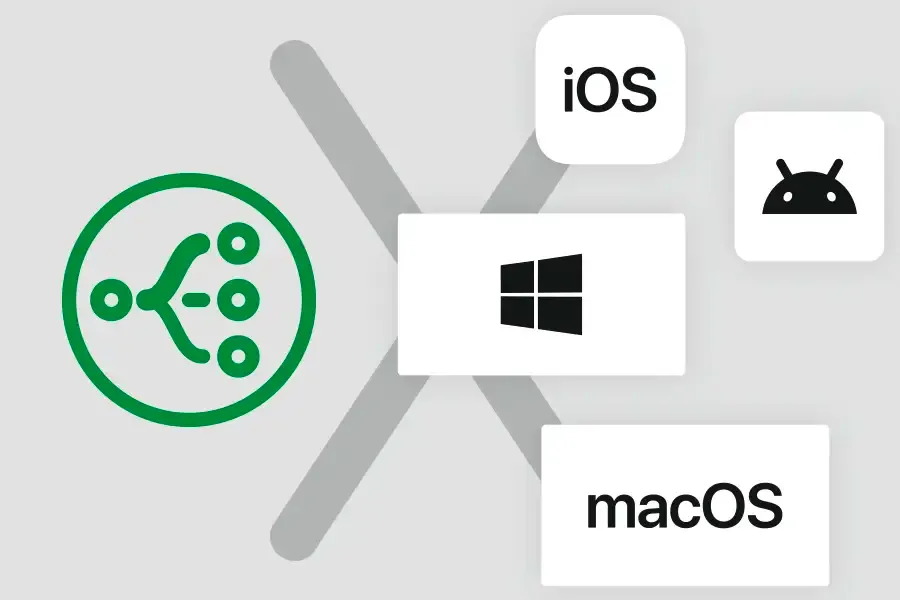
How Switchboard compares to and works with OS Tools.
Most developers don’t realize how difficult audio is until they try to add it. A feature that seems straightforward, like voice chat or transcription, quickly unravels into weeks of dealing with low level APIs. iOS and Android each have their own quirks. They require C++ glue code, they behave differently across devices, and they fail in ways that are hard to predict. What begins as a small addition to your roadmap often turns into months of lost time.
Switchboard removes that barrier. You define your audio pipeline once and it runs across iOS, Android, and desktop without the usual complexity. The platform handles the low level details so your team can stay focused on building product features rather than chasing down obscure bugs or performance issues. Stability and real time performance come built in, not bolted on after weeks of trial and error.
For teams that want to deliver audio features quickly and reliably, the choice is stark. Building on the raw APIs means a long detour into specialized engineering. Building on Switchboard means staying on schedule and shipping what you set out to build.
On Apple devices, audio looks polished from the outside but building with it tells a different story. Core Audio and Audio Units are powerful but demand expertise most app teams do not have. They require C and C++ code, custom threading, and a deep knowledge of low level buffers. Even seasoned developers spend weeks wiring together the basics before they can think about features like voice chat, live transcription, or interactive playback.
Switchboard changes that experience. Instead of fighting with Audio Units and Core Audio directly, you define your audio graph once and let the runtime handle the heavy lifting. The engine still uses the same underlying Apple frameworks, so you get the performance and stability of native APIs, but without the boilerplate or the fragile glue code. Your app behaves consistently across iPhones, iPads, and Macs, and you spend your time delivering the features your users actually care about.
On Android the challenges multiply. Google has introduced multiple audio stacks over the years, from OpenSL ES to AAudio and Oboe, but fragmentation across devices and manufacturers means behavior is never consistent. The same code that works smoothly on one phone can pop, glitch, or even crash on another. Developers often spend more time tuning buffer sizes and chasing device-specific bugs than building the feature they set out to deliver.
Switchboard shields you from that mess. The runtime abstracts the differences between Android devices and audio stacks so you can define your pipeline once and rely on it everywhere. Under the hood it still uses the best-performing native APIs, but it handles the device quirks and low-level details automatically. Your app delivers stable, real time audio across the Android ecosystem, without burning months of engineering effort on patching and workarounds.
On Windows the complexity comes from choice. Applications can tap into WASAPI, DirectSound, or ASIO, each with its own tradeoffs and pitfalls. Low latency audio often forces developers into WASAPI exclusive mode or into vendor-specific drivers, which introduces compatibility issues and fragile setups. What works in a controlled test environment can fail the moment you ship to users with different hardware or driver versions.
Switchboard streamlines that landscape. The runtime sits on top of the native Windows APIs and selects the right path automatically, giving you low latency performance without forcing you to make brittle decisions about modes and drivers. The result is stable, real time audio across the wide variety of Windows machines in the field. You can build the feature you want without worrying about whether it will break on a customer’s laptop or desktop configuration.
On the web, audio has always been hobbled by the browser. The Web Audio API is built for lightweight use cases, not for real time pipelines. Anything beyond simple effects pushes JavaScript past its limits, and developers end up with fragile code that glitches, lags, or behaves differently from one browser to the next.
Switchboard v3 changes the game. Instead of forcing you into the Web Audio API, it lets you run your exact same native audio runtime inside an Electron app. That means the code you use on iOS, Android, or Windows is the same code running in your desktop application. There is no second implementation to maintain, no fallback layer, no “good enough for the web” compromise.
For the first time, developers can deliver a full real time audio experience in an Electron app with the same performance and stability as on native platforms.
---
# Picovoice Alternative: On-Device Speech Recognition with Switchboard SDK
> Text-to-Speech (TTS) and Automatic Speech Recognition (ASR) right on device.

## Why Developers Look for a Picovoice Alternative
Picovoice solves a real problem: on-device voice processing without a cloud dependency. Porcupine handles wake words, Cheetah and Leopard handle streaming and file-based speech recognition, and Rhino handles intent extraction. On its own terms, the SDK is solid.
What developers typically run into:
1. **Model inflexibility.** Picovoice uses proprietary acoustic models. Customization requires going through Picovoice's console, and you're bound to their release cadence.
2. **Pipeline isolation.** Picovoice handles speech recognition as a standalone concern. Integrating it alongside noise suppression, voice effects, real-time communication, or music playback requires bespoke glue code that quickly becomes the hardest part of the project.
3. **Pricing at scale.** The free tier is limited, and the per-device or per-usage model creates unpredictable costs as your app grows.
4. **No visual tooling.** Building and debugging the audio pipeline is a code-only exercise.
Switchboard SDK is an audio pipeline SDK that takes a different approach: rather than providing isolated voice primitives, it gives you a modular, node-based audio graph where STT, VAD, effects, communication, and playback all live in the same composable system.
## On-Device STT Parity
Switchboard delivers on-device speech recognition through the [Whisper extension](https://docs.switchboard.audio/extensions/whisper/) combined with the [SileroVAD extension](https://docs.switchboard.audio/extensions/silero-vad/). The pipeline runs locally on-device with GPU acceleration on both iOS and Android, with no audio leaving the device.
The architecture works as follows: SileroVAD monitors the microphone input continuously, detects speech start and end boundaries, and triggers the Whisper STT node to transcribe only the segments that contain speech. Because Whisper only runs when SileroVAD detects speech, it avoids the false positives that plague threshold-only approaches.
Two model sizes are supported out of the box: `ggml-tiny.en` for lower latency and `ggml-base.en` for higher accuracy. Because Whisper is an open model, you are not locked into a proprietary model ecosystem.
You can review working implementations here:
* [Audio Transcription App for Android](https://github.com/switchboard-sdk/vad-stt-sample-android): real-time transcription with configurable VAD thresholds and silence duration, Kotlin/Compose
* [Voice Control App for iOS](https://github.com/switchboard-sdk/voice-control-sample-ios): SwiftUI app driven entirely by voice commands using Whisper STT + SileroVAD
The main gap to be aware of: Switchboard does not have a native equivalent to Porcupine's always-on wake word detection. If your use case requires a persistent, ultralow-power wakeword listener running before the main pipeline is active, that is worth evaluating carefully. For apps where voice is user-initiated (push-to-talk, tap-to-speak, or any UI-triggered flow), this gap does not apply.
## Migration Guide
### Conceptual Shift
With Picovoice, you configure individual recognizer objects (a wake word handle, an STT handle, an intent handle) and wire them together in application code. With Switchboard, you define an audio graph (a JSON configuration describing nodes and the connections between them), and your application code interacts with named nodes through events and actions. The Switchboard Editor lets you construct and validate that graph in a browser before writing any native code.
### iOS Migration
The iOS SDK uses Swift and integrates via Swift Package Manager. The Whisper and SileroVAD extensions are initialized at app startup and loaded into the audio graph before the engine starts.
The [Voice Control App for iOS](https://github.com/switchboard-sdk/voice-app-control-example-ios) demonstrates the full initialization and event subscription pattern for on-device STT. The repo includes the `AudioGraph.json` configuration alongside the Swift integration layer, so you can see exactly how the graph drives application logic without the two being entangled.
Key migration steps:
1. Remove Picovoice SDK dependencies and recognizer initialization.
2. Add the Switchboard SDK and Whisper and SileroVAD extensions.
3. Define your audio graph in JSON (or export it from the Switchboard Editor).
4. Initialize the extensions at app startup and start the engine with your graph configuration.
5. Subscribe to the `transcription` event on your STT node and route the output into your existing command-matching or intent logic.
If you were using Rhino for intent recognition, step 5 is where you plug in your existing intent layer. Switchboard delivers transcribed text, and your intent logic operates on that text independently.
### Android Migration
The Android SDK targets Kotlin. The [Audio Transcription App for Android](https://github.com/switchboard-sdk/vad-stt-sample-android) covers the full integration, including the `SwitchboardHandler` pattern for keeping SDK interactions cleanly separated from the ViewModel and UI layers.
The Android example also includes real-time VAD configuration controls (adjustable threshold and silence duration), which is useful if you're coming from Picovoice and want to tune sensitivity to match your existing behaviour.
Key migration steps on Android follow the same pattern as iOS, with Kotlin idioms and the appropriate Android extension packages substituted.
## Ready to Migrate?
The [Switchboard Audio SDK documentation](https://docs.switchboard.audio/) is the starting point for the full API reference and extension catalogue.
Contact if you're migrating a production integration and want support.
---
# Privacy-First Voice AI: Why On-Device Processing Keeps Voice Data Safe
> How on-device voice AI eliminates the privacy risks of cloud speech processing. Covers data residency, GDPR and HIPAA compliance, on-premise deployment, and architectures where voice data never leaves the device.
When a voice AI system sends audio to a cloud server for processing, all of that information leaves the user's control. The audio is transmitted across the network and processed on third-party infrastructure, where it may be stored, logged, used for model training, or accessed by provider employees.
For many applications, that's an unacceptable risk. Healthcare, finance, defence, government, and enterprise environments have strict requirements about where sensitive data can go and who can access it. Consumer privacy expectations are rising as well. On-device voice AI offers a structural solution: if the audio never leaves the device, the entire category of cloud-related privacy risks disappears.
## The Privacy Problem with Cloud Voice AI
Cloud voice processing follows a standard pattern: the device captures audio, streams it to a remote server, the server runs speech recognition (STT/ASR) or speech synthesis (TTS/voice generation) inference, and the result comes back over the network. This workflow introduces several privacy concerns.
**Audio transmission.** The raw audio stream crosses the network, passing through potentially multiple network hops, load balancers, and proxies. Even with TLS encryption in transit, the audio is decrypted and available in plaintext on the server side. Any vulnerability in the transmission path or the server infrastructure exposes the audio.
**Server-side storage.** Cloud speech providers typically log requests for quality monitoring, debugging, and model improvement. Audio recordings may be stored for days, months, or indefinitely depending on the provider's data retention policy. Users and developers often have limited visibility into what's retained.
**Third-party data access.** When audio is processed on a cloud provider's infrastructure, it's subject to that provider's data handling practices and the legal framework of whatever jurisdiction hosts their servers. A subpoena, internal breach, or policy change at the provider can expose voice data that was never intended to leave the originating organization.
**Training data risk.** Some cloud speech providers use customer audio to improve their models unless customers explicitly opt out. This means sensitive conversations could influence model weights that are later deployed to other customers. Opt-out mechanisms vary in granularity, and verifying compliance requires trusting the provider's internal processes.
## What On-Device Voice Processing Changes
On-device voice AI runs the entire speech pipeline locally: voice activity detection (VAD), speech-to-text (STT/ASR/speech recognition), natural language understanding, and text-to-speech (TTS/speech synthesis/voice generation) all execute on the user's hardware. The audio is captured by the microphone, processed in local memory, and the results stay on the device.
**No network transmission.** The audio signal never leaves the device. There is no data in transit to intercept and no network-layer vulnerability to exploit.
**No server-side storage.** With no cloud processing, there's no server-side log of the audio, transcript, or interaction. The data exists only on the device, under the device owner's control.
**No third-party access.** No cloud provider, no data processing agreement, no provider employee access, no foreign jurisdiction. The data handling is fully within the deploying organization's (or user's) control.
**No training data leakage.** On-device models run inference locally without sending data back to a model provider. The models themselves are static artefacts deployed to the device. No user data flows back to influence future model versions unless the developer explicitly builds that pathway.
## Compliance Considerations
Regulatory frameworks around voice data are complex and jurisdiction-dependent. On-device processing doesn't automatically make an application compliant, but it significantly simplifies the compliance picture by eliminating entire categories of risk.
### GDPR (General Data Protection Regulation)
Under GDPR, voice recordings are personal data and voice biometrics are special category data requiring explicit consent. Key GDPR obligations affected by processing architecture:
* **Data minimization.** On-device processing is the strongest possible implementation of data minimization: the data is processed where it's collected and never copied elsewhere.
* **Data processor agreements.** When using cloud speech APIs, the cloud provider is a data processor under GDPR, requiring a Data Processing Agreement (DPA). On-device processing eliminates this requirement because no third party processes the data.
* **Cross-border data transfers.** GDPR restricts transfers of personal data outside the EEA. Cloud providers with servers in multiple jurisdictions create transfer compliance obligations. On-device processing keeps data on the physical device, which is inherently within the user's jurisdiction.
* **Right to erasure.** Deleting voice data from a cloud provider requires trusting their deletion process across all storage systems, backups, and logs. On-device data can be deleted locally with certainty.
### HIPAA (Health Insurance Portability and Accountability Act)
Voice interactions in healthcare (patient dictation, clinical voice assistants, telehealth) involve protected health information (PHI). HIPAA requires:
* A Business Associate Agreement (BAA) with any third party that handles PHI. On-device processing avoids creating business associate relationships for the voice pipeline.
* Technical safeguards including encryption, access controls, and audit logging. On-device systems can implement these locally without depending on a cloud provider's security posture.
* Breach notification. If voice data never leaves the device, cloud-side breaches at a speech API provider don't create a HIPAA notification obligation for the deploying organization.
### SOC 2 and Enterprise Security
Enterprise customers evaluating voice AI solutions for internal use often require SOC 2 compliance or equivalent security certifications. On-device deployment simplifies the security assessment because the voice data attack surface is limited to the device itself. There's no cloud infrastructure to audit and no third-party data flows to document in the security assessment.
## On-Device vs On-Premise
These two terms describe different deployment models, and the distinction matters for privacy architecture.
**On-device** means the voice AI pipeline runs directly on the end user's hardware: their smartphone, tablet, laptop, embedded device, or vehicle. The data stays on the physical device that captured it. The user (or device owner) has direct physical control over the data.
**On-premise** means the voice AI pipeline runs on infrastructure owned and operated by the deploying organization, within their own data centres or private cloud. The data leaves the end user's device but stays within the organization's network perimeter. It never reaches a third-party cloud provider.
Both models keep voice data off third-party cloud infrastructure. The difference is in who controls the hardware and where the data physically resides.
On-device is the stronger privacy posture because the data never leaves the capturing device. On-premise is appropriate when centralized processing is needed (batch transcription, analytics, multi-device coordination) but the organization wants to avoid third-party cloud providers.
For many applications, a hybrid approach works: on-device processing handles real-time voice interaction (VAD, STT/ASR/speech recognition, TTS/speech synthesis/voice generation), and on-premise servers handle any aggregation or analytics that requires centralized data, with the organization retaining full control throughout.
## Architecture for Privacy-First Voice AI
Building a privacy-respecting voice AI system requires deliberate architectural choices beyond just running models on-device.
### Local Pipeline Design
The core voice pipeline (audio capture, VAD, STT/ASR/speech recognition, intent processing, TTS/speech synthesis/voice generation, audio playback) runs entirely in the device's process space. Audio buffers are allocated in local memory and released after processing. No audio data is written to persistent storage unless the application explicitly requires it (and the user consents).
Switchboard's audio graph architecture enforces this pattern by design: audio flows between nodes within a single process, and no node transmits data off-device unless a developer explicitly adds a network output node.
### Encrypted Model Storage
The ML models stored on-device (STT, TTS, VAD) contain the provider's intellectual property. Encrypting model files at rest and decrypting them only in memory during inference protects both the models and ensures that a device compromise doesn't expose model weights that could be used to reverse-engineer the voice processing pipeline.
### Telemetry and Logging Controls
Even an on-device system can leak information through telemetry. Usage analytics, crash reports, or debug logs could inadvertently include transcripts, audio features, or other sensitive data. Privacy-first design requires explicit controls:
* No audio data in telemetry payloads
* No transcripts in crash reports or logs
* Opt-in (not opt-out) for any data that leaves the device
* Clear documentation of what data, if any, is transmitted
### Audit Logging
For regulated environments, the absence of data transmission needs to be provable. Local audit logs can record that voice processing occurred, what models were used, and that no data left the device, without logging the actual audio or transcript content. These logs support compliance audits and incident investigations.
## Offline and Privacy: Complementary Guarantees
Offline-capable voice AI and privacy-first voice AI overlap significantly. A system designed to work without internet inherently keeps data on-device, providing privacy as a structural property rather than a policy decision. For organizations that need both offline capability and data privacy, on-device voice AI addresses both requirements with a single architectural choice.
For a detailed look at the architectural patterns behind offline-first voice AI, including model packaging, update strategies, and cloud fallback, see [How to Build Voice AI That Works Without Internet](/hub/voice-ai-without-internet).
The decision to move voice processing on-device often starts with one motivation but delivers all four benefits. Privacy-conscious deployments also gain the latency improvements that come from eliminating network round-trips. For a breakdown of where latency comes from in voice AI and how on-device processing reduces it, see [Voice AI Latency: Where It Comes From and How to Reduce It](/hub/voice-ai-latency).
Moving off cloud also eliminates the per-request fees that cloud speech APIs charge, which can be significant at scale. [The Real Cost of Cloud Voice AI](/hub/the-real-cost-of-cloud-voice-ai) covers the economics of cloud vs on-device voice processing.
## Available Now
Switchboard's on-device audio SDK processes all voice data locally with no cloud dependency. The pipeline includes voice activity detection, speech-to-text (STT/ASR/speech recognition), text-to-speech (TTS/speech synthesis/voice generation), noise suppression, and echo cancellation, all running on the device. No audio leaves the device and no third-party servers are involved, which means no data processing agreements are needed for the voice pipeline.
If you're building a voice application where data privacy is a requirement, [explore the Switchboard documentation](https://docs.switchboard.audio/) to see how the on-device pipeline works. For a hands-on implementation example, the [voice control iOS tutorial](/hub/voice-control-on-device-ai) demonstrates the full on-device pipeline.
---
# Stop Mixing Interactive Audio in the Cloud
> Many teams overuse cloud mixing for interactive audio. For personalized experiences, assembling audio on the user’s device is simpler, faster, and more scalable.
The instinct is understandable. You have multiple audio sources, so you send them to the cloud, mix them there, and stream the result back down. It sounds neat and centralized. It sounds like control.
**But for a lot of modern products, it’s the wrong architecture.**
If your app combines things like live voice, music, AI speech, social audio, or other user-specific layers, cloud-side mixing often creates a much bigger system than the product actually needs. What should have been an app feature turns into a real-time distributed media problem. Suddenly you are dealing with synchronization, buffering, drift, reconnect behavior, per-user routing, ducking logic, timing issues, and all the weird ways real devices and real networks misbehave under pressure.
The biggest mistake is that this usually happens in the name of simplicity.
It looks simpler at first because the cloud feels like the natural place to combine everything. But as soon as the listening experience becomes even slightly personalized, the architecture starts to fight you.
That is the key point. Cloud mixing is fine when the output is basically the same for everyone. It starts to break down when every listener may need a different mix.
And that is exactly what many modern products need.
***
A live commerce stream might include the host, music under the stream, an AI voice assistant that explains products, and maybe a side VoIP conversation with a friend. A co-watch app might have the main media audio, live group voice chat, reactions, and a voice AI layer that can summarize or answer questions. A fitness or coaching app might combine instructor audio, music, timed prompts, and an AI coach that only speaks to one participant. Even something that looks simple on the surface often isn’t. Once you ask whether every user should hear the same thing in the same balance at the same time, the answer is often no.
That is where centralized mixing becomes a trap.
One user wants the AI turned off. Another wants music quieter. Another wants voice chat much louder. Another only wants the host and none of the social layer. Another wants speech-forward accessibility processing. The moment those choices exist, you are no longer generating a mix. You are generating many mixes, and potentially one for every listener.
**That is not just an infrastructure cost problem. It is an engineering scope problem.**
Once the cloud owns the final listener experience, it inherits a huge amount of responsibility. The backend is no longer just distributing media. It is now involved in product behavior at the last mile. It has to understand who should hear what, when something should duck, how streams line up, what happens when a participant joins late, what to do when a network hiccup causes one layer to drift, how local device changes should affect playback, and how all of this interacts with state in the app. None of that is free. More importantly, a lot of it is not even core product value. It is architectural tax.
This is why teams end up needing far more backend ownership than they expected. They think they are choosing an implementation detail, but in practice they are choosing a larger company. A product that could have been built by a smaller, faster team starts pulling in media infrastructure complexity that slows everything down.
For many interactive products, the better place to assemble the final listening experience is the user’s device.
That does not mean the cloud goes away. The cloud is still great for signaling, coordination, stream distribution, recording, moderation, analytics, and cloud inference when you actually need it. But the last-mile listening experience often belongs much closer to the user. The device already knows things the backend does not know as well, or cannot react to as quickly. It knows what the user has muted, what output route is active, whether they are on Bluetooth, whether the app is foregrounded, whether local speech should duck the music, and what kind of experience the user is trying to have right now.
Those are exactly the kinds of things that should shape the final mix.
***
A better mental model is that the cloud should send the ingredients, not the finished meal. It should distribute synchronized streams and state, and let the client assemble the right experience locally.
That is a much better fit for how interactive products actually behave.
It is also strategically better. When the final mix happens on the device, teams can usually move faster. They need fewer custom backend systems. They have fewer fragile real-time services to maintain. They can test new interaction patterns without reworking core infrastructure. A new AI voice behavior, a different ducking rule, a new social audio mode, or a new user control is much less likely to become a platform project. The complexity is still real, but it is carried in a more natural place.
That matters a lot right now because the category itself is still moving. Products that combine live voice, music, AI, and social interaction are still finding their shape. In markets like live commerce, co-watching, multiplayer media, voice-driven apps, and interactive entertainment, experimentation speed matters more than polished architecture diagrams. If every product change requires backend surgery, you will learn slower than the teams that kept the system simpler.
The rule of thumb is pretty straightforward. If your app is basically generating the same output for everyone, cloud mixing may be perfectly reasonable. But if each listener may need a different experience, especially when voice, AI, music, and interactivity are all in play, you should be very skeptical of pushing the final mix into the cloud.
A lot of teams are over-centralizing because they are borrowing architecture from broadcast systems. That works for broadcast. It often works badly for interactive media.
Modern products do not just stream audio. They orchestrate it. And once you are orchestrating it, the question is not just how to transport the media. The question is where the experience should actually come together.
For a growing number of products, the answer is simple: **not in the cloud**.
---
# Switchboard vs Run Anywhere
> Choosing the right on-device voice AI stack: comparing Switchboard and Run Anywhere.
**Switchboard** and **Run Anywhere** both tackle local and hybrid voice inference, but from very different angles. The choice isn't always obvious. Here's how to think about it.
## What They Are
**Switchboard** is a modular audio graph SDK built on a C++ core. You assemble voice pipelines from composable nodes — VAD, STT, LLM, TTS, noise suppression, effects, mixing, and more — and deploy the same graph across iOS, Android, macOS, Windows, Linux, web, and embedded hardware. Individual nodes can run on-device, in the cloud, or in hybrid combinations within the same pipeline. A no-code visual Editor lets you prototype and test graphs live in a browser before touching SDK code.
**Run Anywhere** is a YC W26 company (launched January 2026) building an infrastructure layer for on-device AI inference. Their SDK abstracts over inference backends (llama.cpp, ONNX, and their proprietary MetalRT engine tuned for Apple Silicon), handles model downloading and updates, and offers a hybrid routing control plane — policy-driven logic that automatically falls back to the cloud when a device is constrained. A fleet management dashboard lets teams monitor device health, push OTA model updates, and track inference metrics across large deployments.
## Where They Differ
| | Switchboard | Run Anywhere |
| ----------------------- | ------------------------------------------------------------------------------ | ---------------------------------------- |
| **Primary abstraction** | Audio graph / full pipeline | Inference runtime + fleet ops |
| **Voice scope** | VAD, STT, LLM, TTS, effects, mixing, webRTC + wide audio scope beyond voice AI | STT, LLM, TTS inference only |
| **Platform support** | iOS, Android, macOS, Windows, Linux, web, embedded, React Native, Flutter | iOS, Android, web, React Native, Flutter |
| **Hybrid routing** | Per-node (mix on-device & cloud within one graph) | Policy-based (route whole requests) |
| **Fleet management** | Not a focus | Core feature (OTA, dashboards, metrics) |
| **Pricing model** | Perpetual / per-device licenses; free tier to 10K MAUs | Early-stage / contact for pricing |
| **Maturity** | Production-proven across commercial apps | Launched early 2026, fast-moving |
| | | |
| | | |
| | | |
## Choose Switchboard if…
**You're building a real-time audio product where the full pipeline matters.** Voice AI isn't just inference — it's VAD to catch the right moment, echo cancellation so the mic doesn't feed back, noise suppression so the model gets clean audio, and mixing so voice and media play together cleanly. Switchboard assembles all of these into a single, coherent audio graph. Running them separately with glue code introduces timing bugs, latency spikes, and platform-specific headaches. Switchboard eliminates that entire class of problem.
**You want to explore and iterate rapidly.** The visual Editor lets you wire up and test new pipeline configurations in a browser — swap Whisper for another STT model, add a reverb node, try a cloud LLM vs. a local one — before writing a line of SDK code. That's a significant time-to-prototype advantage when you're still figuring out which combination of components is right for your use case. You can also do this directly with the SDK.
**You need cross-platform consistency, especially beyond mobile.** Switchboard's C++ core means the same pipeline runs & sounds identical on iOS, Android, macOS, Windows, Linux, web, and embedded hardware. If your product ships on desktop, embedded devices, or hardware (headphones, wearables, kiosks), Switchboard provides more platform coverage.
**You want predictable costs at scale.** Perpetual and per-device licensing means no per-call or per-minute cloud fees as usage grows (for on-device nodes). That matters a lot once you're past the prototyping stage.
**You want expert support to move fast.** Switchboard's C++ audio core is what makes it robust, cross-platform, and low-latency — but that depth means there's more to learn upfront than a simpler, single-purpose SDK. We offer consulting engagements to get teams up and running efficiently, with the side benefit that the implementation knowledge your team builds in that process pays off over the long arc of your product.
## Choose Run Anywhere if…
**Your primary pain is managing inference across a large device fleet.** If you have thousands of deployed devices and need to push model updates without an App Store release, monitor per-device health, and roll back bad updates gracefully, Run Anywhere's fleet dashboard and OTA system is purpose-built for exactly that. Switchboard doesn't offer this — you'd have to build it yourself.
**You're adding multimodal AI features, rather than a voice-first product.** Run Anywhere's abstractions are model-centric: load a model, generate a response, route to cloud if needed. That's a clean fit if voice is one of several AI modalities in your app (chat, vision, text) rather than the core experience.
**You're targeting Apple Silicon and want maximum throughput.** Their proprietary MetalRT engine is tuned specifically for M3+ chips and claims up to 550 tokens/second LLM throughput and sub-200ms end-to-end voice latency on Apple Silicon. That's a meaningful edge for Mac-first products with demanding performance requirements. (Note: M1/M2 currently fall back to llama.cpp; M3 or later required for MetalRT.)
**You're comfortable being an early adopter.** Run Anywhere is building fast and the roadmap is evolving quickly — that's a feature if you want to influence the platform's direction, and a risk to weigh if you need stability today.
## Different Problems, Different Tools
These platforms were built to solve fundamentally different problems.
**Run Anywhere's origin story is an operational one:** the founders identified how painful it is to ship on-device AI reliably at scale — model management, device variance, inference backend fragmentation, fleet observability. They're building the infrastructure layer that makes all of that boring and reliable, so you can focus on your product.
**Switchboard's origin is an audio one:** real-time voice products require a lot more than inference. They require low-level audio pipeline control — timing, routing, echo, noise, effects, mixing — handled consistently across every platform, without deep expertise in C++ or DSP. Switchboard is that runtime: the thing that makes complex audio pipelines feel like assembling Lego.
**You could, perhaps should, use both:** Imagine you're building a voice agent for iOS: Switchboard handles the microphone input, VAD, noise suppression, and real-time audio routing. Inside that pipeline, the STT and LLM nodes call out to Run Anywhere's inference runtime, which manages model loading, handles hybrid routing to the cloud on older devices, and pushes model updates to your fleet over time. Switchboard owns the audio graph; Run Anywhere owns the inference lifecycle. They're complementary layers in the same stack, not competing answers to the same question.
The clearest way to think about it: if you're asking "how do I build and run a real-time voice experience across platforms," start with Switchboard. If you're asking "how do I deploy, update, and monitor AI models across thousands of devices in production," that's what Run Anywhere is for.
---
# Switchboard’s Compounding Reliability
> Reliability isn’t claimed; it’s earned in production where unpredictable users and shaky networks meet reality. At Switchboard, reliability isn’t a one-time feature—it’s built over time.
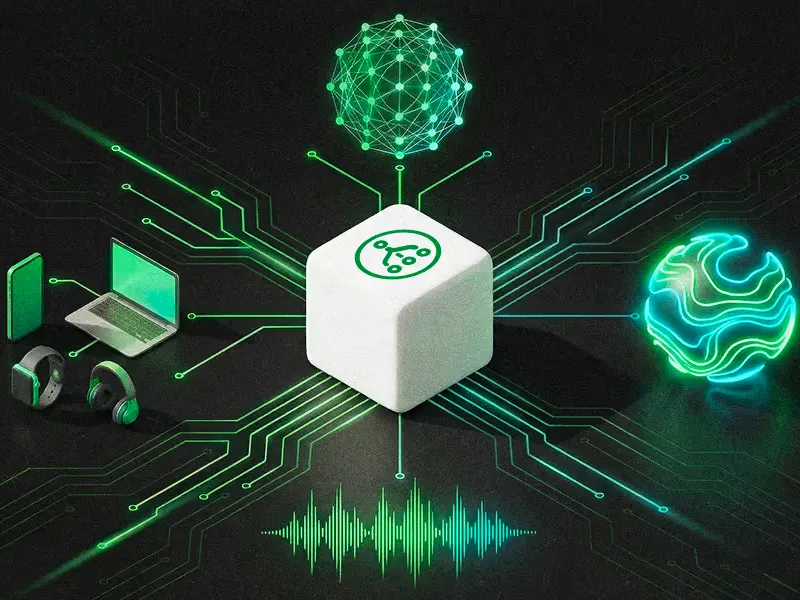
The real challenge starts in production — when users behave unpredictably, devices misbehave, networks degrade, and audio pipelines collide with reality. That’s where reliability is earned, not claimed.
At Switchboard, we’ve come to believe that **reliability isn’t a feature you ship once**. It’s something that compounds over time.
## The Hidden Cost of Real-Time Audio
Voice and real-time audio systems are uniquely unforgiving.
They sit at the intersection of:
* heterogeneous hardware (phones, TVs, cars, speakers)
* OS-level audio stacks with undocumented quirks,
* fluctuating network conditions
* real-time constraints measured in milliseconds
* and increasingly, hybrid AI pipelines that span on-device and cloud execution
On paper, many systems look equivalent. In practice, they fail in subtly different ways.
A microphone is already in use.\
The CPU is throttled.\
The user switches devices mid-session.\
A model’s confidence drops just enough to matter.\
A network hiccup causes a half-second stall that ruins the experience.
These are edge cases — and in real-time systems, **the edge cases are the product**.
## Why the Long Tail Matters
Each Switchboard customer doesn’t bring a single use case.
They bring a long tail of scenarios shaped by their users, devices, environments, and workflows.
Two apps may both say they’re “doing voice,” but in production:
* their audio graphs are different
* their fallback strategies differ
* their latency tolerances aren’t the same
* and their failure modes diverge quickly
This combinatorial complexity grows faster than documentation, tutorials, or best practices can keep up with.
That’s where most platforms plateau.
## What We Learn by Sitting in the Middle
Switchboard operates at the orchestration layer — where devices, audio pipelines, AI models, and networks meet.
Because of that position, we don’t just see *what developers intend to build*. We see **how systems actually behave in the wild**.
Over time, this creates a unique dataset:
* where pipelines stall or degrade
* which recovery paths work and which make things worse
* when on-device execution succeeds and when hybrid fallback is necessary
* which architectural patterns scale and which quietly rot
Importantly, this data isn’t about user content. It’s about **system behavior**.
It’s a living map of what breaks, what recovers, and what “just works” across a vast range of real-world conditions.
## Reliability That Improves With Every Customer
Here’s the non-obvious part:
Edge cases don’t converge — they diversify.
Each new customer expands the space of:
* hardware configurations
* network environments
* audio processing chains
* and human behaviors interacting with them
That diversity is exactly what allows reliability to compound.
Every new deployment improves:
* our defaults
* our orchestration logic
* our failure handling
* and our understanding of how real-time systems behave under stress
Those improvements then flow back into the platform, making Switchboard more robust for the *next *customer — who brings new edge cases of their own.
This creates a flywheel:
more use cases → better reliability → easier adoption → more use cases.
## Why This Can’t Be Shortcutted
Open source is essential for adoption, and we embrace it.
But open source shares *how to build*, not *how systems behave at scale*.
Production reliability is shaped by:
* years of exposure to rare failures
* patterns that only emerge under load
* and recovery strategies learned through repetition
That knowledge can’t be copied from a repo or inferred from documentation.
It has to be earned.
And because Switchboard spans devices, platforms, and execution environments, the reliability we accumulate is inherently cross-platform — something closed ecosystems can’t easily observe, let alone replicate.
## Reliability as a Network Effect
At a certain point, reliability itself becomes a network effect.
Developers choose Switchboard not just because it’s flexible, but because:
“It works in situations where other systems don’t.”
That reputation compounds just like the data behind it. The more systems run through Switchboard, the more resilient it becomes. The more resilient it becomes, the more teams trust it with critical paths.
This is how infrastructure quietly wins.
## The Long View
We don’t believe reliability is something you bolt on later.
We believe it’s something you grow — one edge case at a time.
Switchboard’s goal isn’t just to make real-time audio possible across devices and platforms.
It’s to make it dependable, even in the messy, unpredictable reality of how people actually use technology.
That’s what compounding reliability looks like.
And that’s what we’re building.
---
# The Real Cost of Cloud Voice AI (and When On-Device Makes More Sense)
> Comparing the cost of cloud speech APIs against on-device voice AI at scale. Covers per-request pricing, bandwidth, scaling economics, and when on-device STT/ASR and TTS eliminate recurring fees.

Most providers charge per minute of audio for speech-to-text (STT/ASR/speech recognition) and per character or per request for text-to-speech (TTS/speech synthesis/voice generation). At low volumes, the cost per interaction is small enough that it barely registers.
The problem appears at scale. When thousands of users interact with your application daily, or when sessions run for minutes instead of seconds, or when your application listens continuously for voice commands, those per-unit fees compound into a material line item. At some volume threshold, the recurring cost of cloud speech APIs exceeds the one-time cost of integrating on-device models. Understanding where that threshold falls for your application is the key to making an informed build-vs-buy decision.
## How Cloud Voice AI Pricing Works
Cloud STT and TTS providers typically use one of these pricing models:
**Per-minute STT pricing.** Audio is billed by the minute of audio processed, rounded up. A 5-second utterance is often billed as one minute. Rates typically range from $0.006 to $0.024 per minute depending on the provider, model tier, and features (language, speaker diarization, punctuation). Volume discounts may apply at higher tiers.
**Per-character TTS pricing.** Text-to-speech is billed by the number of characters converted to audio. Standard voices are cheaper; neural/HD voices cost more. Typical rates range from $4 to $16 per million characters depending on voice quality.
**Hidden and adjacent costs** add to the headline rate:
* **Bandwidth.** Streaming audio to a cloud API consumes upload bandwidth. At 16 kHz mono (32 KB/second), a 1-minute utterance is roughly 1.9 MB. At scale, bandwidth fees from your cloud provider add up, particularly for mobile applications where cellular data costs may also matter.
* **Storage.** Some providers store audio or transcripts for quality improvement or audit purposes. Retrieving, managing, or deleting that stored data has associated costs.
* **Egress fees.** TTS responses (generated audio) must be downloaded. High-quality audio at 24 kHz or 48 kHz generates larger payloads than the text input.
* **Idle connection costs.** Applications that maintain persistent WebSocket connections to streaming STT APIs incur charges for connection time, even during silence.
## Where Costs Compound
The unit economics of cloud voice AI look different depending on your application's usage pattern.
**High-volume applications.** A mobile app with 100,000 monthly active users, each making an average of 10 voice interactions per day, generates 30 million voice interactions per month. Even at the low end of per-minute pricing, that's a significant recurring expense.
**Long-duration sessions.** Voice-controlled field service apps, dictation applications, and meeting transcription tools process minutes to hours of audio per session. Per-minute pricing means longer sessions cost linearly more. An always-listening application that processes 8 hours of audio per day per user is an extreme case where cloud pricing becomes prohibitive.
**Always-on listening.** Applications with wake-word detection or continuous voice monitoring stream audio constantly. If the wake-word detection runs in the cloud, you're paying for the silence between commands as well as the commands themselves.
**Multi-language support.** Some providers charge premium rates for non-English languages or require separate model endpoints per language. A multi-language application multiplies the base cost by the number of supported languages.
## The On-Device Cost Model
On-device voice AI has a fundamentally different cost structure. Instead of recurring per-request fees, the costs are primarily upfront.
**Integration effort.** Integrating an on-device voice SDK requires development time: setting up the audio pipeline, configuring models, testing across target devices, and optimizing for performance. This is a one-time cost that doesn't scale with usage.
**SDK licensing.** On-device voice SDKs typically use per-application licensing, per-device licensing, or monthly active user (MAU) pricing rather than per-request pricing. The critical difference is that the cost per interaction is either fixed (regardless of how many interactions each user has) or zero after the licence is paid.
**Model storage.** On-device models consume storage on the user's device. This isn't a direct monetary cost, but it has indirect costs: larger app downloads may reduce install conversion rates, and models compete with other app data for limited device storage.
**Device compute.** Running ML inference locally uses the device's CPU, GPU, or NPU. This consumes battery and generates heat. For most voice interactions (short commands, brief responses), the compute cost is negligible. For continuous or long-duration processing, power consumption becomes a design consideration.
**What's absent from the on-device cost model:** no per-minute audio fees, no per-character TTS fees, no bandwidth costs for streaming audio, no egress fees for downloading synthesized speech, and no idle connection charges. The marginal cost of an additional voice interaction is effectively the electricity consumed by the device's processor, which is immeasurably small.
## When Cloud Still Wins
On-device isn't universally cheaper. There are scenarios where cloud voice AI is the more economical choice.
**Low-volume prototyping and MVP development.** If you're building a proof of concept with a few hundred users, the total cloud API cost might be under $50/month. The engineering effort of integrating an on-device SDK may not be justified until you validate the product.
**Large-vocabulary or specialized STT requirements.** Cloud STT services can handle very large vocabularies, specialized terminology (medical, legal, financial, scientific), and real-time model updates without deploying anything to the device. If your application requires STT accuracy that current on-device models can't match, cloud is the pragmatic choice regardless of cost.
**Languages with limited on-device model support.** On-device STT models like Whisper support many languages, but quality varies. For languages where on-device accuracy is significantly lower than cloud services, the cloud API may deliver better value.
**Server-side batch processing.** Transcribing recorded audio (voicemail, call recordings, meeting archives) is a server-side workload. On-device processing doesn't apply because there's no "device" in the loop. Cloud STT or on-premise STT infrastructure is the appropriate choice here.
## Hybrid Approaches
The offline-first architecture pattern applies to cost optimization as well as connectivity. The principle: run voice processing on-device by default, and use cloud APIs only for cases where on-device falls short.
**On-device for high-volume common cases.** The majority of voice interactions in most applications are short commands, simple queries, or brief dictation in the application's primary language. These are well within on-device model capabilities and generate the bulk of per-request cloud costs.
**Cloud fallback for edge cases.** Uncommon languages, domain-specific vocabulary, or complex queries that exceed on-device model capabilities get routed to a cloud API. Because these are the minority of interactions, the cloud cost remains small.
This hybrid model captures most of the cost savings of on-device processing while retaining access to cloud capabilities for the long tail. The same architecture that enables offline operation (on-device pipeline with optional cloud enhancement) is also the cost-optimal architecture for applications with variable complexity.
For more on the offline-first architecture and how to implement cloud fallback, see [How to Build Voice AI That Works Without Internet](/hub/voice-control-on-device-ai).
## Beyond Cost: What Else Changes
The decision to move voice processing on-device is rarely about cost alone. Organizations that evaluate on-device voice AI for cost reasons often discover additional benefits that strengthen the business case.
**Latency reduction.** Eliminating network round-trips reduces voice interaction response time by 200 to 800 milliseconds. For conversational voice AI, this difference determines whether the interaction feels natural or sluggish. See [Voice AI Latency: Where It Comes From and How to Reduce It](/hub/voice-ai-latency) for a detailed breakdown.
**Simplified compliance.** Cloud voice APIs create data processor relationships and cross-border data transfer obligations. On-device processing eliminates both. For regulated industries, the compliance simplification alone can justify the switch. See [Privacy-First Voice AI](/hub/privacy-first-voice-ai) for the privacy and regulatory implications.
**Predictable costs.** Cloud API pricing is usage-based and variable. A sudden spike in user engagement or a change in usage patterns can cause unexpected cost increases. On-device pricing is fixed or MAU-based, making costs predictable regardless of how intensively each user interacts with the voice features.
**No vendor lock-in on pricing.** Cloud speech providers can change pricing at any time. On-device SDKs have contracted licensing terms. You're not exposed to unilateral price increases that change your unit economics.
## Available Now
Switchboard's on-device audio SDK eliminates per-request cloud fees for voice processing. The SDK includes speech-to-text (STT/ASR/speech recognition via whisper.cpp), text-to-speech (TTS/speech synthesis/voice generation via Silero TTS), voice activity detection, noise suppression, and echo cancellation, all running locally on iOS, Android, desktop, and embedded Linux. No audio leaves the device, no cloud API calls are made, no per-request fees accumulate, and the marginal cost per voice interaction is zero.
If you're evaluating the cost of voice AI at scale, [check out the Switchboard documentation](https://docs.switchboard.audio/) to understand the on-device alternative. For pricing details, visit the [Switchboard pricing page](/pricing).
---
# The Sound of Audio Programming - Developing Perfect Glitch
> Audio programming mistakes can produce very interesting sounds. In this talk we are going to look at these mistakes and even listen to them.

Audio programming mistakes can produce very interesting sounds. In this talk we are going to look at these mistakes and even listen to them. We’ll try to identify some of the coding errors solely by ear and develop “perfect glitch”. Some examples that we will examine: clipping, discontinuity, aliasing, phase cancellation, latency issues, buffering problems.
Through practical demonstrations, we will not only listen to these unique sounds but also learn how to recognize them in our own audio projects. Moreover, we will delve into techniques to mitigate and avoid these typical problems.
[Play](https://youtube.com/watch?v=rlMvfFGEj3Q)
See more videos on our [YouTube channel](https://www.youtube.com/@switchboard2718).
---
# Using the Switchboard SDK to Build a Guitar-Effect App
> In this video tutorial, Synervoz VP of Engineering Balazs Kiss shows viewers step-by-step instructions for how to build a simple guitar-effect app for iOS using the Switchboard SDK.
In this video tutorial, Synervoz VP of Engineering Balazs Kiss shows viewers step-by-step instructions for how to build a simple guitar-effect app for iOS using the Switchboard SDK.
[Play](https://youtube.com/watch?v=4Gj_3DUQwt0)
See more videos on our [YouTube channel](https://www.youtube.com/@switchboard2718).
---
# Voice AI Latency: Where It Comes From and How to Reduce It
> Decomposing the speech-to-speech voice AI latency stack. Covers STT/ASR inference, TTS, NLU processing, and audio I/O latency on cloud and on-device, with practical optimization techniques.
When a user speaks and the system takes more than a few hundred milliseconds to respond, the interaction breaks down. The user pauses, wonders if they were heard, repeats themselves, or gives up entirely.
For developers building voice-enabled applications, understanding where latency comes from is the first step toward eliminating it. This article decomposes the full speech-to-speech latency stack, compares cloud and on-device architectures, and covers practical optimization techniques for reducing end-to-end response time.
## Why Latency Matters in Voice AI
Human conversation has a natural rhythm. Research on conversational turn-taking shows that speakers typically expect a response within 200 to 300 milliseconds of finishing their turn. Beyond that threshold, the pause becomes perceptible. Beyond 500 milliseconds, it becomes uncomfortable. Beyond a full second, most users assume the system has failed.
This expectation is deeply ingrained. It applies whether you're building a voice-controlled mobile app, an in-car assistant, a customer service bot, or a hands-free interface for industrial equipment. The latency budget is the same because human perception doesn't change based on the application.
For real-time voice AI, the latency target is clear: the system needs to begin responding within roughly 200 to 300 milliseconds of the user finishing their utterance. That budget covers everything from audio capture to audio playback.
## The Latency Stack: Decomposing a Voice Round-Trip
A complete speech-to-speech interaction passes through multiple processing stages, each contributing latency. Here's the full pipeline, in order:
1. **Audio capture buffer.** The microphone captures audio in fixed-size buffers (typically 10 to 40 milliseconds). The system cannot process audio until a full buffer arrives. Smaller buffers reduce latency but increase CPU overhead.
2. **Voice activity detection (VAD).** The system must determine when the user has started and stopped speaking. VAD processing itself is fast (under 1 ms for models like Silero VAD on a 30 ms frame), but the end-of-speech detection adds latency because the system must wait for a silence period to confirm the utterance is complete. This "endpointing" delay is typically 300 to 800 milliseconds and is often the single largest contributor to perceived latency.
3. **Speech-to-text inference (STT/ASR/speech recognition).** The audio is transcribed to text. Inference time depends on model size and hardware capabilities, as well as whether processing is streaming (incremental) or batch (after the full utterance). On mobile ARM hardware, a quantized Whisper Tiny model processes a 5-second utterance in roughly 200 to 500 milliseconds. Larger models (Small, Medium) take proportionally longer.
4. **Natural language understanding or LLM processing.** The transcribed text is interpreted. For simple command recognition, this is near-instant (string matching or lightweight classification). For LLM-based dialogue, this can add 500 milliseconds to several seconds depending on model size and whether inference is local or remote.
5. **Text-to-speech inference (TTS/speech synthesis/voice generation).** The response text is converted to audio. On-device TTS models like Silero TTS can generate speech in 50 to 200 milliseconds for short responses on mobile hardware. Cloud TTS adds network round-trip time on top of inference.
6. **Audio playback buffer.** The generated audio is queued for playback. The playback buffer adds another 10 to 40 milliseconds before the user hears the first sample.
The total end-to-end latency is the sum of all these stages. For a non-streaming pipeline, that can easily exceed 1.5 to 2 seconds even before accounting for network latency.
## Cloud Latency vs On-Device Latency
The choice between cloud and on-device processing fundamentally changes the latency profile of a voice AI system. Here's what the network adds when you send audio to a cloud speech API:
**Network overhead for a cloud round-trip:**
* DNS resolution (cached: \~0 ms, cold: 50 to 200 ms)
* TLS handshake (first connection: 50 to 150 ms, reused: \~0 ms)
* Audio upload (depends on connection speed and utterance length; a 5-second utterance at 16 kHz mono is roughly 160 KB, which takes 10 to 50 ms on a good connection)
* Server queue wait (variable, depends on provider load; typically 10 to 100 ms)
* Server-side inference (typically 100 to 500 ms for STT, varies by provider)
* Response download (small payload, typically under 10 ms)
On a stable connection, a cloud STT round-trip adds 200 to 800 milliseconds on top of the base audio capture and VAD delays. On a congested mobile network, it can exceed 2 seconds. If TTS is also cloud-based, double the network overhead.
**What on-device eliminates:**
* All network-related latency (DNS, TLS, upload, download, server queue)
* Dependency on connection quality or availability
* Variable latency caused by server load
* Risk of provider-side outages or degraded performance affecting your application
**What on-device doesn't eliminate:**
* Audio capture and playback buffer latency (hardware-dependent)
* VAD endpointing delay (algorithm-dependent)
* Model inference time (now running on device hardware rather than server GPUs)
* Thermal throttling under sustained load on mobile devices
The trade-off is that on-device inference runs on less powerful hardware than a cloud GPU cluster. But for mobile-optimized models, the inference time on modern smartphone processors is competitive with cloud round-trips when you factor in network overhead. A quantized Whisper Tiny model running on an iPhone's A-series chip or a mid-range Android ARM processor delivers results faster than sending audio to a cloud API and waiting for the response, because the network overhead is gone entirely.
## Practical Latency Numbers by Pipeline Stage
These ranges represent typical performance on modern mobile ARM hardware (2022-era flagship and mid-range smartphones). Actual numbers vary by device, model version, and workload.
| Pipeline Stage | Typical Latency Range | Notes |
| --------------------------------------- | --------------------- | ---------------------------------------------- |
| Audio capture buffer | 10-40 ms | Hardware and OS dependent |
| VAD processing | < 1 ms per frame | Silero VAD on 30 ms frames |
| VAD endpointing | 300-800 ms | Waiting for silence to confirm end of speech |
| STT inference (Whisper Tiny, quantized) | 200-500 ms | For a 5-second utterance, batch mode |
| STT inference (streaming) | 50-150 ms incremental | Partial results as audio streams in |
| NLU / command matching | < 5 ms | Simple keyword or intent matching |
| NLU / on-device LLM | 500-2000 ms | Depends heavily on model size and quantization |
| TTS inference (on-device) | 50-200 ms | Short response, Silero TTS or similar |
| Audio playback buffer | 10-40 ms | Hardware and OS dependent |
**Caveats:** These numbers are approximations, not benchmarks. Performance varies significantly across devices. A 2024 flagship phone will be meaningfully faster than a 2020 mid-range device. Thermal throttling during sustained use also degrades performance. Always profile on your target hardware.
## Optimization Techniques
Once you understand where latency comes from, you can attack each stage systematically.
### Streaming and Chunked Inference
The biggest single optimization is switching from batch to streaming inference for STT (speech recognition, ASR). In batch mode, the system waits for the full utterance before starting transcription. In streaming mode, the model processes audio chunks as they arrive, producing partial transcripts incrementally.
Streaming STT fundamentally changes the latency equation. Instead of waiting for VAD endpointing + full inference, the system has a running transcript that's nearly complete by the time the user finishes speaking. The remaining latency after end-of-speech is just the final chunk processing, typically 50 to 150 milliseconds.
The same principle applies to TTS (speech synthesis, voice generation). Streaming TTS begins audio playback before the full response has been synthesized, overlapping generation with playback.
### Model Quantization
Quantization reduces model weights from 32-bit floating point to 8-bit integers (or even 4-bit), cutting memory usage and inference time with modest accuracy trade-offs. For on-device voice AI, INT8 quantization of STT models typically reduces inference time by 40 to 60 percent compared to FP32, with minimal impact on word error rate.
Whisper models are particularly well-suited to quantization. The whisper.cpp project provides pre-quantized models in multiple formats, and Switchboard's WhisperNode uses these optimized models for on-device deployment.
### Buffer Size Tuning
Audio capture and playback buffers are often set conservatively by default (40 ms or larger). Reducing buffer size to 10 or 20 milliseconds cuts latency at both ends of the pipeline. The trade-off is higher CPU interrupt frequency, which can cause audio glitches on underpowered devices.
On iOS, setting the AVAudioSession preferred buffer duration to 0.005 (5 ms) or 0.01 (10 ms) seconds can significantly reduce I/O latency. On Android, using AAudio with `AAUDIO_PERFORMANCE_MODE_LOW_LATENCY` achieves similar results, though actual buffer sizes vary by device.
### VAD Endpointing Tuning
The VAD endpointing delay is often the largest contributor to perceived latency, and it's also the most tunable. A shorter silence threshold (200 ms instead of 500 ms) makes the system feel more responsive but risks cutting off the user mid-sentence during natural pauses.
Adaptive endpointing adjusts the silence threshold based on context. Short commands ("next", "stop") can use aggressive endpointing. Longer dictation can use more conservative thresholds. Some implementations use a two-stage approach: a short initial timeout triggers partial processing, while a longer timeout finalizes the utterance.
### Model Size Selection
Smaller models are faster. Whisper Tiny (39M parameters) is roughly 4x faster than Whisper Small (244M parameters) on the same hardware. The accuracy difference matters for some use cases (noisy environments, accented speech, technical vocabulary) but is negligible for simple command recognition.
Choose the smallest model that meets your accuracy requirements. For a voice-controlled app with a limited command vocabulary, Whisper Tiny or Base is likely sufficient. For open-ended transcription in noisy environments, you may need Small or Medium, accepting the latency cost.
### Hardware Acceleration
Modern mobile processors include dedicated neural processing units (NPUs) and GPU compute capabilities that can accelerate model inference. On iOS, Core ML can dispatch Whisper inference to the Neural Engine, reducing latency compared to CPU-only execution. On Android, NNAPI and GPU delegates in TensorFlow Lite provide similar acceleration paths.
Switchboard's audio graph architecture handles hardware dispatch automatically where supported, running model inference on the fastest available compute path without requiring developers to manage acceleration APIs directly.
## Putting It Together: A Low-Latency On-Device Pipeline
A well-optimized on-device voice pipeline can achieve end-to-end latency under 500 milliseconds from end-of-speech to start-of-response. Here's how the budget breaks down:
* VAD endpointing: 200 ms (aggressive, suitable for commands)
* Streaming STT final chunk: 100 ms
* Intent matching: < 5 ms
* TTS first audio chunk: 80 ms
* Audio playback buffer: 10 ms
* **Total: \~395 ms**
That's well within the conversational turn-taking threshold. Compare that to a cloud pipeline where network overhead alone consumes 200 to 800 milliseconds before any processing begins.
For applications where latency is the primary concern, on-device processing with streaming inference and optimized buffering delivers the responsiveness that conversational voice AI demands. The echo cancellation stage, critical for duplex voice applications, adds its own latency considerations. For a deep dive into how WebRTC AEC3 handles echo cancellation with minimal latency overhead, see [How WebRTC AEC3 Works](/hub/how-webrtc-aec3-works).
For applications where the voice system also needs to work without connectivity, on-device processing provides that capability inherently. See [How to Build Voice AI That Works Without Internet](/hub/voice-ai-without-internet) for the architectural patterns behind offline-first voice AI.
When privacy requirements drive the on-device decision, the latency benefits come as a bonus. [Privacy-First Voice AI](/hub/privacy-first-voice-ai) covers how on-device processing keeps voice data safe while also delivering lower latency than cloud alternatives.
## Available Now
Switchboard's on-device audio SDK provides the building blocks for low-latency voice AI: streaming STT (speech recognition, ASR) via whisper.cpp, on-device TTS (speech synthesis, voice generation) via Silero, VAD with configurable endpointing, and the audio graph architecture that connects them with minimal buffer overhead. The SDK runs on iOS, Android, desktop, and embedded Linux.
If you're building a voice application where response time matters, [check out the Switchboard documentation](https://docs.switchboard.audio/) to see how the on-device pipeline works in practice. You can start with the [voice control example for iOS](/hub/voice-control-on-device-ai) and adapt it to your latency requirements.
---
# Who is Switchboard Designed For?
> Switchboard is a modular, real-time audio SDK and orchestration layer built to empower developers who are pushing the boundaries of audio, AI, and real-time media experiences.
Switchboard is a modular, real-time audio SDK and orchestration layer built to empower developers who are pushing the boundaries of audio, AI, and real-time media experiences. Whether you're building interactive voice agents, voice changers, or collaborative music platforms, Switchboard provides the foundation for rapid prototyping and production deployment.
Here's a breakdown of the core audiences who will benefit most:
## Switchboard by Persona
| Persona | Description | Superpowers |
| ---------------------------------------- | ----------------------------------------------------------------------- | ----------------------------------------------------------------------------------------- |
| **Product Prototyper / Innovation Lead** | Responsible for building POCs that could become flagship features | Drag-and-drop modularity, quick turnarounds for demos, cloud/on-device/hybrid flexibility |
| **Applied ML Scientist (Speech/Audio)** | Iterates on speech pipelines for accuracy, latency, and robustness | Swap STT/TTS/VAD models with minimal friction, benchmark custom models |
| **Audio R\&D Engineer** | Builds and tests custom DSP/ML models, audio effects, and signal chains | Bring-your-own-node support, C++ + ONNX graph integration, real-time test harness |
| **Tools/Platform Engineer** | Maintains internal SDKs, tooling, or reusable audio frameworks | Embeddable runtime, language bindings, testable graphs, easy packaging |
| **Creative Technologist** | Works in innovation labs to craft new audio-driven experiences | Modular effects, voice filters, real-time pipelines for interactive UX |
## Switchboard by Segment
| Segment | Why They Experiment a Lot | Example Personas | Example Companies |
| --------------------------------------- | ----------------------------------------------------------------------------- | ----------------------------------------------------- | --------------------------------------------------------------------------------------------------- |
| **Voice AI Startups** | Need to prototype new pipelines quickly, test models, mix & match STT/LLM/TTS | Founders, CTOs, ML Engineers | ElevenLabs, Vapi, Pipecat, Inworld, Play.ht, Resemble.ai, Syntesia, Rime.ai |
| **Media & Entertainment R\&D Labs** | Interactive music/video, watch parties, creator tools | Innovation Labs, Creative Technologists | Spotify R\&D, Netflix Device Labs, Dolby.io, Adobe Research, BBC R\&D, Canal+ Labs |
| **Academic / Research Labs** | Constantly mixing models, publishing prototypes | PhD Students, Lab Directors, Postdocs | MIT Media Lab, University AI labs, Fraunhofer IIS, INRIA, CMU, NYU MARL |
| **Automotive & Mobility** | In-car voice assistants, rider comms, low-latency audio pipelines | HMI Engineers, Audio Architects, UX Researchers | Mercedes MBUX team, Harley-Davidson Digital, Rivian, Tesla Voice UX, Hyundai Mobis |
| **Robotics & Assistive Tech** | Speech pipelines for human-robot interaction, adaptive audio UX | Robotics AI Engineers, Accessibility Tech Leads | Figure AI, Sanctuary AI, SoundHound, Intuition Robotics, Furhat Robotics, Toyota Research Institute |
| **Hardware & Embedded Audio Companies** | Need to validate DSP/ML models across chipsets and devices | Firmware Engineers, DSP Engineers, Product R\&D Leads | Bose, Sonos, Nothing OS, Qualcomm, Apple Audio Systems, Shure Labs |
| **Gaming & Metaverse Studios** | Real-time multiplayer chat, spatial audio, voice changers, AI NPCs | Audio Directors, Game AI Engineers, Tools Developers | Riot Games R\&D, Roblox, Rec Room, VRChat, small indie VR studios, Spatial.io |
| **Telecom & Collaboration Platforms** | Competing on latency, voice quality, noise suppression, agent assist | Product Managers, VoIP Engineers | Zoom Labs, Discord, Twilio Voice, Dialpad, RingCentral, Slack Huddles, Around.co |
*🛈 Example companies are listed for illustrative purposes only. They represent the kinds of teams who typically face the problems Switchboard is designed to solve.*
## 1. Voice AI Startups
These teams are building novel products where voice is the interface. From AI agents to voice games, they often need:
* Real-time speech-to-text (STT), text-to-speech (TTS), VAD, diarization
* Voice changers, filters, audio effects
* Integration with LLMs and custom AI pipelines
### Why Switchboard?
* Rapidly experiment with audio pipelines
* Combine WebRTC + AI tools in low-latency flows
* Deploy on-device, hybrid, or cloud-first
**Use cases**: Prototype new workflows, talking AI avatars, autonomous agents with voice I/O.
## 2. Media & Entertainment R\&D Labs
Building apps that combine audio, video, or real-time interaction? Whether you're using Unity, Unreal, React Native, or Web, Switchboard simplifies the audio stack:
* Bring-your-own-media-player and VoIP modules
* Add spatial audio, DSP, voice filters
* Trigger effects from in-app events (e.g. game actions)
### Why Switchboard?
* Quick audio UX iteration for social, gaming, education, or media
* Drag-and-drop pipeline editor (coming soon)
* Cross-platform SDK: C++, Swift, Kotlin, JavaScript
**Use cases**: Music remix apps, multiplayer games with voice, metaverse and watch party apps, language learning tools.
## 3. Academic / Research Labs
For those developing new DSP algorithms, ML audio models, or conducting audio research:
* Easily wrap your custom models into Switchboard nodes
* Real-time graphs to test processing at frame-level granularity
* Integrate ONNX models, WASM, or native C++
### Why Switchboard?
* Focus on your DSP/ML innovation, not boilerplate
* Shareable graphs make it easy to test & collaborate
* Optional GUI for audio pipeline inspection
**Use cases**: Novel vocoders, speech denoisers, voice conversion, academic research.
## 4. Automotive & Mobility
If you're building speech-enabled user experiences in vehicles, from infotainment to intercom:
* Low-latency pipelines for wake-word detection, STT, feedback tones
* On-device processing for privacy and speed
* Modular voice UX components
### Why Switchboard?
* Configure real-time speech graphs per vehicle
* Test cross-chip performance
* Improve rider communication and in-cabin experiences
**Use cases**: Voice commands in cars, intercom between riders, contextual feedback tones.
## 5. Robotics & Assistive Tech
Switchboard supports real-time audio intelligence for robots and accessibility solutions:
* Adaptable pipelines for human-robot speech interaction
* Latency-sensitive assistive feedback (e.g., voice navigation)
* Custom models for emotion, intent, or audio scene understanding
### Why Switchboard?
* Graphs are easy to deploy, modify, and tune
* Supports real-time interactivity in physical environments
* Works with embedded Linux and edge accelerators
**Use cases**: Robot speech UX, voice-controlled wheelchairs, adaptive accessibility tools.
## 6. Hardware & Embedded Audio Companies
For companies building hardware that includes microphones or speakers (headphones, cameras, robots, cars, etc.), Switchboard offers:
* Lightweight, embeddable audio graph runtime
* Low memory, real-time execution on ARM, NPUs, or embedded Linux
* Control audio graphs remotely or locally
### Why Switchboard?
* Ship audio intelligence to the edge
* Use modular graphs to configure audio UX
* Future-proof audio stack for multi-modal systems
**Use cases**: Smart glasses, humanoid robots, automotive voice UX, musical instruments.
## 7. Gaming & Metaverse Studios
Real-time experiences need real-time audio features:
* Multiplayer voice chat, spatial audio
* Voice changers, remix effects, AI-driven NPC speech
* Integration with game engines like Unity or Unreal
### Why Switchboard?
* Native SDKs for multiple platforms
* Mix and match pipelines in live environments
* Great for fast experimentation and event-driven audio
**Use cases**: VR/AR social hubs, modifiable voice-based gameplay, live creator tools.
## 8. Telecom & Collaboration Platforms
VoIP products live and die by voice quality and responsiveness:
* Agent-assist, transcription, sentiment detection
* Noise suppression, echo cancellation, diarization
* Fast integrations with internal call stacks
### Why Switchboard?
* Combine AI pipelines with WebRTC
* Rapid testing of voice UX variations
* Cross-platform support for mobile, desktop, browser
**Use cases**: Sales enablement tools, smart meetings, audio-first chat platforms.
## In Summary
Switchboard is not for teams building static apps with basic audio playback.
It is for:
* Teams who **experiment **constantly with real-time audio features
* Builders who need **modularity**, **latency control**, and **deployment flexibility**
* Developers shipping next-gen **voice+AI+media** experiences
If you're building with audio in the loop—Switchboard is your graph.
Explore more: [switchboard.audio](https://switchboard.audio)
---
# Why Voice AI Needs to Run on Your Device
> On-device voice AI guarantees low latency, privacy, and reliability that cloud-only assistants can’t match. Explore why modern voice interfaces must run their critical path locally, with examples across consumer, enterprise, wearables, and automotive, plus how hybrid approaches and hardware advances make it practical.
[Play](https://youtube.com/watch?v=svb07ggss6c)
Truly responsive, private, and reliable voice experiences demand a fundamental architectural choice: running the AI on the user’s device instead of a cloud server. On-device voice AI is the only way to guarantee low-latency, privacy-preserving, and dependable interactions.
Instant Response: Low Latency and Real-Time Feedback
Latency kills the user experience. A voice interface that lags by even a few hundred milliseconds feels sluggish and unnatural. Running the voice AI locally eliminates the network round-trip and delivers results immediately. There’s no need to stream audio to a distant server and wait for a response. For example, OpenAI’s Whisper speech recognizer running on-device can transcribe speech with near-instant responsiveness, without the 200-500ms overhead of sending audio to a server and waiting for a reply. Similarly, Google demonstrated that a fully on-device speech recognition system for Pixel phones could completely remove the usual network delay; the voice model works offline and returns text essentially as fast as you can speak. The difference is palpable: an on-device voice assistant feels snappy and interactive, whereas a cloud-dependent one often makes you pause mid-conversation for the cloud to catch up.
Architecturally, achieving real-time responsiveness means keeping the entire critical loop (voice capture to ASR to interpretation to response) on the device. Any cloud call in that loop introduces unpredictable latency. By processing locally, the latency becomes consistently low and bounded by the device’s compute speed (often just milliseconds). This consistency is crucial for voice UI; users can speak naturally and get immediate feedback. Whether it’s a car’s voice command system or a voice keyboard on your phone, local processing ensures there’s never a spinning wheel or a “Loading…” moment in conversation. It’s the only way to meet the real-time requirements of voice-driven applications where delays break the illusion of a “listening” device.
Privacy and Compliance by Design
When voice data never leaves the device, you inherently protect user privacy. On-device voice AI keeps sensitive audio and transcripts local, whereas cloud-based voice services must transmit recordings to servers (where they could be stored or intercepted). For many users and organizations, the idea of raw voice recordings being sent over the internet is a non-starter. An on-device architecture mitigates those risks entirely: no audio streams over the internet, period. This is especially important in domains like healthcare, finance, government, or enterprise settings with strict data regulations. By design, a voice assistant that runs on your device provides strong privacy guarantees. The voice data stays under the user’s control.
Consider compliance requirements such as GDPR in Europe or HIPAA in healthcare. These regulations often forbid sending personal data (which voice recordings certainly are) to external servers without stringent safeguards. A cloud voice pipeline complicates compliance by introducing data residency and security questions at every turn. In contrast, keeping the pipeline on-device makes compliance far easier: there’s no question of who has the data or where it’s going, since it never leaves the local environment. Architecturally, on-device AI aligns with privacy-by-design principles. It limits the data exposure surface by confining audio processing to a sandbox on the user’s hardware. Engineering directors in regulated industries often have to vet any cloud service for security; with an on-device solution, many of those concerns melt away.
Real-world examples already show this shift. Apple, for instance, moved Siri’s speech recognition for common requests onto the iPhone in iOS 15, explicitly to improve user privacy and speed. With on-device processing, many Siri commands (like launching apps or toggling settings) no longer send any audio to Apple’s servers. This not only keeps those interactions confidential, but also makes Siri respond faster. The same principle is emerging in enterprise software, for example, a voice note-taking app for doctors could transcribe speech locally on a hospital-issued tablet to ensure patient data never leaves the premises. In short, if your users or industry demand confidentiality, on-device voice AI isn’t just a nice-to-have, it’s the only viable option.
Reliable, Anywhere-Anytime Operation
Network connectivity can be fickle or unavailable in many scenarios where voice UIs are useful. A key advantage of on-device voice AI is autonomy: the system doesn’t depend on an internet connection, so it keeps working anywhere, anytime. An offline voice interface will still function in a basement, on a remote rural site, or in a moving car with spotty reception. Whether the user is on airplane mode or the device is entirely off the grid, the voice commands continue to work. This kind of always-on reliability cannot be achieved with a cloud-dependent approach. A cloud-based voice UI simply fails when offline: no network, no voice assistant. Even with “some” connection, if bandwidth is low or latency is high (think of congested conference Wi-Fi or traveling in the mountains), the cloud voice experience degrades noticeably (delays, dropped commands). By contrast, a local voice AI is impervious to these issues. It’s always available, which is critical for any mission-critical or safety-critical application.
Architecturally, designing for reliability means eliminating external points of failure in the voice processing chain. A cloud API is an external point of failure. If the service has an outage or the connection is lost, your voice feature is dead in the water. With on-device processing, the only dependencies are the device’s own resources, which you as the product owner can control much more tightly. This autonomy also translates to better scalability and cost predictability: 1000 users with on-device models essentially create 1000 parallel voice processing engines (one per device). You’re not funneling all voice traffic into a single server bottleneck. This distributed approach naturally scales as your user base grows, without hitting sudden rate limits or cloud cost spikes. (Cloud speech APIs that seem cheap per use can accumulate staggering costs at scale, whereas on-device processing, once the model is downloaded, is effectively free per additional use.) In sum, on-device voice AI turns what could be a fragile, network-dependent service into a robust feature that works under all conditions. It gives your product a level of resilience and autonomy that cloud-only solutions often can’t match.
The Hybrid Approach: Cloud as a Backup, Not a Crutch
It’s worth acknowledging that not every voice AI task can run on-device, at least not yet. The most advanced models (for example, huge conversational language models or cloud-trained personalization algorithms) may still require server-class compute. This is where a hybrid architecture comes in as a pragmatic solution. In a hybrid approach, you design the system such that critical, time-sensitive tasks run locally, while more heavy-duty or non-real-time tasks can tap the cloud as an auxiliary resource. The guiding principle is: the user’s immediate experience does not depend on the cloud. If the network is available, the cloud can enhance the experience (for instance, fetching information or handling an unusually complex query), but if the network is absent or the cloud is slow, the core voice interaction still succeeds locally.
Many successful voice products use this pattern. Take the automotive example: the assistant in the car might handle all core commands (media controls, navigation to saved addresses, phone calls) with its on-board model, but if you ask a more open-ended question like “find me the best sushi nearby,” it can opportunistically query a cloud service for the latest data. Similarly, on a smartphone, the device can do speech recognition and basic intent understanding offline, then optionally use cloud APIs to, say, pull down the actual answer to “What’s the weather tomorrow?” or to process a dictation with a specialized cloud model if available. The user gets a reply either way: if offline, maybe a default “I can’t get weather info right now,” but the request itself was understood locally and quickly. The key is graceful degradation: no critical function should hard-fail because of a missing cloud link.
From an engineering perspective, designing hybrid systems requires balancing what runs where. Latency-sensitive, privacy-sensitive tasks go local; tasks that need heavy computation or big data go cloud. Latency and offline requirements favour on-device processing, whereas very high accuracy and breadth of knowledge might favor cloud, so the optimal solution is a combination of both. By intelligently partitioning the workload, developers can achieve fast, natural interactions while still leveraging the cloud where it truly adds value. Importantly, hybrid does not mean reverting to cloud-first. It means building a local-first architecture with cloud augmentation. Think of cloud as a bonus or a fallback: if it’s there, great! Use it to improve results or add non-essential features, but if it’s not, the voice AI core (wake word spotting, command-and-control, transcription of key phrases, etc.) is all handled on-device. This way, you retain the guarantees of low latency, privacy, and reliability, and only sacrifice those when absolutely necessary for an enhancement. For teams migrating an existing cloud voice solution, a hybrid approach can serve as a transition phase: start by moving the critical interactions on-device (for the gains discussed), and gradually reduce dependence on the cloud as on-device models and hardware continue to improve.
Hardware Advances and Model Optimization
Why insist on on-device voice AI now? Until recently, running sophisticated AI on a phone or embedded device was impractical. But the landscape has changed dramatically due to hardware advancements and model optimization techniques. Today’s smartphones, cars, and even smartwatches come with powerful AI accelerators (NPUs, DSPs, GPUs) dedicated to running neural networks. Meanwhile, AI researchers have made huge progress in compressing models (through quantization, distillation, and architecture improvements) such that models with millions (or even billions) of parameters can be shrunk and optimized for edge devices.
From a hardware perspective, the trend is equally encouraging. Modern SoCs for phones and cars are explicitly designed with edge AI in mind. They feature neural processing units that can run deep learning models orders of magnitude faster than general-purpose CPUs, and with lower power consumption. This means an on-device voice model can run efficiently without draining the battery; for instance, continuous speech keyword detection running on a low-power DSP. Meanwhile, memory and storage on devices have grown to accommodate larger models. It’s not uncommon now to fit hundreds of megabytes (or even a few gigabytes) of AI models on a high-end phone or car infotainment system. And if a model is too large, engineers can employ strategies like splitting it (running a small fast model first, then a bigger one if needed) or using just-in-time offloading to cloud only for the pieces that absolutely cannot be handled locally.
Not Just a Feature, But a Requirement
For engineering leaders and AI product strategists, the writing is on the wall. If you want a voice interface that delights users and meets the real-world demands of speed, privacy, and reliability, you need to design for on-device processing. It’s the only way to guarantee the kind of low-latency responsiveness, data privacy, and offline robustness that modern applications (and savvy users) expect. Cloud-only voice assistants had their time as a stopgap, but they are increasingly a liability: introducing latency, compliance hurdles, points of failure, and ongoing costs that undercut their value. An on-device voice AI architecture turns those liabilities into strengths: it gives you real-time performance, strong privacy by default, and an autonomous system that keeps working in any environment.
None of this is to say the cloud has zero role. As discussed, hybrid models can augment on-device AI, and cloud services are still useful for certain non-critical enhancements. But the critical path must remain local to achieve a truly robust voice experience. This represents a shift in mindset from a few years ago: rather than treating on-device operation as an afterthought or “nice bonus,” it should be a starting assumption. Thankfully, the tools and tech needed to implement on-device voice AI are rapidly maturing, from efficient open-source models to SDKs (like Switchboard, NVIDIA Riva, Qualcomm’s FastDSP, etc.) that simplify edge deployment.
In sum, voice AI needs to run on your device because that’s where it can do its best work. It will be closest to the user, both literally and figuratively: responding faster, keeping their secrets safe, and never letting them down due to a lost connection. In the evolution of voice interfaces, bringing the intelligence to the edge isn’t just an optimization; it’s a fundamental requirement for creating voice features that are fast, trustworthy, and resilient enough for the next generation of products. The leaders in this space have recognized that, and it’s time for everyone building voice-enabled technology to do the same. Your users may never explicitly thank you for making your voice AI work offline on their device, but they will feel the difference every time it just works, instantly and securely, wherever they are.
---
# Why WebAudio Isn't Enough for Serious Apps
> WebAudio supports basic audio flows, but fails under real-time pressure. For advanced use cases, only native layers offer the control and consistency serious audio apps require.
We build a lot of audio software. Karaoke apps, DAWs, voice changers, you name it. Our customers often use cross-platform frameworks like Electron and React Native so they can share as much code as possible across mobile and desktop platforms. That makes sense. The temptation to use WebAudio sneaks in during early development, especially when teams are moving fast.
Unfortunately, as the product grows and demands become more sophisticated, the limitations start to stack up. We hit a hard wall any time we try to move between managed and native territory with timing-sensitive code. For example, we want to run real-time AI inference on microphone input, things like source separation, noise suppression, speech enhancement, or even translation. This should be routine work in 2025. But it's not routine in the browser.
The browser stack gives us no way to guarantee the real-time performance we need. You can't control buffers precisely. You can't prioritize threads. You can't coordinate work with native layers without paying a penalty. That lack of determinism makes anything advanced a gamble. If you're trying to build a serious audio app on WebAudio, you end up wrestling against the system instead of working with it.
## What WebAudio Actually Gave Us (and What It Didn't)
WebAudio covered the basics. We were able to build graphs with GainNodes and filters. We had microphone access through getUserMedia. We could see the routing paths in devtools. It worked well enough for prototyping and simple flows.
But when we tried to do more, it fell short. We needed control over buffer sizes. We needed device-level synchronization. We needed to manage multiple input and output channels with confidence. None of that was available. Latency was inconsistent. Underruns appeared without warning. Device behavior varied from machine to machine. It felt like trying to build a production studio on playground equipment.
## Audio is Systematically Underestimated
Audio problems are subtle. It's different from other subsystems. UI failures are obvious. Network requests time out or throw clear errors. Audio degrades slowly. Distortion creeps in. Sample drift builds. Users don't have the vocabulary; they tell us “it's choppy” or “I couldn't hear anything.” Our customers often think “it's just audio, we'll add it at the end.”
We understand, finally, why every serious audio application avoids WebAudio. Whether it's a DAW, a DSP engine, or a voice processor, they all rely on native stacks like CoreAudio, ALSA, or ASIO. They aren't doing that for fun. It's because those are the only layers that give real control.
## What We Learned About WASM the Hard Way
We weren't naive. We figured we could use WebAssembly to bridge the gap. We took a stable C++ audio engine, compiled it, and dropped it into the browser. It ran. Sort of.
Threading was the bottleneck. Shared memory worked in theory, but coordination was inconsistent. Thread startup was sluggish. Priorities were not reliable. We couldn't guarantee timely buffer handling. Inference models choked under unpredictable scheduling. Trying to hold a real-time pipeline together across serialized or message-passed layers was exhausting and ultimately fragile.
We tested the same model in Electron. Threading was slightly better but still unreliable for real-time work. React Native was worse: the JS thread simply couldn't keep up. WASM wasn't saving us from the core limitations of these platforms.
## So We're Building It
We are building a real audio layer. It's native and portable. It runs on macOS, Windows, Linux, iOS, and Android. It gives you full access to define and deploy your audio graph in high level code, and run in the native layer. It's stable under load. It behaves the same across environments. It lets us build the features we wanted without wrestling with the runtime.
It integrates with Electron. It integrates with React Native. It doesn't ask you to leave your stack behind, but it also doesn't pretend the browser can do more than it can.
We're opening early access to Switchboard NativeAudio. If you're building something serious with audio and you're tired of working around the limits of the browser or the JS event loop, this is for you. It gave us back the control we needed to make our app reliable, and we think it'll do the same for you.
[Sign Up for Early Access](/signup/native)
---
# Your Voice AI bill is telling you to go hybrid / on-device
> Most mobile developers don’t decide to build a cloud-only Voice AI product. They arrive there accidentally because those are the tools available.

You start with a prototype. You wire up speech-to-text from a cloud provider because it’s fast and it works. Then you add an LLM. Then text-to-speech. Everything sounds good. The demos land. Users like it.
And then the app grows.
At first, the Voice AI bill feels like hosting costs did in the early days of web apps: annoying, but manageable. A rounding error compared to growth. You tell yourself you’ll optimize later.
But Voice AI costs don’t behave like normal infra. They scale directly with user engagement. The better your product works, the more expensive it becomes. Every spoken sentence, every correction, every follow-up question quietly compounds your burn.
Eventually, the bill stops being background noise and starts feeling like a product constraint.
This is the moment most teams ask the wrong question.
They ask: *“How do we make the cloud cheaper?”*
The better question is: "*Why are we using the cloud every single time?”*
There’s an incorrect framing to be aware of:
Either you’re “cloud-based,” with powerful models and high accuracy—but latency, cost, and privacy tradeoffs.
Or you’re “on-device,” with speed and offline support—but supposedly worse intelligence and more constraints.
This framing is outdated.
The future—and increasingly the present—is **hybrid**. Not because it’s fashionable, but because it restores something developers quietly lost when Voice AI went fully cloud-native: **optionality**.
Hybrid doesn’t mean replacing your cloud stack. It means *deciding when the cloud is worth paying for*.
Imagine speech-to-text.
In a cloud-only world, the flow is fixed. Audio goes up. Text comes back. You pay. Every time.
But in a hybrid world, something subtle changes.
The device listens first.
A lightweight on-device STT model runs immediately. It produces a transcript and a confidence score. If the confidence is high—and in practice, it often is—the app simply uses it. No network call. No bill. Near-instant response.
Only when the model is unsure—strong accents, background noise, ambiguous phrasing—does the app fall back to a cloud model.
To the user, nothing changes.
To your balance sheet, everything changes.
This one decision can eliminate the majority of STT calls in real products. Not because the on-device model is perfect, but because most user speech is repetitive, predictable, and narrow in scope. Especially if you use a purpose built / fine-tuned model.
Then, the cloud becomes a safety net instead of a default.
Most voice interactions do not require a frontier model.
*“Start my workout.”*\
*“Repeat that.”*\
*"What’s next?”*\
*“Log this.”*
These aren’t complex reasoning problems. They’re simple intent recognition problems.
In a hybrid architecture, a small on-device model—or even a rules-plus-model system—handles these instantly. Only when the request crosses a complexity threshold does it need to escalate to a cloud LLM.
Again, the user doesn’t see a difference.
But your app stops paying GPT-class prices for button-press equivalents and waiting for a cloud roundtrip to execute.
Once you stop thinking of hybrid as an infrastructure optimization and start seeing it as a *control surface*, things get interesting.
Pricing tiers become cleaner.
Free users can rely primarily on on-device models—fast, private, offline-capable. Paid users unlock cloud-backed intelligence when it adds real value. You’re no longer forced to cripple the free tier or eat costs you can’t sustain.
Latency improves in ways users actually feel. Responses become immediate instead of “pretty fast.” The app feels alive instead of remote.
Privacy stops being a policy document and becomes an architectural reality. Large portions of user audio never leave the device at all.
And suddenly, your product works in places where cloud-first Voice AI quietly fails: subways, basements, hospitals, flights, travel corridors with spotty connectivity.
Users see this as an improvement. Meanwhile it costs way less.
In fitness apps, hybrid voice enables commands and feedback to work in noisy gyms or underground studios. Coaching feels continuous instead of brittle. Cloud intelligence is reserved for planning, progress analysis, and insights—where it’s worth the latency.
In language learning, pronunciation feedback and basic correction can run locally, making practice fluid and real-time. Rich conversation and nuanced grammar explanations still use the cloud, but only when needed.
In coaching or journaling apps, sensitive reflections can be processed entirely on-device by default. Deeper analysis sessions can explicitly opt into cloud reasoning. Privacy isn’t just promised—it’s enforced by design.
These aren’t edge cases. They’re the normal shape of voice interactions once you observe real users.
Two forces are converging.
First, models are getting dramatically more efficient. Quantization, better architectures, and mobile-class accelerators mean models that once required massive servers now run comfortably on phones and laptops.
Second, the industry is rediscovering specialization. Smaller, faster models fine-tuned with techniques like LoRA routinely outperform general models for specific tasks, at a fraction of the cost.
These models don’t want to live in the cloud. They want to live close to the user.
Hybrid architectures aren’t a workaround for limitations—they’re the natural consequence of where the technology is going.
Many Voice AI platforms talk about orchestration. But in practice, they still assume the cloud is always present and always primary. The device is treated as a capture endpoint, not an execution environment.
That’s fine until cost, latency, privacy, or offline operation becomes existential.
At that point, orchestration has to extend onto the device itself.
Switchboard was built around a forward-looking conviction: **on-device and hybrid orchestration is the hard part**—and that’s worth solving with a product, rather than expecting each developer to figure it out from scratch.
Switchboard **doesn’t replace your cloud providers**. It gives you **more options** around how and when you use them.
Audio and text flow through local graphs first. Decisions are made locally. Cloud services are invoked only when confidence is low, complexity is high, or it’s otherwise required.
You still get the best models in the world. You just stop paying for them when you don’t need them. That difference compounds over time.
In the next few years, cloud-only Voice AI products will struggle.
Margins will compress. Latency will feel dated. Privacy expectations will rise. Offline failures will stand out.
Hybrid will not be an optimization you add later. It will be an architectural advantage that you need to build early—or else spend years unwinding.
The most expensive Voice AI calls are the ones you don’t need to make. Hybrid architectures give you the power to decide.
---
# Switchboard labs
> Your instant voice network.
Expertise to accelerate your project from concept to deployment.
[Get in touch](https://synervoz.com/contact)

Tap into our deep expertise to solve problems faster and ship sooner.
***
* Build your idea with Switchboard—optimizing cost and time-to-market (we can build with you or for you)
***
* Get hands-on support with the Switchboard SDK
***
* Build a strategy to speed up innovation cycles using Switchboard

Work alongside our team to extend Switchboard for your specific needs.
***
* Deploy Switchboard Editor across your team or organization
***
* Customize or add features to the Editor or SDK
***
* Add new extensions you request—third party and open source
***
* Port your technology into Switchboard as nodes or extensions
Standard rate
[Contact sales](/contact)
[View full pricing](/pricing)
[Get in touch](/contact)
---
# Build Voice AI and Audio Software Faster
> Cross-platform audio SDK for noise suppression, echo cancellation, voice effects, and more. iOS, Android, React Native, Flutter. Free up to 10K MAUs.
Design, prototype, and deploy real-time audio features and applications across any device or operating system.
[Explore SDK](/sdk)
[Explore Editor](/editor)
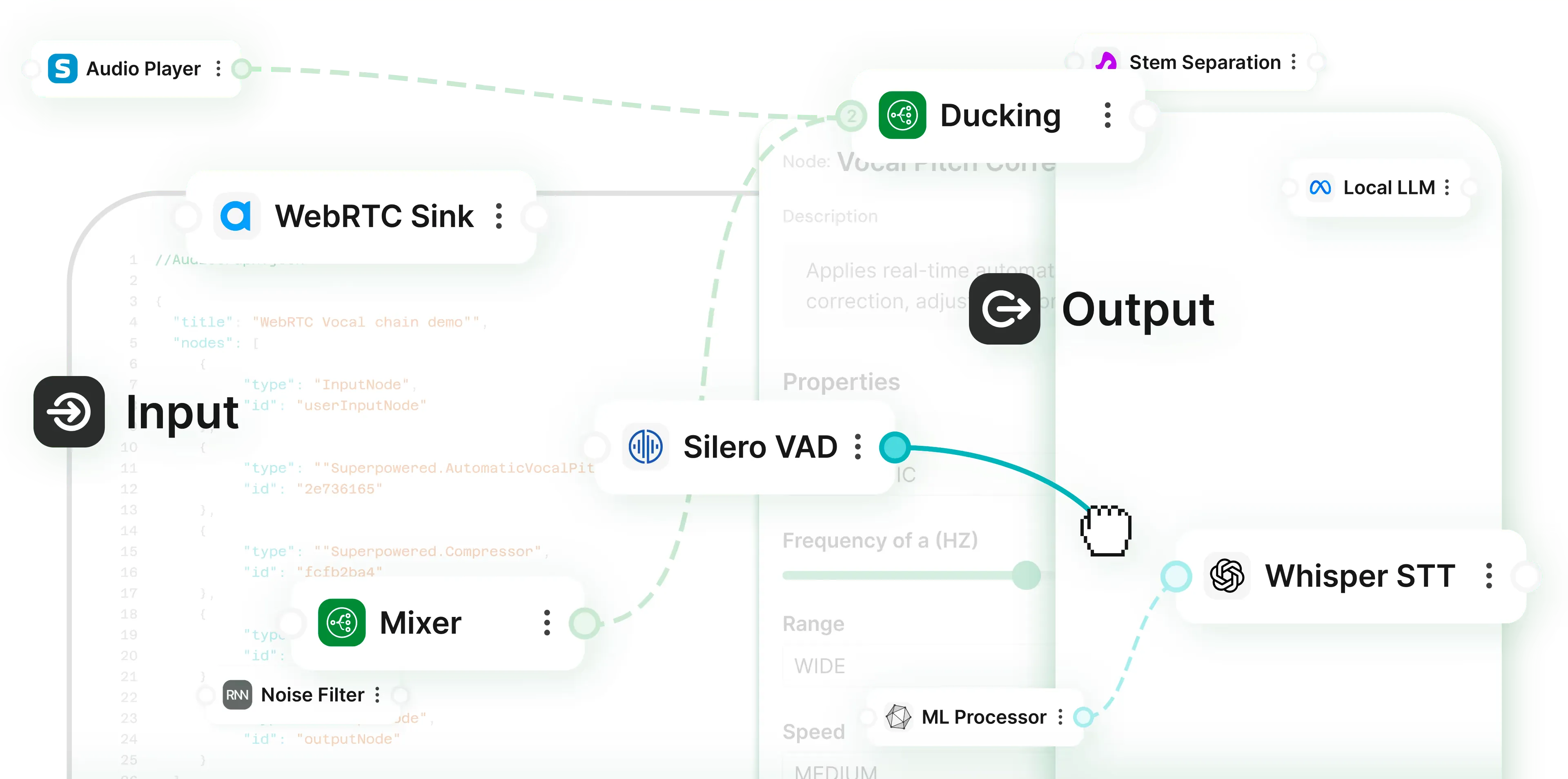
###### WE WORK WITH
* 
* 
* 
* 
* 
* 
* 
* 
Whether you're building for physical devices or apps (mobile, web, and desktop), Switchboard has tools to save time. Our platform is organized into two complementary products.
### *For developers who need to deploy real-time audio engines without the headaches*
Built on a C++ core with simple higher-level language and OS bindings, it delivers high performance and cross-platform capabilities. Open source example apps are easily remixed for many use cases involving voice, audio, AI, and real time interactivity.
### *A no-code editor for new product and feature design, prototyping, and experimentation.*
It allows you to connect all the latest voice and audio tools (both open source and proprietary) into unique combinations and instantly test them in the browser. These can subsequently be deployed on any platform using the Switchboard SDK.
### Switchboard serves a broad range of builders.
* The **SDK **is primarily for software developers.
* The **Editor **supports both engineers and non-engineers. It is typically used for designing and experimenting with new features or products, and its graphs can be deployed to any platform through the Switchboard SDK.
Note: The Editor is built on the SDK. Watching a few videos illustrating the Editor's capabilities can also help developers to understand how the SDK works.

The Editor and SDK form a unified platform: design visually, deploy with a production-ready engine.
Bring stakeholders together across development stages and speed up innovation cycles. Unify R\&D, product, and engineering teams.
The SDK is open-access with a free tier. See [Pricing](/pricing).
The Editor is currently in limited preview. [Here's why](/hub/introducing-switchboard-editor).
| | SDK | Editor\* |
| ------------------------------------------------------------------------------------------------------------------------------------------------------- | ----------------------- | ------------------------ |
| Useful for software developers. | ### ✓ | ### ✓ |
| Useful for non-software developers including product managers, innovation leaders, skunkworks teams, hobbyists. | ### – | ### ✓ |
| Useful for R\&D teams (bring your own nodes / algorithms / models to SDK, test them using the Editor). | ### ✓ | ### ✓ |
| Functional, open source example applications for iOS, Android, Mac, Windows, Linux, Web (for reference implementations, or to remix / build on top of). | ### ✓ | ### – |
| Drag-and-drop node based editor for quick prototyping and testing in-browser. | ### – | ### ✓ |
| Pre-built audio graph templates that you can test in browser, then deploy to multiple platforms. | ### – | ### ✓ |
| Integration support available. | ### ✓ | ### ✓ |
| Cost. | See [Pricing](/pricing) | [Get in touch](/contact) |
*\*Switchboard Editor is currently in closed beta.*
[Explore SDK](/sdk)
[Explore Editor](/editor)
### Let’s talk
For questions, help, or if you’re interested in partnership.
[Get in touch](https://docs.switchboard.audio/)
[](https://docs.switchboard.audio/)
---
# Licensing
> Access Switchboard's flexible licensing for SDK integration. Find clear, transparent pricing and commercial terms for audio graph technology in your product.
Synervoz Communications Inc. \
5th Floor, 100 University Avenue \
Toronto, ON M5J 1V6
[*licensing@synervoz.com*](mailto:licensing@synervoz.com) \
+1 (437) 562-8482
This license can be found at [*https://switchboard.audio/licensing/*](https://switchboard.audio/licensing/)
***SWITCHBOARD SDK MASTER LICENSE AGREEMENT***
**Effective Date: May 27, 2023**\
**Updated: January 26, 2026**
**INTRODUCTION**
Synervoz Communications Inc. develops and markets the Switchboard SDK. A list of its features is available at: [*https://docs.switchboard.audio/*](https://docs.switchboard.audio/)
To make use of the Switchboard SDK, the following license types are available:
1\. Free Prototyping License to the Switchboard SDK, the **“Prototyping License**”
2\. Commercial Licenses to the Switchboard SDK, “**Commercial Licenses**”
3\. Example Code License, “**Example Code License**”.
Note that the marketing names for each license may differ. For example, on the Switchboard Pricing page ([*https://switchboard.audio/pricing/*](https://switchboard.audio/pricing/)), as of November 26, 2025, the “Free” pricing tier aligns with the Prototyping License. The “Growth” and “Custom” tiers align with Commercial Licenses. The Example Code License applies to example apps and other items as noted below.
**BACKGROUND**
The Prototyping License is meant to be used to build and test new applications, or to test new feature ideas for existing applications (collectively, “New Projects”). Commercial Licenses are required when New Projects no longer meet the limitations set out in the Free Prototyping License.
No support or guarantees are included with the Prototyping License. Support, customization, and other requests are offered as part of Synervoz’s consulting services business, as well as through our Commercial Licenses.
Commercial Licenses are required when one or more limitations of the Free Prototyping License is exceeded. Commercial Licenses can be customized according to the customer’s use case and business model and generally require you to get in touch. The Prototyping License limitations are designed to allow for experimentation, evaluation, and to help with decision making. The limitations are not designed to allow for use of the Switchboard SDK in commercial products at scale.
Synervoz makes available certain example code and sample apps to illustrate how the Switchboard SDK can be used in different types of projects. Unless otherwise noted, open source license files are provided with these example projects. These are distinct from licenses to the Switchboard SDK, which are governed by this Master License Agreement. If you use any example code or sample apps provided by Synervoz, you need to read these license files as well.
Furthermore, the Switchboard SDK contains Extensions which may include third-party SDKs, software and services that have their own licensing requirements. In these cases, you will find the licensing information in the download package for each such Extension. Synervoz makes no representation as to the licensing requirements for any third-party Extensions. It is your responsibility to review these requirements yourself. Certain Extensions or aspects of the Switchboard SDK may depend on third-party open source software components (“OSS Components”) licensed under their own licenses, as identified in the documentation and/or a Licenses.txt file included with the distribution. Licensee’s use of each OSS Component is subject to the applicable license for that component, and those terms will control in any conflict with this Agreement. Synervoz disclaims all warranties and liabilities with respect to OSS Components as stated in their licenses.
Developers are free to experiment with the Switchboard SDK and to understand its capabilities and limitations prior to reaching out to Synervoz to discuss a Commercial License. When you’ve determined that the Switchboard SDK could be a good fit for your project and you are ready to discuss a Commercial License, please contact:
[*licensing@synervoz.com*](mailto:licensing@synervoz.com)
Unauthorized and/or unlicensed usage of the Switchboard SDK or any other Synervoz technologies may result in interruption of service without notice. Synervoz is not required to provide notice of service interruption.
**Note that certain aspects of this SDK and/or implementations built with it may be covered by one or more patents including without limitation U.S. Patent No. **[***US11150866B2***](https://patents.google.com/patent/US11150866B2/en?q=\(Synervoz\)\&oq=Synervoz)** and***** ***[***US9462115B***](https://patents.google.com/patent/US9462115B2/en?oq=US9462115B2)**.**
**LICENSE DETAILS AND DESCRIPTIONS**
**Prototyping License:**
The Prototyping License is a free license to use the Switchboard SDK for experimentation and R\&D purposes. It allows for public release and testing, including on the iOS App Store or Google Play Store, however, it is limited as follows (“**Limitations**”):
* Limited to a maximum of 20,000 Activations as determined by Synervoz’s analytics. This is **cumulative**, not monthly. An activation record is stored each time the SDK is initialised in an application. The SDK makes a request to our api server to record the event. Synervoz reserves the right to change how activations are defined and measured. If you are uncertain whether your usage will exceed this limit, you must contact Synervoz promptly.
* Synervoz may extend, at its discretion, the free tier beyond the 20,000 Activation limit. For example, it might offer free use of the SDK up to 10,000 Monthly Active Users (MAUs). Synervoz may further, at its sole discretion, allow users to self-report MAUs or any other metric that may be used as an alternative limit. But Synervoz reserves the right to contact the user to discuss how they are measuring usage, as well as to deny their self-reported metrics, imposing the stricter limit of 20,000 cumulative Activations.
* Synervoz may use your company name and logo on its website and in marketing materials to identify you as a customer.
* Synervoz may further request that you provide attribution in the application or on your website such as “powered by Switchboard”. This is not required by default, but we reserve this right if you are using the free Prototyping License.
* The Prototyping license is not to be used for products or installations in public venues such as a bar, theater, or conference hall.
* The Prototyping license cannot be used for embedded devices
Once an app breaches any of the Limitations, a Commercial License is required. Synervoz reserves the right to disable usage and the Switchboard SDK may trigger this automatically.
**Commercial Licenses**
Commercial Licenses currently require licensing fees to be negotiated with Synervoz. You must get in touch with Synervoz via [*licensing@synervoz.com*](mailto:licensing@synervoz.com) if you no longer meet the Limitations of the Prototyping License.
Synervoz may, from time to time, include fixed pricing tiers on its marketing website for the SDK (e.g. [*https://switchboard.audio/*](https://switchboard.audio/) or ([*https://switchboard.audio/pricing/*](https://switchboard.audio/pricing/)). Such pricing tiers may be tied to an agreement that removes certain limitations or increases the usage limits beyond those offered as part of the free tier (i.e. the Prototyping License). Paid plans will be considered to incorporate Commercial Licenses. If the terms of those paid plans appear to conflict with this Agreement, or are otherwise unclear, it is your responsibility to contact [*licensing@synervoz.com*](mailto:licensing@synervoz.com) to resolve any discrepancies.
**Example Code License**
Synervoz makes available certain example code and sample apps to illustrate how the Switchboard SDK can be used in different types of projects. Unless otherwise noted, license files are provided with these example projects. These are distinct from licenses to the Switchboard SDK, which are governed by this Master License Agreement. If you use any example code or sample apps provided by Synervoz, you need to read these license files as well.
If you are using one of our example apps that contains the Switchboard SDK, you are also bound to this SWITCHBOARD SDK MASTER LICENSE AGREEMENT.
**WHAT IF I HAVE MORE THAN ONE APPLICATION**?
You must have a license for each Application (as defined below), regardless of how you subdivide or commercialize your technology. Each distributed application must have its own license.
**PREAMBLE**
Before downloading or using the Switchboard SDKs, you are required to read, understand and agree to these terms. (Capitalized terms not immediately defined are located in Section 10 below.)
This SWITCHBOARD SDK MASTER LICENSE AGREEMENT (this "Agreement") is a legal agreement between you individually if you are agreeing to it in your own capacity, or if you are authorized to acquire the Switchboard SDK on behalf of your company or organization, between the entity for whose benefit you act ("You" or "Licensee") and Synervoz Communications Inc. ("Synervoz").
By downloading, installing, activating or using the Switchboard SDK, you are agreeing to be bound by the terms of this Agreement. If you have any questions or concerns about the terms of this Agreement, please contact us at:
[*licensing@synervoz.com*](mailto:licensing@synervoz.com)
If you decide you are unwilling to agree to the terms of this Agreement, you have no right to use
the Switchboard SDK, or any Synervoz intellectual property rights (including patents), except as expressly licensed herein, and you furthermore acknowledge you have no expectation of uninterrupted ongoing service and access to any Synervoz technology.
The most current version of the SWITCHBOARD SDK MASTER LICENSE AGREEMENT will be posted at:
https\://switchboard.audio/licensing
If the Current Version has a more recent effective date than this document, then this document is replaced by the Current Version and by downloading, installing, activating or using the Switchboard SDK in any capacity, you are agreeing to be bound by the Current Version. You may not use an old version of the Switchboard SDK if you have not agreed to the Current Version.
**Your continued use of any version of the Switchboard SDK constitutes your agreement to the then-current version of the SWITCHBOARD SDK MASTER LICENSE AGREEMENT, regardless of when or from where you obtained the SDK.**
**STANDARD TERMS AND CONDITIONS**
1.1 License Grant.
(a) In accordance with the terms herein, Synervoz grants to Licensee a limited,
non-exclusive, non- transferable, non-sublicensable license to install and use a reasonable
number of copies of the applicable Switchboard SDK to be used for an Application solely in the manner described in the documentation contained in the Switchboard SDK, if any.
(b) Licensee may distribute Applications provided that, except as expressly permitted herein,
Licensee does not directly or indirectly market, rent, distribute, transfer, license, sublicense,
sell, or furnish to any third party all or any part of, the Switchboard SDK or copies of any part thereof including in conjunction with or as part of Applications. For greater clarity the rights granted hereunder are solely with respect to Licensee’s use of the Switchboard SDK and in no event shall there be an implied license under any Synervoz intellectual property rights. Licensee may not copy the Switchboard SDK or any portion thereof except as expressly permitted herein. For the purposes of this provision “copy” shall not include copying of statements and instructions of the Switchboard SDK or any portion thereof that naturally occurs during normal program execution when used in accordance with and for the purposes described in the documentation or in the course of making unmodified copies of the Switchboard SDK or documentation as part of the regular back-up of the Switchboard SDK in accordance with standard industry business practices. Notwithstanding the foregoing, if Synervoz has terminated any license granted to Licensee for the Switchboard SDK, no right to use the Switchboard SDK is granted to Licensee hereunder.
(c) To the extent that Distributable Source Code is provided as part of the Switchboard SDK,
Licensee may use, modify and compile the Distributable Source Code solely for the purposes of developing Licensee’s Applications. Notwithstanding the foregoing, Licensee may not modify any header files included in the Switchboard SDK.
(d) Licensee must require users of Licensee’s Applications, in the license terms applicable to
Licensee’s Applications, to agree not to Reverse Engineer Licensee’s Applications (including the
Switchboard SDK), except to the extent that Licensee is expressly precluded by law from imposing such restriction.
(e) Notwithstanding anything contained herein to the contrary, Licensee may not combine, distribute, or otherwise use the Switchboard SDK with any code or other content which is covered by a license that would directly or indirectly require that all or part of the Switchboard SDK be governed under any terms other than those of this Agreement.
(f) Synervoz requires use of a license key for use of the Switchboard SDK, which use shall be determined by Synervoz in its sole discretion. Licensee agrees to download and validate such license key in order to use the Switchboard SDK and provide accurate and complete information as requested by Synervoz. In the event a license key is required for the Switchboard SDK, you may not continue to use the Switchboard SDK even if it is a prior version (including a version that did not require a license key) unless you receive written permissions from Synervoz. You acknowledge any or all Switchboard SDKs may require use of a licensee key and the applicable Switchboard SDK may not work without such license key. Synervoz does not track personally identifiable information ("PII") but does monitor usage for unauthorized or illegal usage. Synervoz makes no representation that it will be able to detect nor does it covenant to inform you if it discovers misuse of PII.
(g) Patent License (Prototyping). For so long as you comply with this Prototyping License, Synervoz grants you a limited, worldwide, non-exclusive, non-transferable, royalty-free license under Synervoz’s patent claims for (i) your use of the sample applications and example code included with the SDK, and (ii) your development and distribution of prototype Applications in accordance with the SDK documentation that infringe Synervoz’s patent claims. This license ends automatically if you exceed the Prototyping License limitations or fail to obtain a Commercial License. No other patent rights are granted, whether by implication, estoppel, or otherwise. This license automatically terminates if Licensee, or any entity controlling, controlled by, or under common control with Licensee, asserts a patent claim against Synervoz, the Switchboard SDK, or any Synervoz customer or user based on their use of the Switchboard SDK.
2.1 Open Source. The Switchboard SDK may be embedded into open-source, source-code and/or source-code repo, provided such use in compliance with the terms of this Agreement.
(a) Licensee acknowledges that if the Switchboard SDK is used in this manner, the
following limitations apply: (i) Synervoz and its Switchboard SDK must be mentioned in the README, and (ii) a copy of this Agreement must be included.
2.2 Use. Licensee is responsible for all activities with respect to the Switchboard SDK
undertaken by Licensee and Licensee’s Authorized Users and will ensure that:
(a) the Switchboard SDK and Application(s) will be used in accordance with this Agreement, all applicable laws and regulations, and the documentation provided by Synervoz;
(b) the Switchboard SDK (or components thereof) will not be sublicensed or incorporated into any other platform or SDK or API or embedded device, without written permission and license from Synervoz;
(c) Licensee has the right and authority to enter into this Agreement, either on Licensee’s own behalf or on behalf of a company or other entity, and Licensee, if an individual, is over the age of majority;
(d) Licensee and Licensee’s Authorized Users will not knowingly develop or distribute Applications or make any products, services or content available through Licensee’s Applications, the use of which in isolation or with any other software, system, network, or data would contain functionality that could be used for inappropriate or improper purposes or interfere with the proper operation of, degrade, cause damage to or adversely affect any software, hardware, services, system, network or data used by any person including Synervoz, or otherwise have a detrimental effect upon Synervoz, or any of its customers or products or services, and Licensee will immediately cease any such activity;
(e) Licensee and Licensee’s Authorized Users will not use the Switchboard SDK to develop any
Applications or make any products, services or content, which are intended to be used to commit or would be used predominantly to commit any crime or other illegal or tortious acts and without limiting the foregoing, Applications will not contain or link to any content, or perform any function, that is illegal (e.g. against any criminal, civil or statutory law or regulation), any libel or defamation, obscene, objectionable, harassing, hateful, profane, indecent, offensive, breach of privacy, infringement or misappropriation of any intellectual property rights and/or other proprietary rights of any party (including, without limitation, unlawfully circumventing any digital rights management protections);
(f) Applications and any products, services or content made available through Licensee’s Applications will not contain any: (i) virus, Trojan horse, worm, backdoor, shutdown mechanism, malicious code, sniffer, bot, drop dead mechanism, or spyware; or (ii) any other software, code, or program that is likely to or is intended to: (A) have an adverse impact on the performance of, (B) disable, corrupt, or cause damage to, or (C) cause or facilitate unauthorized access to or deny authorized access to, or cause to be used for any unauthorized or inappropriate purposes, any software, hardware, network, services, systems, or data;
(g) Licensee will not develop or distribute any Application or make available any products, services or content available through any Application that infringes any Synervoz, affiliate or third party copyrights, trademarks, industrial design rights, rights of privacy and publicity, trade secrets, patents, or other proprietary or legal rights;
(h) Applications that offer or are used in conjunction with location based services or functionality will obtain consent before Licensee collects, transmits, processes, displays, discloses, maintains, or uses location data in any manner whatsoever, and notwithstanding the generality of the foregoing Licensee shall comply with applicable privacy and data protection legislation in respect of such information; and
(i) Licensee will ensure that the Applications and all development work directly or indirectly related to the Switchboard SDK shall be performed and provided in a professional and highly competent manner, to the best and full limit of Licensee’s (and its Authorized User’s) abilities and in accordance with the highest standards in the Licensee’s industry.
2.3 Export Restrictions. Licensee acknowledges that the Switchboard SDK may include software that may be subject to export, import, and/or use controls by governmental authorities by way of law or regulation. Licensee agrees that the Switchboard SDK will not be exported, imported, used, transferred, or re-exported except in compliance with the laws and regulations of the national and/or other government authorities with authority over the country(ies) and/or territory(ies) from which the Switchboard SDK is being exported or to which the Switchboard SDK is being imported. Notwithstanding any agreement with a third-party or any provision of law, regulation or policy, if Licensee is any agency of the government of the United States of America, then Licensee’s rights in respect of the Switchboard SDK shall not exceed the rights provided under this Agreement, unless expressly agreed upon by Synervoz in a separate written agreement.
3.1 Compensation.
(a) Available Licenses; Marketing and Fees; Press Release.
(i)** Prototyping License Requirements:** There is no fee for the use of the Switchboard SDK, if and only if, Licensee’s use of the Switchboard SDK is in a Software Application that has fewer than 20,000 Activations and meets all other Limitations.
For the purpose of determining the number of Activations of any Application, the aggregate number of Activations across target operating systems/platforms shall be used.
For example, if “Your App” has 20,000 Activations on iOS and 2,000 Activations on Android, then Your App shall have 22,000 Activations for purposes of this Agreement.
Synervoz may cancel or modify the Prototyping License for the Switchboard SDK set forth in this section at any time with or without notice.
However, the Switchboard SDK is not open-source and the Licensee is still subject to all of the terms as set forth on the first page of this Agreement. Furthermore, Synervoz may make qualification determinations of the Prototyping License requirements in its sole discretion.
(ii) **Commercial Licenses:** If Licensee is using the Switchboard SDK in an application or combination of applications with more than 20,000 Activations (including all versions of the Software Application) or otherwise does not qualify for the Prototyping License pursuant to Section 3.1(a)(i) above, prior to use of the Switchboard SDK the Licensee must purchase a Commercial License from Synervoz by contacting:
[*licensing@synervoz.com*](mailto:licensing@synervoz.com)
A Commercial License needs to be agreed and paid prior to being valid.
Licensee acknowledges that distribution of an Application or other technology using the Switchboard SDK with more than 20,000 Activations or otherwise not complying with the Limitations without a fully paid up Commercial License renders any licenses granted by Synervoz hereunder void and invalid. Licensee acknowledges it has no expectation of uninterrupted ongoing service and access to Synervoz technology (including without limitation the Switchboard SDK) if such licenses granted by Synervoz hereunder are void and invalid, with or without notice, due to Licensee’s failure to comply with the terms of this Agreement.
(iii) **Example Code License: **Synervoz makes available certain example code and sample apps to illustrate how the Switchboard SDK can be used in different types of projects. Unless otherwise noted, license files are provided with these example projects. These are distinct from licenses to the Switchboard SDK, which are governed by this Master License Agreement. If you use any example code or sample apps provided by Synervoz, you need to read these license files as well.
If you are using one of our example apps that contains the Switchboard SDK, you are also bound to this SWITCHBOARD SDK MASTER LICENSE AGREEMENT.
(b) Attribution. Licensee will comply with Section 5.2 to the exclusive approval of Synervoz.
Synervoz may use Licensee’s and/or its Application’s name and logo for external marketing, such as on its website and press releases.
(c) Support (paid subscription). The Prototyping License does not include support. Synervoz has no obligation to provide assistance, responses, troubleshooting, or services unless Licensee has an active paid subscription or a Commercial License (per the terms of any such Commercial License).
Synervoz may offer a paid subscription on its website for the term and price stated thereon to Licensees without a Commercial License. Support under any such paid subscription includes commercially reasonable efforts email support provided at Synervoz’s discretion and is not expected to exceed one (1) hour per month per licensee in the aggregate or as stated when you purchase support or as otherwise stated in writing with Synervoz. Any unused support time purchased does not carry over between months, and Synervoz has no obligation to provide support in excess of the purchased time. Synervoz makes no guarantees regarding response times or outcomes. Support fees are non-refundable. Support is provided only during an active, paid subscription term and shall automatically terminate upon expiration or non-payment.
Support does not include custom software development or implementation services unless expressly agreed in writing by Synervoz. Support does not relieve Licensee of responsibility for testing, validation, or determining the suitability of the Switchboard SDK for any use case or production environment.
Any technologies, documentation, application programming interfaces, code, or other materials created or provided by Synervoz in connection with such support shall be deemed part of the Switchboard SDK and governed exclusively by this Agreement. Licensee shall have no rights therein except as expressly granted under this Agreement.
4.1 Intellectual Property.
(a) This Agreement does not transfer or assign to Licensee, any intellectual property right including any patent, design, industrial design, trademark, service mark, copyright or rights in any confidential information or trade secrets, in or related to the Switchboard SDK or any part hereof. The Switchboard SDK and all copies thereof remain the property of Synervoz and are only licensed under this Agreement. Licensee acknowledges that there are no implied licenses granted under this Agreement, and all rights, save for those license rights expressly granted to Licensee hereunder, shall remain with Synervoz. Licensee agrees that nothing in this Agreement shall adversely affect any rights and recourse to remedies, including without limitation, injunctive relief that Synervoz may have under any applicable laws relating to the protection of Synevoz’s intellectual property or other rights.
(b) Any feedback or suggestions provided to Synervoz by Licensee relating to the Switchboard SDK, shall be owned by Synervoz and Licensee hereby assigns to Synervoz all such feedback and suggestions.
5.1 Confidentiality. Other than as incorporated in the Applications’ documentation, Licensee shall not sell, transfer, publish, disclose, display or otherwise make available the Switchboard SDK or copies thereof to others. Licensee shall use reasonable efforts to secure and protect the Switchboard SDK, documentation and copies thereof and to take appropriate action by instruction or agreement with its Authorized Users.
5.2 Synervoz Attribution for Use of Switchboard SDK with Prototyping License. To maintain continued service of the Switchboard SDK under a Prototyping License, Licensee agrees to place the following notices in the credits for any Software Application.
“\[Software Application] uses the Switchboard SDK by Synervoz (Synervoz.com)
5.3 Marketing. Licensee agrees that Synervoz may refer to Licensee by trade name and trademark, and may briefly describe Licensee’s use of the Switchboard SDK in marketing and on its website.
6.1 Warranty. Except as expressly set forth in this agreement, the Switchboard SDK is provided “As Is” without warranty of any kind. Except to the extent required by applicable law, Synervoz disclaims all warranties, whether express, implied or statutory, regarding the Switchboard SDK, including without limitation any and all implied warranties of merchantability, accuracy, results of use, reliability, fitness for a particular purpose, title, interference with quiet enjoyment, and non-infringement of third-party rights. Further, Synervoz disclaims any warranty that Licensee’s use of the Switchboard SDK will be uninterrupted or error free.
6.2 Exclusion of Liability. In no event shall Synervoz be liable for any damages whatsoever directly or indirectly arising out of or related to this agreement or in connection with the transactions contemplated by this agreement or any products, services or content made available through Licensee’s applications, whether or not such damages could reasonably be foreseen or their likelihood has been disclosed to Synervoz. In no event shall any officer, director, employee, agent, supplier, independent contractor, or any merchants of record of Synervoz or any Synervoz affiliate have any liability arising from or related to this agreement.
6.3 Limitation of Liability. In no event shall Synervoz be liable for any damages that exceed, in the aggregate for all claims arising from or related to this Agreement, the sum of any amounts Licensee has paid Synervoz for the Switchboard SDK from which such claim arose.
6.4 Exceptions. Some jurisdictions do not allow limitations or exclusions of certain types of damages and/or warranties and conditions. The limitations, exclusions and disclaimers set forth in this Agreement shall not apply if and only if and to the extent that the laws of a competent jurisdiction require liabilities beyond and despite these limitations, exclusions and disclaimers.
7.1 Indemnification by Licensee. Licensee shall indemnify, hold harmless, and if requested by Synervoz, defend Synervoz, Synervoz’s affiliates, agents and their respective successors, assigns, directors, officers, employees and independent contractors (each a “Synervoz Indemnified Party”) from any claims, costs, damages, losses, settlement fees, and expenses (including without limitation attorney fees and disbursements) incurred directly or indirectly by a Synervoz Indemnified Party as a result of Licensee’s or Licensee’s Authorized Users’ breach of this Agreement and/or as a result of any third party claim, proceeding, suit, judgment, settlement, or cause of action (“Claim”): (a) alleging the infringement, violation or misappropriation of any intellectual property right including a patent, design, industrial design, copyright, trade secret or trademark or other proprietary right by: (a) Licensee’s Application(s) or the use thereof, or the combination of Licensee’s Application(s) with the Switchboard SDK or any other portion thereof with any hardware, software, or system, or service; or (b) otherwise related to or arising from Licensee or Licensee’s Authorized Users’ use of the Switchboard SDK (except for any third party claim based solely on Synervoz technology included in the Switchboard SDK) or any use or distribution of Licensee’s Applications (including Licensee’s development of Applications).
8.1 Term. This Agreement shall be effective upon Licensee’s agreement to be bound by the terms of this Agreement, (as manifested by the conduct described in the first paragraph above) and shall end upon termination of this Agreement in accordance with the provisions set out herein, or in the case of a Commercial License, upon the end of the agreed-to license term for such Commercial License, as applicable.
Upon the termination of this Agreement, or applicable license term,the license shall immediately terminate and Licensee shall promptly stop all use of the Switchboard SDK and delete all such copies.
8.2 Termination. Licensee may terminate this Agreement at will and without notice for any reason whatsoever.
(a) If Licensee or any Authorized User breaches any provision of this Agreement, Synervoz may terminate this Agreement and the license granted hereunder. Licensee will be deemed to be in breach of this Agreement if: (1) Licensee fails to comply with or perform a term or condition herein; or (2) Licensee or any Authorized User interferes with Synervoz’s customer service or business operations; or (3) Licensee materially breaches any other agreement that Licensee may have with Synervoz. Synervoz may terminate at any time for convenience, and shall provide a pro rata refund for amounts paid for unused periods, and only in this circumstance. No remedy herein conferred upon Synervoz is intended to be, nor shall it be construed to be, exclusive of any other remedy provided herein or as allowed by law or in equity, but all such remedies shall be cumulative. In the event of the termination of this Agreement pursuant to this Section 8.2 for cause, Licensee shall pay to Synervoz all attorney fees, collection fees, and related expenses, expended or incurred by Synervoz in the enforcement of any right or privilege hereunder.
(b) Section 3 (to the extent any amounts are owed to Synervoz), 4, 5, 6, 7, 8, and 9 hereof
shall survive any termination of this Agreement.
(c) Any patent license rights granted herein terminate automatically upon termination of this Agreement.
9.1 Amendment/Modification. This Agreement is the complete and exclusive statement of the agreement between the parties, which supersedes and merges all prior proposals, understandings and all other agreements, oral and written, between the parties relating to this Agreement. This Agreement can be modified or amended upon the mutual written consent of both the parties.
9.2 Non-Circumvention. The parties of this Agreement acknowledge that no effort shall be made to circumvent its terms in an attempt to gain fees, remunerations, or considerations to the benefit of any of the parties of this Agreement, while excluding equal or agreed to benefits to any of the other parties.
9.3 Governing Law. This Agreement and performance hereunder shall be governed by the laws of the the province of Ontario, Canada. The parties agree that any litigation arising out of or related to this Agreement must be brought in a court located in Ontario, Canada, as the exclusive and mandatory venue and jurisdiction for any litigation arising out of or related to this Agreement.
9.4 Class Action Waiver. Licensee agrees not to bring or participate in a class or representative action, private attorney general action, or collective arbitration related to the Switchboard SDK or this Agreement.
9.5 Severability. If any provision of this Agreement is invalid under any applicable statute or rule of law, it is to that extent to be deemed omitted.
9.6 Assignment. The Licensee may not assign or sub- license, without the prior written consent of Synervoz, its rights, duties or obligations under this Agreement to any person or entity, in whole or in part. Synervoz may assign this agreement without the prior written consent of Licensee.
9.7 Attorneys Fees. In the event of dispute between the parties hereto regarding this Agreement, the prevailing party shall be entitled to recover reasonable attorneys fees incurred in connection with the dispute in addition to any other relief to which it may be entitled.
9.8 Waiver. The waiver or failure of Synervoz to exercise in any respect any right provided for herein shall not be deemed a waiver of any further right hereunder.
9.9 Relationship of Parties. The parties are not employees, agents, partners or joint venturers of each other. Neither party shall have the right to enter into any agreement on behalf of the other.
9.10 Headings and Titles. The headings and titles of this Agreement are for convenience only and are not intended to define, limit or construe the contents of the various sections.
10.1 Defined Terms.
(a) “API” means an application programming interface.
(b) “Application” means either an Embedded/Pre- bundled/Pre-Installed/Platform Application or a Software Application.
(c) “Authorized Users” means: (i) any of Licensee’s employees; or (b) any consultants, independent contractors and any other persons Licensee authorizes to use or to whom Licensee otherwise makes available the Switchboard SDK, in each case to use on Licensee’s behalf to develop Applications.
(d) “Distributable Source Code” means certain application templates, code stubs, code snippets, example applications, sample code and code fragments in source code form either included as part of the Switchboard SDK or otherwise provided to Licensee.
(e) “Embedded Application” means any software application or system that may permanently reside in an industrial or consumer device or any other type of technical equipment (e.g., wearable/hardware companies and OEMs), developed (or repackaged) by Licensee and which incorporates the Synervoz SDK. For the use of this license, Embedded Application also means “Pre-Bundled” or “Pre-Installed” or “Platform” software applications.
(f) “Reverse Engineer” includes, without limitation, any act of reverse engineering, translating, disassembling, decompiling, decrypting or deconstructing (including any aspect of “dumping of RAM/ROM or persistent storage”, “cable or wireless link sniffing”, or “black box” reverse engineering) data, software (including interfaces, protocols, and any other data included in or used in conjunction with programs that may or may not technically be considered software code), service, or hardware or any method or process of obtaining or converting any information, data or software from one form into a human-readable form.
(g) “Software Application” means a software application that consumers can install on their personal device (e.g., through an app store or via download), developed (or repackaged) by Licensee and which incorporates the Switchboard SDK.
(h) “SDK” means any programming package (including any APIs, programming tools or documentation) that enables the development of applications for any type of platform, framework or system.
(i) “Switchboard SDK” means any version of an SDK developed by Synervoz, including all respective software (including programs, tools, sample code, templates, libraries, and interfaces), updates, APIs, information, data, files, documentation, and other materials, whether tangible or intangible, in whatever form or medium (including on- line tools), provided to Licensee at any time, either by way of downloading from Synervoz or otherwise provided to Licensee, for any development purposes (unless such materials are provided pursuant to a separate license agreement for such materials by Synervoz and/or its affiliates).
---
# Nodes
> Discover our library of audio nodes: noise reduction, voice changers, STT/TTS, DSP and more.
An extensive collection of audio nodes designed for seamless integration into audio graphs.
With a diverse range of nodes available from Switchboard and its partners, nearly any audio process can be efficiently encapsulated. Each node is crafted to perform a specific function, ensuring versatility and ease of use.
\- Noise reduction\
\- Voice changers\
\- Echo cancellation (AEC)\
\- Gain control (AGC)\
\- Compressor\
\- Voice effects (echo, reverb, etc.)\
\- Voice activity detection (VAD)\
\- Spatial audio features\
\- Speech-to-text (STT)\
\- Text-to-speech (TTS)
\- WebRTC\
\- Cloud RTC services (e.g. LiveKit, Agora, Chime, IVS, Tokbox)\
\- Mixing\
\- Recording\
\- Ducking\
\- VU meter
\- Synchronization\
\- Stem separation\
\- Media players\
\- Music generation\
\- Timbre transfer
\- Compressors\
\- Filters\
\- Media players\
\- Waveform generators\
\- Reverb and echo effects
These help you to integrate your own model and use it as a node.
\- TensorFlow\
\- ONNX\
\- PyTorch\
\- Whisper
All nodes can easily be used in Switchboard, subject to the following terms:
* **Made by us** - included in your Switchboard license
* **Open source** - free to use under the node’s specific license
* **Partner-created** - based on partner pricing and licensing (free and paid options)
Extensions wrap external libraries or source code—both open source and third-party—to be used as nodes in Switchboard.
ⓘ External libraries may offer single features/functions (e.g. RNNoise for noise suppression) or multiple features/functions (e.g. Superpowered, which has many effects as separate nodes). Thus, an extension can provide one or multiple nodes.
**Agora** (VoIP / video call / streaming)\
**Amazon IVS **(Streaming) \
**Amazon Chime** (VoIP / video call)\
**AudioShake** (stem separation)\
**Bose PinPoint** (noise reduction)\
**Dash Radio** (Internet radio)
See more
**Dolby.io** (Cloud calling / VoIP)\
**ExoPlayer** (Media player)\
**Immersitech - ClearVoice** (Noise suppression)\
**ListenNotes** (Podcast)\
**LiveKit** (VoIP / video call / streaming)\
**ONNX** (machine learning - bring your own model)\
**Orastron** (DSP)\
**PicoVoice** (speech-to-text)\
**PyTorch** (ML based, speech recognition, music analysis, sound classification, audio synthesis, voice conversion)\
**RNNoise** (open source noise suppression)\
**RTNeural** (timbre transfer)\
**Sherpa** (speech-to-text—on device)\
**Silero** (VAD, speech-to-text, text-to-speech)\
**SoX** (format converter & effects such as echo, delay, chorus, flanger, overdrive, phaser, reverb, tremolo)\
**SpeexDSP** (acoustic echo cancellation, automatic gain control)\
**Spotify** (music player)\
**Superpowered** (audio player, waveform generator, reverb, filter, compressor, flanger, Echo)\
**Tensorflow** (ML based, speech recognition, audio classification, music generation, speaker diarization, sound event detection, and more)\
**TokBox **(VoIP / video calls)\
**Vivox** (VoIP - massively multiplayer gaming, spatial audio, etc.)\
**Voicemod **(includes voice changers and sound board)\
**WebRTC** (real-time communication)\
**Whisper** (speech-to-text—cloud based)\
**Zplane 4Tune** (karaoke pitch tracking)
Examples include:
\- Compressors\
\- Filters\
\- Format conversion\
\- Resampling\
\- Tone generators\
\- Diagnostics\
\- Recording\
\- Codecs\
\- Logging\
\- Memory allocation\
\- Buffers\
\- Spatial / stereo\
\- OS and I/O handling\
\- Bluetooth handling
Examples include:
\- Voice changer\
\- Speech-to-text\
\- Large language model\
\- Music player\
\- VoIP / RTC services
and many more (including nodes and extensions listed above)
### Real time / async On-device / cloud based
Most of our nodes operate in real-time, but some, especially cloud-based nodes, may have latency or need to be used asynchronously. There is a mix of on-device and cloud-based nodes, with both types capable of being near real-time (e.g., duplex communication or low-latency streaming) or asynchronous (e.g., messaging or file uploads).

Can’t find the node you need? Port your own code or third-party libraries with ease using our template.
[View template ⬈](https://github.com/switchboard-sdk/BYON)
To learn more about how to assemble nodes and Extensions into audio graphs, visit our Docs Portal.
[Go to Docs ⬈](https://docs.switchboard.audio/docs/introduction)
---
# Partner with us
> Our SDK partnership helps you expand your market presence while reaching more developers and platforms. Dream it and build it with Switchboard's SDKs
Got some great audio tech? Let's team up.
[Get in touch](https://synervoz.com/contact)
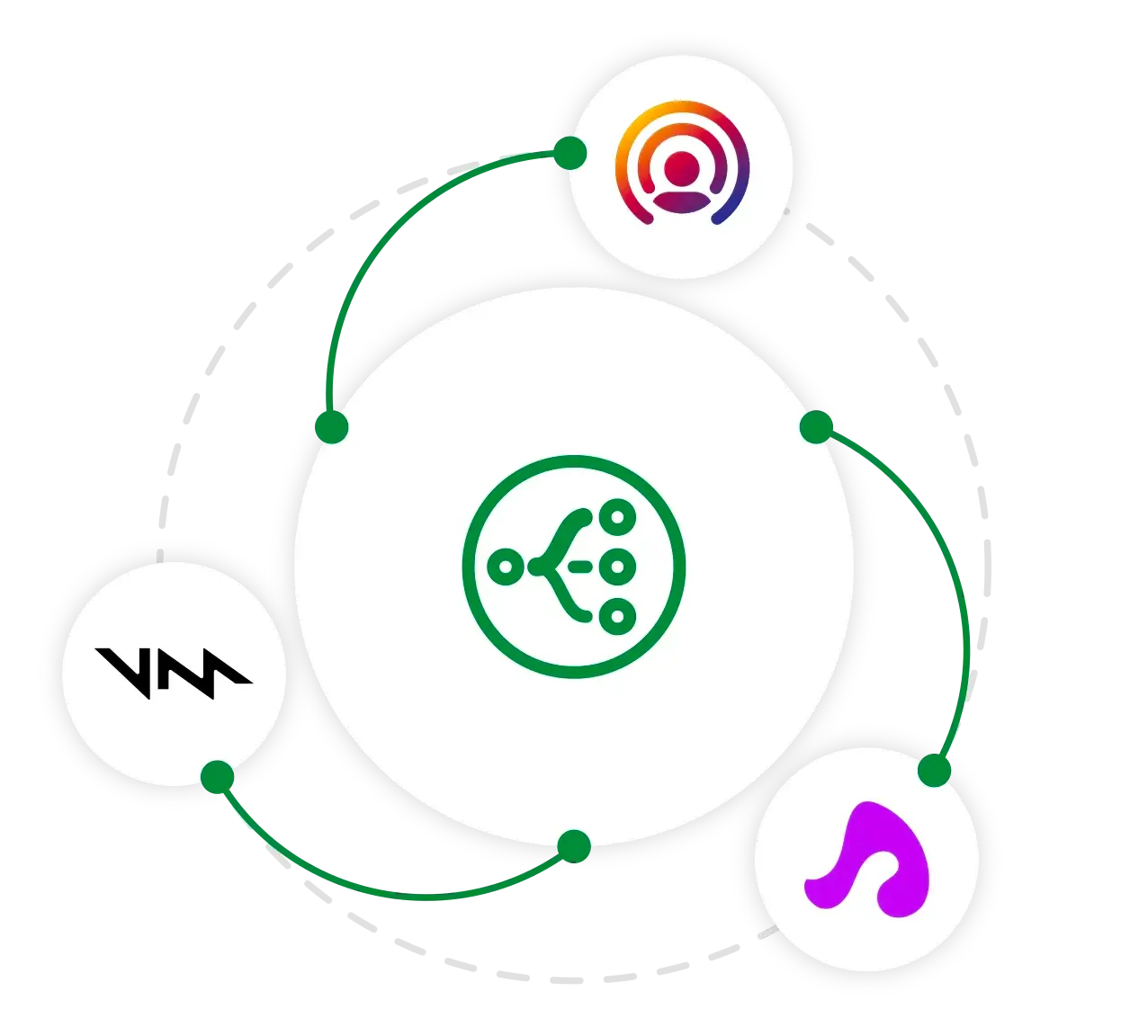
Our SDK partnership helps you expand your market presence, while reaching more developers and platforms.
Use our open source documentation to build your own extension.
We can help you design and develop your extension from scratch or build upon your existing work.
If you have an ONNX model you may use our ONNX extension to help fast tack your work.
### What are the benefits?
Save yourself from having to build an SDK, while bringing your tech to more platforms instantly. This gives you a leg up on the competition.
Switchboard makes it easier for your customers to →
* add additional features they need
* prototype with your tech in the browser
* quickly build cross-platform apps with your tech
* use our sample apps with your tech integrated to save time
### Amazon IVS
See how Amazon IVS and Switchboard work together to power real-time collaboration, interactive streaming, and multi-participant video experiences with minimal setup.
[Learn more](/partners/amazonivs)
[](/partners/amazonivs)
### Voicemod
Voicemod adds real-time voice changing and custom sound effects to your application.
[Learn more](/partners/voicemod)
[](/partners/voicemod)
### LiveKit
An open source WebRTC stack that gives you everything needed to build scalable and realtime video, audio, and data experiences in your applications.
[Learn more](/partners/livekit)
[](/partners/livekit)
### Superpowered
The premier C++ and JavaScript Audio Library that offers real-time latency and cross-platform capabilities, including audio players, audio decoders, effects (Fx), audio input/output, streaming, music analysis, spatialization, mixing, and more.
[Learn more](/partners/superpowered)
[](/partners/superpowered)
### Cartesia
An API that enables developers to build real-time, multimodal AI experiences that feel natural and responsive.
[Learn more](/partners/cartesia)
[](/partners/cartesia)
### Immersitech
AI based noise suppression and immersive spatial audio technology for crafting different online audio environments.
Coming soon.

###### ADDITIONAL PARTNERS
* 
* 
* 
* 
### Interested in a partnership or co‑development?
If you’re looking to collaborate or need help with a similar project, we’d love to connect.
[Partner with us](https://synervoz.com/contact)
[](https://synervoz.com/contact)
---
# Amazon IVS
> Utilize the Switchboard SDK with Amazon IVS to build real-time collaboration, interactive streaming, and multi-participant video experiences.
Partner
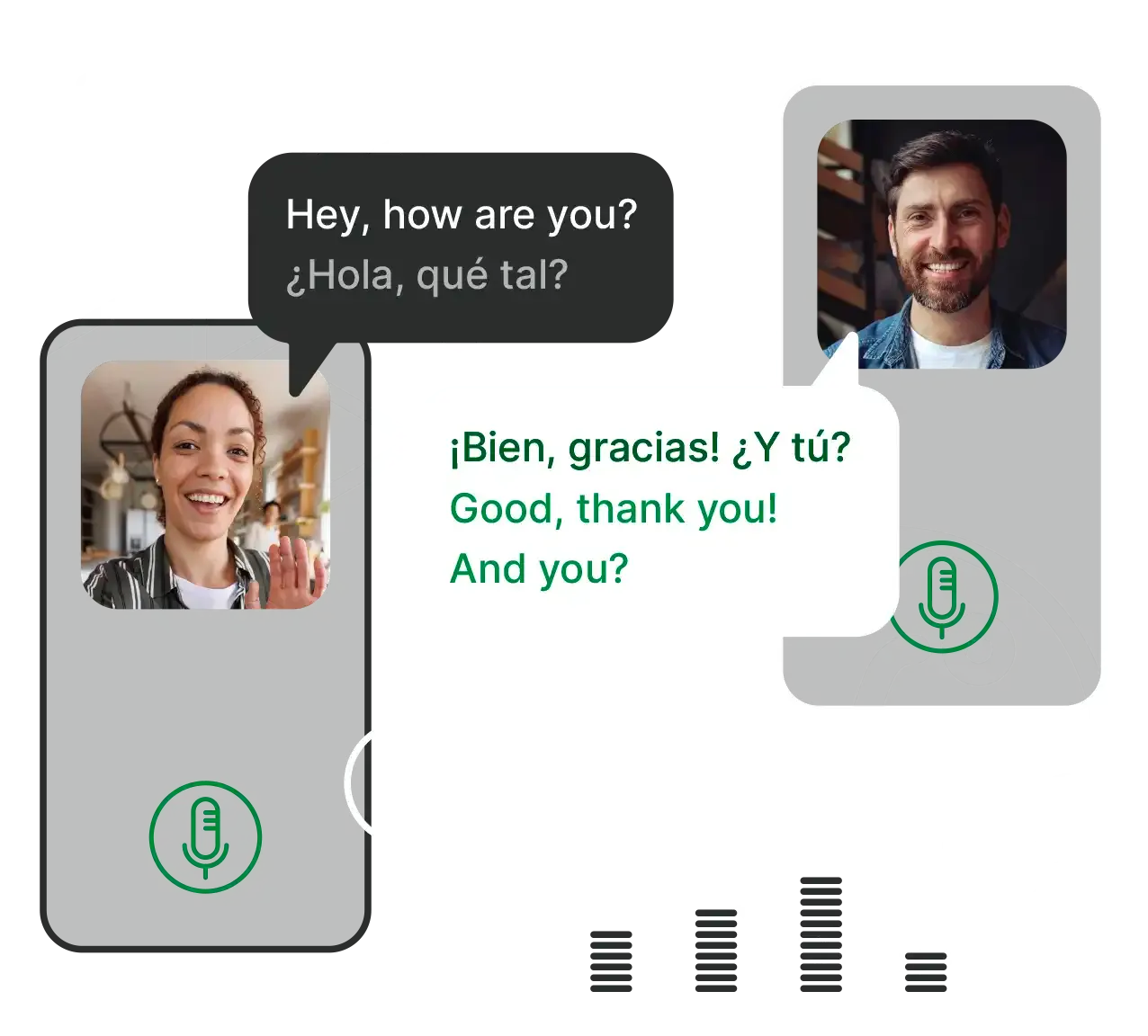
IVS delivers your video and audio streams at scale. Switchboard extends what you can do with those streams using on-device and hybrid audio graphs.
These demos illustrate how you can inject, transform, and mix audio sources to rapidly build interactive use cases with IVS.
[Audio Lab](https://docs.switchboard.audio/ide/apps/ivs/create/)
###### Powered by Switchboard SDK and Amazon IVS.
[Explore IVS extension ↗](https://docs.switchboard.audio/extensions/amazon-ivs/)
### On-device processing
**Add on-device audio processing capabilities to your IVS app.**
Whether you're looking to save on cloud processing costs or enable features that can function offline, Switchboard provides a wide range of on-device audio nodes that work across multiple platforms.
From recording and saving your show to on-device speech-to-text transcription that helps reduce API fees, Switchboard gives you full optionality for on-device and hybrid audio graph construction.

### Control your audio stream
Take full control of the audio stream—whether you’re building on iOS, Android, Mac, Windows, web, or any other platform.
In addition to the vast library of nodes and extensions available for Switchboard, you can easily take control of the audio stream using our [Audio Tap](https://docs.switchboard.audio/tapping-audio/) to route it through external processes as well.
Or, if you want to [bring your own nodes](https://docs.switchboard.audio/extensions/bring-your-own-extension/) to Switchboard, you can do that too.

* Add music, mix it, and remove vocals using stem separation.
* Add voice changers, pitch-shift/auto-tune, lyric transcription, and more.
Explore the Karaoke sample app for inspiration.
Let podcasters and influencers chat with AI guests and stream it live. Users can create AI agents or invite “experts” to join discussions. Prototype and optimize hybrid audio graphs across models, latency, cost, and performance.
Allow streamers to sound like a robot, alien, or just about anything else. Switchboard provides both effects and third-party voice changer integrations that make it easy to add voice-changing options to your stream—online or offline—with tools like **Cartesia**.
You can also apply generated voices to incoming texts or questions from the audience—for anonymity or comedic effect. Switchboard offers options that work both online and offline, with both free and paid integrations including **Eleven Labs**.
Stream or generate music, inject your own sounds, or use soundboards from tools like **Voicemod** or **Eleven Labs**. Switchboard makes it easy to experiment with different audio options and update them on the fly. Its flexible audio graphs let you swap out features or add new ones—without needing to rewrite custom code each time.
Your stream has an audience. What if they could connect with one another over voice and video?
From tools that help synchronize media streams to low-latency, full-duplex VoIP options, Switchboard makes it easy to create unique experiences on the audience side of the stream as well.
### We can help
If you have questions, need a specific integration, or require help with customizations—whether for AI agents, LiveKit, Switchboard, or other needs—our parent company, Synervoz can help.
[Get in touch](https://synervoz.com/contact/)
[](https://synervoz.com/contact/)
---
# Cartesia
> Enhance your audio tech with Switchboard's SDK. Learn how our partnership with Cartesia delivers seamless, real-time multimodal AI voice experiences.
Partner
Text-to-speech, generative voice, and on device models.
In this audio graph you can change your voice to one of Cartesia's many text-to-speech voices, as well as apply a reverb effect. Switchboard also has lots more effects to choose from.
[Audio Lab](https://editor.switchboard.audio/audio-lab/index.html?fullscreen=true\&editable=true\&config=%7B%22title%22%3A%22Cartesia%20TTS%20with%20effects%22%2C%22description%22%3A%22%22%2C%22nodes%22%3A%5B%7B%22id%22%3A%22userInput%22%2C%22type%22%3A%22UserInputSource%22%7D%2C%7B%22id%22%3A%22stt%22%2C%22type%22%3A%22OpenAI.SpeechToText%22%7D%2C%7B%22type%22%3A%22Cartesia.TextToSpeech%22%2C%22id%22%3A%22carTtsNode%22%2C%22config%22%3A%7B%22voice%22%3A%22Sophie%22%2C%22speed%22%3A%220%22%7D%7D%2C%7B%22type%22%3A%22Superpowered.Reverb%22%2C%22id%22%3A%22983cc60f%22%7D%2C%7B%22id%22%3A%22outputNode%22%2C%22type%22%3A%22OutputNode%22%7D%5D%2C%22theme%22%3A%7B%22showOutputPanel%22%3Atrue%2C%22showOpenInEditorButton%22%3Afalse%2C%22showDownloadConfigButton%22%3Afalse%2C%22showGlobalTransportControls%22%3Atrue%2C%22showNodeNamespaces%22%3Atrue%2C%22showNavigationControls%22%3Atrue%2C%22portraitBreakpoint%22%3A600%7D%7D\&editable=true\&hydrate=true)
This graph lets you speak and have the language translated in real time. Cartesia speaks the output in a variety of voices. Select a native French speaking voice to have it sound natural.
[Audio Lab](https://editor.switchboard.audio/audio-lab/index.html?fullscreen=true\&editable=true\&config=%7B%22title%22%3A%22%22%2C%22description%22%3A%22%22%2C%22nodes%22%3A%5B%7B%22id%22%3A%22userInput%22%2C%22type%22%3A%22UserInputSource%22%7D%2C%7B%22type%22%3A%22OpenAI.LanguageTranslator%22%2C%22id%22%3A%22openAiLanguage%22%2C%22config%22%3A%7B%22targetLanguage%22%3A%22french%22%2C%22voice%22%3A%22alloy%22%7D%7D%2C%7B%22type%22%3A%22Cartesia.TextToSpeech%22%2C%22id%22%3A%22carTts%22%2C%22config%22%3A%7B%22voice%22%3A%22Calm%20French%20Woman%22%2C%22speed%22%3A%220%22%7D%7D%2C%7B%22id%22%3A%22outputNode%22%2C%22type%22%3A%22OutputNode%22%7D%5D%2C%22theme%22%3A%7B%22showOutputPanel%22%3Atrue%2C%22showOpenInEditorButton%22%3Afalse%2C%22showDownloadConfigButton%22%3Afalse%2C%22showGlobalTransportControls%22%3Atrue%2C%22showNodeNamespaces%22%3Atrue%2C%22showNavigationControls%22%3Atrue%2C%22portraitBreakpoint%22%3A600%7D%7D\&editable=true\&hydrate=true)
[Learn more about Cartesia](https://www.cartesia.ai/)
### Real-time voice apps
Use Cartesia's low-latency voice generation within Switchboard's robust, flexible audio processing framework for real-time voice applications such as voice assistants, voice and video chat, multiplayer gaming, and more.
Add fun features with different voices, build an anonymous calling or messaging app, or a completely voice-activated user interface.

### Simplified cross platform development
Combine Cartesia’s Voice API or On-Device models with Switchboard's comprehensive audio routing capabilities to streamline the development process and **reduce time-to-market**.
Leverage Switchboard's platform-agnostic framework alongside Cartesia’s multilingual voice capabilities to deliver consistent and engaging voice experiences across all major platforms including iOS, Android, web, desktop, and embedded platforms.
[Try Switchboard Editor →](https://editor.switchboard.audio?config=%7B%22title%22%3A%22Superpowered%20Extension%20Example%22%2C%22nodes%22%3A%5B%7B%22id%22%3A%22SuperpoweredPlayer%22%2C%22type%22%3A%22Superpowered.AdvancedAudioPlayer%22%2C%22uiConfig%22%3A%7B%22tracks%22%3A%5B%7B%22label%22%3A%22Male%20Singing%22%2C%22url%22%3A%22https%3A%2F%2Fswitchboard-sdk-public.s3.amazonaws.com%2Fassets%2Faudio%2Fsinging%2Fmale-singing-mono.wav%22%7D%2C%7B%22label%22%3A%22Female%20Singing%22%2C%22url%22%3A%22https%3A%2F%2Fswitchboard-sdk-public.s3.amazonaws.com%2Fassets%2Faudio%2Fsinging%2Ffemale-singing-mono.wav%22%7D%2C%7B%22label%22%3A%22Stereo%20Voice%22%2C%22url%22%3A%22https%3A%2F%2Fswitchboard-sdk-public.s3.amazonaws.com%2Fassets%2Faudio%2Fspeech%2Fstereo-voice.wav%22%7D%5D%7D%2C%22config%22%3A%7B%22licenseKey%22%3A%22ExampleLicenseKey-WillExpire-OnNextUpdate%22%7D%7D%2C%7B%22id%22%3A%22StageOneFilter%22%2C%22type%22%3A%22Superpowered.Filter%22%2C%22config%22%3A%7B%22licenseKey%22%3A%22ExampleLicenseKey-WillExpire-OnNextUpdate%22%7D%7D%2C%7B%22id%22%3A%22StageTwoCompressor%22%2C%22type%22%3A%22Superpowered.Compressor%22%2C%22config%22%3A%7B%22licenseKey%22%3A%22ExampleLicenseKey-WillExpire-OnNextUpdate%22%7D%7D%2C%7B%22id%22%3A%22StageThreeReverb%22%2C%22type%22%3A%22Superpowered.Reverb%22%2C%22config%22%3A%7B%22licenseKey%22%3A%22ExampleLicenseKey-WillExpire-OnNextUpdate%22%7D%7D%5D%2C%22theme%22%3A%7B%22showGlobalTransportControls%22%3Atrue%7D%7D)
[](https://editor.switchboard.audio?config=%7B%22title%22%3A%22Superpowered%20Extension%20Example%22%2C%22nodes%22%3A%5B%7B%22id%22%3A%22SuperpoweredPlayer%22%2C%22type%22%3A%22Superpowered.AdvancedAudioPlayer%22%2C%22uiConfig%22%3A%7B%22tracks%22%3A%5B%7B%22label%22%3A%22Male%20Singing%22%2C%22url%22%3A%22https%3A%2F%2Fswitchboard-sdk-public.s3.amazonaws.com%2Fassets%2Faudio%2Fsinging%2Fmale-singing-mono.wav%22%7D%2C%7B%22label%22%3A%22Female%20Singing%22%2C%22url%22%3A%22https%3A%2F%2Fswitchboard-sdk-public.s3.amazonaws.com%2Fassets%2Faudio%2Fsinging%2Ffemale-singing-mono.wav%22%7D%2C%7B%22label%22%3A%22Stereo%20Voice%22%2C%22url%22%3A%22https%3A%2F%2Fswitchboard-sdk-public.s3.amazonaws.com%2Fassets%2Faudio%2Fspeech%2Fstereo-voice.wav%22%7D%5D%7D%2C%22config%22%3A%7B%22licenseKey%22%3A%22ExampleLicenseKey-WillExpire-OnNextUpdate%22%7D%7D%2C%7B%22id%22%3A%22StageOneFilter%22%2C%22type%22%3A%22Superpowered.Filter%22%2C%22config%22%3A%7B%22licenseKey%22%3A%22ExampleLicenseKey-WillExpire-OnNextUpdate%22%7D%7D%2C%7B%22id%22%3A%22StageTwoCompressor%22%2C%22type%22%3A%22Superpowered.Compressor%22%2C%22config%22%3A%7B%22licenseKey%22%3A%22ExampleLicenseKey-WillExpire-OnNextUpdate%22%7D%7D%2C%7B%22id%22%3A%22StageThreeReverb%22%2C%22type%22%3A%22Superpowered.Reverb%22%2C%22config%22%3A%7B%22licenseKey%22%3A%22ExampleLicenseKey-WillExpire-OnNextUpdate%22%7D%7D%5D%2C%22theme%22%3A%7B%22showGlobalTransportControls%22%3Atrue%7D%7D)
### Customizable and interactive
Use Switchboard to customize audio flows and signal processing while employing Cartesia to tailor voice outputs (e.g., accents, emotions) for personalized user experiences in apps ranging from social media to customer service.
Combine audio effects, music, and other audio processes for truly interactive applications, enhancing user engagement and enabling unique new use cases.

### We can help
If you have questions, feature requests, a desired integration, customization needs, or require a bespoke solution—our parent company, Synervoz can help.
[Get in touch](https://synervoz.com/contact/)
[](https://synervoz.com/contact/)
---
# LiveKit
> Combine Switchboard's audio graph with LiveKit's WebRTC stack. Add noise suppression, voice effects, and audio processing to real-time communication apps.
Partner
Flexible, extensible real-time AI, audio and video applications.

[Discover LiveKit](https://livekit.io)
### Extensible AI agents
LiveKit provides a killer framework for real-time communication with AI agents in the cloud. Switchboard enhances this by enabling developers to create flexible audio graphs at the edge or in the cloud.
For example, if you're building an app with AI agents in voice or video chats, Switchboard lets you control the agent's voice, personality, offline communication, audio balance with humans, and interactions with music and media, all while simplifying the development and management process.

### Additional features
Thanks to Switchboard’s extensive ***nodes*** library, it’s easy to include complementary features in your LiveKit project, such as noise suppression, voice changers, generated audio content, various speech-to-text and text-to-speech options, and to experiment with other LLMs and audio AI features that enhance LiveKit’s offerings.
[See all nodes](/nodes)
[](/nodes)
### Media integrations
In addition to its AI capabilities, LiveKit is an excellent framework for building virtual collaboration apps. With or without AI, Switchboard makes many use cases easier to build thanks to its media and entertainment related nodes. Music and video players, livestreams, stem separation, and other tools make it easy to build complex workflows. Let LiveKit handle the transportation of audio packets over the internet, while Switchboard makes it easier to route them through custom audio-graphs that can be deployed on-device, on-premises, or in the cloud.

### Flexible and cross platform
Switchboard offers on-device flexibility, enabling easy deployment on any platform, including mobile, desktop, web, and embedded. Leverage performant C++ audio graphs without needing to write C++. Build graphs with flexibility around which components live on-device vs. in the cloud. Rapidly test different nodes, including open-source options and third-party integrations, without rewriting your graph each time.

### We can help
If you have questions, need a specific integration, or require help with customizations—whether for AI agents, LiveKit, Switchboard, or other needs—our parent company, Synervoz can help.
[Get in touch](https://synervoz.com/contact/)
[](https://synervoz.com/contact/)
---
# Superpowered
> Integrate Superpowered's C++ Audio SDK with Switchboard to add powerful, low-latency DSP and audio effects to any cross-platform app.
Partner
A leading low latency C++ audio library.
###### SWITCHBOARD x SUPERPOWERED
Switchboard builds your audio graph and makes it fast and easy to deploy anywhere, alongside other custom features / nodes.
[How nodes work](/how-it-works)
### Audio effects
Combine Superpowered’s extensive audio effects, like reverb, echo, flanger, and more, with Switchboard’s modular audio graph system.

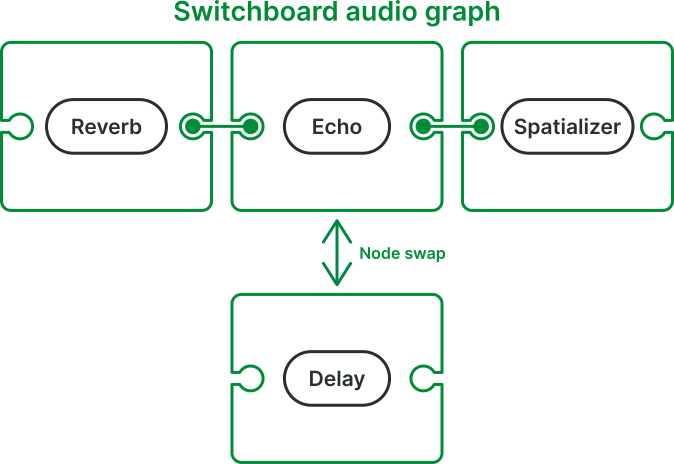
This allows developers to easily implement complex audio effects pipelines in their applications.
### Better audio quality, made even easier
Apply compression, filters, limiters, and combine components into processing chains to get things sounding like you want, and sounding the same on all platforms.
With Switchboard, you can leverage Superpowered’s powerful C++ functionality from the comfort of Swift, Kotlin, Javascript, React Native, and other high level languages. Use our **free** no-code editor and deploy anywhere.
[Try Switchboard Editor →](https://editor.switchboard.audio?config=%7B%22title%22%3A%22Superpowered%20Extension%20Example%22%2C%22nodes%22%3A%5B%7B%22id%22%3A%22SuperpoweredPlayer%22%2C%22type%22%3A%22Superpowered.AdvancedAudioPlayer%22%2C%22uiConfig%22%3A%7B%22tracks%22%3A%5B%7B%22label%22%3A%22Male%20Singing%22%2C%22url%22%3A%22https%3A%2F%2Fswitchboard-sdk-public.s3.amazonaws.com%2Fassets%2Faudio%2Fsinging%2Fmale-singing-mono.wav%22%7D%2C%7B%22label%22%3A%22Female%20Singing%22%2C%22url%22%3A%22https%3A%2F%2Fswitchboard-sdk-public.s3.amazonaws.com%2Fassets%2Faudio%2Fsinging%2Ffemale-singing-mono.wav%22%7D%2C%7B%22label%22%3A%22Stereo%20Voice%22%2C%22url%22%3A%22https%3A%2F%2Fswitchboard-sdk-public.s3.amazonaws.com%2Fassets%2Faudio%2Fspeech%2Fstereo-voice.wav%22%7D%5D%7D%2C%22config%22%3A%7B%22licenseKey%22%3A%22ExampleLicenseKey-WillExpire-OnNextUpdate%22%7D%7D%2C%7B%22id%22%3A%22StageOneFilter%22%2C%22type%22%3A%22Superpowered.Filter%22%2C%22config%22%3A%7B%22licenseKey%22%3A%22ExampleLicenseKey-WillExpire-OnNextUpdate%22%7D%7D%2C%7B%22id%22%3A%22StageTwoCompressor%22%2C%22type%22%3A%22Superpowered.Compressor%22%2C%22config%22%3A%7B%22licenseKey%22%3A%22ExampleLicenseKey-WillExpire-OnNextUpdate%22%7D%7D%2C%7B%22id%22%3A%22StageThreeReverb%22%2C%22type%22%3A%22Superpowered.Reverb%22%2C%22config%22%3A%7B%22licenseKey%22%3A%22ExampleLicenseKey-WillExpire-OnNextUpdate%22%7D%7D%5D%2C%22theme%22%3A%7B%22showGlobalTransportControls%22%3Atrue%7D%7D)
[](https://editor.switchboard.audio?config=%7B%22title%22%3A%22Superpowered%20Extension%20Example%22%2C%22nodes%22%3A%5B%7B%22id%22%3A%22SuperpoweredPlayer%22%2C%22type%22%3A%22Superpowered.AdvancedAudioPlayer%22%2C%22uiConfig%22%3A%7B%22tracks%22%3A%5B%7B%22label%22%3A%22Male%20Singing%22%2C%22url%22%3A%22https%3A%2F%2Fswitchboard-sdk-public.s3.amazonaws.com%2Fassets%2Faudio%2Fsinging%2Fmale-singing-mono.wav%22%7D%2C%7B%22label%22%3A%22Female%20Singing%22%2C%22url%22%3A%22https%3A%2F%2Fswitchboard-sdk-public.s3.amazonaws.com%2Fassets%2Faudio%2Fsinging%2Ffemale-singing-mono.wav%22%7D%2C%7B%22label%22%3A%22Stereo%20Voice%22%2C%22url%22%3A%22https%3A%2F%2Fswitchboard-sdk-public.s3.amazonaws.com%2Fassets%2Faudio%2Fspeech%2Fstereo-voice.wav%22%7D%5D%7D%2C%22config%22%3A%7B%22licenseKey%22%3A%22ExampleLicenseKey-WillExpire-OnNextUpdate%22%7D%7D%2C%7B%22id%22%3A%22StageOneFilter%22%2C%22type%22%3A%22Superpowered.Filter%22%2C%22config%22%3A%7B%22licenseKey%22%3A%22ExampleLicenseKey-WillExpire-OnNextUpdate%22%7D%7D%2C%7B%22id%22%3A%22StageTwoCompressor%22%2C%22type%22%3A%22Superpowered.Compressor%22%2C%22config%22%3A%7B%22licenseKey%22%3A%22ExampleLicenseKey-WillExpire-OnNextUpdate%22%7D%7D%2C%7B%22id%22%3A%22StageThreeReverb%22%2C%22type%22%3A%22Superpowered.Reverb%22%2C%22config%22%3A%7B%22licenseKey%22%3A%22ExampleLicenseKey-WillExpire-OnNextUpdate%22%7D%7D%5D%2C%22theme%22%3A%7B%22showGlobalTransportControls%22%3Atrue%7D%7D)
### Advanced audio player
The Superpowered player includes built-in functions including time-stretching, pitch-shifting, scratching, looping, multi-player sync, built-in resampling (automatic sample rate conversion), cue points, HLS audio streaming, progressive downloads, and more.
Use Switchboard to help feed this player with flexible inputs, outputs, and process audio inside of your application’s broader audio graph.
[Try advanced audio player →](https://editor.switchboard.audio?config=%7B%22title%22%3A%22Superpowered%20Player%22%2C%22nodes%22%3A%5B%7B%22id%22%3A%22player%22%2C%22type%22%3A%22Superpowered.AdvancedAudioPlayer%22%7D%2C%7B%22id%22%3A%22outputNode%22%2C%22type%22%3A%22OutputNode%22%7D%5D%2C%22connections%22%3A%5B%7B%22sourceNode%22%3A%22player%22%2C%22destinationNode%22%3A%22outputNode%22%2C%22sourceBusIndex%22%3A0%2C%22destinationBusIndex%22%3A0%7D%5D%2C%22tracks%22%3A%5B%7B%22label%22%3A%22EMH%22%2C%22player%22%3A%22https%3A%2F%2Fswitchboard-sdk-public.s3.amazonaws.com%2Fassets%2Faudio%2Fmusic%2FHouse_of_the_Rising_Sun.mp3%22%7D%5D%2C%22theme%22%3A%7B%22showSyncedTransportControls%22%3Atrue%7D%7D)
[](https://editor.switchboard.audio?config=%7B%22title%22%3A%22Superpowered%20Player%22%2C%22nodes%22%3A%5B%7B%22id%22%3A%22player%22%2C%22type%22%3A%22Superpowered.AdvancedAudioPlayer%22%7D%2C%7B%22id%22%3A%22outputNode%22%2C%22type%22%3A%22OutputNode%22%7D%5D%2C%22connections%22%3A%5B%7B%22sourceNode%22%3A%22player%22%2C%22destinationNode%22%3A%22outputNode%22%2C%22sourceBusIndex%22%3A0%2C%22destinationBusIndex%22%3A0%7D%5D%2C%22tracks%22%3A%5B%7B%22label%22%3A%22EMH%22%2C%22player%22%3A%22https%3A%2F%2Fswitchboard-sdk-public.s3.amazonaws.com%2Fassets%2Faudio%2Fmusic%2FHouse_of_the_Rising_Sun.mp3%22%7D%5D%2C%22theme%22%3A%7B%22showSyncedTransportControls%22%3Atrue%7D%7D)
### We can help
If you have questions, feature requests, a desired integration, customization needs, or require a bespoke solution—our parent company, Synervoz can help.
[Get in touch](https://synervoz.com/contact/)
[](https://synervoz.com/contact/)
---
# Voicemod
> Add Voicemod's real-time voice changer to your app via Switchboard. Voice effects, custom soundboards, and AI voice skins for iOS, Android, and React Native.
Partner

Voicemod's SDK was designed to add real-time voice changing to your application. Unfortunately, it's end-of-life. The good news is that Switchboard makes it easy to implement voice changing in your app directly.
[Play](https://youtube.com/watch?v=N172WS-7_1o)
[See how to do it](/hub/building-a-voice-changer)
Voicemod applied to local audio files and recorded messages.
Apply Voicemod effects in real-time within a LiveKit room.
Integrate real-time voice changing and sound effects into applications.
### Partnership with Voicemod
Voicemod provides an app with cutting edge voice changers including AI based voice changers.
We partnered with Voicemod to build an extension to the Voicemod SDK that makes a subset of their voice changers available for free to developers. A more comprehensive set of voice changers with fewer limitations is available for enterprise partners.
[Get in touch](https://synervoz.com/contact/) to learn more.

Whether you’re building an anonymous calling application, a game, or a hardware device, we can help you incorporate Voicemod tech into your product.

### Simplify the process and get great results
As a select developer, Synervoz can help you integrate and customize Voicemod according to your needs. We can help you design engaging and immersive experiences that increase user engagement and loyalty while staying within the constraints of your app or game.
[Get in touch](https://synervoz.com/contact)
[](https://synervoz.com/contact)
Images courtesy of [Voicemod](https://www.voicemod.net).
---
# Pricing
> Free audio SDK for up to 10K MAUs. Growth plans from $0.01/MAU/month. Noise suppression, echo cancellation, voice processing for iOS, Android, React Native, Flutter.
Get started free, upgrade as you scale, or tailor a plan that fits your deployment.
For prototyping, testing, and small-scale projects. Perfect for getting started.
No credit card required
[Start for free](https://console.switchboard.audio/register)
Up to 10K MAUs\
*Self-reported, validated against our analytics when your app calls home*
No support\
*Documentation only*
Free nodes only\
*Paid nodes not available*
Attribution required\
*In some use cases*
If you don’t measure MAUs, see *Custom *plan.
Designed for growing apps and expanding use cases.
per 10K MAUs
[Subscribe](https://buy.stripe.com/eVq9AUebQfDHa7j93IbMQ00)
Equivalent to $0.01 per MAU per month\
*Sold in increments of 10K MAUs*
Email support\
*Best-effort response*
Paid nodes available\
*Contact us to enable or customize*
No attribution required
Alternative pricing models (per device, perpetual license, etc.) available with the *Custom *plan.
For a customized solution, and specialized deployments.
\-
[Contact sales](/contact)
Flexible pricing models\
*For apps that don’t measure MAUs*
Custom support\
*Help designing and building custom solutions, plus Switchboard Editor access*
Access all nodes\
*Add custom nodes or port your technology to Switchboard*
Special deployments\
*Hardware devices, offline apps, and commercial installations*
Enterprise scale\
*>1M users or upfront / custom licensing*
Hourly support base fee of **$150 / hr**
* Discounts available for monthly packages
* Additional to license costs above
* Minimum blocks of 4 hours
[Purchase support package](https://buy.stripe.com/00waEY5Fkbnrcfreo2bMQ01)
Support can be used for:
* Help integrating Switchboard
* Added support for your platform targets
* Adding new Nodes / Extensions / other features you request
* Help porting your technology to Switchboard (e.g. so that you can use it instead of building your own SDK, or to make your offering available to all Switchboard users)
* any other help you may need
### Payments
Manage your subscription and billing information.
[Manage payments](https://billing.stripe.com/p/login/eVq9AUebQfDHa7j93IbMQ00)
[](https://billing.stripe.com/p/login/eVq9AUebQfDHa7j93IbMQ00)
### Free
Please [Get in touch](/contact) as you approach 10K MAUs.
You must agree to the [Switchboard SDK master license agreement](https://switchboard.audio/licensing). Currently we will contact you if you approach 20,000 cumulative "Activations" (essentially each time the SDK is initialized is one activation) to discuss pricing and whether you need to move up from the Free tier.
Synervoz may contact you to learn more about your use case.
[Get started](https://console.switchboard.audio/register) to get your free key.\
(Then go to the [Downloads](https://docs.switchboard.audio/downloads) and [Docs Portal](https://docs.switchboard.audio/docs/introduction) to view all SDK features.)
### Growth
The Stripe integration provides a quick way to purchase a license for projects with >10K MAU, or where support is required.
The quantity purchased will dictate not only the total number of MAU allowed, but also determines the level of support we can provide.
Please [Contact Sales](/contact) for additional clarity.
Commercial licenses are always necessary for installations in public venues (such as a bar, theater, or conference hall), embedded projects, and for any other limitations mentioned in the [Switchboard SDK master license agreement](https://switchboard.audio/licensing).
### Custom
**Flexible pricing models include:**
* Per Device
* Per User (e.g. MAU)
* Per minute
* Per developer seat (Editor)
* Revenue share & other
**For larger upfront fees we can sell**
* Perpetual Licenses
* Unlimited (no usage based limitations)
* Partial source code licenses
How does Switchboard’s SDK pricing work?
The pricing above is for Switchboard only. It does not include the cost of third party extensions.
How does pricing work for third party extensions?
Typically you would contract directly with the third party extension provider.
Nevertheless we have partnerships with certain providers so we encourage you to [get in touch](https://synervoz.com/contact) to discuss your use case and the extensions you’d like to use, as we may be able to help.
What if I need help integrating or special features?
Yes we can provide this help through the Support Packages mentioned above.
Do you also offer design and development services?
Yes we provide a variety of [consulting services](https://www.synervoz.com/) through our parent company, Synervoz.
How do you mitigate dependency risk?
* Some parts of the SDK are Open Source and we will be open sourcing more parts of the SDK as well as stand alone products and example apps that provide all the interaction surface needed to mitigate dependency risk.
* It's increasingly unlikely that issues will arise in parts of the codebase that you won't have access to.
* We offer world class support and consulting services. We are able to manage urgent requests via a shared Slack channel.
* For components that are not open-source, partial source code licenses, escrow, and other options are possible but only for sizable enterprise deals.
Can I get access to source code?
* Some parts of the SDK are Open Source and we will be open sourcing more parts of the SDK as well as stand alone products and example apps that provide all the interaction surface needed to mitigate dependency risk.
* We also provide [Example apps](https://docs.switchboard.audio/docs/examples) that are Open Source.
* We plan to continue our FOSS contributions and welcome partners to [get in touch](https://synervoz.com/contact).
* For the closed-source aspects of Switchboard, we may offer partial source code licenses based on your needs. This option is generally cheaper, faster, and more robust than developing it yourself. Pricing typically ranges from $XX,000 to $XXX,000, depending on the modules required.
What exactly is Switchboard / how it works / what’s included?
* Sometimes we get asked what Switchboard actually is, since much of the final functionality is often provided by third party extensions. In short, makes it much faster to use these extensions and without diving into C++.
* Think of it as a real time orchestration layer that makes it easy to assemble C++ building blocks into complete audio graphs without actually having to touch C++ yourself.
* While we built some of our own DSP modules from scratch, many of the nodes are wrappers around open source and third party libraries. The real work is in the C++ audio engine that makes all these pieces work together, and how it's integrated with higher level languages and operating systems so that the graphs will run anywhere.
* Switchboard abstracts all the low level requirements (e.g. real-time threading without glitches, CPU/GPU optimizations, sample rate conversion, circular buffer management, platform specific audio APIs like CoreAudio, AAudio, etc.).
* Hence, you benefit from a platform that makes it much faster to put the pieces together, whether you're aiming for rapid experimentation (with a huge variety of nodes to test, compare, and assemble into unique configurations), or a production ready audio graph will run on any platform without glitches while minimizing latency, CPU, and memory footprint.
* See [How it works](/how-it-works) to learn more.
Do you offer a warranty or Service Level Agreement?
We can provide this option if needed, but it is available only at the enterprise tier and will incur additional costs.
Otherwise, we offer support on a best-effort basis, and typically recommend a monthly support package to address this concern.
---
# White Label Switchboard
> Build high-quality audio and video recording into your app. Explore Switchboard's powerful SDKs for seamless integration and custom control.
You don’t have to build an SDK for your audio AI model or DSP algorithms.
[Contact sales](/contact)
Developing a software development kit (SDK) is time consuming and expensive. For audio tool developers it doesn't have to be. Switchboard can be your SDK for you.
### Understanding the challenges
Creating and sustaining an SDK is a continuous challenge. With evolving technologies, your SDK must keep up. Dealing with compatibility issues, constant updates, and support requests can drain your resources and hinder innovation in your core technology—your ML model or audio algorithm development.

### Enter Switchboard
What if you could bypass the SDK development hassle? Switchboard enables you to turn your algorithms and models into a fully featured SDK without starting from scratch. Stay focused on building better models, not how to make it easier for others to use them.
[Contact sales](/contact)
[](/contact)
No need to develop and maintain your own SDK.
Switchboard instantly gives you an SDK for mobile, desktop, and embedded platforms.
Focus on enhancing your audio technology while saving on engineering costs.
Tailored for developers in the audio space.
Your model is ready, but it’s too hard to use till your SDK is ready. Switchboard gets you to market instantly.
Switchboard has an interface allowing you to create your own node without needing to share your IP.
Use Switchboard host your own, private SDK, or create a node for our Public marketplace. Or both.
Make your technology easier to use by making it easy to extend with other Nodes in Switchboard.
### For all audio tools developers
Whether you're building text-to-speech engines, voice changers, or noise suppression tools, Switchboard allows you to dedicate your energy to innovation, not infrastructure.

### DevRel
Assuming you want to focus on improving your models, but don't want to worry about all of the customizations and interfacing that customers typically request. This is where our developer relations (DevRel) team comes in:
* Get it working alongside other audio features in their application
* Measure its performance
* Port it to more platforms
* Get it integrated in the first place, especially if you don't have a comprehensive SDK built yet

With Switchboard handling SDK complexities, you can ensure your audio innovations take center stage. Make your technology accessible to developers without the headaches of maintaining an intricate SDK ecosystem.
Ask us about our Extension Builder for other audio tools developers.
[Contact sales](/contact)
---
# Switchboard SDK
> Modular audio SDK for real-time voice processing, noise suppression, and audio effects. Native C++ core with iOS, Android, React Native, and Flutter support.
Develop cross platform voice and audio engines using modular building blocks
[Get your free key](https://console.switchboard.audio/register)
[Go to Docs](https://docs.switchboard.audio/)
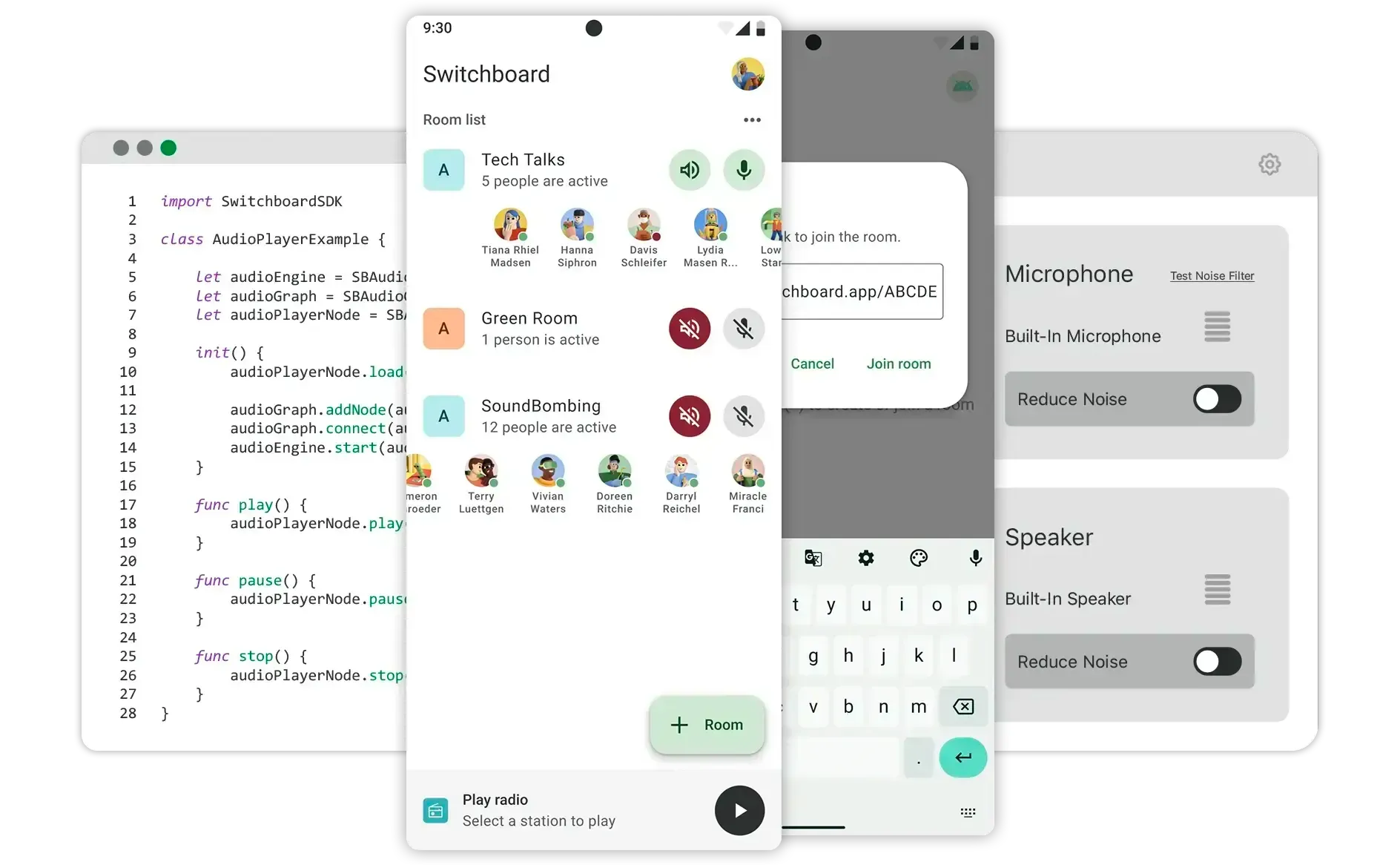
Switchboard is a modular SDK and runtime that makes it easy to build real-time voice and audio apps or features—without needing to be a specialist in C++, digital signal processing, or real-time systems.
Modular building blocks
### Switchboard is useful for projects that need
• Voice control\
• Voice agents and conversational AI\
• Voice and video chat\
• Language translation or interpretation\
• Voice changers, cloning, and other effects\
• Music, podcast, and video players\
• Streaming and real-time broadcasts\
• Karaoke and other interactive media
It is especially useful when **a combination** of these elements is required, and when *some components* can be run **on-device**.
The Switchboard SDK provides modular building blocks that are easily assembled into audio graphs that run anywhere.
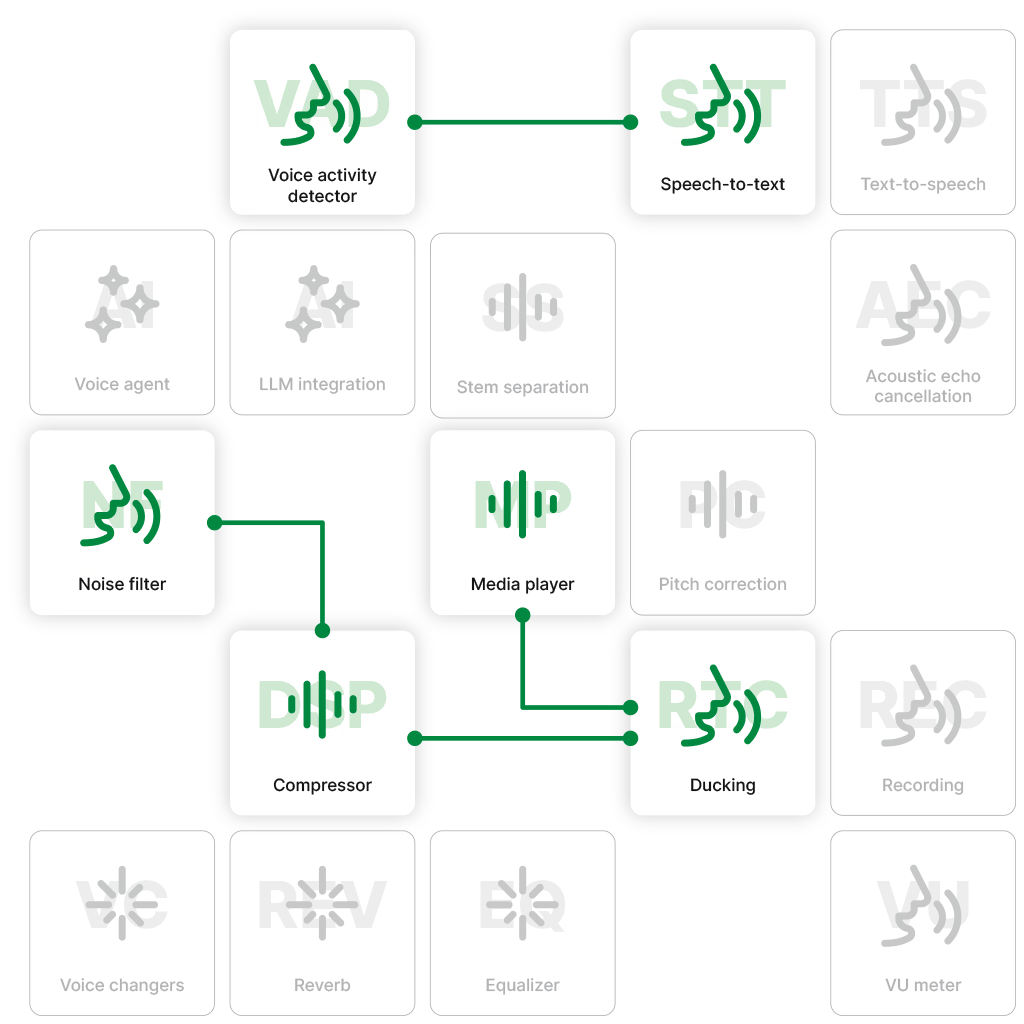
### Deploy on any platform
The Switchboard SDK makes it easy to deploy real time voice and audio pipelines to iOS, Android, macOS, Windows, Linux, web, embedded, and more.
Audio engines run **on-device**. Nodes run anywhere.
**APIs & Language Bindings** — Swift, Kotlin, JavaScript, C++, Python
**Modular, Hybrid Audio Graphs** — Connect speech-to-speech, STT, TTS, LLM, DSP, audio effects, generative audio, and other models. Some nodes are on-device, others are cloud-integrated.
**Cross-Platform Integration** — iOS, Android, Web, Desktop, Embedded
**Developer Tooling** — Debug, inspect, and test pipelines locally
**Custom Module Support** — Drop in your own AI or DSP logic
**Low-Latency Execution** — Sub-10ms processing per module
**Dynamic Reconfiguration** — Hot-swap models, voices, and effects mid-session
**Event-Aware Processing** — Adapt to network changes, user actions, and AI triggers instantly
**Pluggable AI/DSP Engines** — Whisper, local LLMs, cloud APIs, custom ML models
**Stable Under Load** — Designed for live comms, gaming, and AI agents
### New ideas, faster to market
Switchboard unlocks creativity by handling the hardest aspects of development:
* Assemble graphs rapidly without worrying about mismatches in format, sample rate, and other low level audio handling.
* Test competing nodes and AI models
* Swap models without rewriting glue code
Switchboard future proofs your architecture and provides lasting flexibility through on-device audio graphs and hybrid / cloud node capabilities.

[See how it works](/how-it-works)
### More than 50 pre-integrated nodes, or [bring your own](/nodes).
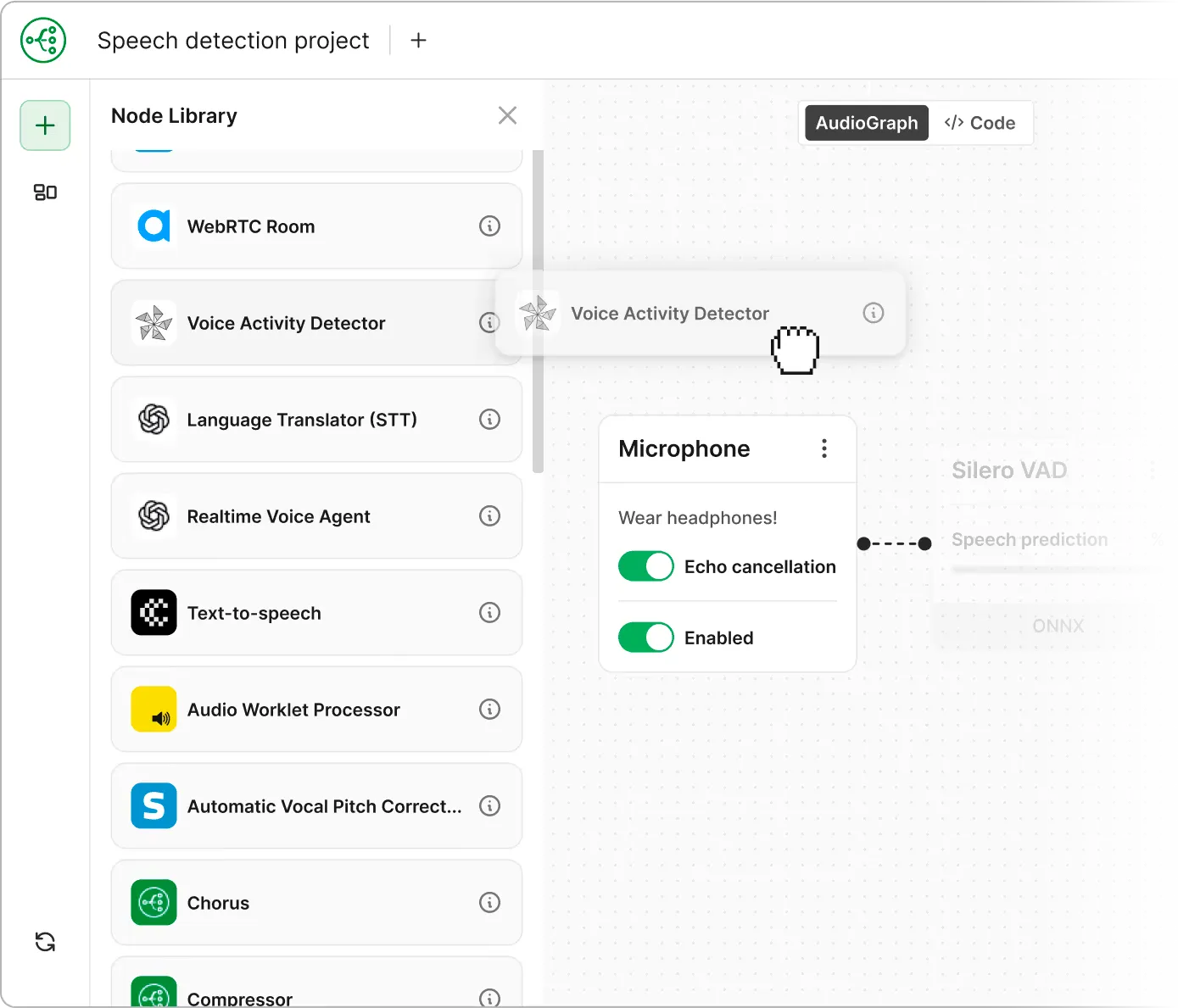
What are audio nodes?
Audio nodes are essentially modular containers that process audio and include a wide range of functions such as: *speech to text, text to speech, large language models, voice changers, media players, streaming, voice* and *video calling*, the ability to *mix* and *split audio streams, DSP effects*, and much more.
Switchboard also includes **Extensions** to many other popular audio tools and SDKs, both open and closed source.
Why should I use Switchboard?
Whether you’re using it for a single node such as *speech-to-text* or a *voice changer*, or stringing multiple nodes together, Switchboard will:
* make it faster and easier to build, test, experiment, and get to market
* make it easier to maintain and make changes later
* save time and money
* drive new revenue and growth by simplifying the addition of new features
### Audio is hard. The Switchboard SDK makes it easy.
Switchboard enables developers to:
* Build without being constrained by the limited use cases of iOS, Android, and other native platforms.
* Avoid creating an audio framework from scratch.
* Not have to rebuild for each platform or operating system.
* Work effectively without having to be experts in audio or low level languages like C++.
Put together complex audio pipelines without the need for C++ or real-time audio programming.
Make an audio engine that sounds the same on iOS, Android, macOS and Linux. Share the same audio code between platforms.
Our audio processing algorithms are highly optimized so you don't need to worry about audio glitches.
Our audio processing algorithms are highly optimized so you don't need to worry about audio glitches.
Save months or more, especially for complex audio pipelines.
Avoid writing glue code and validating 3rd party apps. We integrated and tested third party SDKs so you don't have to.
Quickly test new audio features, rearrange effects chains, or compare third party extensions.
Custom builds and licensing options available—tailored to your needs.
* number of developer hours
* cost to build
* maintenance costs
- speed to market
- ease of adding new revenue generating features
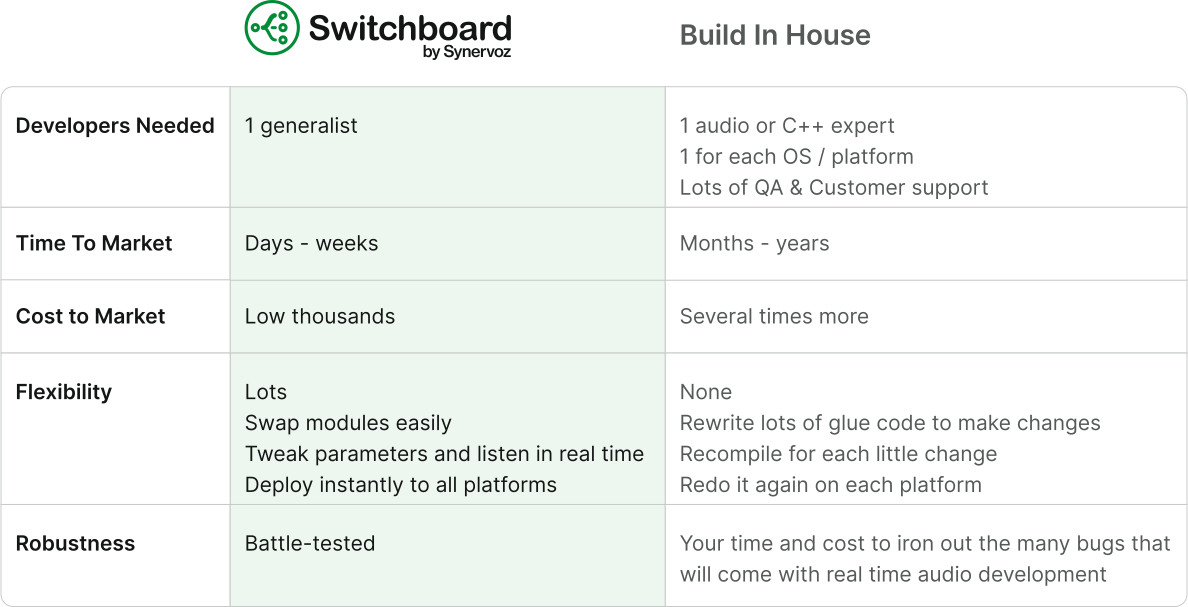
A typical example. Note that Switchboard has a free tier. See [pricing](/pricing).
FAQs
### You’ve likely got a few questions
Who is Switchboard designed for?
* AI Agent and Voice AI solutions developers
* Real Time Communications (RTC) applications
* Music and social app developers
* R\&D / ML / AI teams looking to commercialize
* Hardware projects like headphones, speakers, wearables, etc.
* Pro audio industry - hardware and software
* Apps & SDKs with voice, VoIP, media players, and other audio features
* Product managers looking for a no code prototyping tool (Switchboard Editor)
See *Use Cases* in main menu for more details .
What does it do?
Switchboard is a modular audio framework incorporating a large library of* *audio **nodes***** ***`AudioNode`. These nodes can easily be put together into **audio graphs **`AudioGraph`. Switchboard passes these graphs into natively compiled C++ code that runs *fast,* across multiple platforms including iOS, Android, Mac, Windows, web, and embedded platforms.
Audio graphs can be defined in JSON or native languages, making them easy to build while providing complete flexibility at runtime.
Switchboard also has a visual (no-code) node-based editor, the Switchboard Editor, which generates JSON automatically for rapid configuration of audio graphs that can easily be designed and tested in the browser and deployed to many target platforms.
It also allows you to tune parameters for each node or change the audio graph at runtime, rapidly speeding up development cycles.
How much does it cost?
Switchboard has a free tier up to 20K activations and Commercial Licenses available thereafter.
Consult our [Pricing](/pricing) page.
Is Switchboard proprietary?
Yes, Switchboard is a proprietary technology. However, we offer a free tier — please see our [Pricing](/pricing) page and [Master License Agreement](/licensing) for more details.
We also provide open source example applications. You are responsible for reading the license files contained with any distribution package.
We do our best to keep things simple and reasonable, while also supporting the open source community where possible.
Depending on what you build, it might also require a patent license. See [Patents](https://synervoz.com/patents) page.
### Ready to build something great?
Explore our documentation to get started for free.
[Explore Docs ↗](https://docs.switchboard.audio/)
[](https://docs.switchboard.audio/)
---
# Sign up
> Your instant voice network.
Want to see what else we’re building? [Check out Switchboard](https://switchboard.audio) or [Synervoz](https://synervoz.com).
---
# Sign up
> Your instant voice network.
Want to see what else we’re building?
Check out [Switchboard](https://switchboard.audio) or [Synervoz](https://synervoz.com).
---
# Sign up
> Your instant voice network.
Want to see what else we’re building?
Check out [Switchboard](https://switchboard.audio) or [Synervoz](https://synervoz.com).
---
# Who we are
> Meet the team behind the Switchboard audio innovation platform powering voice, media, and real-time comms.
Switchboard aims to improve audio, voice, and real time communications.
### Transforming digital communication
We recognize that text-based communication and social feeds often stem from technical limitations. Our goal is to make it easier for people to connect with each other and with machines, enhancing the way we communicate. By facilitating real-time interactions—like voice or video calls while enjoying entertainment or collaborating remotely—we're transforming the online experience for everyone. (See **use cases** in main menu.)

### How we got started
Switchboard’s parent company, **Synervoz**, initially began developing audio technologies for a social app called—you guessed it—Switchboard, a forward-leaning audio-based social network for spontaneous voice communication. The many audio features, including synchronized music, voice detection, auto-ducking, hands-free voice commands, and drop-in audio channels, as well as the need to make this all work cross-platform in real time, led to the development of a robust audio graph in C++. This ultimately resulted in the creation of the Switchboard SDK.
[See our story ->](https://synervoz.com/story)
[](https://synervoz.com/story)
Dual undergrad from Queen’s University. MBA grad top 1% (IE, Spain). Professional engineering, management, and finance background w/ 15 yrs across many industries. Formed Synervoz in 2014. Patents issued and pending. Graduated Techstars, Creative Destruction Lab, 48 Hrs in Valley, Berkeley Skydeck. Won Candian Music Week pitch contest, finalist at SXSW. Well-traveled (60+ countries).
University of Toronto computer science, mathematics, and music tech background. Former reverse engineer for Telus with experience in security and communications. Proficient across multiple platforms and programming languages. Audio and real time systems. Music production studio owner. World’s first cyborg DJ (built and performed with embedded system). With Synervoz since 2015.
MSc. Advanced Software Engineering at Kings College, London. iOS expert level developer with in depth knowledge of object oriented (Swift, Obj C, C++, Java), scripting (PHP, JS, AS, Python), declarative (Prolog, Erlang) and procedural (C, Pascal) languages. Extensive experience with audio, VoIP, & webRTC. Multilingual (English, Hungarian, Italian). With Synervoz since 2016.
Thom led the Vivox engineering team at Unity where he scaled teams and systems used by millions worldwide. Thom has also helped launch and grow several startups. At Synervoz, Thom leads technical business development and GTM for Switchboard. He also helps manage engineering priorities, customer projects, and hiring. Thom studied Computer Science and Physics at the University of Toronto.
---
# Why we built Switchboard
> Why we built Switchboard: the audio SDK that eliminates the pain of cross-platform audio development. From echo cancellation to voice effects, one SDK handles it all.
By Jim Rand (CEO)
I am not a software engineer. But I count myself lucky to work with them on a daily basis. Having started my career as a mechanical engineer in the mid 2000s and then transitioned through roles in management, finance, and, for the last decade, startups, I’ve come to respect software engineers as, on average, the smartest and most ethical people I know. It wasn’t my original plan to start a dev tools company, but I’m glad I ended up here.
It’s become clear to me that to build out our vision for the future of the social internet — including the many new formats of live collaboration and entertainment that are now in development — it’s not going to come from any one company. It’s going to come from a collection of creative people across multiple companies working towards independent but similar goals. And my hope is that, in Switchboard, we have a platform to bring together a majority of developers and product teams who share similar goals: **especially those who want to make the social internet a better place**.
That will encompass a lot of things. Products that surface the right moments to reconnect with old friends. Products that bring you together with your closest friends more often — to hang out in person or online. Products that make it easy to meet new human friends or even to fill in some gaps with AI companions — to a point of course. There are some pretty cringe-worthy products out there and hopefully we can help mitigate that by making it easier for well-meaning creatives to build better alternatives. Alternatives where people are interacting with one another in real time rather than doomscrolling alone. Talking over texting.
We also want to enable new social experiences on consumer electronics devices including TVs, speakers, headphones, vehicle infotainment systems, and professional settings such as offices and events spaces. The products built into these systems might aspect towards entertainment or making work more efficient and enjoyable. They might even start to blur the lines between work and play as AI takes over the mundane stuff. In any case, communication is the foundation of all of it, and voice in particular.
Text isn’t going away. But voice is becoming more important, and thankfully so. Talking, as opposed to texting, will start to pull our social fabric in the right direction as conversations start to feel more human again. In person and voice communication are the backbone of a healthy society. And voice technology is the backbone of Switchboard.
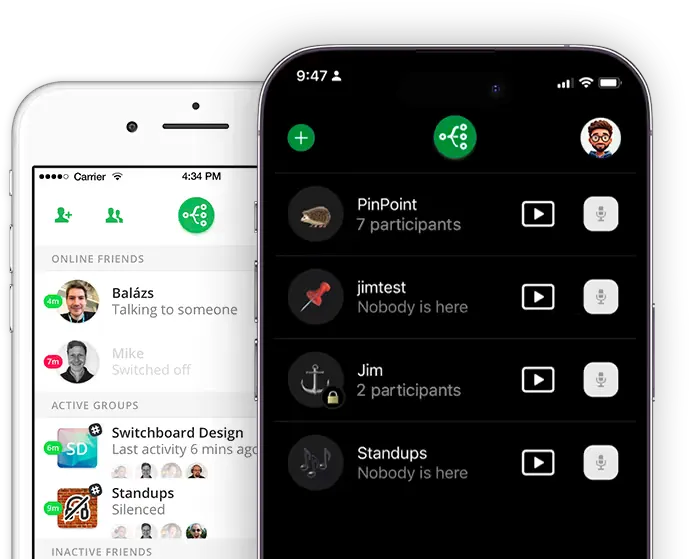
## We didn’t start here
We didn’t start as a developer tools company. We built a voice-first app that was full of real time audio features and it turned out to be really hard to build. You can [learn more about that here](https://www.synervoz.com/story/), but suffice it to say that we learned a lot — both about consumer behavior and real time audio tech — and came to the realization that there was a huge opportunity. Not just to make developers’ lives easier by providing a technology stack that saves them from the headaches we had ourselves. But to bring likeminded developers together towards a common goal.
To that end, the **Switchboard Network** is a part of our vision. It’s early days and we don’t know exactly how we'll pull this off, but the future of social will look a whole lot better if we do. So what is the Switchboard Network?
As developers and product teams start to incorporate Switchboard into their real time voice products, an opportunity emerges. We want to provide a feature that would allow a subset of Switchboard-powered products to opt into cross-application voice communication. Something like a telephone network — where you have different carriers, different phone manufacturers, and different phone numbers with different purposes — but a common network. Rather than phone numbers, we can employ AI to help mediate cross-app communication and use it to surface the right moments to bring people together, alongside activities they can enjoy together in real time: music, TV, tools that let you explore and create together, etc. That’s what we’re really aiming towards: a real-time social internet facilitated by the Switchboard Network.
We got started building this vision with our first app, the [Switchboard App](https://www.synervoz.com/venture-studio/switchboard-1-0/). And we’re still exploring the B2C side of this equation with [Kosmi](https://www.synervoz.com/venture-studio/kosmi-vs/). But what’s become clear is that this vision doesn’t exist within a single app. It exists in part inside Discord, Slack, X, WhatsApp, TikTok, YouTube, a multitude of other messaging apps, social apps, games and content streaming apps, and part inside whatever comes to replace “apps” — such as the AI agents that will live inside your devices and operating systems and connect you across various accounts, services, and social networks.
The technologies we’ve prioritized inside the Switchboard SDK are the technologies that help developers build this future. And, we hope, a subset of developers using Switchboard will opt into our vision: bringing product teams and user bases together into a unified vision of a better social internet: a decentralized voice communication network that helps people connect with who they want, when they want, from wherever they want, alongside interactive live activities that cut across walled gardens.
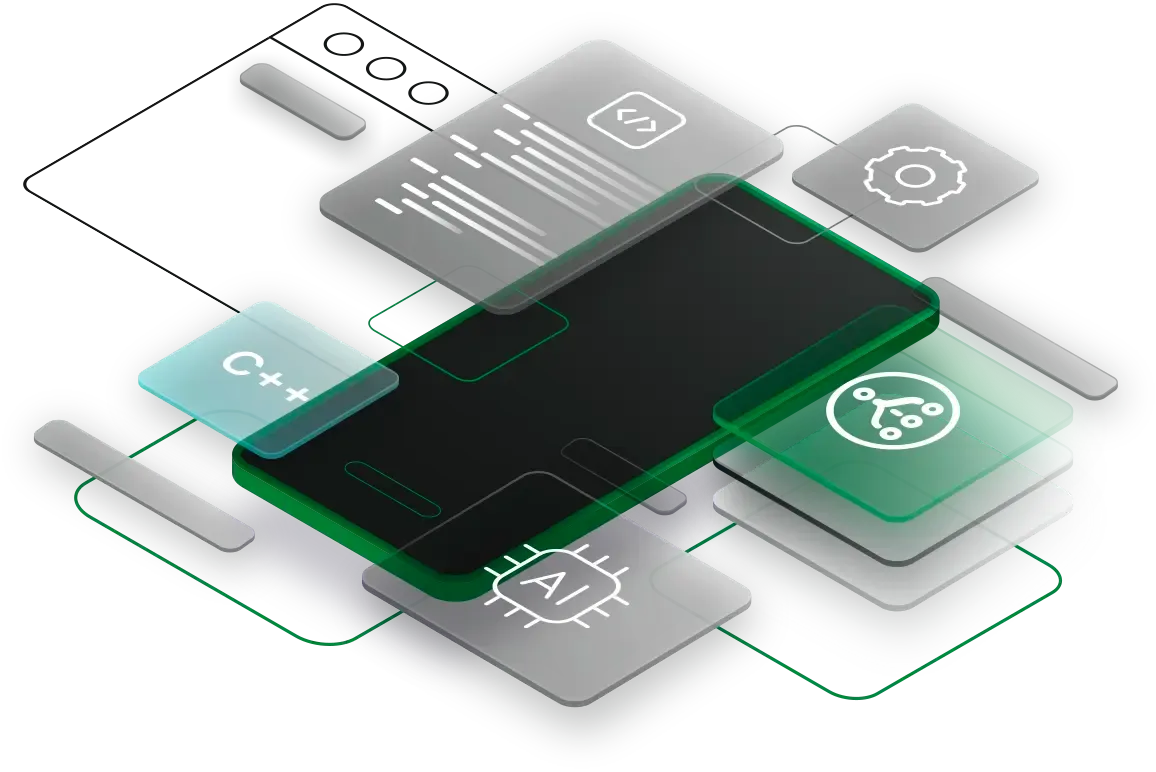
## Some practical considerations
Why is Switchboard even needed in an era of AI-generated products? First, we don’t think the best products will be 100% vibe-coded, at least not any time soon. We think the best products will be assisted by AI generation on top of thoughtfully designed tools and frameworks that are modular, well architected, and easy to debug and maintain. We think the best products will use humans to orchestrate AI in a way that is uniquely human, aligned with the goals of the human teams designing and building those products.
We’ve designed Switchboard to make this orchestration easier, allowing the AI to assemble products with building blocks — called Nodes. Not only can AI help to write new nodes if necessary, but the way the blocks connect together remains consistent and auditable. This ensures Switchboard-powered products remain robust, scalable, and flexible. Moreover, they will be built on a framework that will allow for the eventual interoperability with the Switchboard Network.
We prioritize adding new nodes to our library in a few ways. We started with the nodes that power the use cases we’ve been passionate about for so long. For example, our team is full of musicians and we’ve always loved the idea of being able to listen to music together with a live voice channel (for fitness, remote work, and other use cases) — so you will find nodes related to streaming music, voice over IP, mixing, and auto-ducking (using voice detection to lower the music when someone speaks). You will also find nodes related to real time language translation and a few other things where we started by scratching our own itch — enabling new use cases that we hadn’t yet seen elsewhere.
We dogfood Switchboard to build these use cases out as example apps that we then open source. And we will keep doing so because there are so many cool use cases that haven't been built yet. Switchboard makes them easy to build, so we intend to keep open sourcing not just ideas — but fully working prototypes that others can polish, remix, and distribute.
We’re usually not alone in the use cases we’re passionate about. Soon after releasing new example apps and blog posts that accompany them, we’ve found ourselves talking to likeminded teams. We use this feedback loop to help us prioritize our backlog — including the long list of nodes we intend to add to our library to expand the number of possible use cases even further. We do our best to balance what our customers are asking for right now vs. where we see big forward-looking opportunities.
We’ve also provided a framework to “Bring Your Own Node” so that any developer can add any node that we haven’t yet gotten around to, or to merely extend their own technology (such as a voice or audio ML model or algorithm) with the additional functionality Switchboard provides.
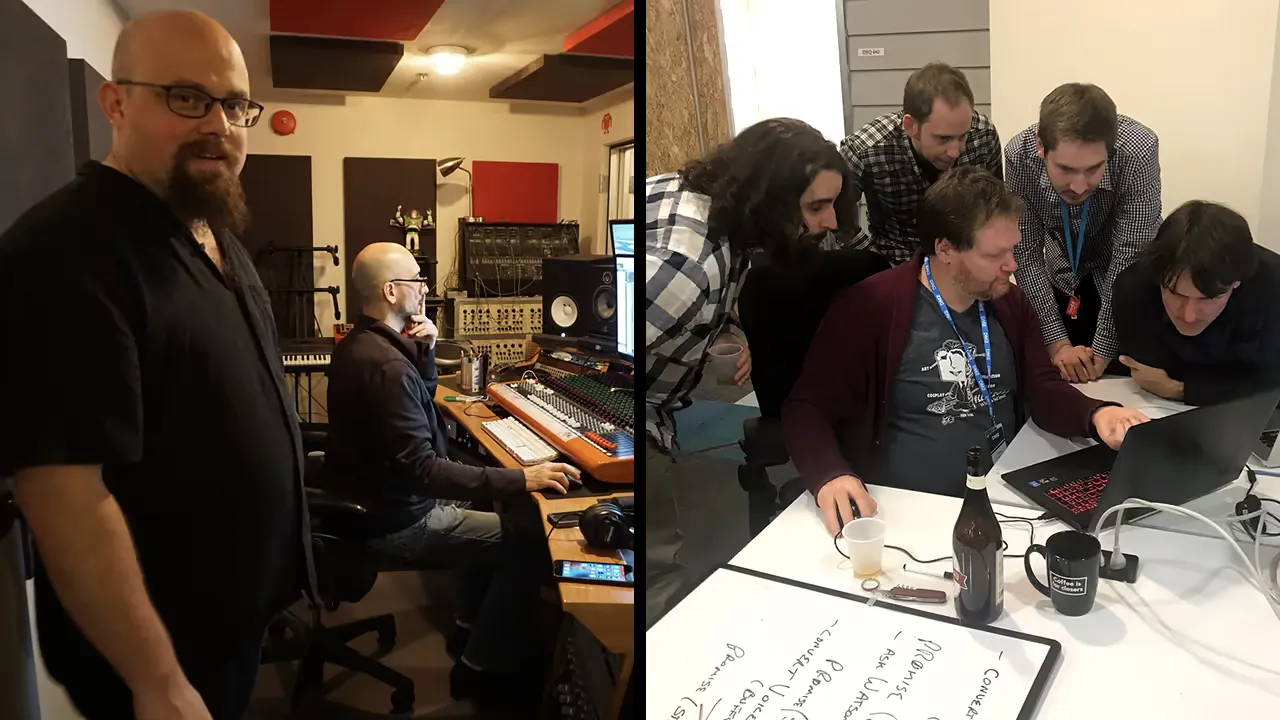
## So what problems are we addressing?
We’re a team of engineers who are passionate about solving problems and we've encountered a huge list of development challenges and platform limitations over the last 10 years or so of working together in the domain of real time voice and audio systems.
On the one hand, many of these relate to software development. And the vast majority of our team are software engineers. So we’re motivated to make developers’ lives easier. Most product development teams don’t want to spend time stitching together voice activity detection, ASR, noise suppression, speech synthesis, WebRTC, and handling other low low level audio problems or OS issues. And when these teams try to use AI to help, they often wind up with spaghetti pipelines no one can debug later. That’s a problem we can help solve – and we are solving, with Switchboard.
But in addition to that, there’s a bigger vision we share, and that’s what got us started in the first place. The internet is filled with ways to communicate. Every app wants to be the one place you spend time, and yet none of them get it really right. We want to help connect people – not just inside one app, but across them. We want to connect not just users, but developers and entrepreneurs with a similar vision.
We see a very promising future for voice communication and real-time interactivity. We want Switchboard to be the backbone of that.
If that resonates, we hope you’ll give it a try or reach out to learn more.
If you don’t know what you’re building yet or are unsure of whether you could get your company onboard, but would love to stay informed – feel free to share your email and we’ll keep you apprised of product updates, company news, and the like.
Thanks for your interest
— Jim